Most lists of AI-built websites are guesses. A site looks modern, someone assumes a prompt made it, and it lands in a roundup. Nobody checks.
We checked. Every one of these AI website examples is a live company site that we could verify was built and is served on Ploy, an AI website builder. If we could not prove it from the page itself, it is not here.
That rule cost us examples. We set out to find 15 and ended with 9 we can stand behind: Findem, PEC360, Volca, Banyan Software, Indie Health, TNT Growth, Leadbay, Nursa and Ploy’s own site. Each was checked live on November 20, 2026.
The short version: none of the nine looks like it came from a template. The pattern they share is that each one keeps its own brand, leads with one clear promise and puts proof (numbers, logos or a working product) on the first screen. AI did the building. The positioning still came from the team.
Start with the first screen
What counts as an AI-built website?
An AI-built website is a site whose pages were created with an AI website builder: a person describes the page, the AI writes the layout, copy and code, and the person reviews and publishes it. The best ones start from an existing brand, so the result looks like the company and not like the tool.
It does not mean nobody was involved. In every customer story we link below, a marketer or founder directed the work and approved what went live.
How we verified these 9
- Source check. We loaded each page in a desktop browser at 1440 × 900 on November 20, 2026 and read the page source. A page only qualified if it loads its assets from Ploy’s own delivery network, which is how sites built and hosted on Ploy are served.
- Public record. Where Ploy has published a customer story, we link it and quote its numbers. Where there is no story, the company appears in the customer logos on Ploy’s homepage and passed the source check.
- One entry per company, even where several pages qualified.
Left out: customers whose main site did not pass the source check (several run only campaign or account pages on Ploy at addresses we could not confirm), one site that names other website tools on the page, and anything built with a tool we could not verify.
What the 9 show:
| Checked on each site | Sites |
|---|---|
| Page source loads from Ploy’s network | 9 of 9 |
| Public Ploy customer story | 3 of 9 |
| Numbers on the first screen | 3 of 9 |
The three with a customer story: Findem, PEC360 and Volca. The three with numbers on the first screen: PEC360, Banyan Software and TNT Growth.
Full company sites with a public build story
1. Findem
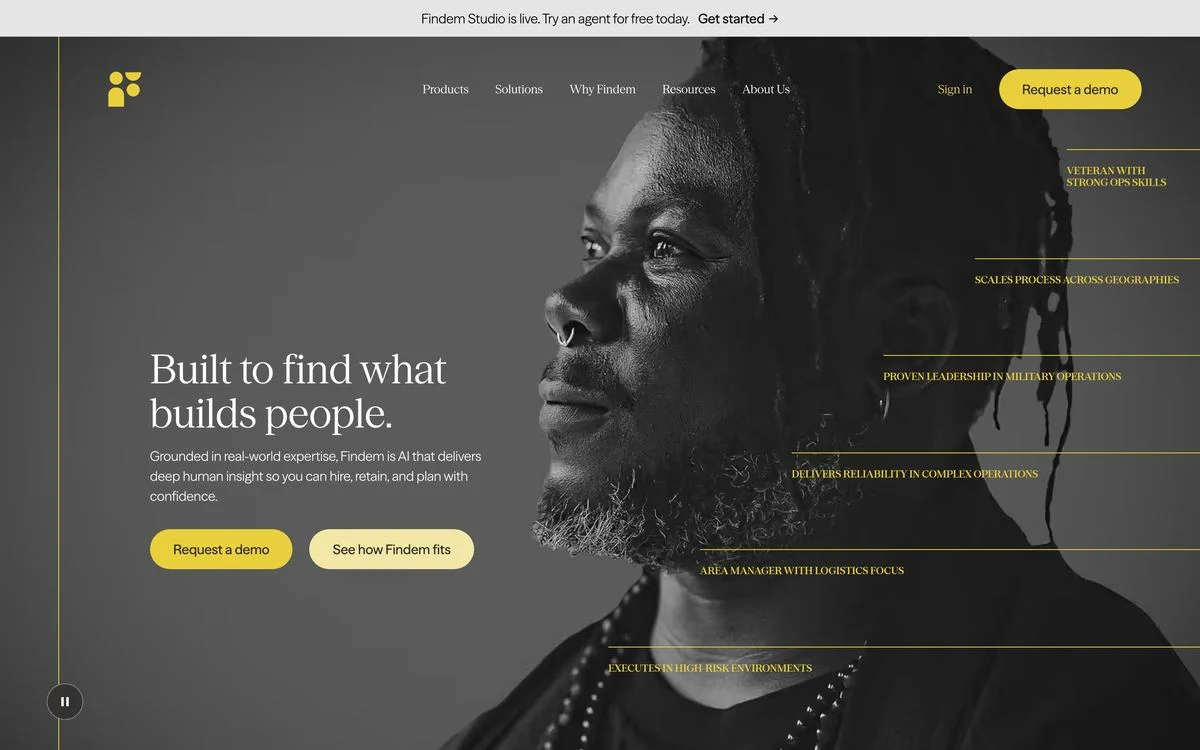
Example: Findem
How it is set up: A full-screen black and white portrait with thin yellow lines pointing to labels such as “Veteran with strong ops skills” and “Scales process across geographies”. The headline reads “Built to find what builds people.” with “Request a demo” and “See how Findem fits” buttons, and a top bar announces that Findem Studio is live.
How we know it is AI-built: The page source loads from Ploy’s network. Ploy’s Findem customer story says the team moved 450 to 500 pages to Ploy in about a week.
What stands out: The labels around the portrait show what the product does (finds the traits behind a person) without a single product screenshot.
Steal this: Show your product’s output on top of a real subject instead of showing the interface.
2. PEC360
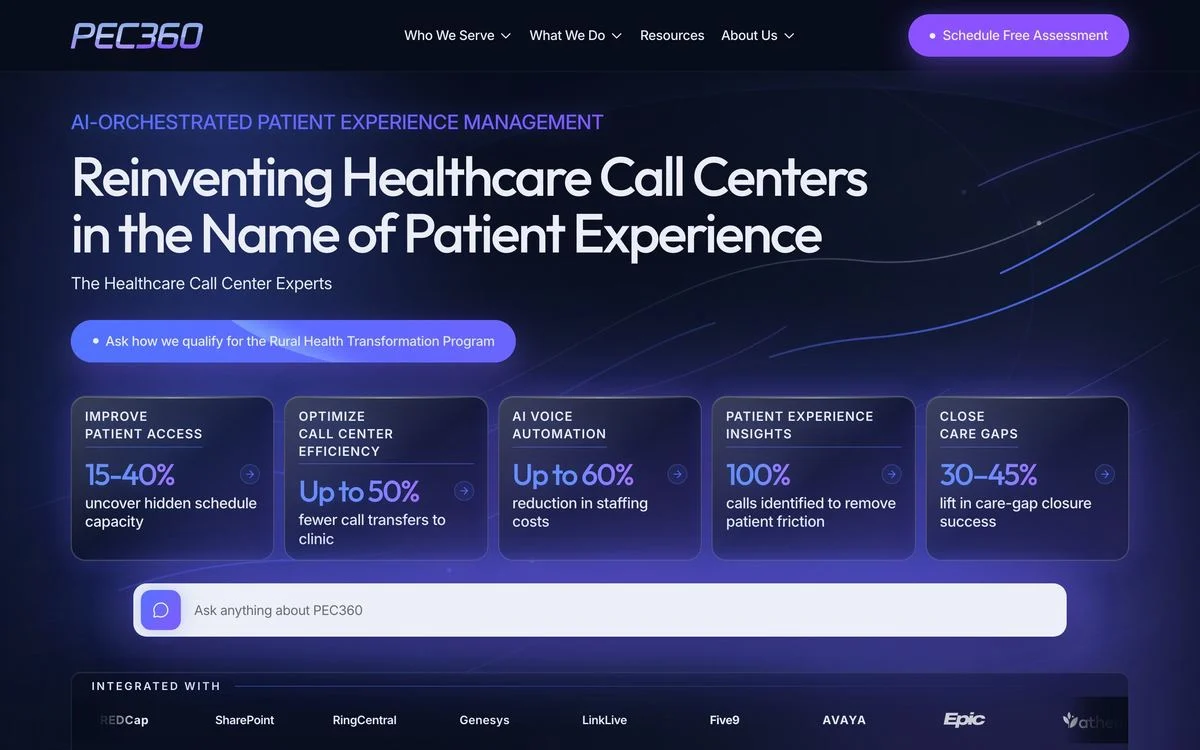
Example: PEC360
How it is set up: A dark blue hero with “Reinventing Healthcare Call Centers in the Name of Patient Experience”, five outcome cards (15 to 40% hidden schedule capacity uncovered, up to 50% fewer call transfers, up to 60% lower staffing costs, 100% of calls identified, 30 to 45% lift in care-gap closure), an “Ask anything about PEC360” box and a row of the systems it integrates with.
How we know it is AI-built: The page source loads from Ploy’s network. Ploy’s PEC360 customer story says a site change that took an agency about a week now takes 30 seconds, and that the site chatbot was built without code.
What stands out: The ask box sits in the hero, so a hospital buyer can question the site before reading it.
Steal this: Put a question box on the first screen and let visitors ask instead of hunt.
3. Volca
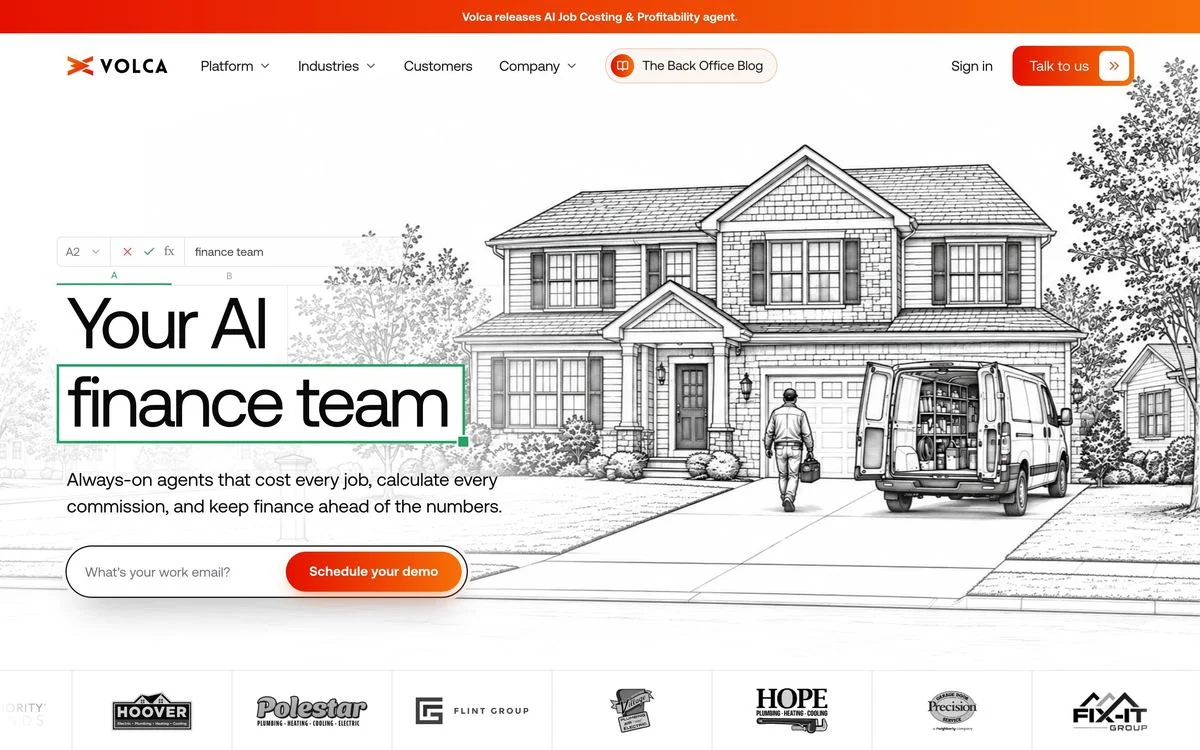
Example: Volca
How it is set up: A hand-drawn line illustration of a technician walking up to a house with a service van, and a headline styled as a spreadsheet cell: “Your AI” followed by a cell that types out roles such as “finance team”. Below sit a work email field with a “Schedule your demo” button and a row of contractor logos. An orange bar at the top announces a new agent.
How we know it is AI-built: The page source loads from Ploy’s network. Ploy’s Volca customer story says the company rebuilt its site in Ploy instead of hiring an agency, saved $20,000 to $30,000 and goes from idea to published in about 20 minutes.
What stands out: The spreadsheet cell tells a finance buyer, in one visual, that this product lives where they already work.
Steal this: Style your headline after the tool your buyer uses all day.
For more first-screen ideas, see our hero section examples.
Company sites that passed the source check
4. Banyan Software
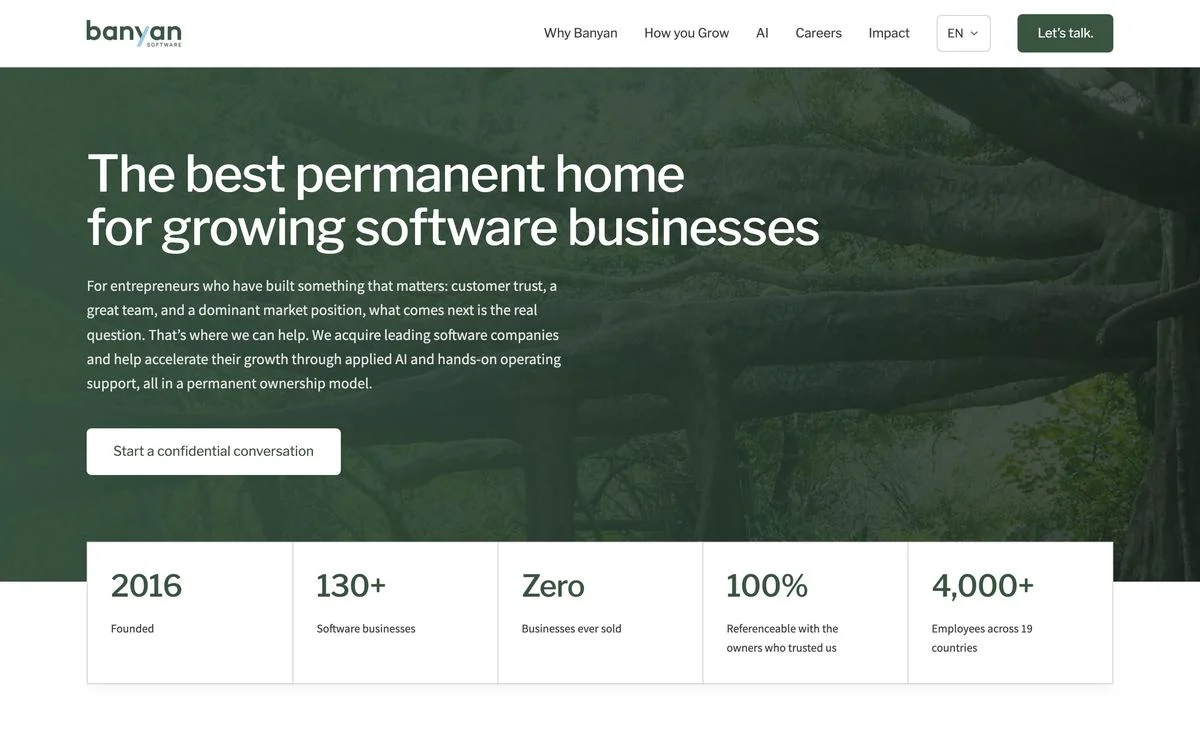
Example: Banyan Software
How it is set up: A deep green photo of a banyan tree behind “The best permanent home for growing software businesses”, a paragraph for founders, one “Start a confidential conversation” button and five stat boxes: founded 2016, 130+ software businesses, zero businesses ever sold, 100% referenceable and 4,000+ employees. The menu offers four languages.
How we know it is AI-built: The page source loads from Ploy’s network, and Banyan Software appears in the customer logos on Ploy’s homepage.
What stands out: “Zero businesses ever sold” is the whole pitch in one number, and it sits where a nervous founder will see it first.
Steal this: Find the one number that answers your buyer’s biggest fear and put it under the button.
5. Indie Health

Example: Indie Health
How it is set up: A navy-tinted photo of a front desk conversation behind “Turn patient demand into qualified visits”, a two-line description of what the product brings into one place (referrals, website inquiries, calls and texts) and two buttons: “See a demo” and “Explore the platform”. The menu floats in a rounded pill.
How we know it is AI-built: The page source loads from Ploy’s network, and Indie Health appears in the customer logos on Ploy’s homepage.
What stands out: The photo is of the buyer’s own workplace, so a practice manager recognizes the problem before reading a word.
Steal this: Use a photo of where your customer works, not of your product.
6. TNT Growth
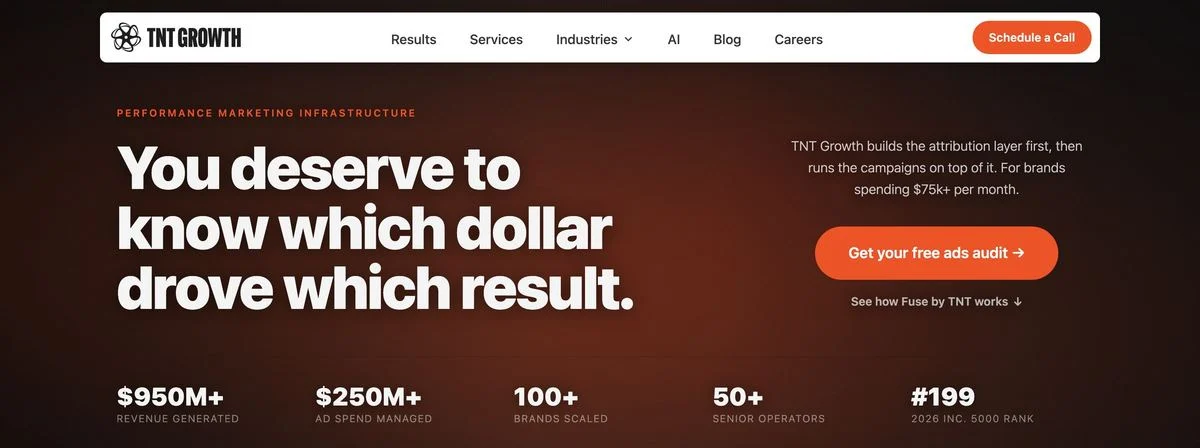
Example: TNT Growth
How it is set up: A dark hero with the label “Performance marketing infrastructure”, the headline “You deserve to know which dollar drove which result.”, a short paragraph that says who the agency is for (brands spending $75k+ per month), a “Get your free ads audit” button and five figures: $950M+ revenue generated, $250M+ ad spend managed, 100+ brands scaled, 50+ senior operators and a 2026 Inc. 5000 rank of #199.
How we know it is AI-built: The page source loads from Ploy’s network, and TNT Growth appears in the customer logos on Ploy’s homepage.
What stands out: Stating a minimum spend in the hero turns away poor-fit leads before they book a call.
Steal this: Say who you are not for, with a number, on the first screen.
7. Leadbay
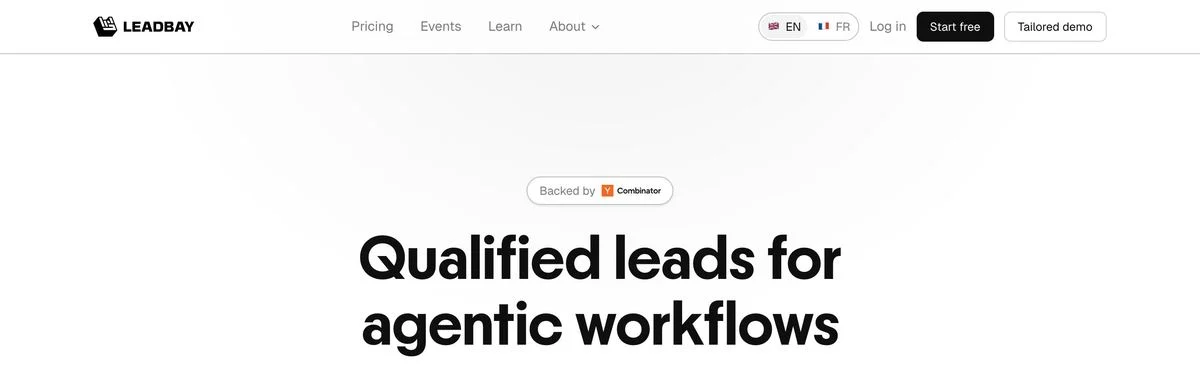
Example: Leadbay
How it is set up: A white page with a small “Backed by” investor badge above one large black headline, “Qualified leads for agentic workflows”. The header carries pricing, events and learn links, an English and French switch, and “Start free” and “Tailored demo” buttons. Below the headline (outside our crop) a toggle switches the page between “For Humans” and “For Agents”.
How we know it is AI-built: The page source loads from Ploy’s network, and Leadbay appears in the customer logos on Ploy’s homepage.
What stands out: A second version of the homepage written for AI agents is still rare, and it is a clear signal of who the product is for.
Steal this: If software agents use your product, give them their own version of the page.
Build a site with AI, then refine each section
Ploy builds a site from a short brief or your existing pages, and you sharpen each section as your message firms up.
A directory inside a larger site
8. Nursa facility directory
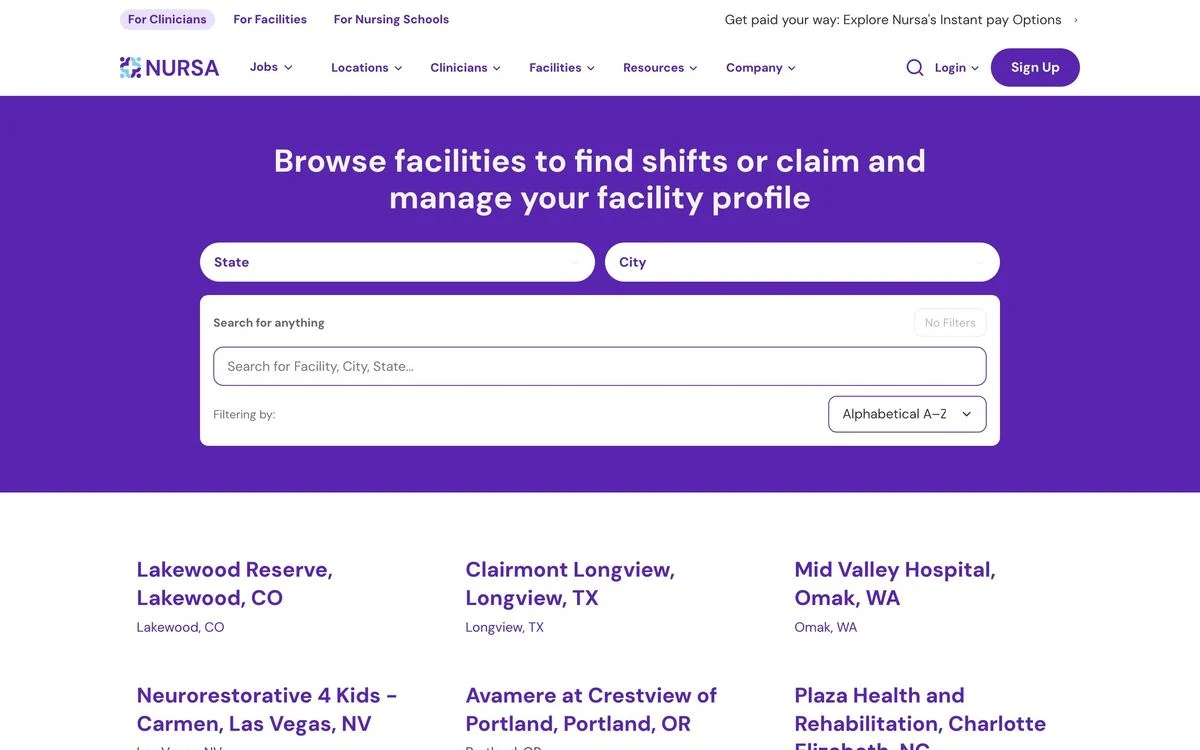
Example: Nursa facility directory
How it is set up: A purple panel with the headline “Browse facilities to find shifts or claim and manage your facility profile”, state and city dropdowns, a search field and a sort menu, followed by a grid of facility names with their cities. A top bar splits clinicians, facilities and nursing schools.
How we know it is AI-built: This directory section passed the source check, along with the individual facility pages under it. Nursa’s main marketing pages did not, so we count only the directory. Nursa appears in the customer logos on Ploy’s homepage.
What stands out: It is a searchable directory with a page per facility, the kind of large, data-driven section that used to need an engineering team.
Steal this: Turn the data you already hold into a searchable directory with a page per record.
The builder’s own site
9. Ploy
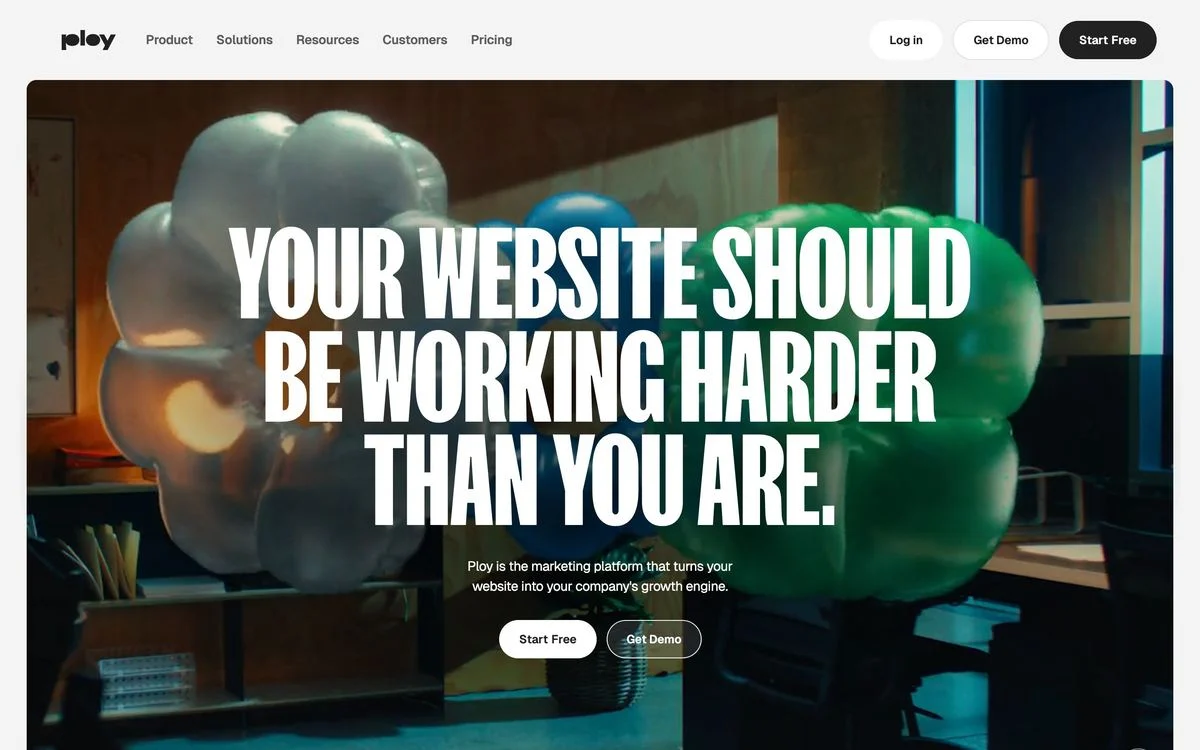
Example: Ploy
How it is set up: A framed film-like scene of a dim room with a large inflated shape, and a condensed all-caps headline over it: “Your website should be working harder than you are.” One line of description and two buttons, “Start Free” and “Get Demo”, sit underneath. The header repeats both buttons.
How we know it is AI-built: The page source loads from Ploy’s network, and the footer says the site is made on Ploy.
What stands out: A tool that builds websites has to pass its own test. The art direction here is nothing like a default layout.
Steal this: Build your own site with the product you sell, and say so in the footer.
What these AI-built websites have in common
- They keep their own brand. Findem’s yellow lines, Volca’s line drawings and Banyan’s tree share nothing visually. The tool did not flatten them.
- One promise per first screen. Every hero has a single headline and one or two buttons.
- Proof up front. PEC360, Banyan Software and TNT Growth put numbers on the first screen. Volca shows customer logos.
- Something a static page could not do. An ask box (PEC360), a second version for agents (Leadbay), a searchable directory (Nursa).
- A person in charge. In the three public stories, a marketer or founder directed the build and approved it.
- Speed after launch. The stories talk less about the first build and more about how fast changes ship afterward.
For more examples by page type, see our homepage examples, landing page examples and the best SaaS websites. For current design patterns, see modern website design.
How to build a website with AI in Ploy
- Start from your brand. Ploy builds a brand design system from your current site, so new pages match it.
- Describe the page: “Homepage: one headline, a short description, a demo button, five stat boxes and a customer logo row.”
- Review and edit. Ploy’s AI website builder writes the layout, copy and code. You change anything by asking.
- Add the pages around it: campaign and landing pages, comparison pages and a blog.
- Publish, then keep improving. Ploy’s SEO agent finds issues and suggests fixes after launch.
Check every number, customer name and claim yourself before you publish. AI writes the page; you are still accountable for what it says.
Start Free and build your first AI site
Turn your current site or a short brief into a page you can review and edit before it goes live.