The hero section is the only part of your website that every visitor sees.
Everything below it is optional. People scroll, skim, bounce, or jump straight to pricing, but nobody skips the first screen. That makes the hero section the most expensive real estate you own, and in most companies it gets designed once and left alone for years.
So we opened 25 hero sections from well-known brands, B2B and consumer, and wrote down exactly what is in each one: the headline, the buttons, the picture, and whether anything in it proves the claim. Every hero below was captured on October 16, 2026.
The short version: the best hero sections pick one picture and one action, and the picture is usually the product.
Build a sharper hero section in Ploy.
What is a hero section?
A hero section is the first full-width block of a web page, the part a visitor sees before scrolling. On most sites it holds a headline, a supporting line, one or two buttons, and a large visual. The name comes from print and early web design, where the “hero image” was the dominant picture at the top of a page.
A hero section is not the same as a landing page. The hero is one section; a landing page is a whole page built around one goal. Every landing page has a hero, but so does every homepage, pricing page and blog post.
What goes in a hero section?
Six parts show up again and again across these 25. Most heroes use four or five of them, and very few use all six.
- An eyebrow. A short label or announcement pill above the headline, like Attio’s link to a lesson series or Cloudflare’s conference banner.
- A headline. The one sentence everyone reads. We counted 40 of them in our website headline examples, and the median was six words.
- A subhead. The line that explains what the headline only implies.
- A call to action. One or two buttons, sometimes an email field or single sign-on buttons instead.
- A visual. The product, a photograph, an illustration, a video, or nothing at all.
- Proof. A number, a logo strip, a rating or a live counter that backs the claim.
How we checked these 25
Each homepage was loaded in a desktop browser at 1440 × 900 on October 16, 2026, with cookie banners and chat widgets removed before the screenshot. For every hero we recorded the type of visual, the number of calls to action inside the hero itself (not in the navigation bar), and whether any proof appears in the hero.
Seven more sites were captured and left out. Tesla returned an access-denied page, Patagonia was showing a holding page, Allbirds opened with a shipping-country pop-up, Airtable was running a banner promoting another AI company, Grammarly’s cookie banner covered its hero, Arc’s homepage now sends visitors to a different browser, and Headspace rotates its headline between loads. Spotify also rotates one word of its headline, but its layout stays the same, so it stayed in.
What the 25 showed:
| What we counted | Result |
|---|---|
| Heroes showing the product’s own interface or output | 11 of 25 |
| Heroes with two calls to action | 13 of 25 |
| Heroes with one call to action | 8 of 25 |
| Heroes with no button at all inside the hero | 2 of 25 |
| Heroes with single sign-on buttons | 3 of 25 |
| Heroes with a live, moving number | 3 of 25 |
Two findings stand out.
The product is the most common picture. Eleven of 25 put the actual interface, or something made with it, in the hero. Stock photography of people at laptops, once the default, does not appear once.
Two of the 25 have no button in the hero at all. Linear and Whoop leave the call to action in the navigation bar and let the hero do nothing but explain. Both are confident brands whose visitors arrive already curious.
All 25 hero sections at a glance
| Brand | Hero visual | Calls to action | Proof in the hero |
|---|---|---|---|
| Linear | Product interface | None in the hero | None |
| Notion | Product interface | 2 | Logo strip below |
| Calendly | Product interface | 2 (sign-on buttons) | None |
| Dropbox | Product interface | 1 | 700 million users line |
| Attio | Product interface | 2 | None |
| Zapier | Product interface | 2 | None |
| Basecamp | Product interface | Link list | Live user counter |
| Figma | Product output | 1 | None |
| Loom | Product video | 2 | None |
| Canva | Interactive preview | 1 | None |
| Retool | Interactive prompt box | Prompt box | None |
| Apple | Product photo | 2 | None |
| Oura | Product photo | 1 | None |
| Whoop | Product photo | None in the hero | None |
| Mercury | Landscape photo | Email field + 2 | Legal line |
| Nike | Campaign photo | 2 | None |
| Sierra | Video | 1 | None |
| Spotify | Video | 2 | None |
| Ramp | Campaign photo + interface | Email field + 1 | Live payments counter |
| Clay | Illustration | 2 | None |
| Duolingo | Illustration | 2 | None |
| Stripe | Abstract artwork | 2 | Live GDP counter + logos |
| Raycast | Abstract artwork | 1 | None |
| Cloudflare | Solid colour | 1 | Number in headline |
| Supabase | Text only | 2 | None |
Heroes that show the product
1. Linear
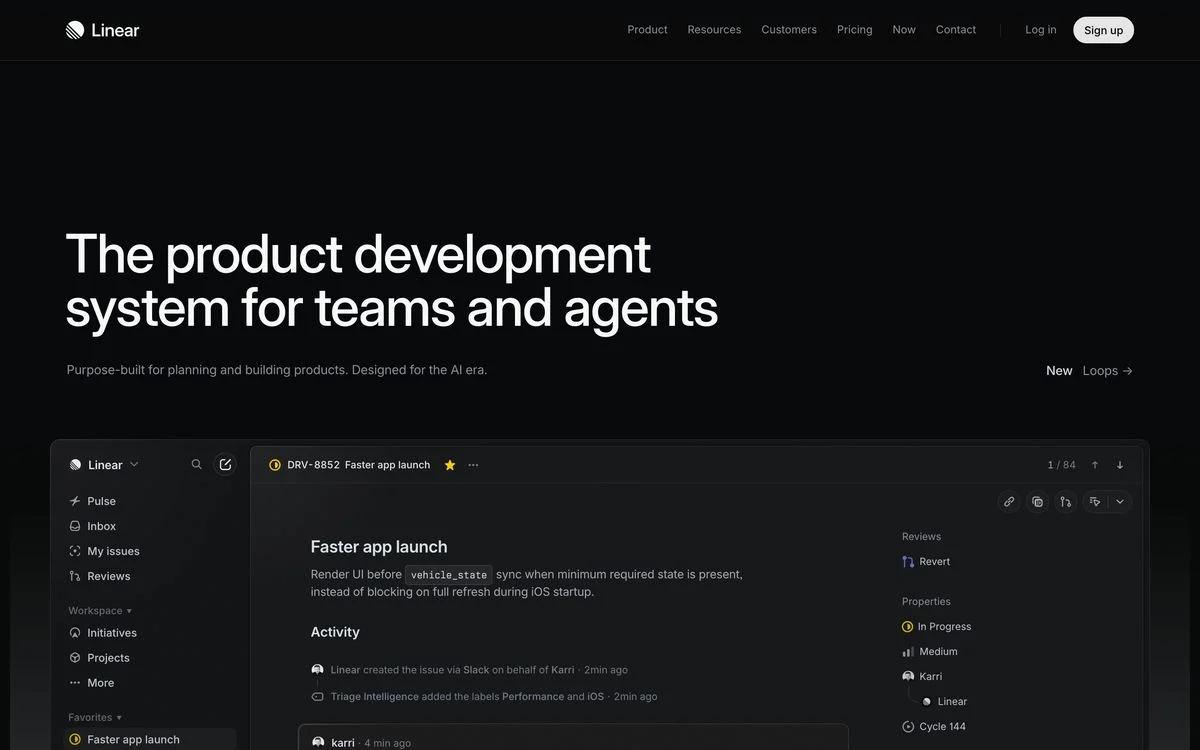
Example: Linear homepage
What is in it: A two-line headline, “The product development system for teams and agents”, a short subhead, and a wide screenshot of the app underneath. There is no button inside the hero. The only call to action is “Sign up” in the navigation bar.
Why it works: The screenshot is the argument. Linear’s buyers are engineers and product managers who judge software by how it looks in use, so a full-width view of the real interface tells them more than any button label could.
Steal this: If your interface is your best asset, give it the full width of the page and put the copy above it, not beside it.
2. Notion
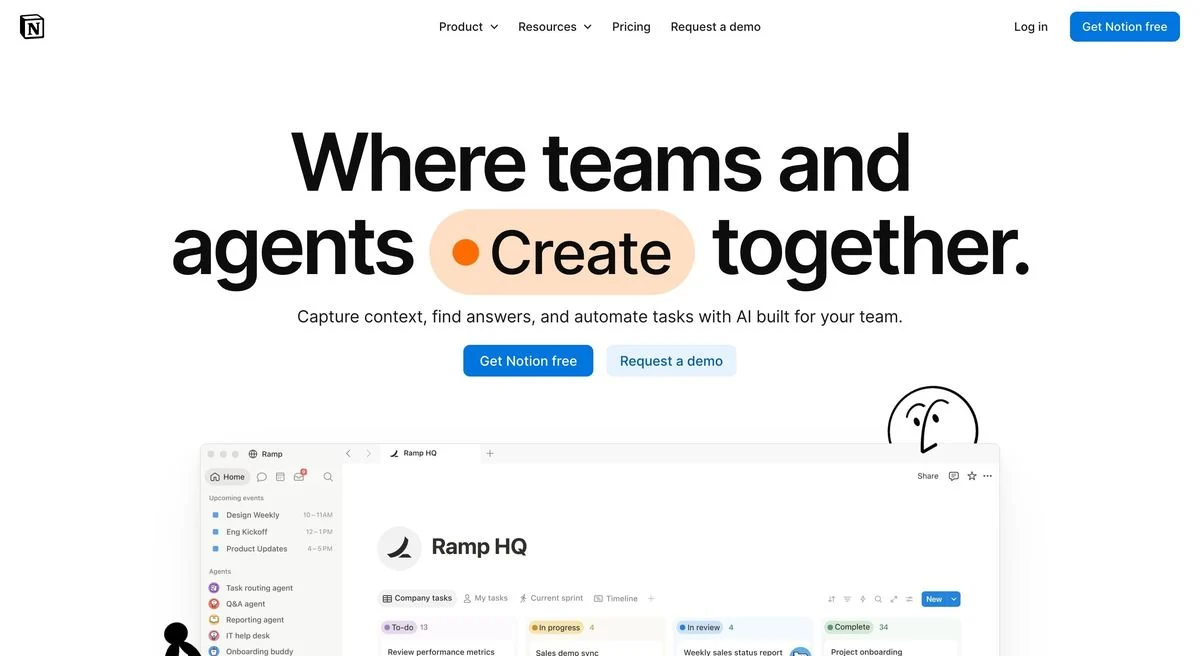
Example: Notion homepage
What is in it: “Where teams and agents Create together”, with the word “Create” set inside a coloured pill. Two buttons, “Get Notion free” and “Request a demo”, then a workspace screenshot with a hand-drawn character peeking over it.
Why it works: The pill turns one word of the headline into a visual element, which is a cheap way to make a text-only headline feel designed. The two buttons split the audience cleanly: individuals take the free path, companies take the demo.
Steal this: Highlight the one verb in your headline that describes what people do with the product.
3. Calendly
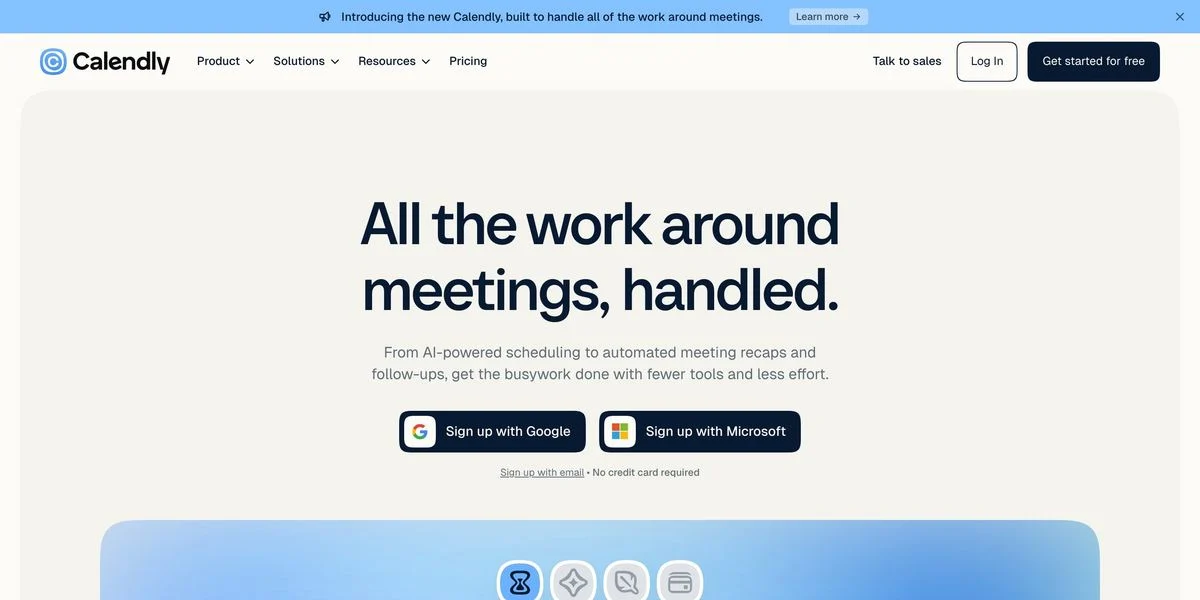
Example: Calendly homepage
What is in it: “All the work around meetings, handled.” The two buttons are both sign-on buttons, one for Google and one for Microsoft, with “Sign up with email” and “No credit card required” in small text below. A product preview sits underneath.
Why it works: Calendly connects to your calendar, so the sign-on buttons are not just shortcuts. They are the first step of setup. Choosing between Google and Microsoft is a decision every visitor can make in a second.
Steal this: If your product connects to an account people already have, make that account the signup button.
4. Dropbox
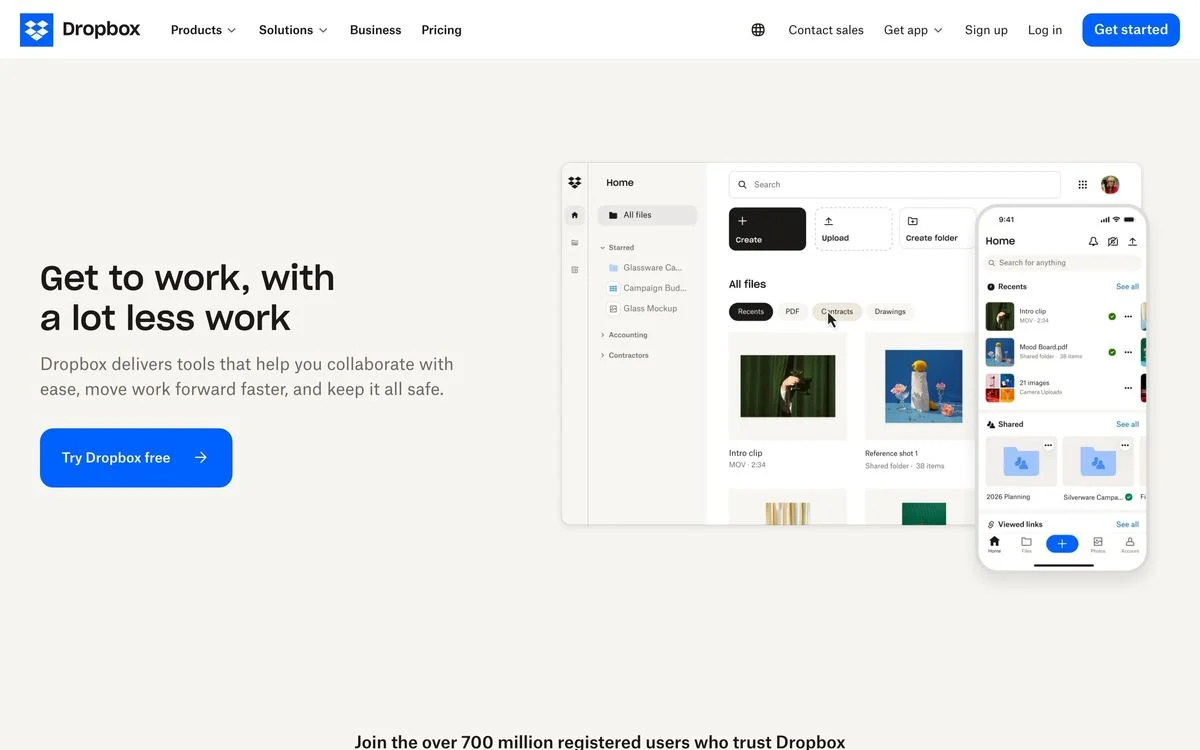
Example: Dropbox homepage
What is in it: “Get to work, with a lot less work” on the left, one button, “Try Dropbox free”, and a desktop-plus-phone product view on the right. At the bottom edge of the hero: “Join the over 700 million registered users who trust Dropbox.”
Why it works: The user count sits right at the fold line, so it is the last thing you read before scrolling. For a mature product competing on trust, the scale number does more than another feature list would.
Steal this: Put your biggest proof number at the bottom of the hero, where the eye lands before it moves on.
5. Attio
Example: Attio homepage
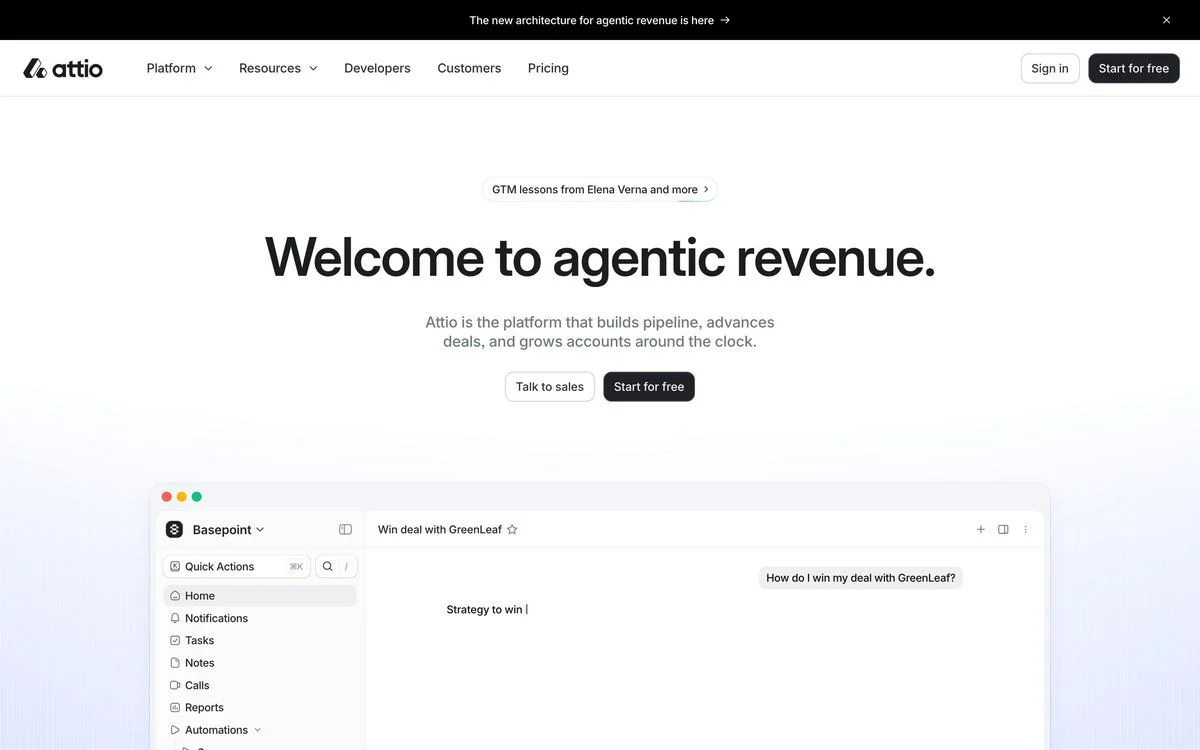
What is in it: An eyebrow pill linking to a lesson series, the headline “Welcome to agentic revenue.”, a two-line subhead, and two buttons, “Talk to sales” and “Start for free”. Below, a product window with an AI chat already mid-question.
Why it works: The product screenshot is caught in the middle of being used. A chat window with a half-typed question suggests the experience better than a static dashboard.
Steal this: Show the product in the middle of a task, not at rest. A half-finished action reads as a live product.
6. Zapier
Example: Zapier homepage
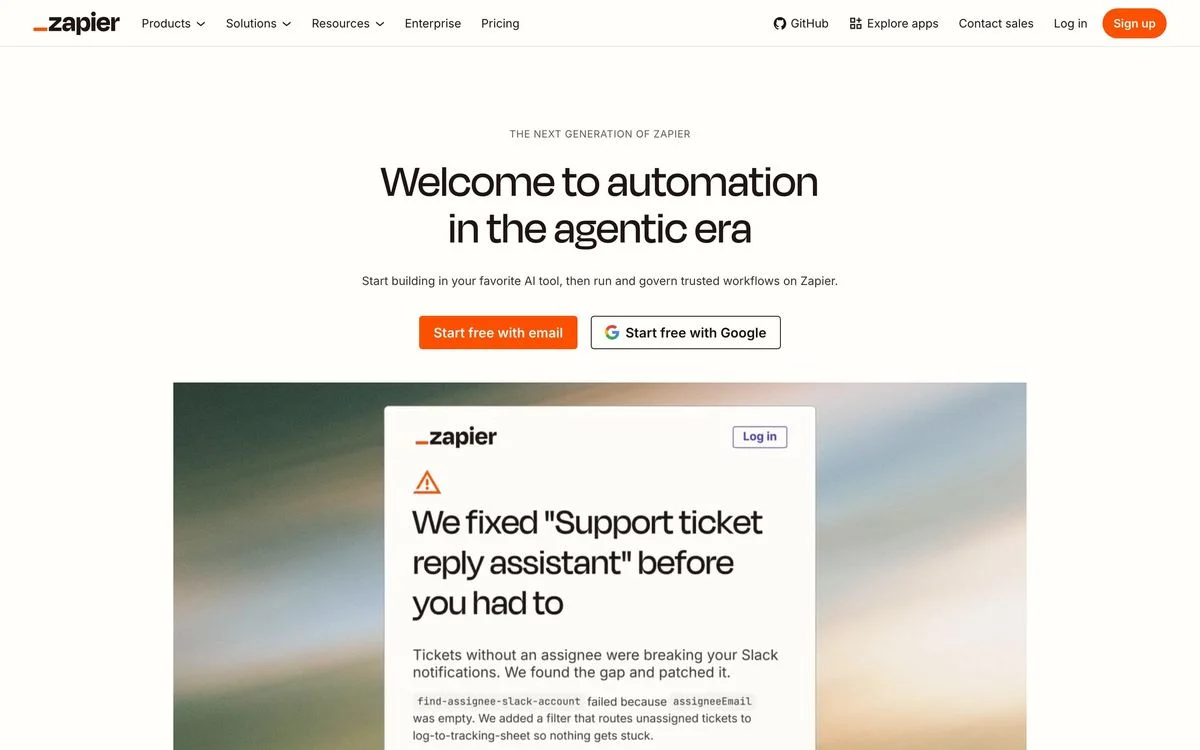
What is in it: An eyebrow reading “The next generation of Zapier”, the headline “Welcome to automation in the agentic era”, and two buttons: “Start free with email” and “Start free with Google”. Below, a product card describing a fixed support workflow.
Why it works: Both buttons start the same free plan. The only choice is how to sign up, which removes the decision about whether to sign up at all.
Steal this: When both buttons lead to the same place, label them by method, not by outcome.
7. Basecamp
Example: Basecamp homepage
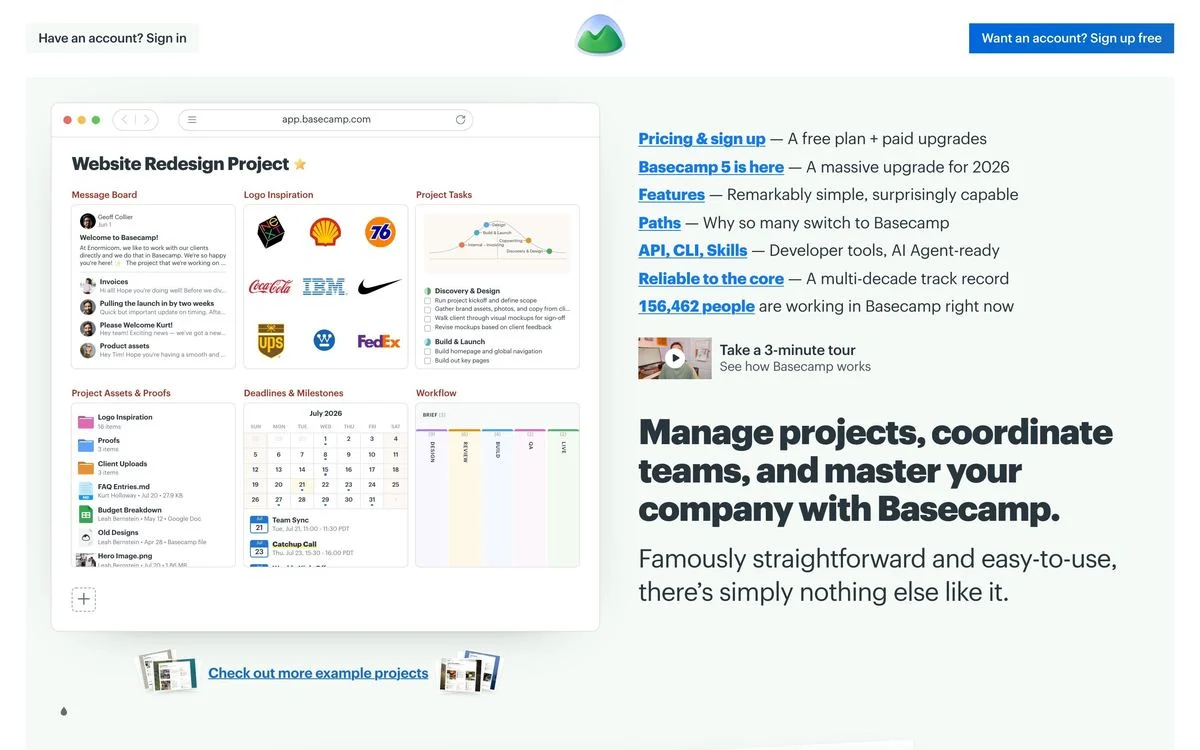
What is in it: A product screenshot on the left and, on the right, a list of links with one-line descriptions: pricing and sign up, what is new, features, API, and a live line reading “156,462 people are working in Basecamp right now” at the time of capture. The headline sits beneath the list.
Why it works: It is a hero section that works like a table of contents. Basecamp’s visitors are often returning or comparing, and the link list sends each one straight to what they came for.
Steal this: If most visitors already know you, let the hero route them instead of pitching them.
8. Figma
Example: Figma homepage
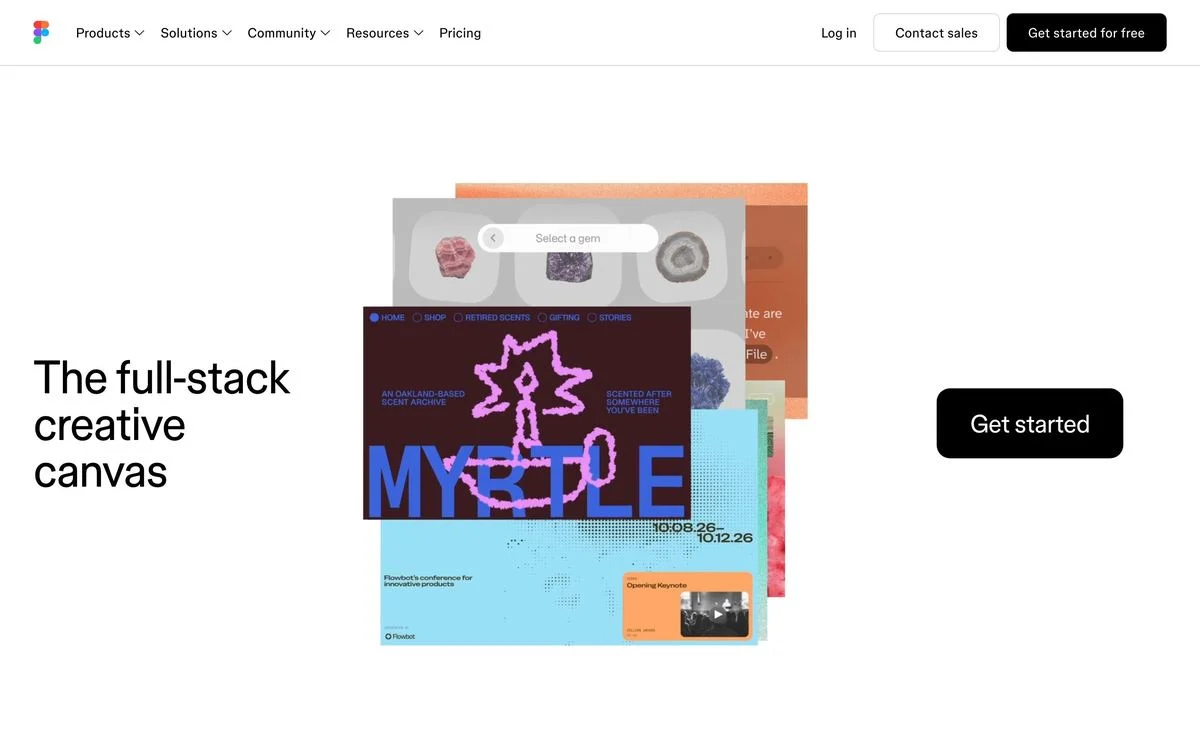
What is in it: “The full-stack creative canvas” on the left, an oversized “Get started” button on the right, and a collage of work made in Figma in between.
Why it works: Figma shows what people make with it, not the interface itself. For a creative tool, the output is more persuasive than the toolbars.
Steal this: If your product makes things, show the things.
9. Loom
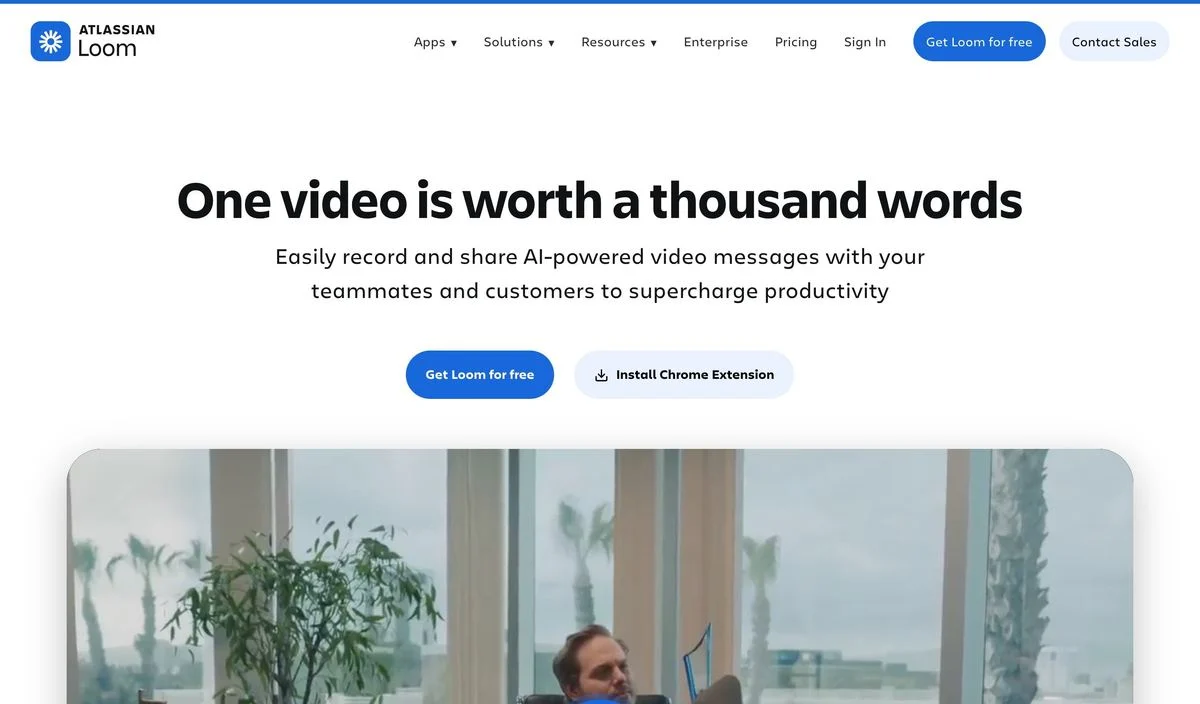
Example: Loom homepage
What is in it: “One video is worth a thousand words”, a subhead, and two buttons: “Get Loom for free” and “Install Chrome Extension”. A recorded video sits below.
Why it works: The second button is a different installation path, not a different audience. Loom lives in the browser, so offering the extension directly skips a step for the people most likely to use it.
Steal this: If your product installs somewhere specific, make that install the second button.
Heroes you can use before you sign up
10. Canva
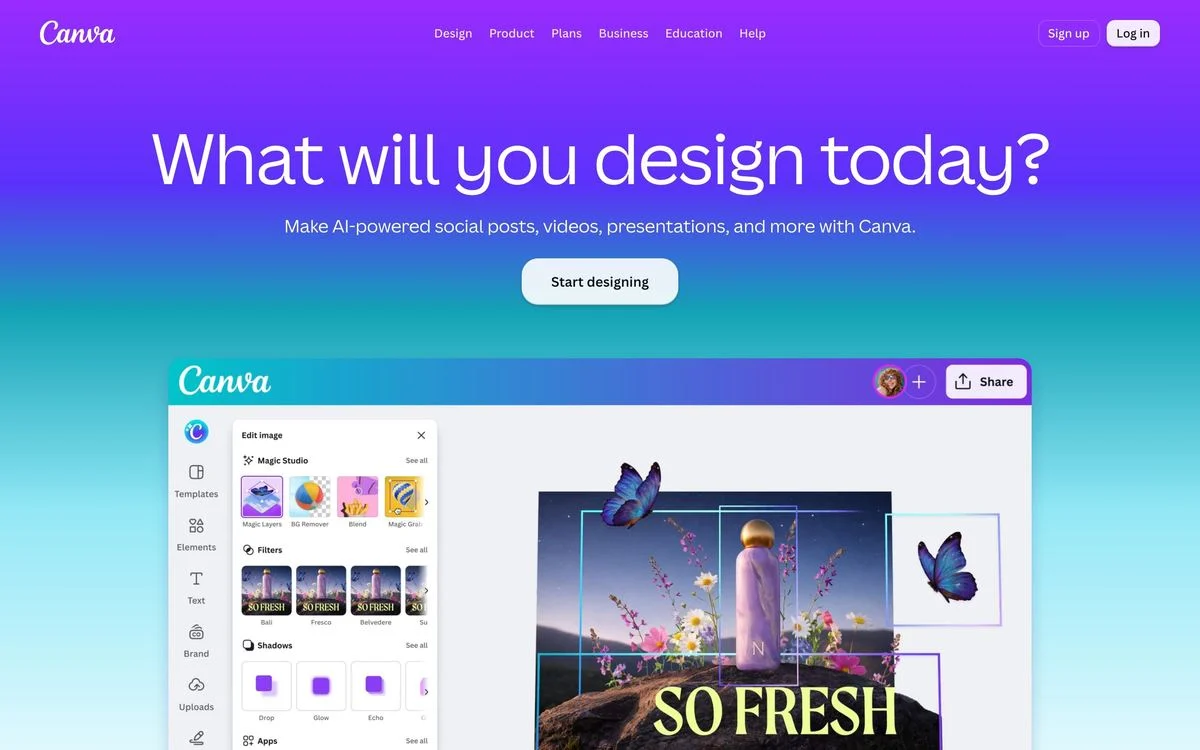
Example: Canva homepage
What is in it: A question as the headline, “What will you design today?”, one button, “Start designing”, and a large editor preview on a purple gradient.
Why it works: The question puts the visitor in the middle of the task. The button continues it. There is no “learn more” step between wanting to design something and designing it.
Steal this: Write the button as the next word in the headline’s sentence.
11. Retool
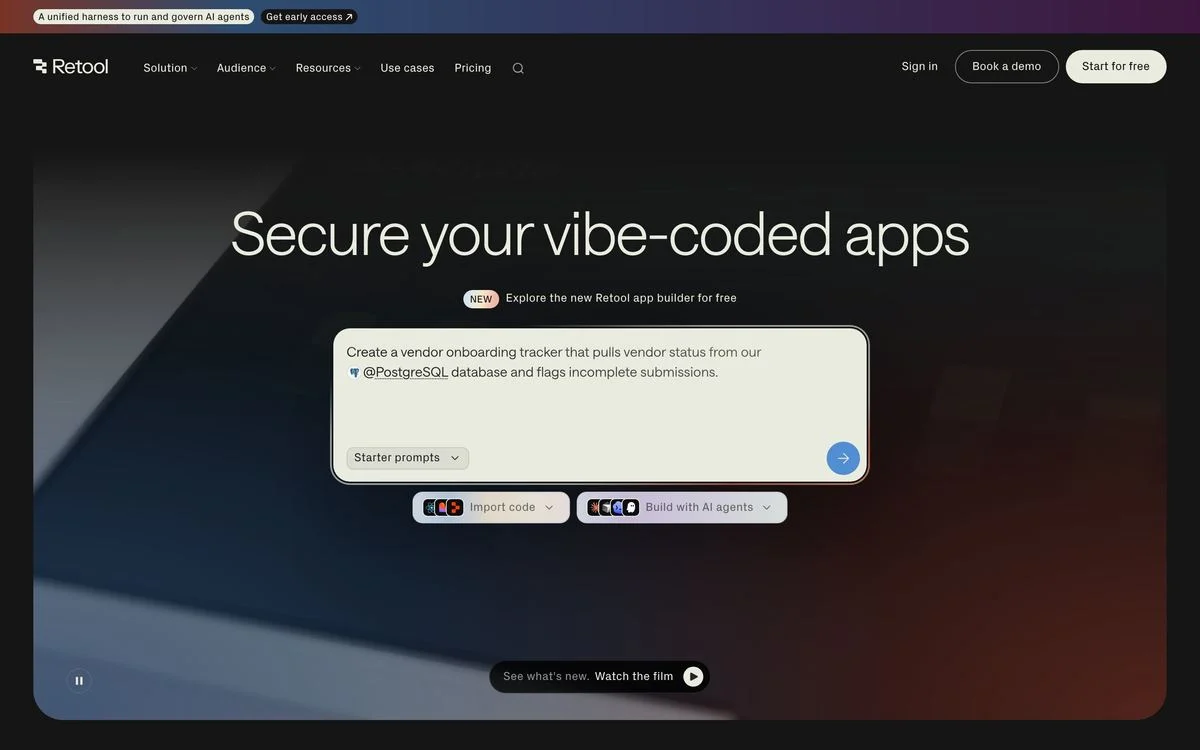
Example: Retool homepage
What is in it: “Secure your vibe-coded apps”, a “NEW” label, and instead of a button, a prompt box pre-filled with an example request and a menu of starter prompts.
Why it works: The hero is the product’s first screen. A visitor can start using the app builder from the homepage, which turns the hero from a pitch into a demo.
Steal this: If your product starts with a text box, put the text box in the hero.
Heroes built on product photography
12. Apple
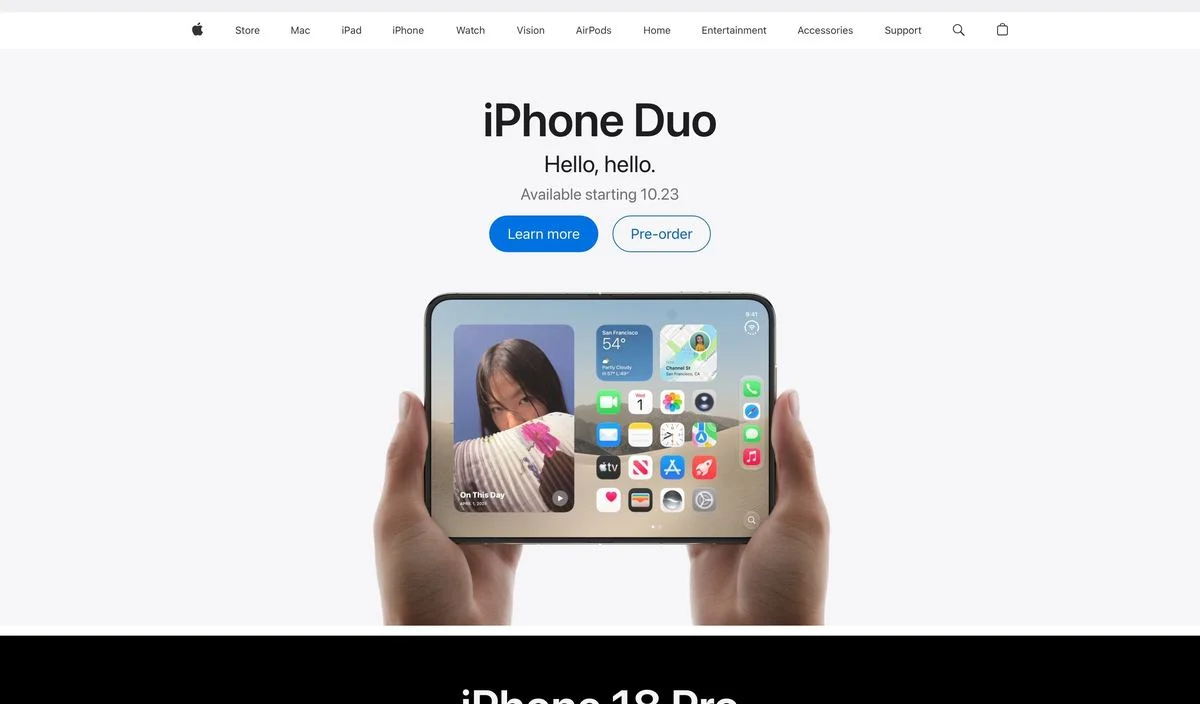
Example: Apple homepage
What is in it: A product name, a two-word line, a launch date, two buttons (“Learn more” and “Pre-order”), and a photograph of the device held in two hands.
Why it works: Apple’s homepage hero is a product launch, not a brand statement. The date and the pre-order button turn it into a countdown. The hands give the device a sense of scale that a floating render would not.
Steal this: When you launch something, put the date in the hero.
13. Oura
Example: Oura homepage
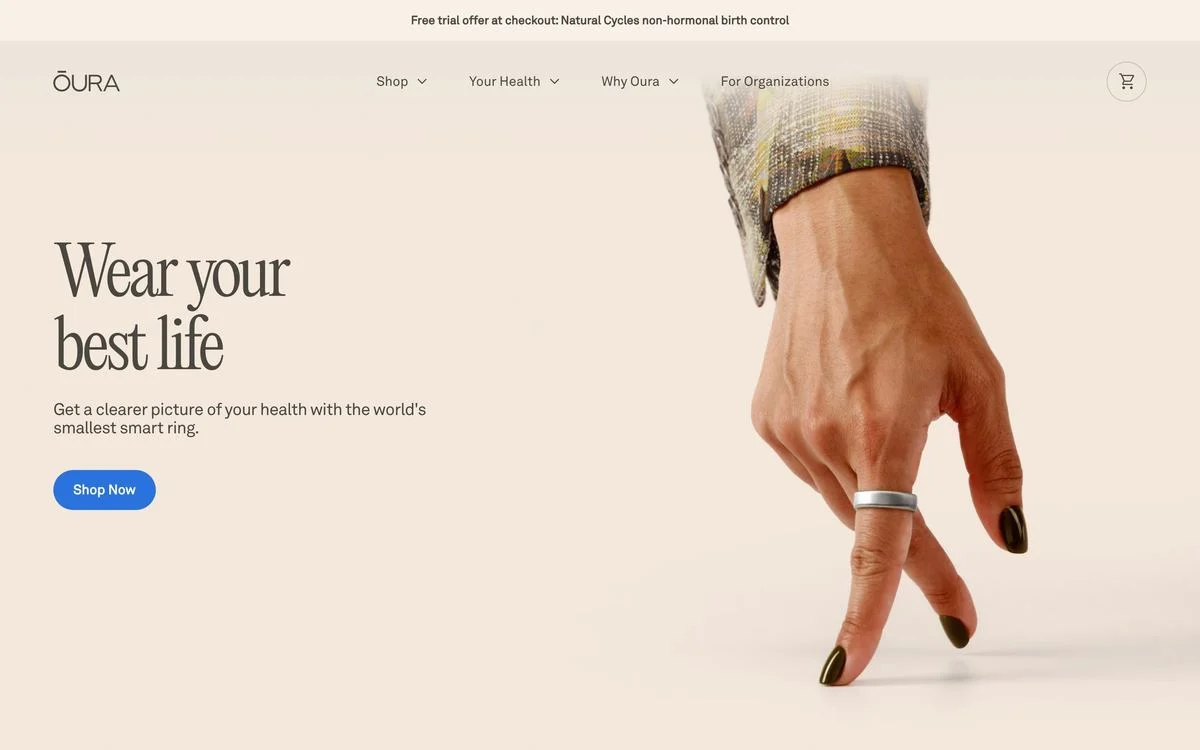
What is in it: “Wear your best life” in a large serif, one line about the smallest smart ring, a “Shop Now” button, and a close-up of the ring on a hand.
Why it works: The photograph does the explaining. A ring on a finger tells you what the product is before you read a word, so the headline is free to sell a feeling instead.
Steal this: When the product is physical and small, crop in close enough that it can be recognised instantly.
14. Whoop
Example: Whoop homepage
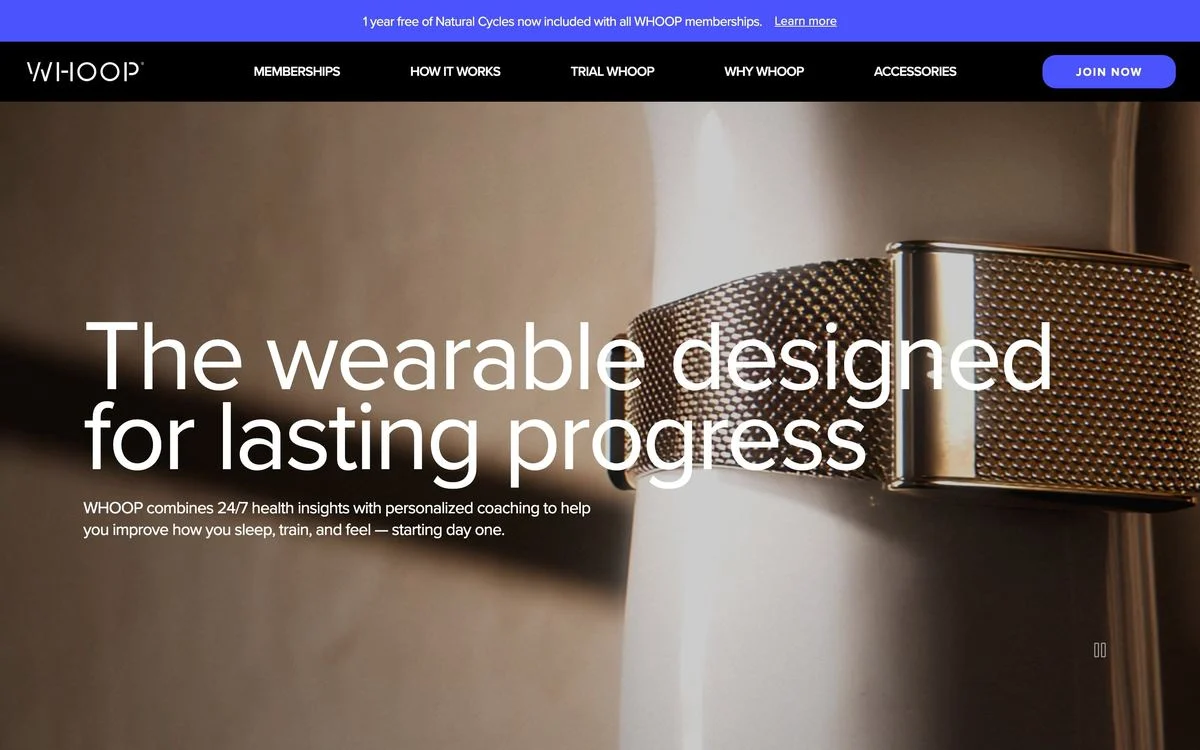
What is in it: “The wearable designed for lasting progress” in very large type over a full-bleed close-up of the band, with one line of supporting copy. There is no button inside the hero; “Join Now” sits in the navigation bar.
Why it works: The headline is set so large it becomes part of the image. The missing button is a deliberate choice: the hero is there to make you want the product, and the navigation bar handles the buying.
Steal this: If your hero is doing brand work, you can leave the button in the navigation. Just make sure that button is impossible to miss.
Heroes built on photography or video
15. Mercury
Example: Mercury homepage
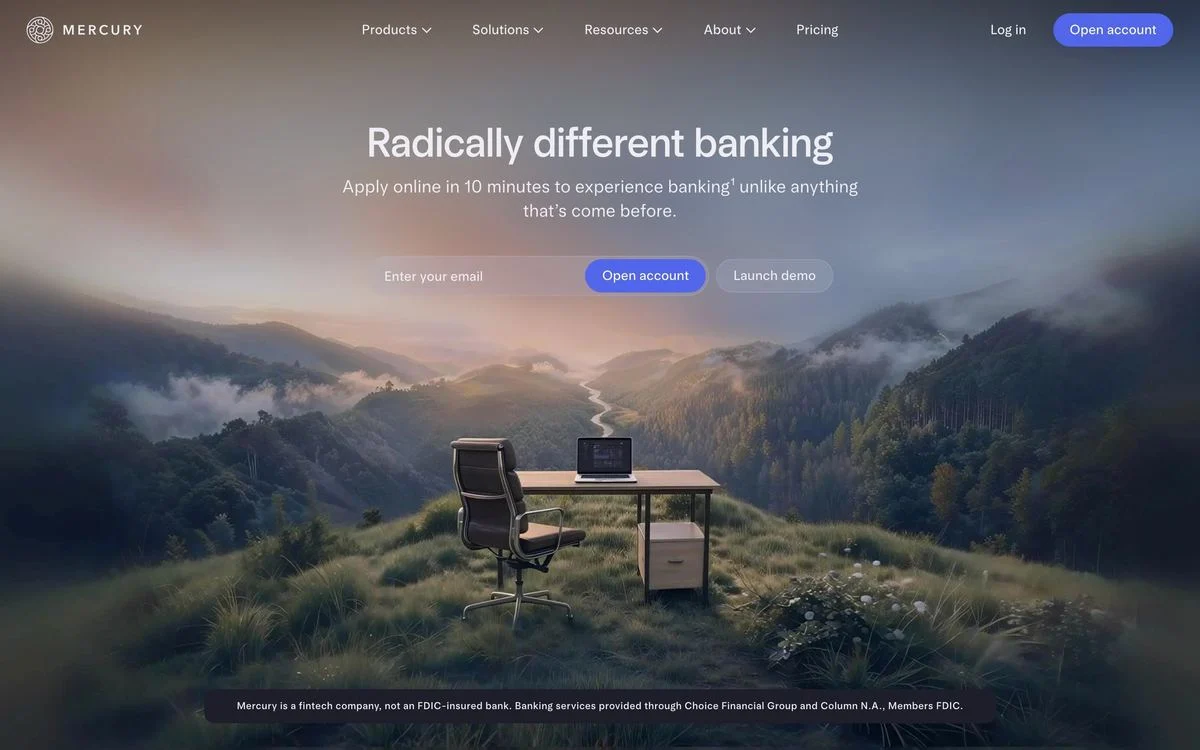
What is in it: A landscape photograph filling the screen, “Radically different banking” centred over it, an email field with two buttons (“Open account” and “Launch demo”), and a regulatory disclosure line at the bottom.
Why it works: A bank that looks like a quiet morning in the mountains is a deliberate contrast to how banking usually feels. The email field means the first step of opening an account happens in the hero.
Steal this: If you are regulated, keep the disclosure in the hero. It reads as confidence, not small print.
16. Nike
Example: Nike homepage
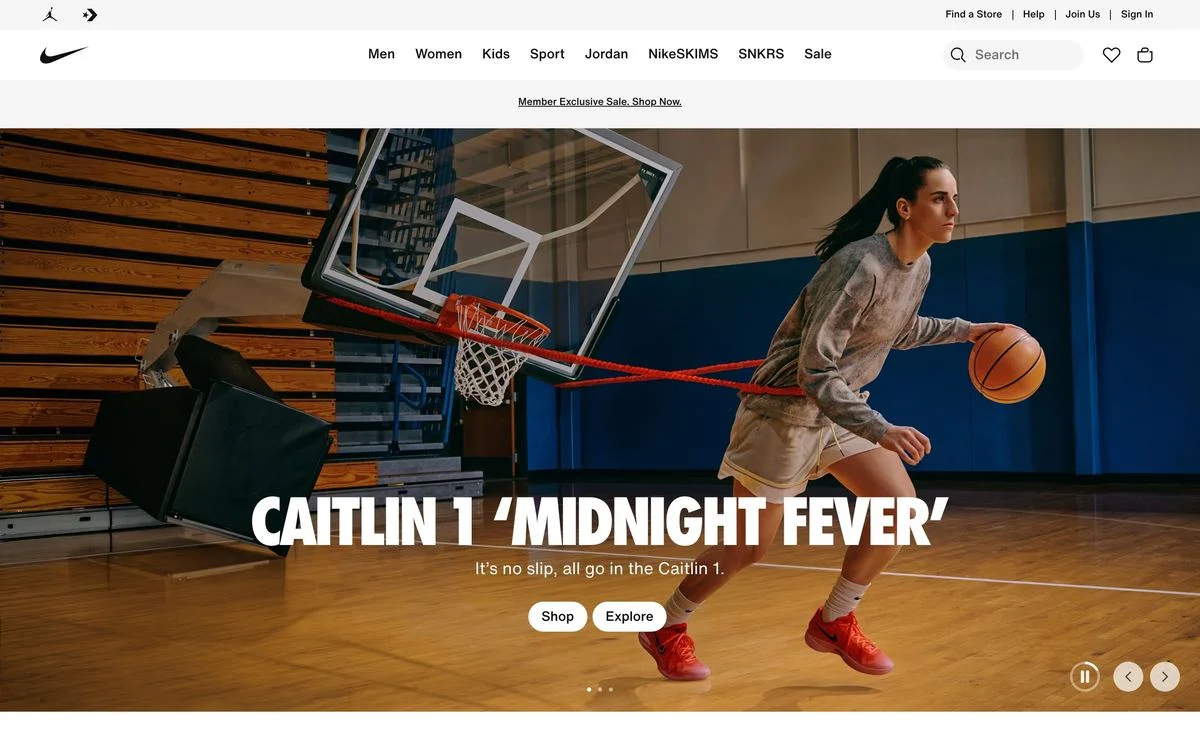
What is in it: A full-bleed action photograph of an athlete, a product name as the headline, one short line, and two buttons, “Shop” and “Explore”. The hero is a carousel.
Why it works: Nike’s hero is a campaign slot that changes with every launch. The structure stays the same: one photo, one product name, one line, two buttons.
Steal this: If your hero changes often, fix the structure and let only the content rotate.
17. Sierra
Example: Sierra homepage
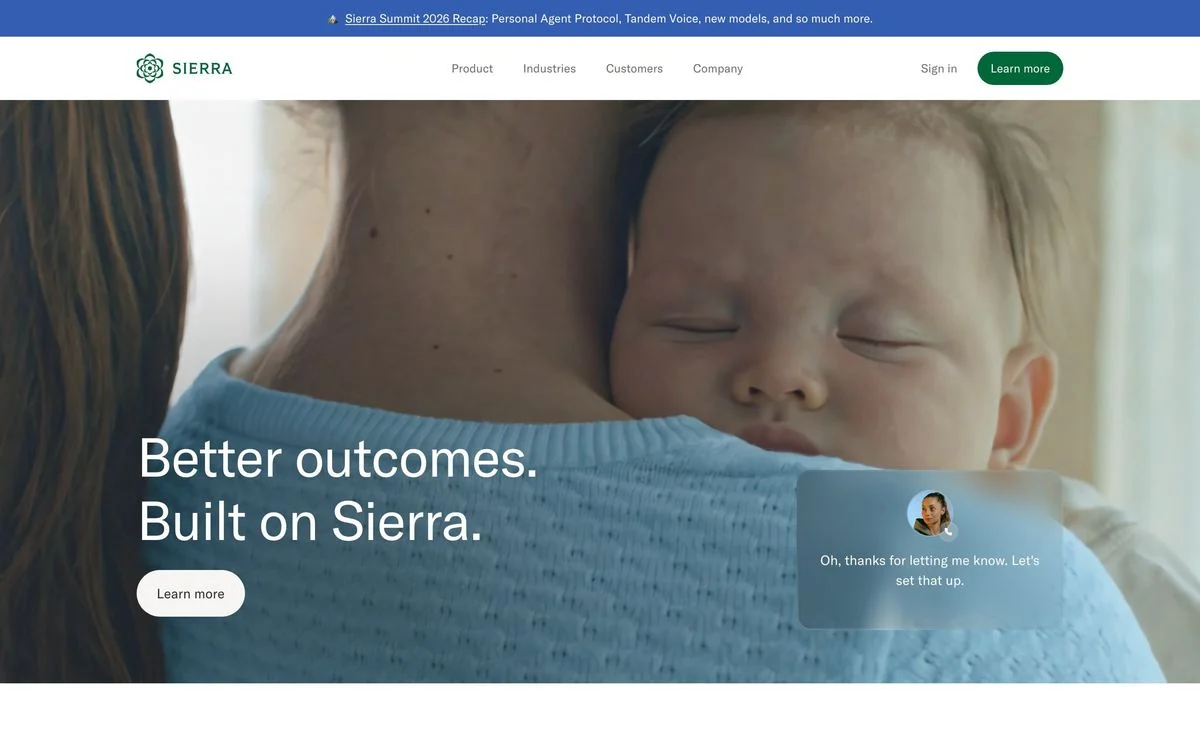
What is in it: A video of a parent holding a sleeping baby, the headline “Better outcomes. Built on Sierra.”, one “Learn more” button, and a chat bubble from Sierra’s AI agent layered on top.
Why it works: Sierra sells customer service agents, and the hero shows who benefits: a customer whose problem got handled. The chat bubble shows the product without showing a dashboard.
Steal this: Show the person your product helps, with one small piece of the product in the frame.
18. Spotify
Example: Spotify Premium page
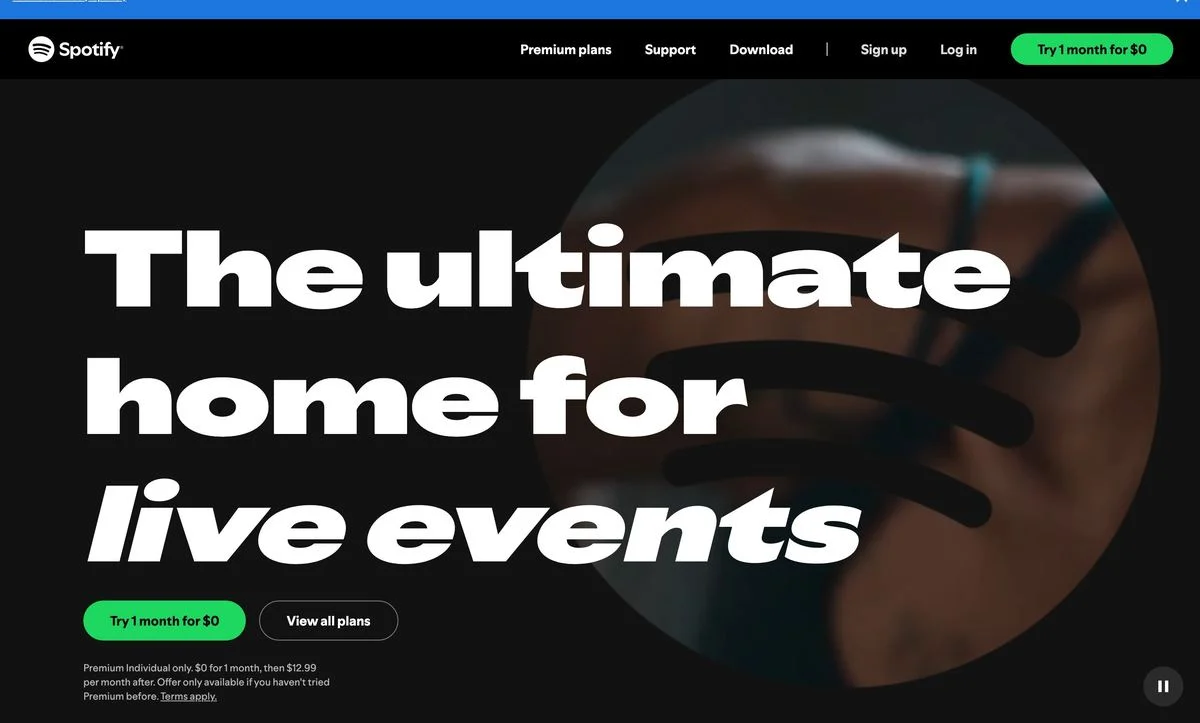
What is in it: “The ultimate home for” followed by a word that rotates (live events, music, artists and others), set in huge type over a video. Two buttons, “Try 1 month for $0” and “View all plans”, and the price terms in small print.
Why it works: The offer is in the button itself. “Try 1 month for $0” answers the price question before it is asked, and the small print below keeps it honest.
Steal this: If you have a free trial, put the price, even if it is zero, in the button text.
19. Ramp
Example: Ramp homepage
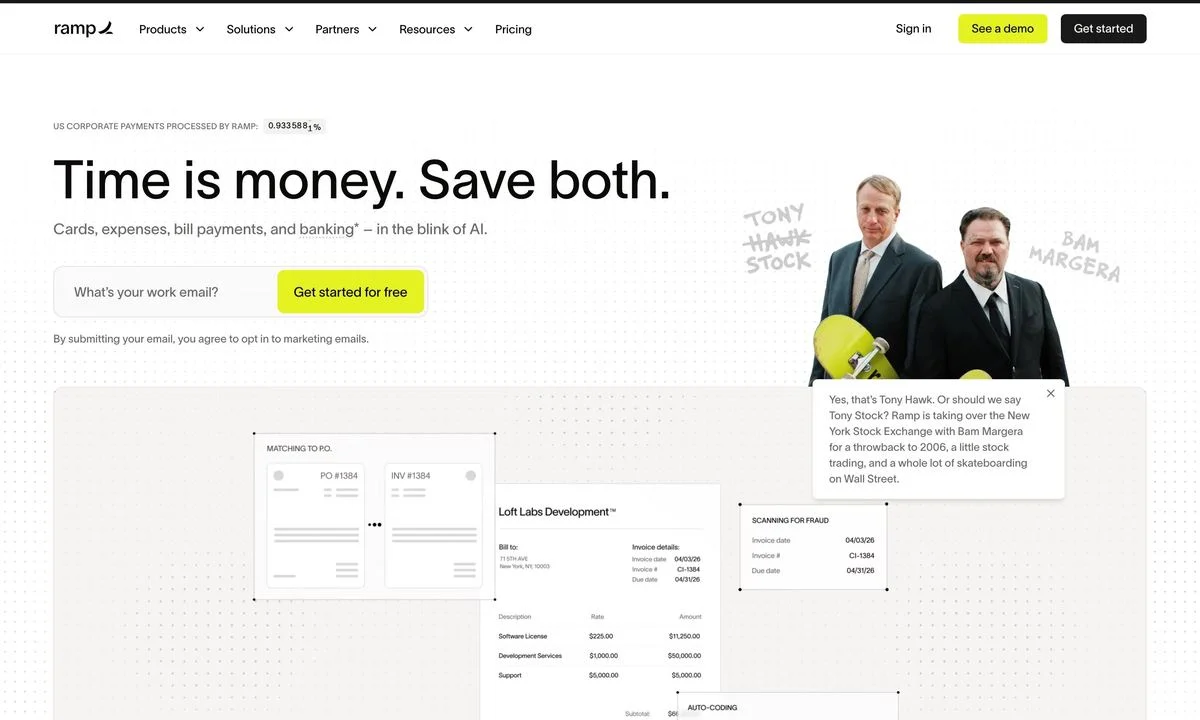
What is in it: A live counter of corporate payments processed by Ramp, the headline “Time is money. Save both.”, an email field with “Get started for free”, and a campaign photograph of Tony Hawk and Bam Margera next to a product screenshot.
Why it works: It is a B2B finance hero with a joke in it. The celebrity photo gets attention; the counter and the email field do the serious work.
Steal this: A campaign can sit in the hero alongside the product. Just keep the signup working the same way underneath it.
Heroes built on illustration
20. Clay
Example: Clay homepage
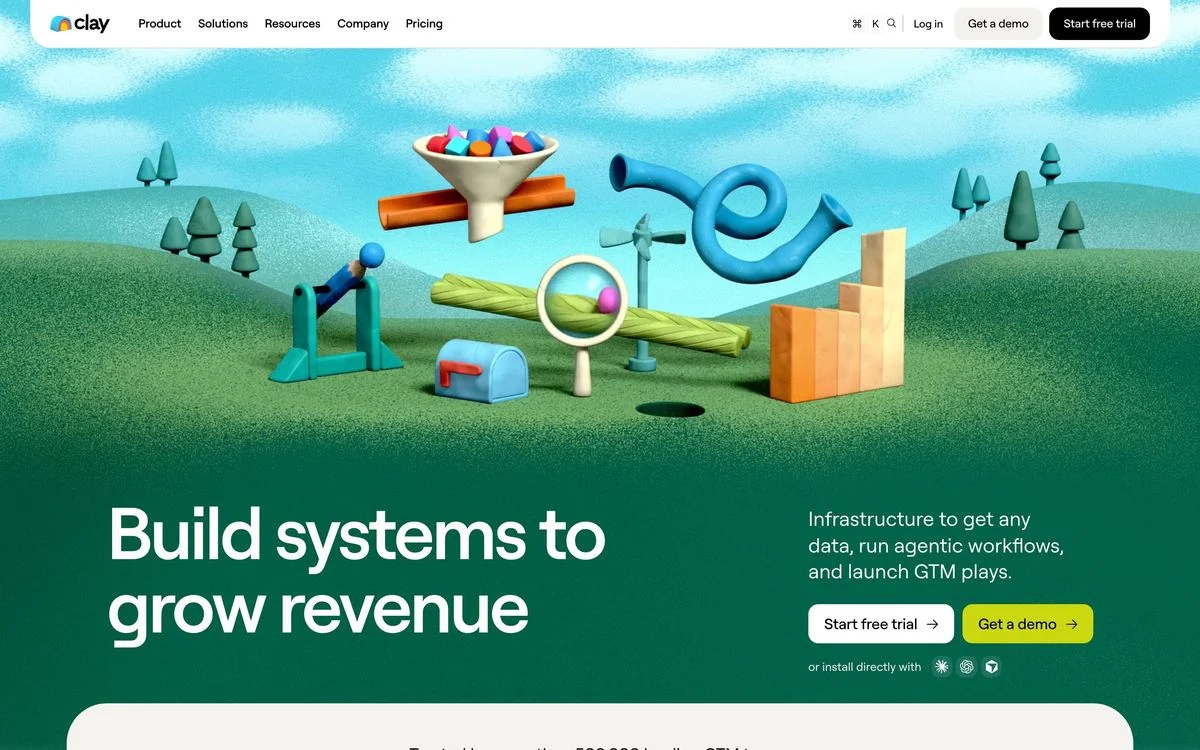
What is in it: A large, hand-made 3D illustration of a machine built from funnels and ramps, the headline “Build systems to grow revenue” bottom left, and two buttons on the right: “Start free trial” and “Get a demo”.
Why it works: Every competitor shows a dark dashboard. Clay shows a toy machine, which is instantly recognisable and argues its thesis: go-to-market is something you build.
Steal this: If every hero in your category looks the same, an illustration nobody else has is the fastest way out.
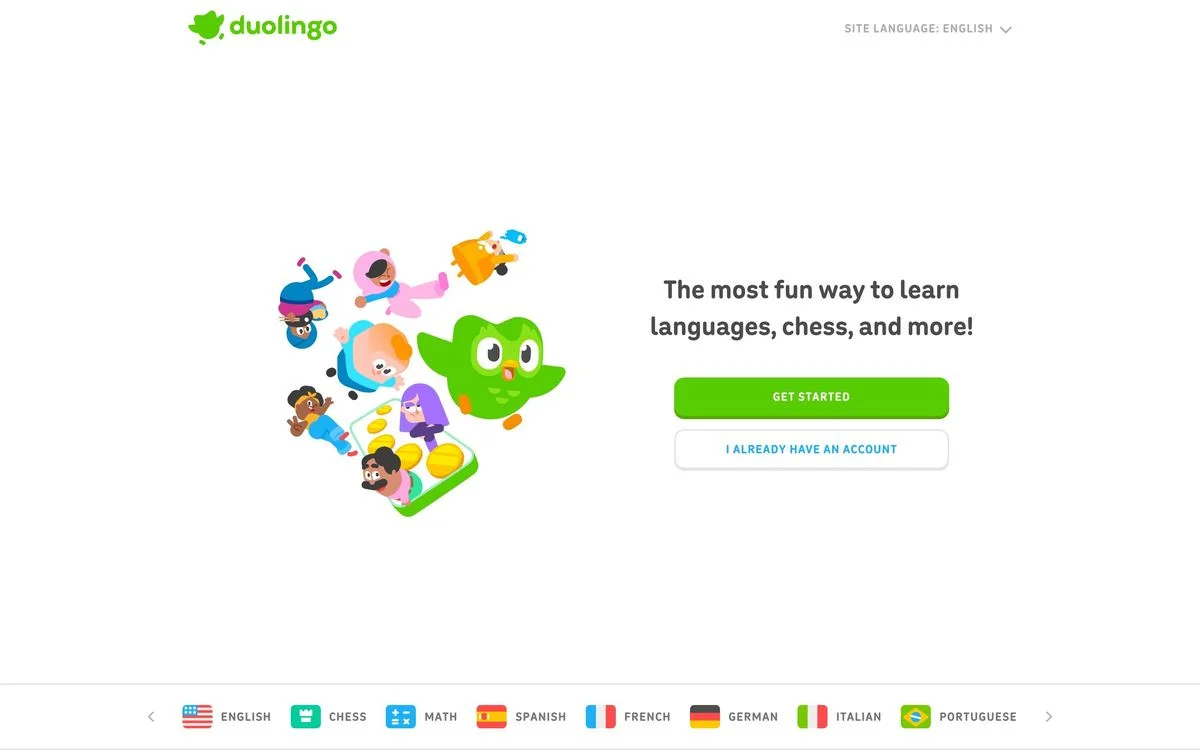
21. Duolingo
Example: Duolingo homepage
What is in it: The owl mascot surrounded by characters, the headline “The most fun way to learn languages, chess, and more!”, and two stacked buttons: “Get started” and “I already have an account”.
Why it works: The second button is for returning users, not a second audience. Labelling it in plain words stops existing learners from accidentally creating a new account.
Steal this: If many visitors already have an account, give them a clearly labelled second button.
Heroes built on type
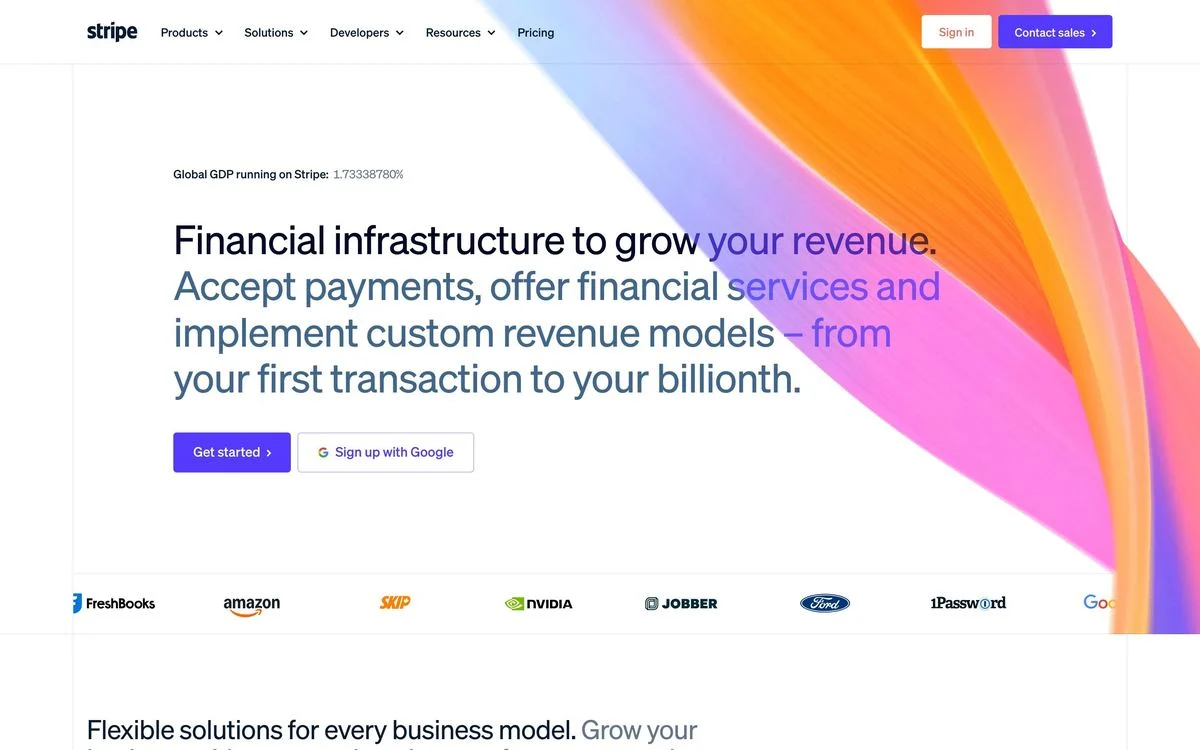
22. Stripe
Example: Stripe homepage
What is in it: A live counter of the share of global GDP running on Stripe, a four-line headline and subhead, two buttons (“Get started” and “Sign up with Google”), an abstract gradient, and a customer logo strip.
Why it works: The counter is the proof, and it moves. A number that updates while you watch is harder to doubt than a static claim.
Steal this: If your product processes volume, show the volume in real time.
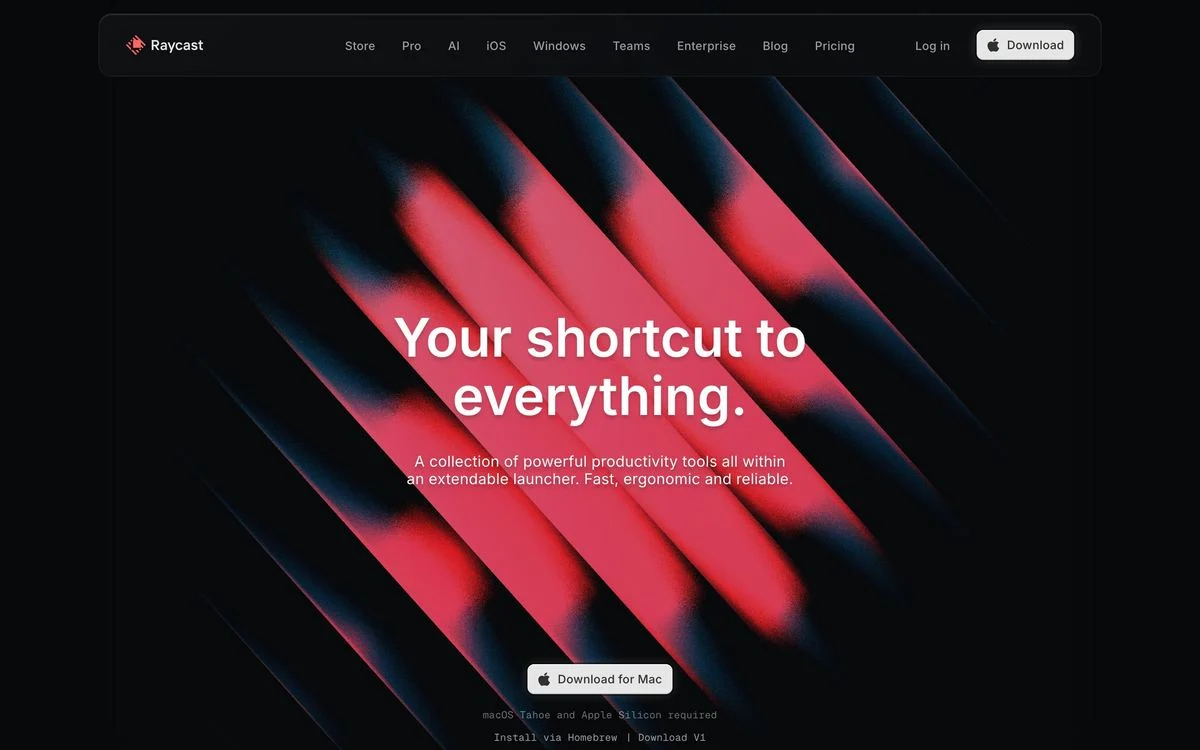
23. Raycast
Example: Raycast homepage
What is in it: “Your shortcut to everything.” centred over abstract red artwork, one line of copy, and one button, “Download for Mac”, with the system requirements printed underneath.
Why it works: The system requirements line answers the only question a Mac user has before downloading. It removes a reason to leave the page.
Steal this: Put the one technical requirement under the download button.
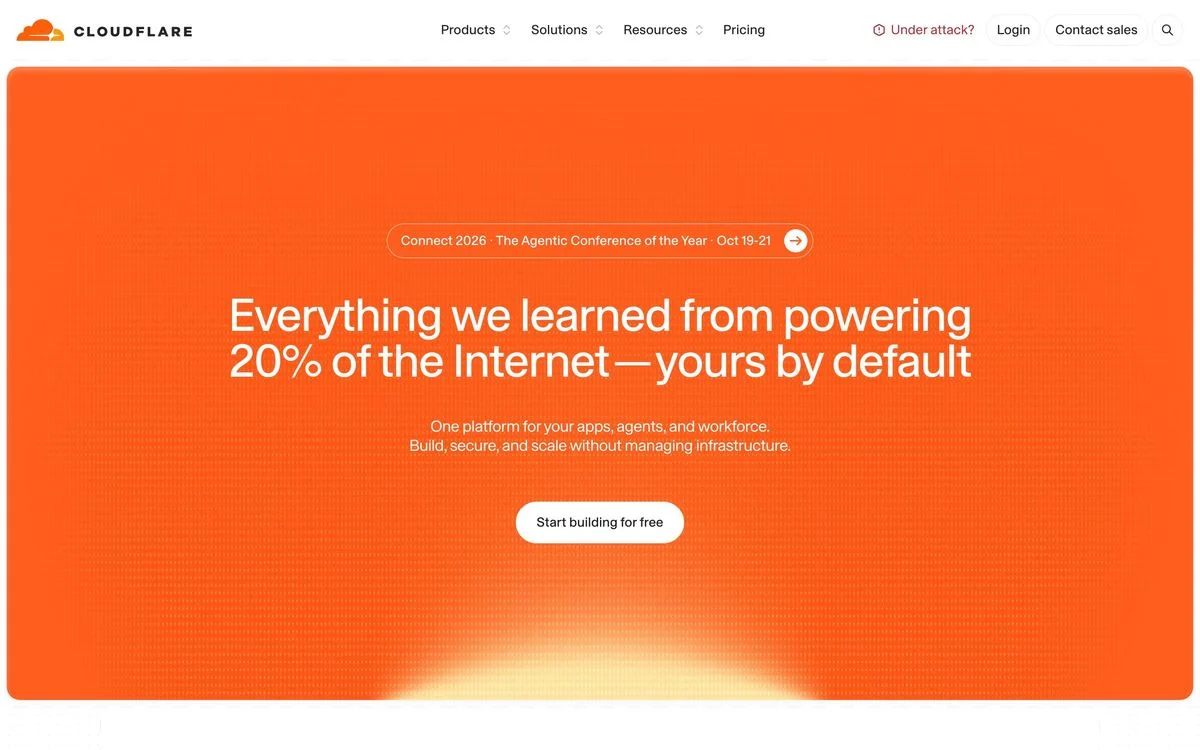
24. Cloudflare
Example: Cloudflare homepage
What is in it: A solid orange panel, a conference announcement pill, the headline “Everything we learned from powering 20% of the Internet”, which finishes with the promise “yours by default”, one line of copy, and one button, “Start building for free”.
Why it works: There is no picture at all. The number in the headline is the visual. Cloudflare’s brand colour does the rest.
Steal this: If you have a strong number and a strong colour, you may not need an image.
25. Supabase
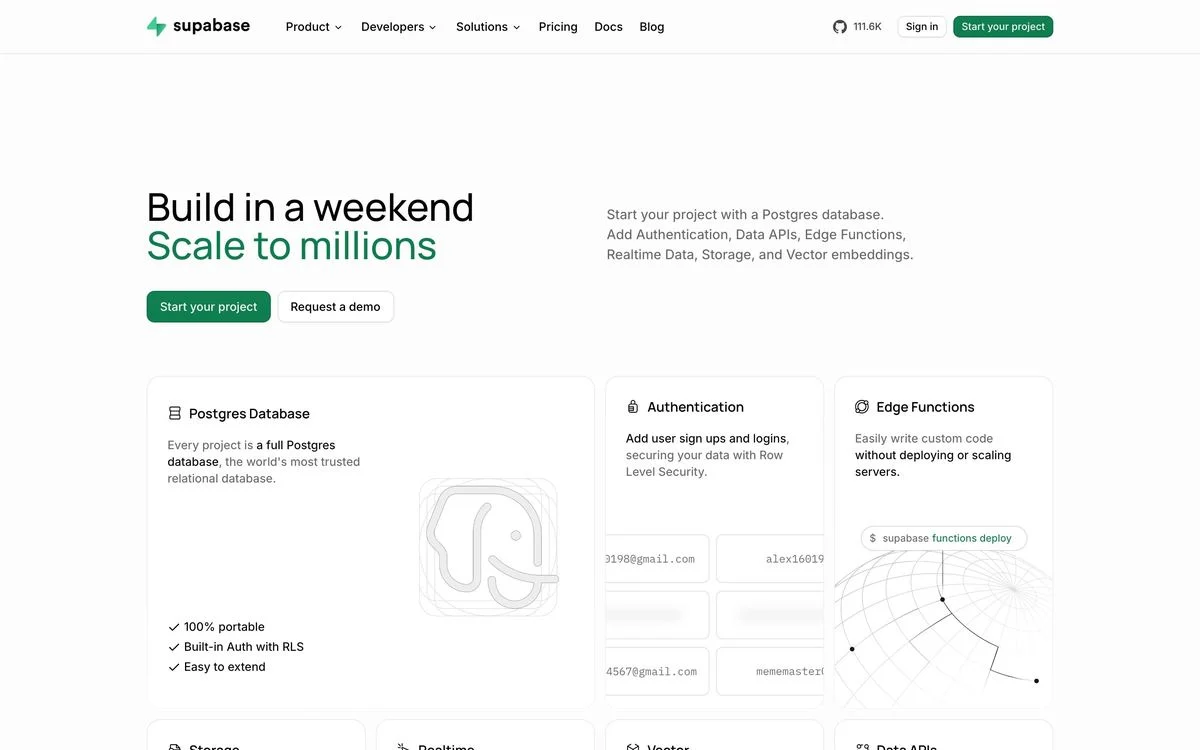
Example: Supabase homepage
What is in it: A split headline, “Build in a weekend” over “Scale to millions” in green, a list of features on the right, two buttons (“Start your project” and “Request a demo”), and feature cards directly underneath.
Why it works: The two-tone headline names both halves of the trade-off developers worry about, and the colour change makes the promise visual without a picture.
Steal this: If your headline has two halves, colour them differently.
Show visitors what they get on the first screen
Draft a hero in Ploy with a specific headline, a product visual and one or two buttons, using your existing brand components.
What the best hero sections have in common
- They show the product when they can. Eleven of 25 put the interface or its output in the hero. The ones that do not are selling a physical object, a feeling, or a brand everyone already knows.
- They keep the choice small. Thirteen offer two buttons, eight offer one, and none offer three. When there are two, they serve two different people or two ways of doing the same thing.
- The best proof moves. Stripe, Ramp and Basecamp all show a live number. It is the rarest kind of proof in the set and the hardest to fake.
- They answer the next question. Raycast prints its system requirements, Spotify prints the price in the button, Duolingo labels the button for returning users. Each one removes a reason to leave.
- The visual argues. Clay’s machine, Sierra’s parent and child, Oura’s ring on a hand. None of them is decoration.
How to design your own hero section
- Write the headline first, then pick the visual that proves it.
- Show the product unless you have a strong reason not to.
- Choose one action. Add a second only if it serves a different person or a different way in.
- Answer the next question right under the button: price, requirements, or “no credit card required”.
- Add one proof point inside the hero, ideally a number.
- Check it on a phone. The hero usually collapses to a single column, so decide what comes first.
The hero section is also the easiest part of a site to test, because one change affects every visitor. A/B testing the visual and the call to action usually teaches more than testing button colours. With Ploy’s AI landing page builder, a new hero variant is a chat instruction against your existing brand components, not a developer ticket.
For the rest of the page, see our breakdowns of website layouts and landing page examples.
Test your next hero section
Build hero variants in Ploy and A/B test the visual and the call to action on your own homepage.