Most FAQ pages are written for the company, not the customer.
They answer the questions the team wishes people would ask, in the order the org chart suggests, behind accordions that hide the one answer someone actually needs. And a growing share of the people reading them are not people at all: search engines and AI assistants read FAQ pages too, and some of them only see the HTML your server sends.
So we looked at 20 FAQ pages and FAQ sections from well-known companies, and checked two things on each one: how the questions are organised, and whether the answers and the FAQ schema are actually in the page’s HTML. Every page below was checked on October 16, 2026.
The short version: the best FAQ pages answer the question a buyer is nervous about, put a way out next to the answers, and ship the answers in plain HTML.
Build a more useful FAQ page in Ploy.
Where FAQ pages actually live now
The first thing we found was what was missing. We checked 40 likely FAQ URLs across software, fintech and consumer brands, and many of the software companies had no standalone FAQ page at all. Their FAQs lived in one of two places instead:
- At the bottom of the pricing page. Thirteen of the 20 examples below are pricing-page FAQs. That is where the questions that block a purchase get asked, so that is where the answers go.
- In a help centre. The FAQ URLs for Headspace, Calm, Oura, Brex and Loom all redirect to a support site, and three of our examples are help centres doing the job of an FAQ page.
If you are planning an FAQ page from scratch, start with the pricing page. That is where the buying questions are.
How we checked these 20
Each page was loaded in a desktop browser at 1440 × 900 on October 16, 2026. We then fetched the same URL without running any JavaScript, the way a simple crawler would, and checked two things in that raw HTML:
- Is there FAQPage structured data? We looked for the
FAQPageschema type. - Are the answers there? We took the first words of each rendered answer and searched for them in the raw HTML.
Accordions were opened before the screenshots were taken, so the images below show answers that may be collapsed when you first load the page.
What the 20 showed:
| What we checked | Result |
|---|---|
| FAQs that live on a pricing page | 13 of 20 |
| Pages shipping FAQPage schema in their HTML | 7 of 20 |
| Pages adding FAQPage schema only after JavaScript runs | 1 (Slack) |
| FAQs whose answers we could test | 14 |
| Of those, answers present in the raw HTML | 13 of 14 |
The one failure is worth a closer look. On Supabase’s pricing page, the questions render normally in a browser, but none of the answers we tested appear in the HTML the server sends. A visitor sees a complete FAQ. A crawler that does not run JavaScript sees questions with no answers.
All 20 at a glance
| Company | Where the FAQ lives | FAQPage schema in HTML |
|---|---|---|
| Raycast | Dedicated FAQ page | No |
| Mercury | Dedicated FAQ page | Yes |
| Monzo | Dedicated FAQ page | Yes |
| HelloFresh | Dedicated FAQ page | No |
| Zapier | Pricing page | No |
| Notion | Pricing page | No |
| Figma | Pricing page | Yes |
| Deel | Pricing page | Yes |
| Attio | Pricing page | No |
| Airtable | Pricing page | No |
| Slack | Pricing page | Only after JavaScript |
| Supabase | Pricing page | No |
| Miro | Pricing page | No |
| Asana | Pricing page | Yes |
| Loom | Pricing page | No |
| monday.com | Pricing page | Yes |
| ClickUp | Pricing page | Yes |
| Oura | Help centre | No |
| Apple | Help centre | No |
| Basecamp | Help centre | No |
Dedicated FAQ pages
1. Raycast
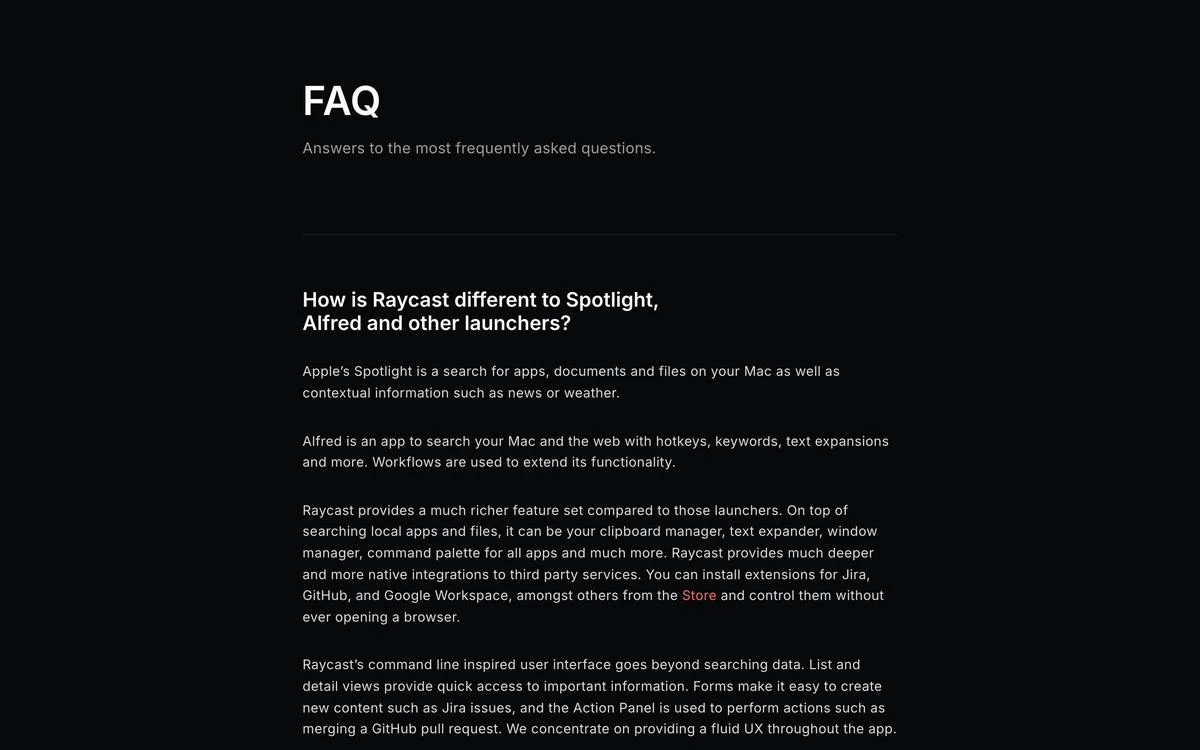
Example: Raycast FAQ page
What it does: A plain page titled “FAQ” with each question as a heading and the full answer written out underneath. There is no accordion to open.
Why it works: The first question is “How is Raycast different to Spotlight, Alfred and other launchers?”, which is the question every new visitor is actually asking. Answering the comparison directly, on Raycast’s own page, keeps that conversation from happening somewhere else.
Steal this: Make your first question the comparison people are already making in their heads.
2. Mercury
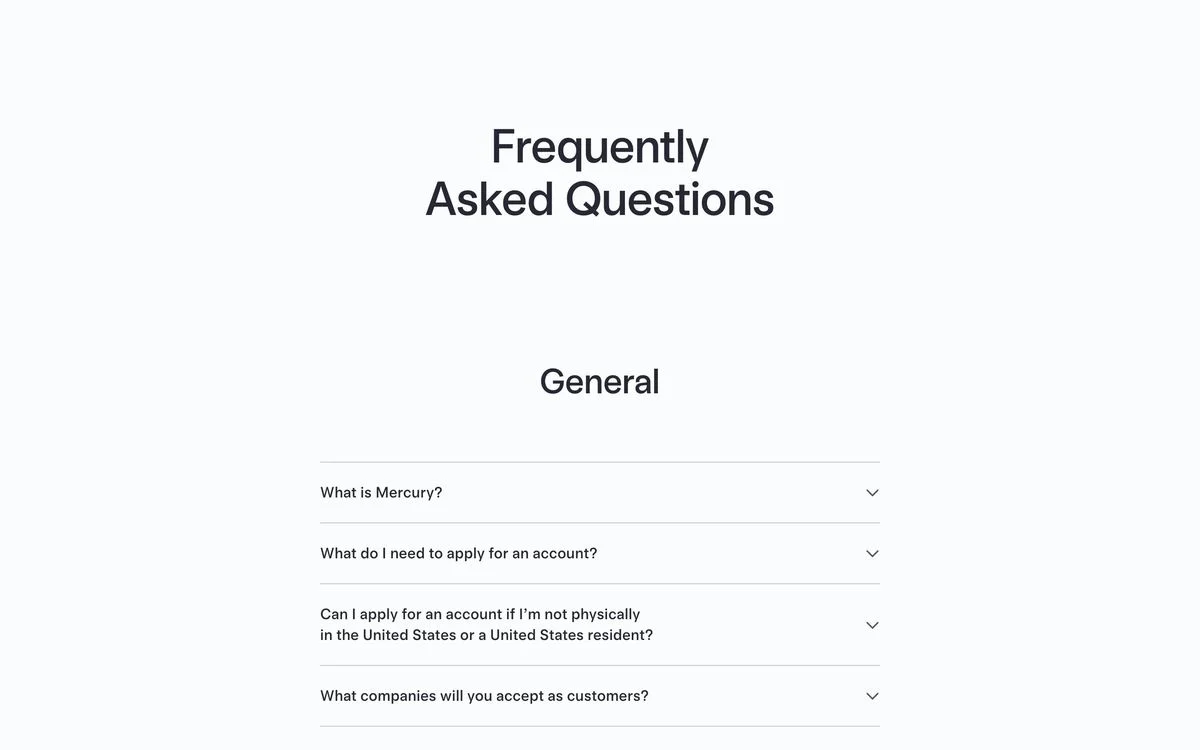
Example: Mercury FAQ page
What it does: “Frequently Asked Questions” split into labelled categories, starting with “General”. The questions sit in an accordion, and the page ships FAQPage schema in its HTML.
Why it works: The early questions are about eligibility: what you need to apply, whether you can apply from outside the United States, and which companies Mercury accepts. For a bank, those are the questions that decide whether anything else on the site matters.
Steal this: Put the “can I even use this?” questions first.
3. Monzo
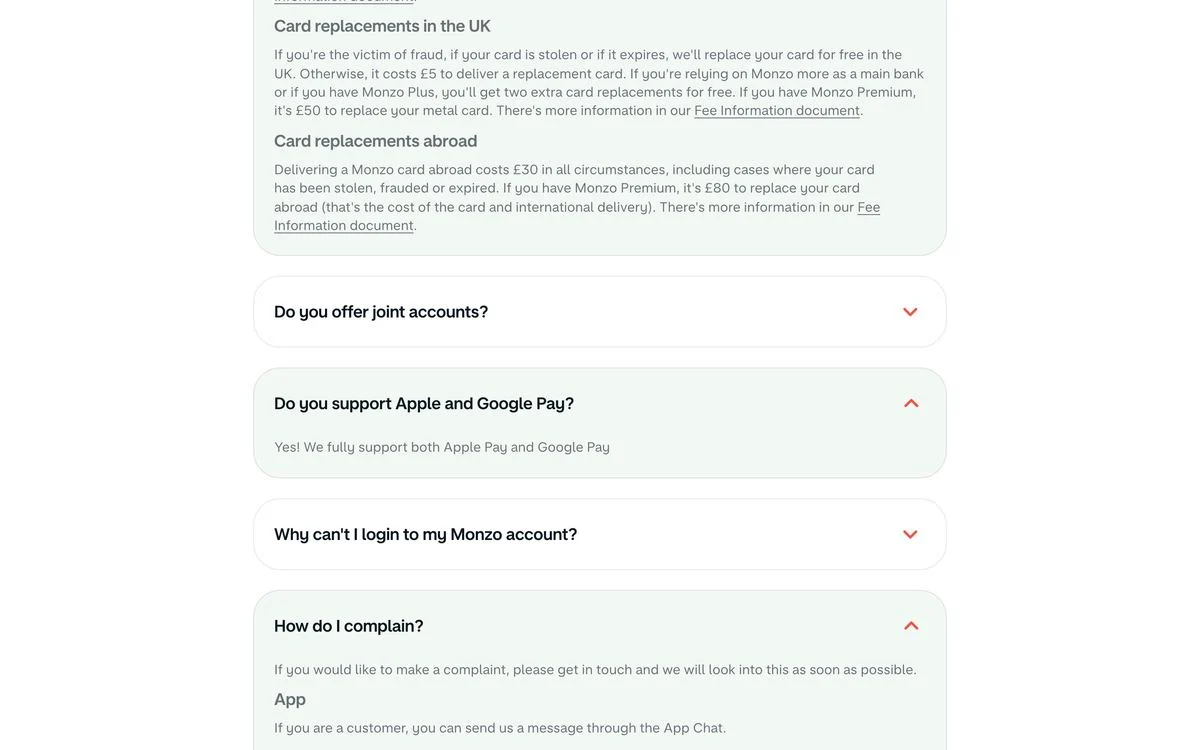
Example: Monzo FAQ page
What it does: An accordion of plain-language questions such as “Do you offer joint accounts?”, “Why can’t I login to my Monzo account?” and “How do I complain?”. Longer answers are split with small sub-headings, such as card replacements in the UK and abroad. FAQPage schema is in the HTML.
Why it works: The questions are written the way a customer would type them, including the one about logging in and the one about complaining. Most companies leave those out.
Steal this: Include the uncomfortable questions. “How do I complain?” builds more trust than another feature answer.
4. HelloFresh
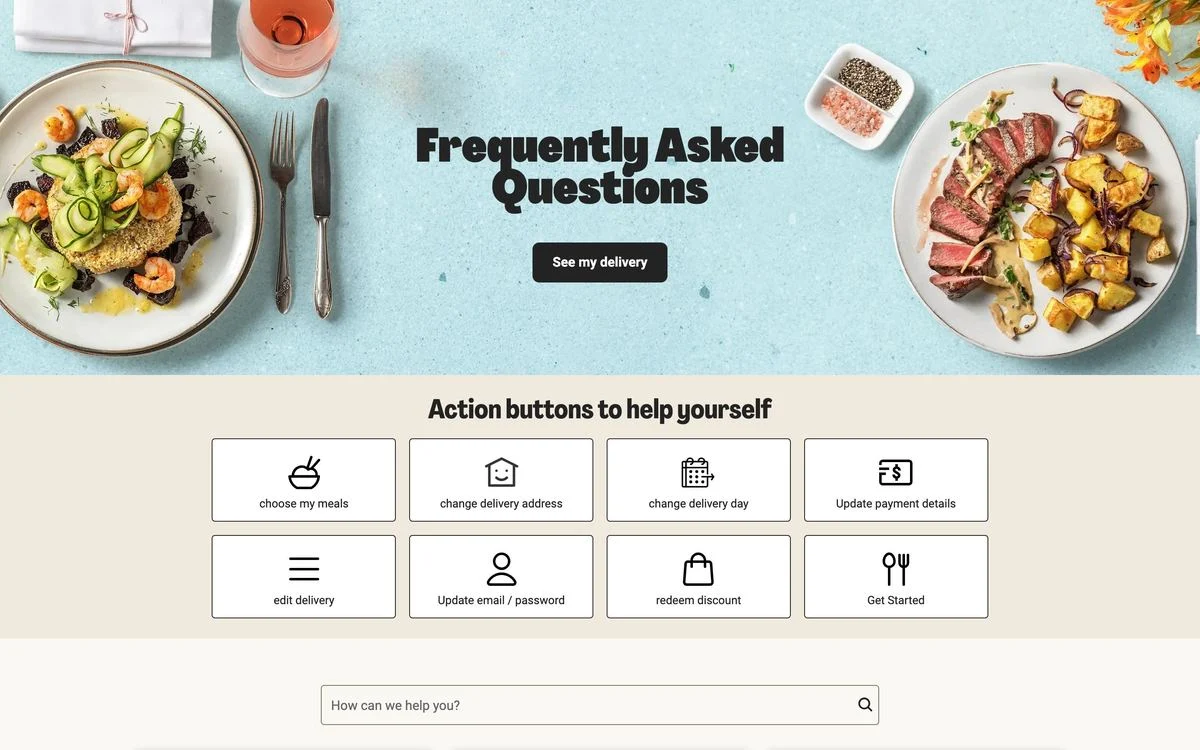
Example: HelloFresh FAQ page
What it does: Under the “Frequently Asked Questions” banner sits a grid of “Action buttons to help yourself”: choose my meals, change delivery address, change delivery day, update payment details, edit delivery, update email or password, redeem discount. A search box follows.
Why it works: Most people on a subscription FAQ do not want to read an answer. They want to change something. HelloFresh turns the eight most common questions into buttons that do the thing.
Steal this: If a question’s answer is “go to settings and click X”, replace the answer with the button.
Pricing-page FAQs
5. Zapier
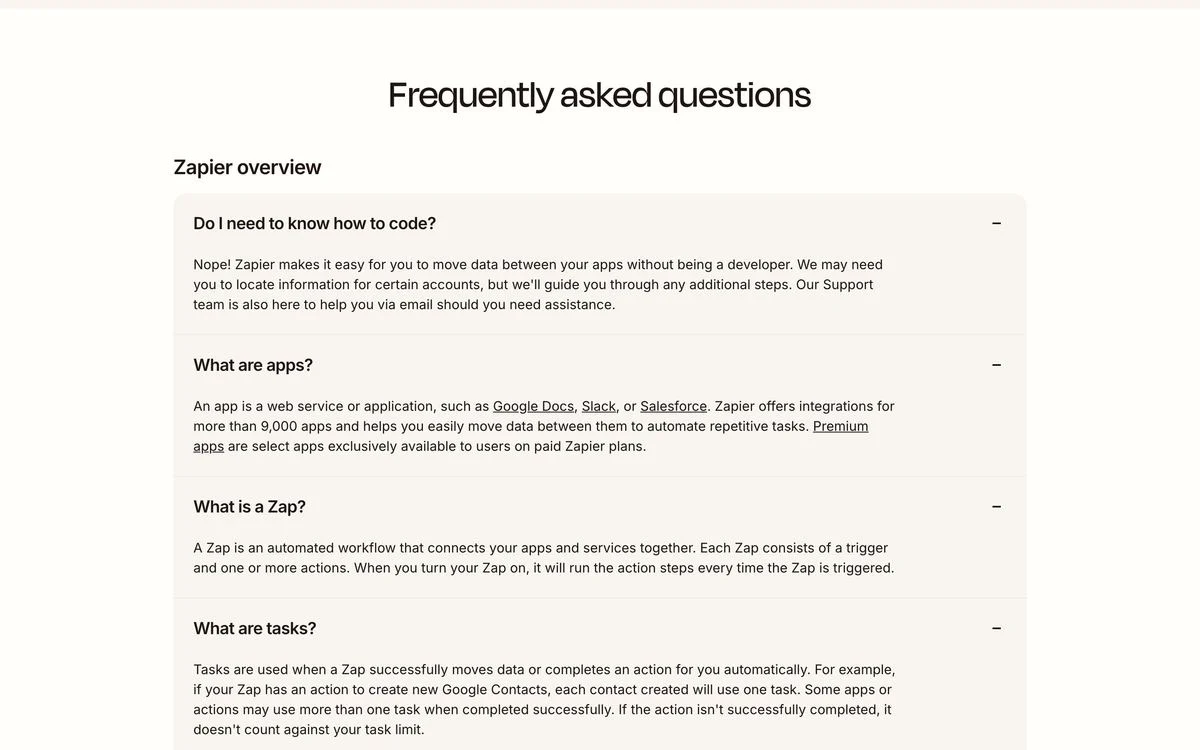
Example: Zapier pricing FAQ
What it does: “Frequently asked questions” grouped into sections, starting with “Zapier overview”: do I need to know how to code, what are apps, what is a Zap, what are tasks.
Why it works: Zapier prices by tasks, so the FAQ defines its own vocabulary before anyone reaches a billing question. You cannot understand the price without knowing what a task is, and the FAQ explains that first.
Steal this: If your pricing uses a unit people do not know, define the unit at the top of the FAQ.
6. Notion
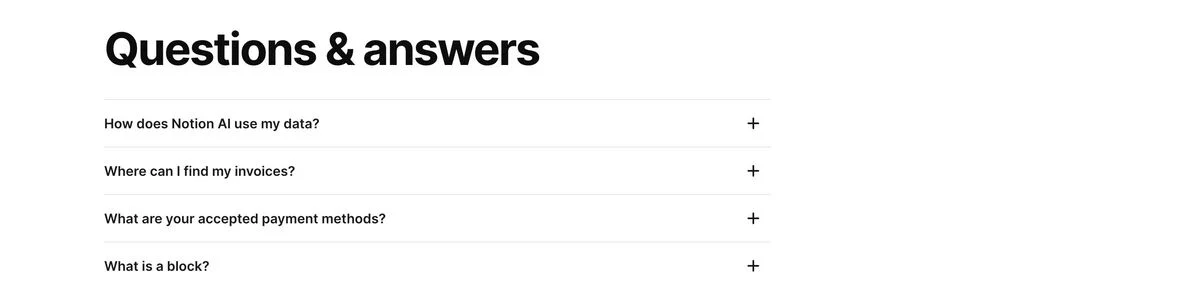
Example: Notion pricing FAQ
What it does: A section titled “Questions & answers” with expandable questions, starting with “How does Notion AI use my data?”. It ends with a line pointing to the help centre for anything not covered.
Why it works: The first question is about data, not price. For a team deciding whether to put company documents into an AI tool, that is the objection that has to be cleared before cost even comes up.
Steal this: End your FAQ with an exit. A single line pointing to the help centre catches everyone the list missed.
7. Figma
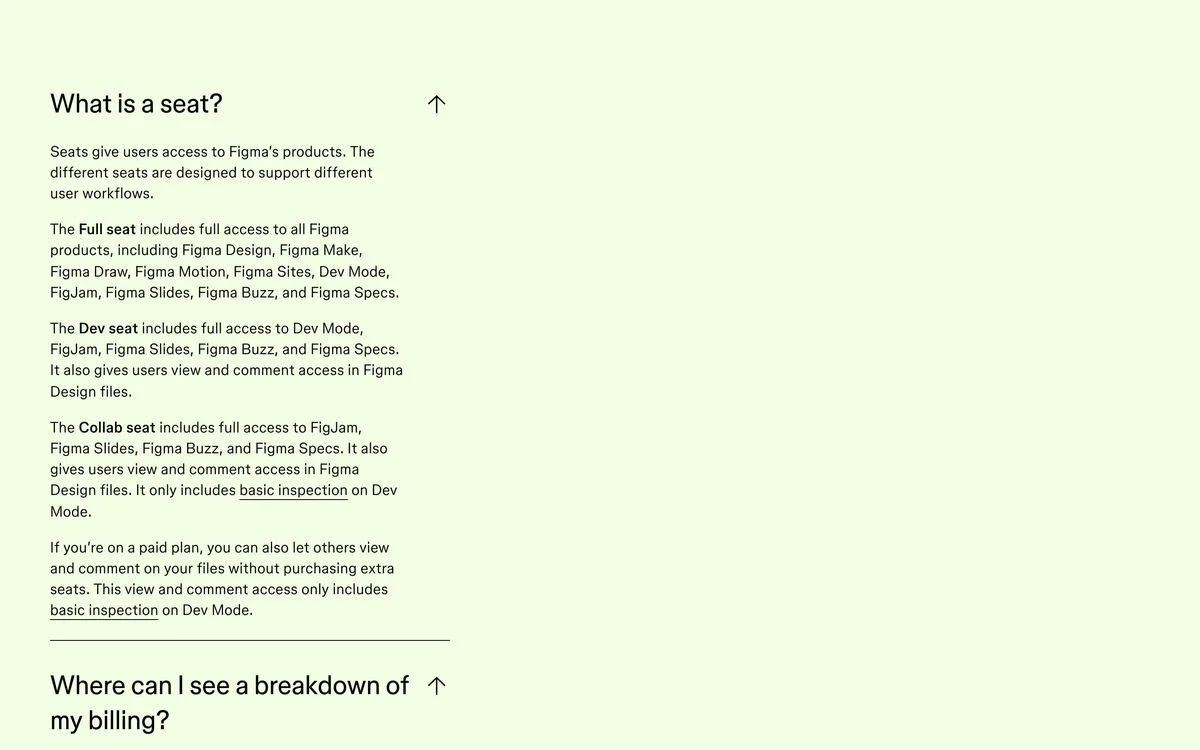
Example: Figma pricing FAQ
What it does: A “Pricing FAQs” panel that explains Figma’s seat types in detail: what a full seat, a dev seat and a collab seat each include. FAQPage schema is in the HTML.
Why it works: Figma’s pricing depends on seat type, and seat types are confusing. The FAQ is where that confusion gets resolved, in more detail than the pricing table can hold.
Steal this: Use the FAQ for the explanation your pricing table is too small to carry.
8. Deel
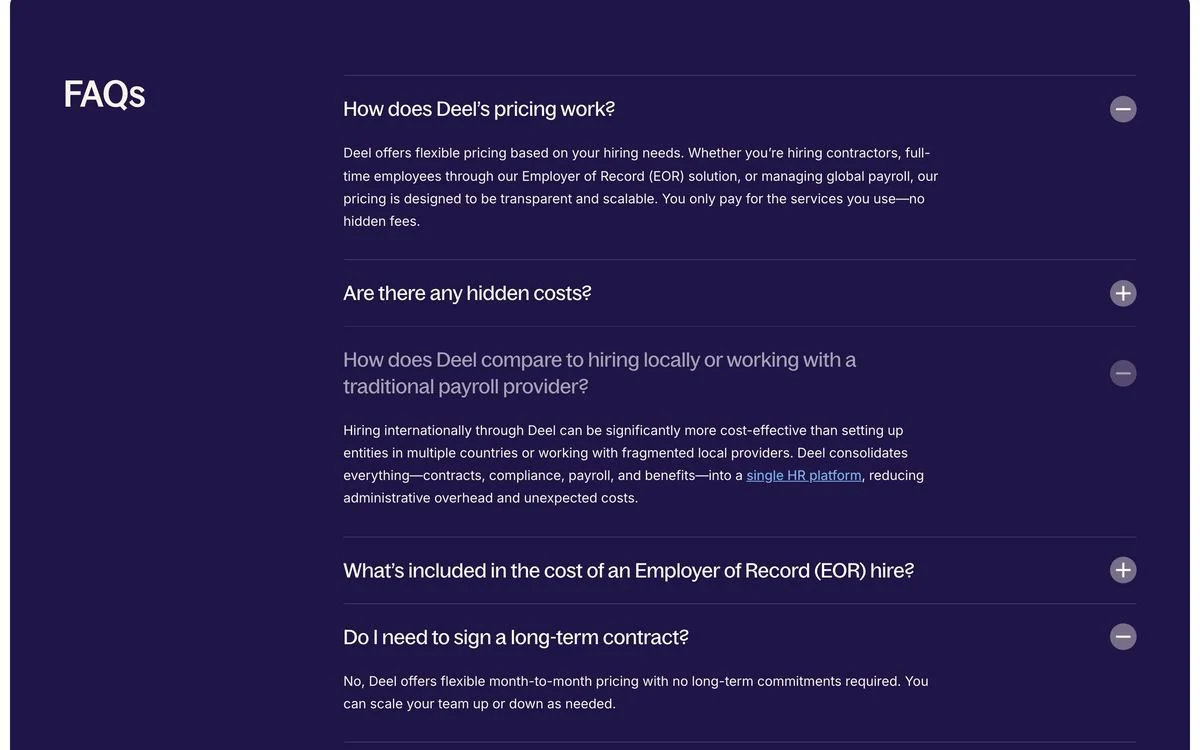
Example: Deel pricing FAQ
What it does: “FAQs” on a dark purple panel with questions including “How does Deel’s pricing work?”, “Are there any hidden costs?” and “Do I need to sign a long-term contract?”. Some answers link through to product pages. FAQPage schema is in the HTML.
Why it works: “Are there any hidden costs?” is the question most pricing pages avoid. Asking it out loud signals there is nothing to hide.
Steal this: Ask the suspicious question yourself, before the buyer does.
9. Attio
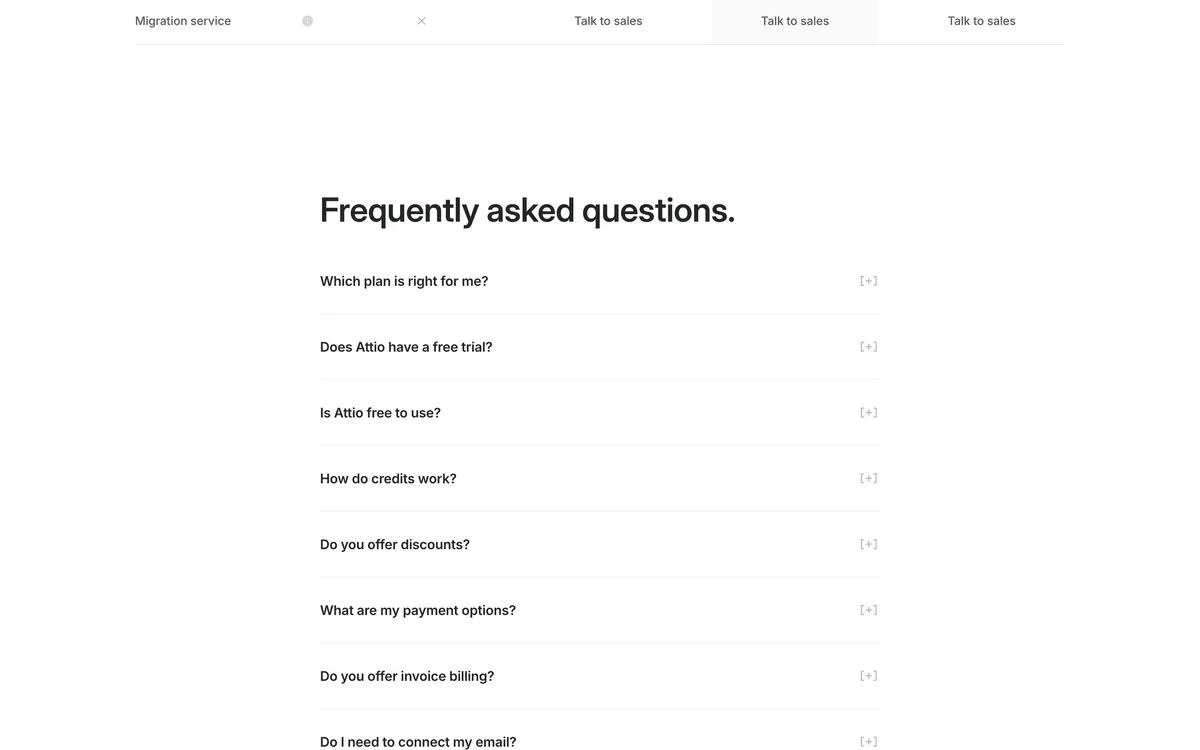
Example: Attio pricing FAQ
What it does: “Frequently asked questions.” in a simple list with text toggles, opening with “Which plan is right for me?”, then free trials, whether Attio is free, how credits work, discounts and payment options.
Why it works: “Which plan is right for me?” is the real question behind every pricing page. Answering it first saves the visitor from comparing four columns of checkmarks.
Steal this: Open with “Which plan is right for me?” and answer it in two sentences.
10. Airtable
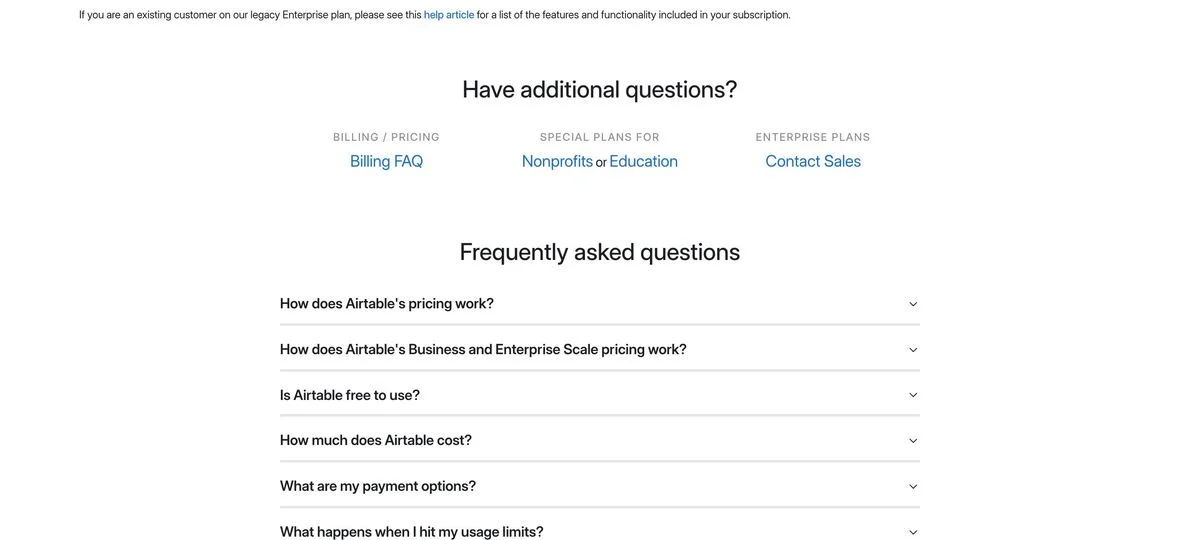
Example: Airtable pricing FAQ
What it does: Before the FAQ list starts, a row titled “Have additional questions?” offers three routes: a billing FAQ, special plans for nonprofits and education, and contact sales for enterprise plans.
Why it works: The three groups most likely to need something the main FAQ does not cover each get a labelled door before they start reading.
Steal this: Route the special cases above the FAQ, so the main list can stay short.
11. Slack
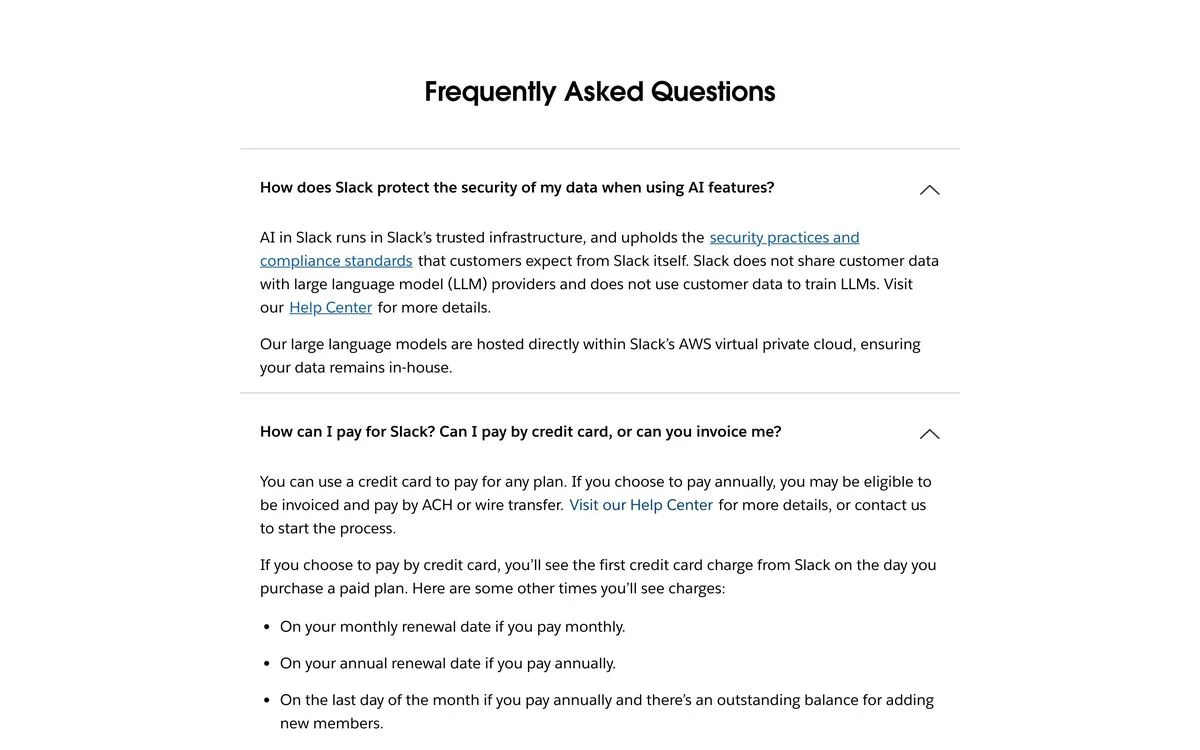
Example: Slack pricing FAQ
What it does: “Frequently Asked Questions”, opening with how Slack protects data when using AI features, then payment methods and how billing works when users are added.
What we found: The answers are in Slack’s HTML, but the FAQPage schema is not. It only appears in the page after JavaScript runs, so a crawler that reads raw HTML sees the answers without the schema.
Steal this: If you use FAQ schema, put it in the HTML your server sends rather than injecting it with a script.
12. Supabase
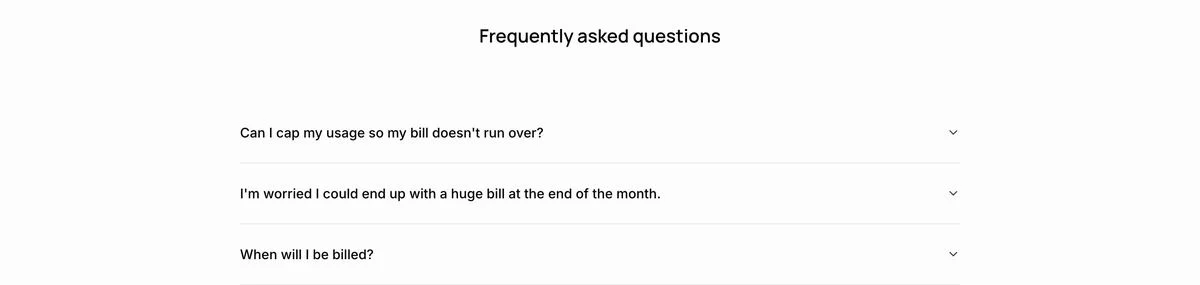
Example: Supabase pricing FAQ
What it does: “Frequently asked questions”, opening with “Can I cap my usage so my bill doesn’t run over?” and “I’m worried I could end up with a huge bill at the end of the month.”
Why it works for people: The first two questions name the fear behind usage-based pricing: a surprise bill. That is exactly the right place to start.
What we found: None of the answers we tested are in the HTML the server returns. They load after the page runs JavaScript. A person in a browser sees everything; a crawler that does not run JavaScript sees the questions without the answers.
Steal this: Lead with the fear. Then make sure the answer to it is in your HTML.
13. Miro
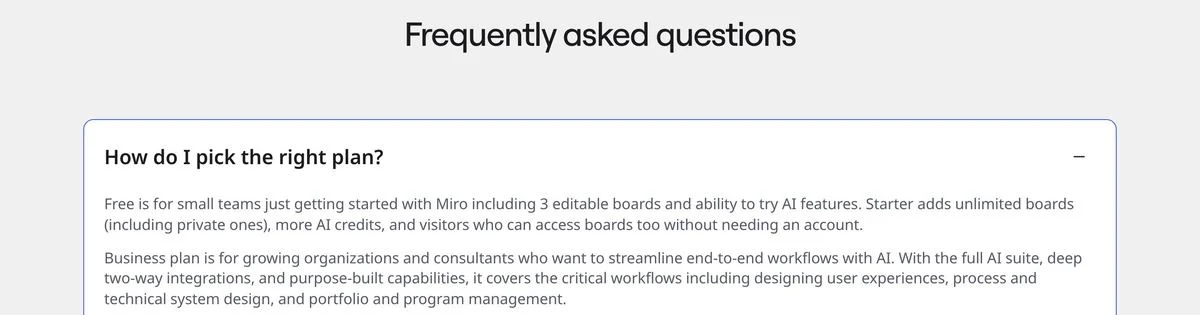
Example: Miro pricing FAQ
What it does: The FAQ sits directly under a row of security certifications, from ISO/IEC 27001 and SOC 2 Type II to NIST, TISAX and GDPR. The first question is “How do I pick the right plan?”.
Why it works: Enterprise buyers check security before they ask about price. Putting the certifications right above the FAQ answers the unspoken question first.
Steal this: Put your trust badges next to the FAQ, where buying objections get raised.
14. Asana
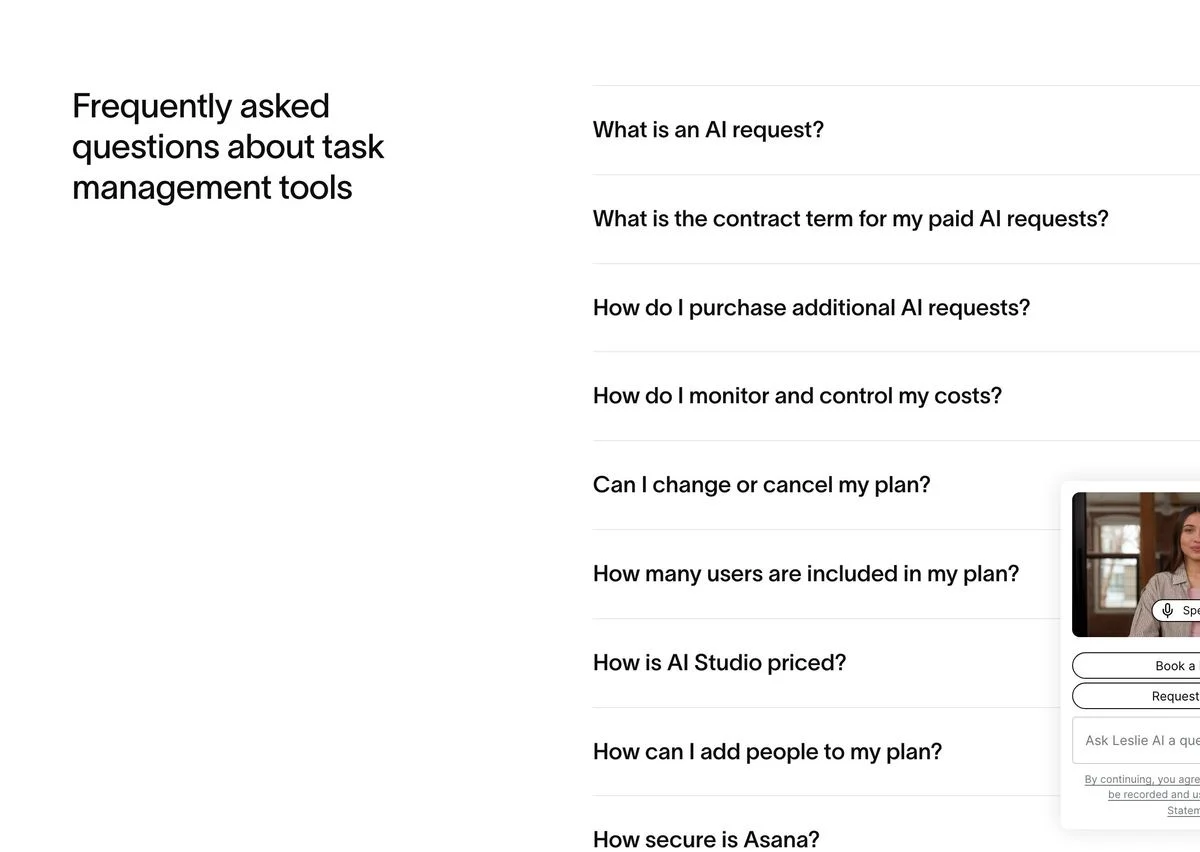
Example: Asana pricing FAQ
What it does: The heading is “Frequently asked questions about task management tools”, followed by questions on AI requests, contract terms, cost controls and adding people. FAQPage schema is in the HTML.
Why it works: The heading includes a search phrase, “task management tools”, instead of just saying “FAQ”. It describes the page to anyone, or anything, scanning it for a topic.
Steal this: Name what your FAQ is about in its heading, not just that it is an FAQ.
15. Loom
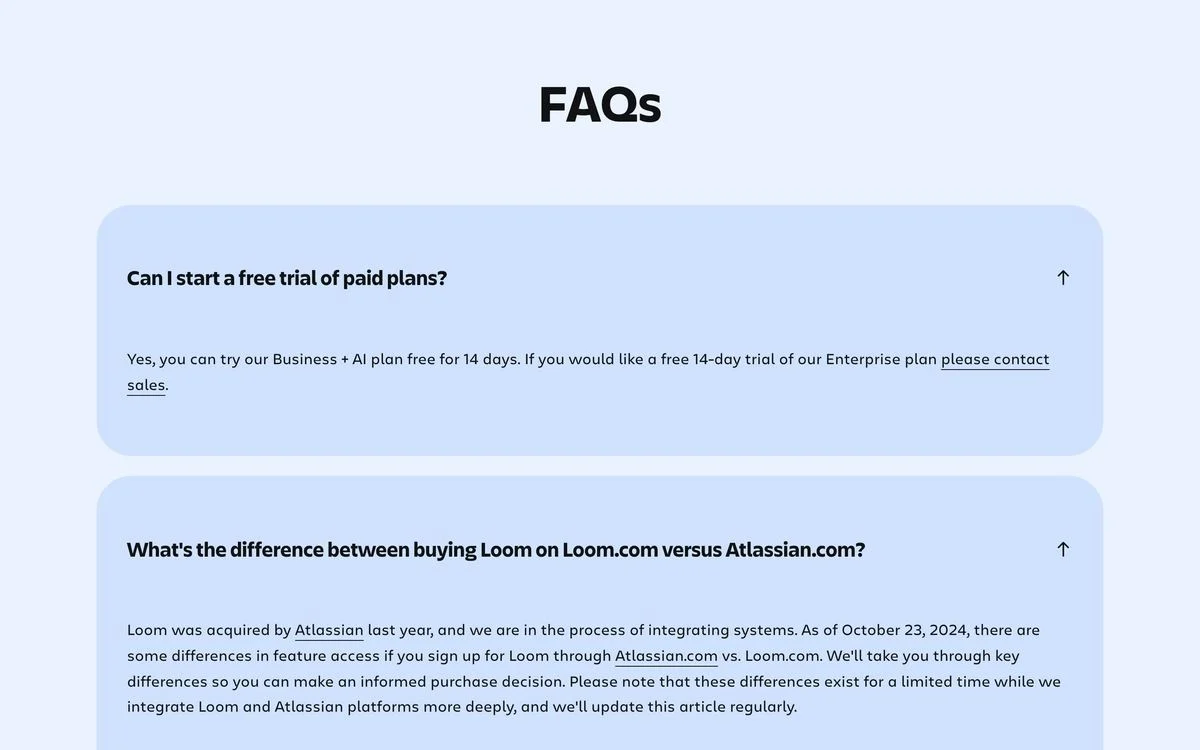
Example: Loom pricing FAQ
What it does: “FAQs” in large rounded cards. One question asks how buying Loom on Loom.com differs from buying it through Atlassian, which acquired Loom, and the answer dates itself to a specific point in the integration.
Why it works: After an acquisition, customers get confused about where to buy and what changed. Loom answers that on the pricing page and dates the answer so readers know how current it is.
Steal this: When something about your company changes, add the question and date the answer.
16. monday.com
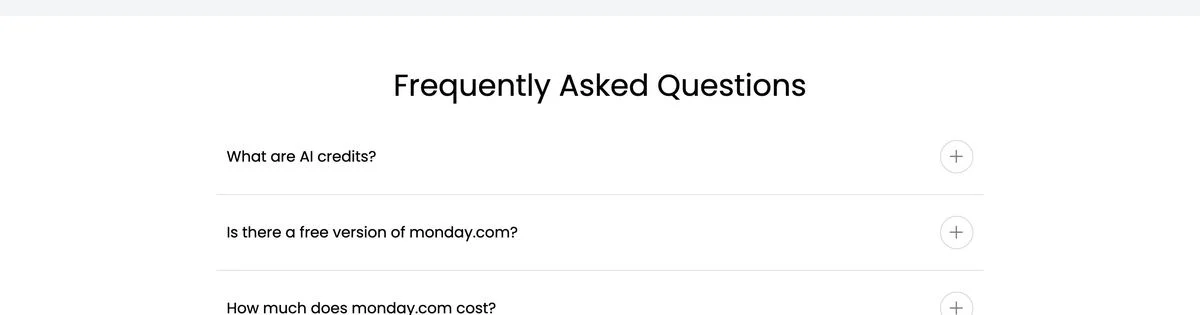
Example: monday.com pricing FAQ
What it does: “Frequently Asked Questions” with “What are AI credits?”, “Is there a free version of monday.com?” and “How much does monday.com cost?” near the top. FAQPage schema is in the HTML.
Why it works: “How much does monday.com cost?” is phrased exactly the way people search for it. The FAQ doubles as a direct answer to a search query.
Steal this: Write at least one question in the exact words people type into a search bar.
17. ClickUp
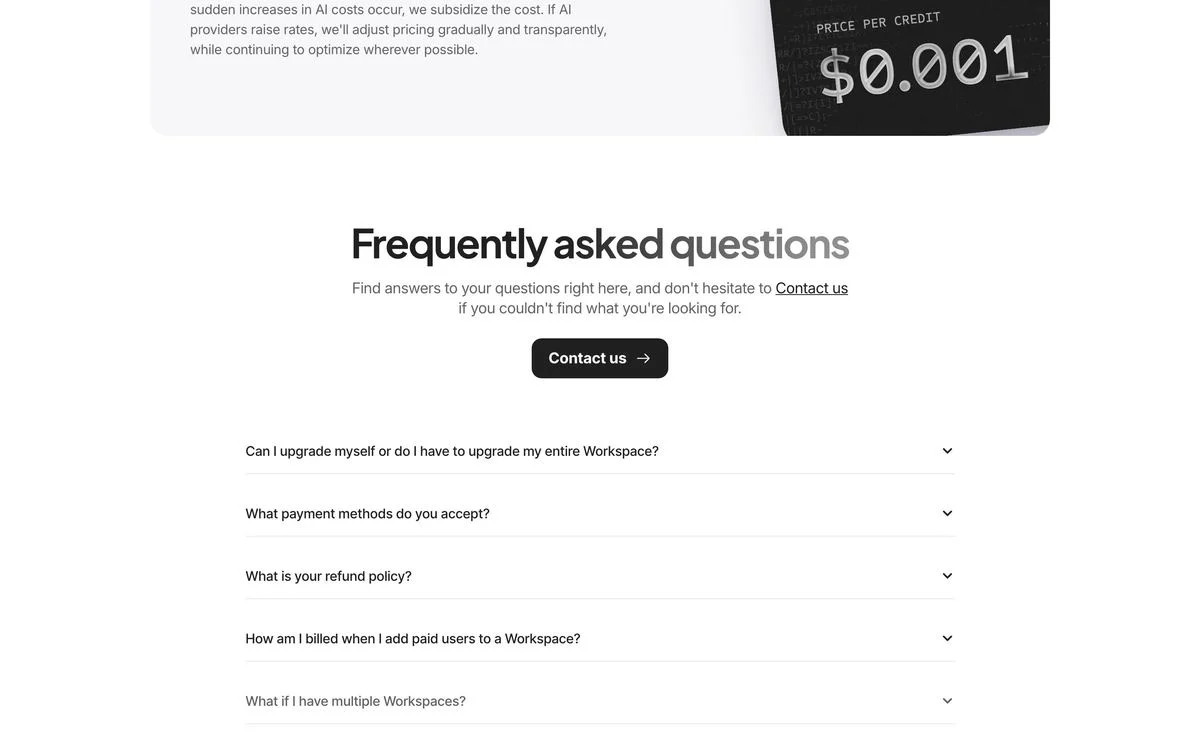
Example: ClickUp pricing FAQ
What it does: Above the list of questions: “Find answers to your questions right here, and don’t hesitate to Contact us if you couldn’t find what you’re looking for”, with a “Contact us” button. FAQPage schema is in the HTML.
Why it works: The escape route comes before the questions, not after them. Nobody has to scroll to the bottom of a long FAQ to find out how to reach a person.
Steal this: Put the contact button at the top of the FAQ, not the bottom.
Help centres doing the FAQ’s job
18. Oura
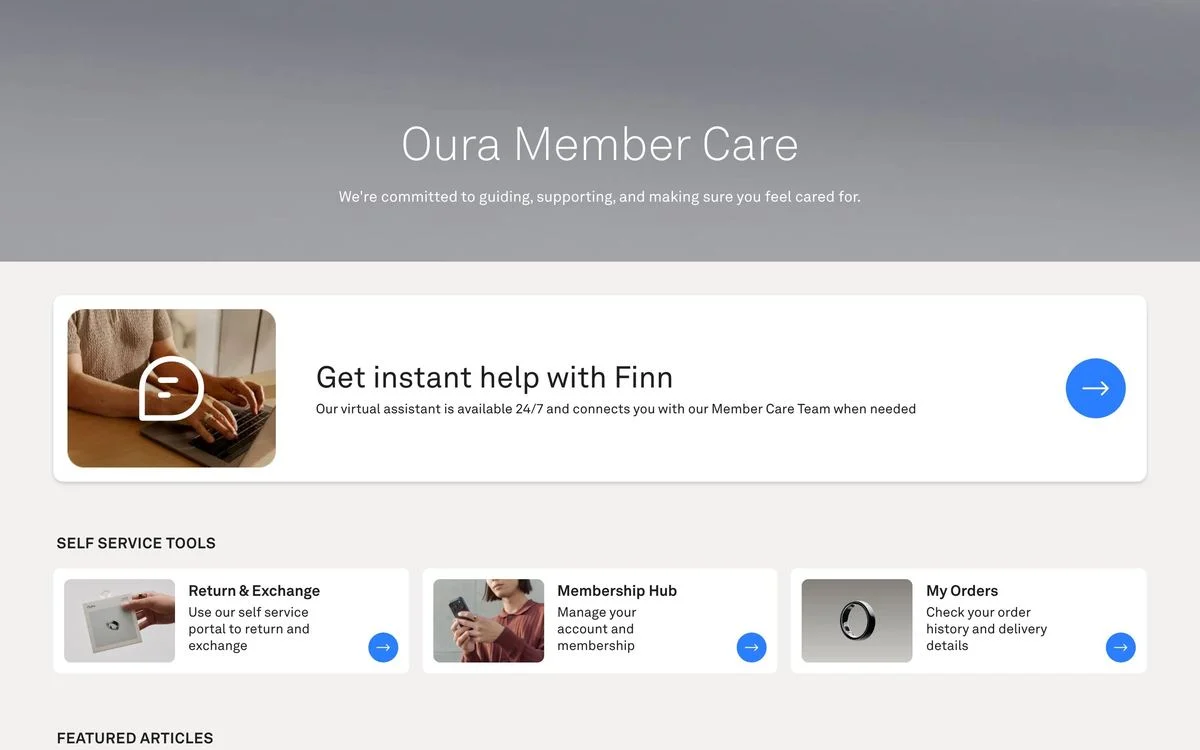
Example: Oura Member Care
What it does: Oura’s FAQ link leads to “Oura Member Care”. The first thing on the page is an AI assistant called Finn, available around the clock. Below it are self-service tools for returns and exchanges, membership and orders.
Why it works: For a hardware product with orders and returns, most questions are really tasks. The assistant and the tools handle those before a list of articles is needed.
Steal this: If your most common questions are tasks, lead with the tools, then the articles.
19. Apple
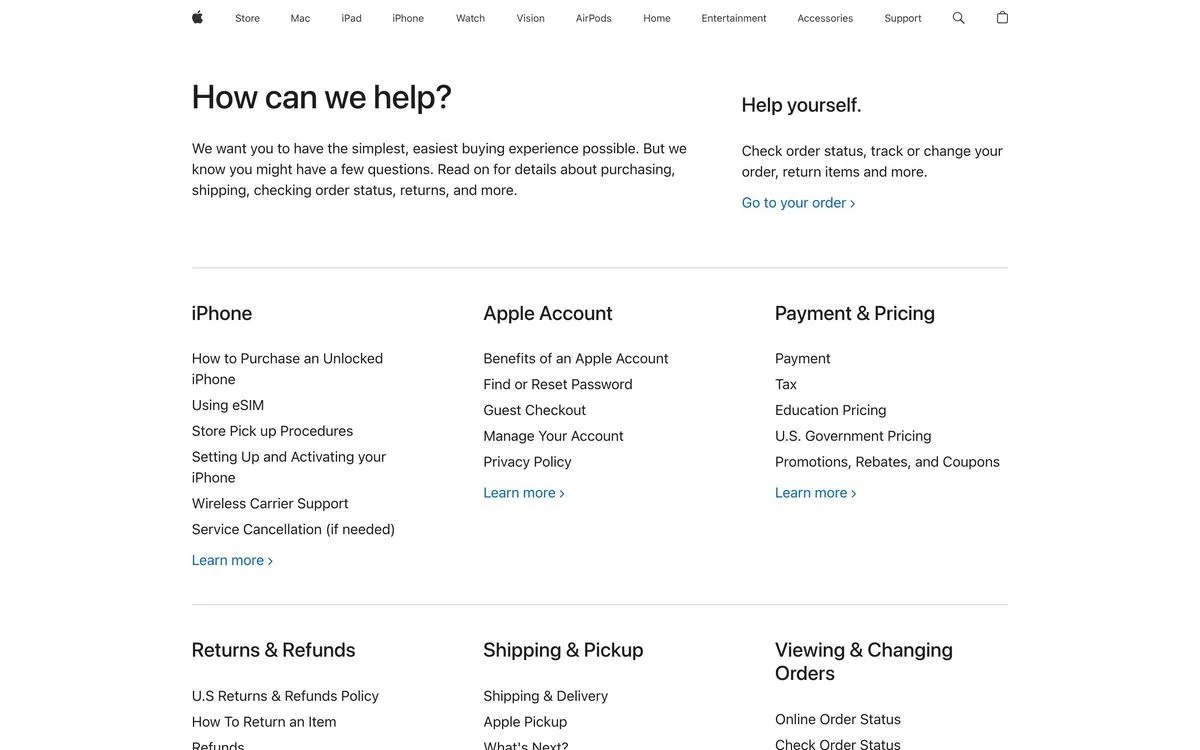
Example: Apple shop help
What it does: “How can we help?”, then topic columns: iPhone, Apple Account, Payment and Pricing, Returns and Refunds, Shipping and Pickup, Viewing and Changing Orders. A “Help yourself” box on the right links to order status.
Why it works: Every column is a short list of plain links. There are no accordions and nothing to expand, so the whole page is scannable at a glance.
Steal this: If you have many questions, group them into columns of links rather than one long accordion.
20. Basecamp
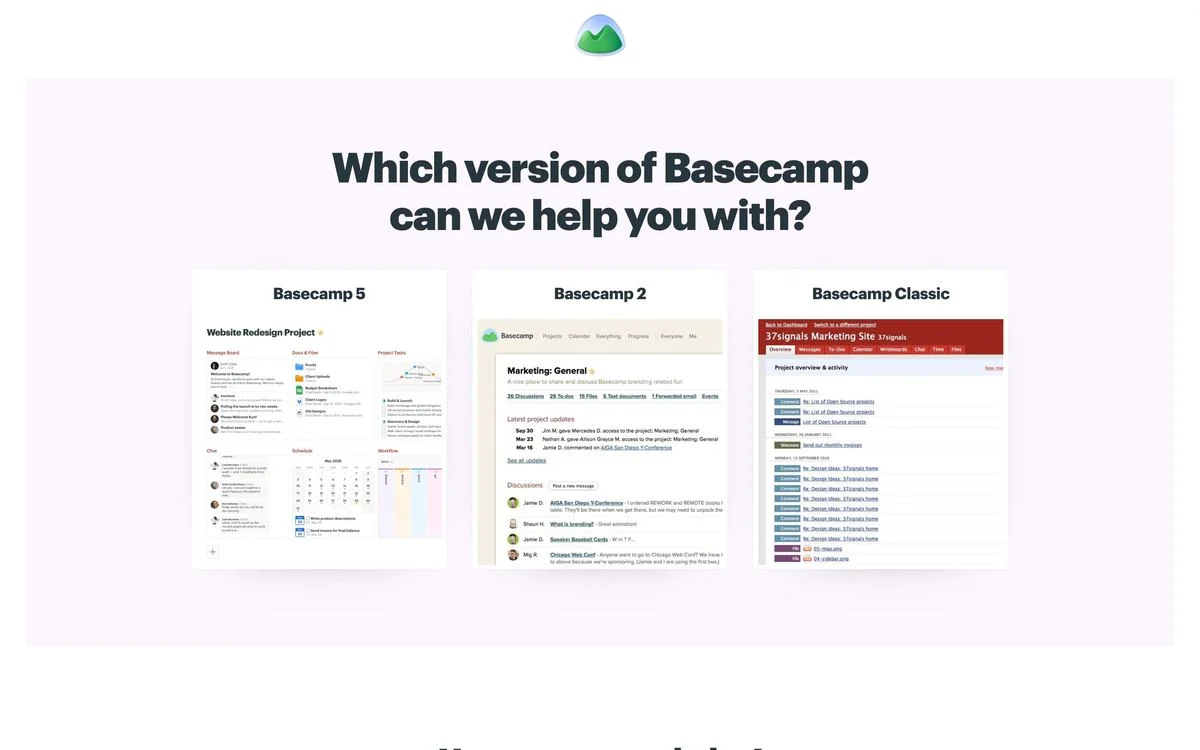
Example: Basecamp help page
What it does: The first question on the page is “Which version of Basecamp can we help you with?”, with three cards for Basecamp 5, Basecamp 2 and Basecamp Classic, each with a screenshot.
Why it works: Basecamp still supports older versions, and an answer about the wrong version is worse than no answer. The page settles which product you use before it shows a single article.
Steal this: If you have more than one product or version, make the visitor pick before they read.
FAQ schema: what it does now
FAQPage schema is a small block of structured data that labels each question and answer on a page. Here is what a minimal version looks like:
<script type=“application/ld+json”>
{
“@context”: “https://schema.org”,
“@type”: “FAQPage”,
“mainEntity”: [{
“@type”: “Question”,
“name”: “Is there a free plan?”,
“acceptedAnswer”: {
“@type”: “Answer”,
“text”: “Yes. The free plan includes three projects and unlimited viewers.”
}
}]
}
</script>
Two things are worth knowing before you add it.
It no longer earns the expandable search result for most sites. In August 2023, Google announced that FAQ rich results would only be shown for well-known, authoritative government and health websites. A software company adding FAQ schema today should not expect the dropdown snippet in Google results.
It still describes your page in a format machines read easily. Seven of the 20 companies above still ship it. If you do, two rules follow from what we found:
- Put it in the HTML your server sends. Slack’s schema only appears after JavaScript runs.
- Put the answers in the HTML too. Schema that labels answers a crawler cannot see is not much use, and Supabase shows that answers can go missing even when the page looks complete.
Not every crawler runs JavaScript before reading a page. If an answer only appears after a script runs, assume some readers, human or machine, will never see it.
Answer the questions buyers actually ask
Draft an FAQ section in Ploy that puts the most common questions first, written in your brand voice.
What the best FAQ pages have in common
- They lead with the fear. Supabase opens with surprise bills, Deel with hidden costs, Notion with AI and data. The best first question is the one the buyer is nervous about.
- They give people a way out. Notion ends with a help-centre link, ClickUp puts “Contact us” at the top, Airtable routes special cases before the list starts.
- They define the terms. Zapier explains tasks, Figma explains seats, monday.com explains AI credits. If the price depends on a unit, the FAQ explains the unit.
- They write questions the way people search. “How much does monday.com cost?” and “Is Airtable free to use?” match real searches word for word.
- They keep the answers in the HTML. Thirteen of the 14 FAQs we could test do. Make sure yours is one of them.
How to build an FAQ page that works
- Collect real questions from sales calls, support tickets and chat logs. Do not invent them.
- Put the pricing questions on the pricing page. That is where 13 of these 20 companies keep them.
- Order questions by fear, not by your product structure. Cost, contracts, data and eligibility usually come first.
- Write each question as someone would type it, including the awkward ones.
- Add a way to reach a person at the top or the bottom of the list.
- Check the raw HTML. Fetch the page with JavaScript disabled and make sure the answers are there.
- Add FAQPage schema if you want, in the server-rendered HTML, matching the visible questions exactly.
FAQs are also one of the easiest sections to A/B test, because questions can be reordered without touching the rest of the page. With Ploy’s AI landing page builder, adding or rewriting an FAQ section is a chat instruction against your existing brand components. For the pages FAQs usually sit next to, see our breakdowns of contact us pages and 20 SaaS websites.
Add an FAQ to your pricing page
Use Ploy to add or rewrite an FAQ section on any page, then A/B test the order of the questions.