A B2B landing page has one job, and it is rarely “buy now”.
The buyer wants a demo, a trial or a conversation with sales, and the page has to earn that step from someone who is busy, careful and often not the final decision-maker. Every field, every link away and every vague claim costs you a lead.
We looked at 15 live B2B landing page examples from Vanta, Datadog, Snowflake, Okta, ServiceTitan, Notion, Linear and others: demo request pages, free trial pages and enterprise pages. Every page was checked on November 9, 2026.
The short version: demo and trial pages strip the menu and put the form on the first screen. Enterprise pages keep the full site menu and send every visitor to sales. The best ones in both groups say exactly what happens after you submit.
Build your next B2B landing page on your brand
What makes a good B2B landing page?
A B2B landing page is a page built for one conversion: a demo request, a free trial, a sales conversation or a download. A good one answers five questions before the visitor scrolls far:
- What will I get? A demo, a trial, a recorded walkthrough or a call, and how long it takes.
- Is it for a company like mine? Industries, team sizes or roles.
- Can I trust it? Ratings, customer counts, logos or compliance badges.
- How much do I have to tell you? A short form, or a form that explains why it asks.
- What happens next? A meeting, an email, instant access.
How we checked these 15
Each page was loaded in a desktop browser at 1440 × 900 on November 9, 2026, with cookie banners dismissed. We recorded the headline, the form fields, the menu, the proof on the first screen and the button text.
We left out pages that blocked our browser or that we could not find at a standard demo address, pages where a chat widget or pop-up covered the form (Highspot and Intercom), pages already featured in our landing page examples and SaaS landing page examples, and pages whose logo strips show companies we do not feature.
What the 15 showed:
| What we counted | Result |
|---|---|
| Demo or trial pages with no full site menu | 7 of 9 |
| Form on the first screen | 9 of 15 |
| Enterprise pages that send visitors to sales (not a form) | 6 of 6 |
| Shortest form | 1 field (Datadog and Outreach: work email) |
The two demo pages that keep the full site menu are Lattice and Navan. The seven with no full menu: Vanta, Greenhouse, ServiceTitan, Outreach, Datadog, Snowflake and Okta.
B2B demo request landing page examples
These six exist to book a meeting with sales.
1. Vanta
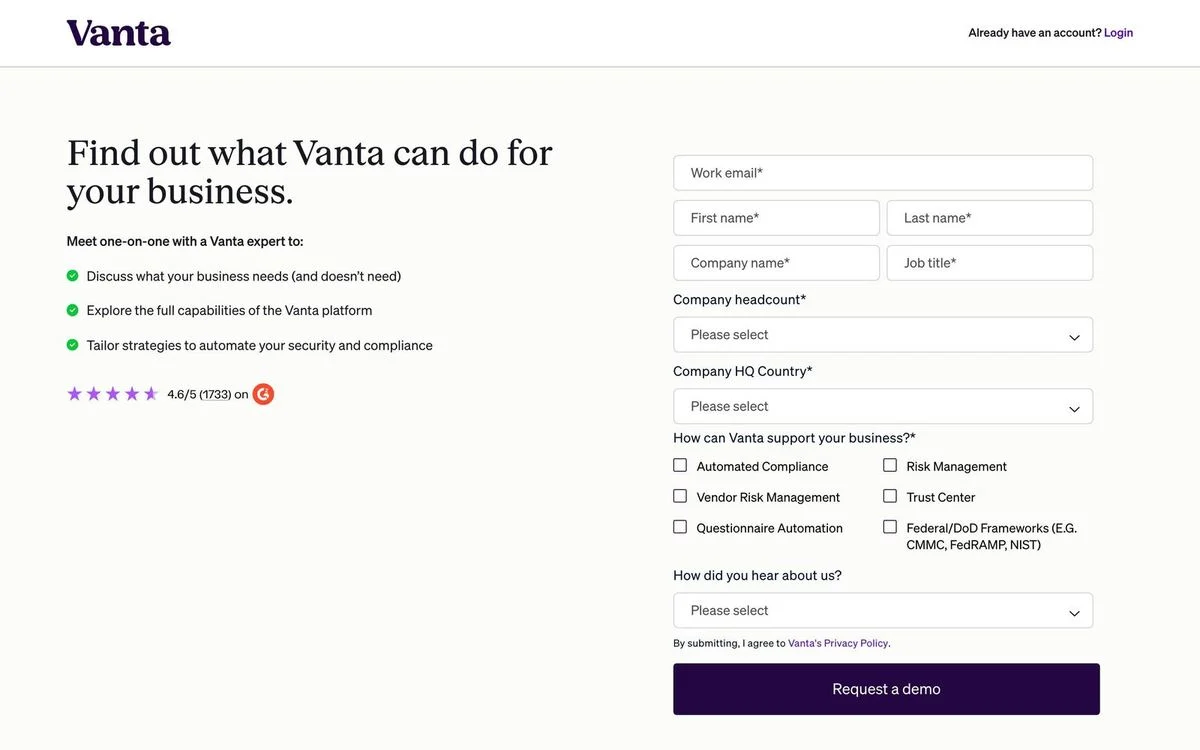
Example: Vanta demo page
How it is set up: No menu, just the logo and a login link. On the left: “Find out what Vanta can do for your business.” and three things you get from the call, such as “Discuss what your business needs (and doesn’t need)”. On the right, a long form: work email, name, company, job title, headcount, country, which products you are interested in and how you heard about Vanta.
What stands out: The form is long on purpose. It asks which products matter (Automated Compliance, Risk Management, Trust Center and more), so the sales call starts with context. A G2 rating sits under the bullets.
Steal this: If your sales team needs context, ask for it in the form, and promise a call that is shaped by the answers.
2. Greenhouse
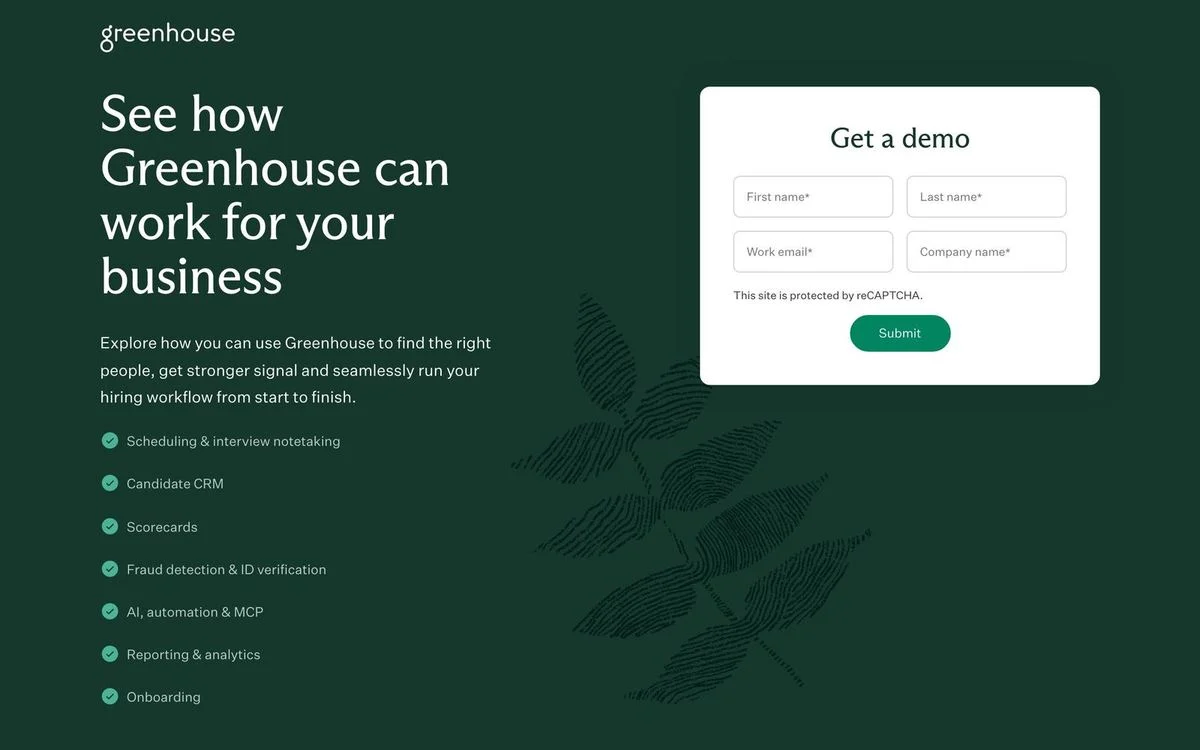
Example: Greenhouse demo page
How it is set up: A dark green page with “See how Greenhouse can work for your business”, a sentence on what you will see, and a list of seven product areas. The form on the right asks for four things: first name, last name, work email and company.
What stands out: The list of features doubles as an agenda for the demo. A customer quote sits below.
Steal this: Keep the form to four fields and use the space beside it to show what the demo covers.
3. Lattice
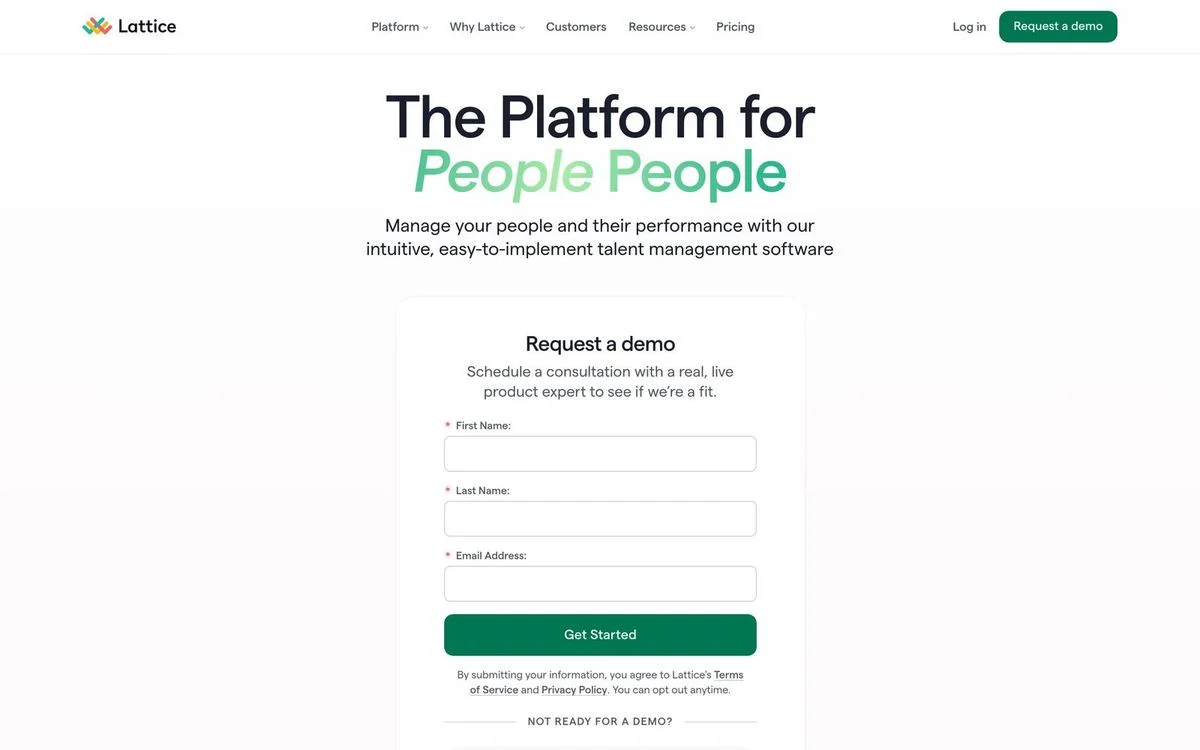
Example: Lattice demo page
How it is set up: The full site menu stays. Under “The Platform for People People” there are two choices: “Take a free tour” (an interactive product overview) and a three-field form to request a live demo.
What stands out: It gives visitors who are not ready to talk a way to see the product right now.
Steal this: Offer a self-serve tour next to the demo form, for buyers who want to look before they talk.
4. ServiceTitan
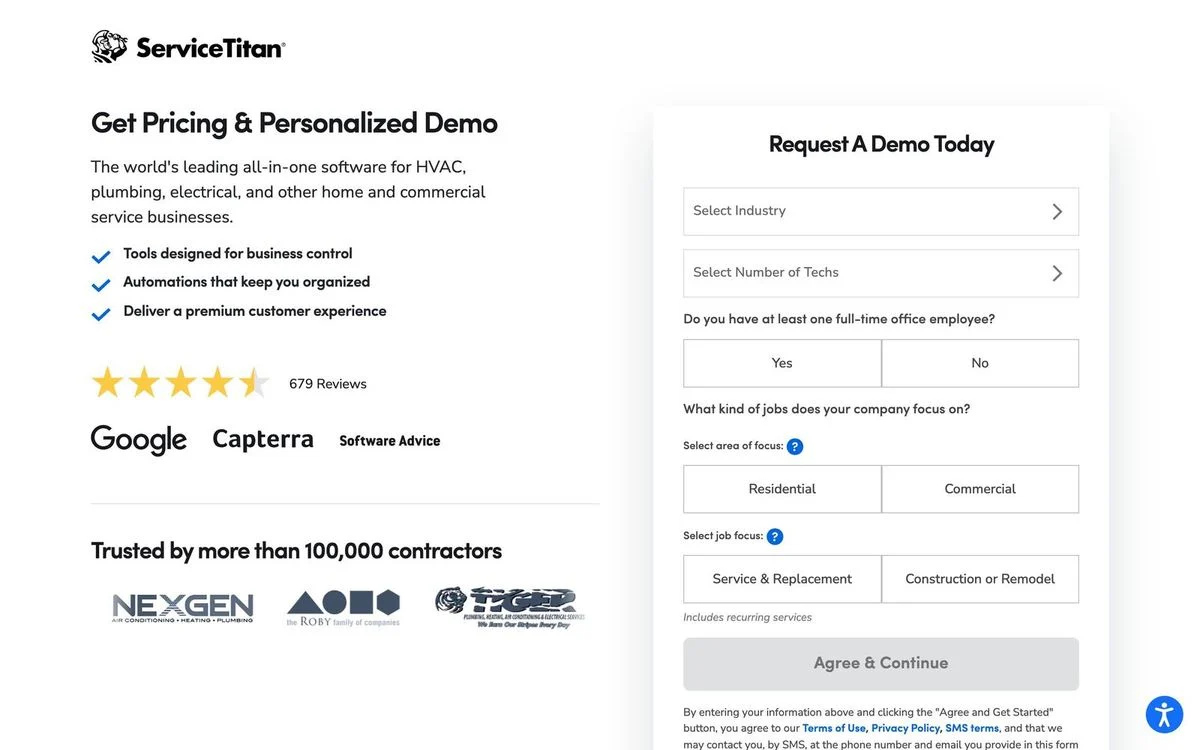
Example: ServiceTitan demo page
How it is set up: “Get Pricing & Personalized Demo” with a one-line summary for HVAC, plumbing, electrical and other service businesses. The form opens with questions instead of contact details: industry, number of technicians, whether there is a full-time office employee, residential or commercial, and the type of work.
What stands out: Pricing is in the headline, and the form qualifies before it asks for an email. “679 Reviews” and “Trusted by more than 100,000 contractors” sit beside it.
Steal this: Lead the form with easy, relevant questions, and ask for contact details last.
5. Navan
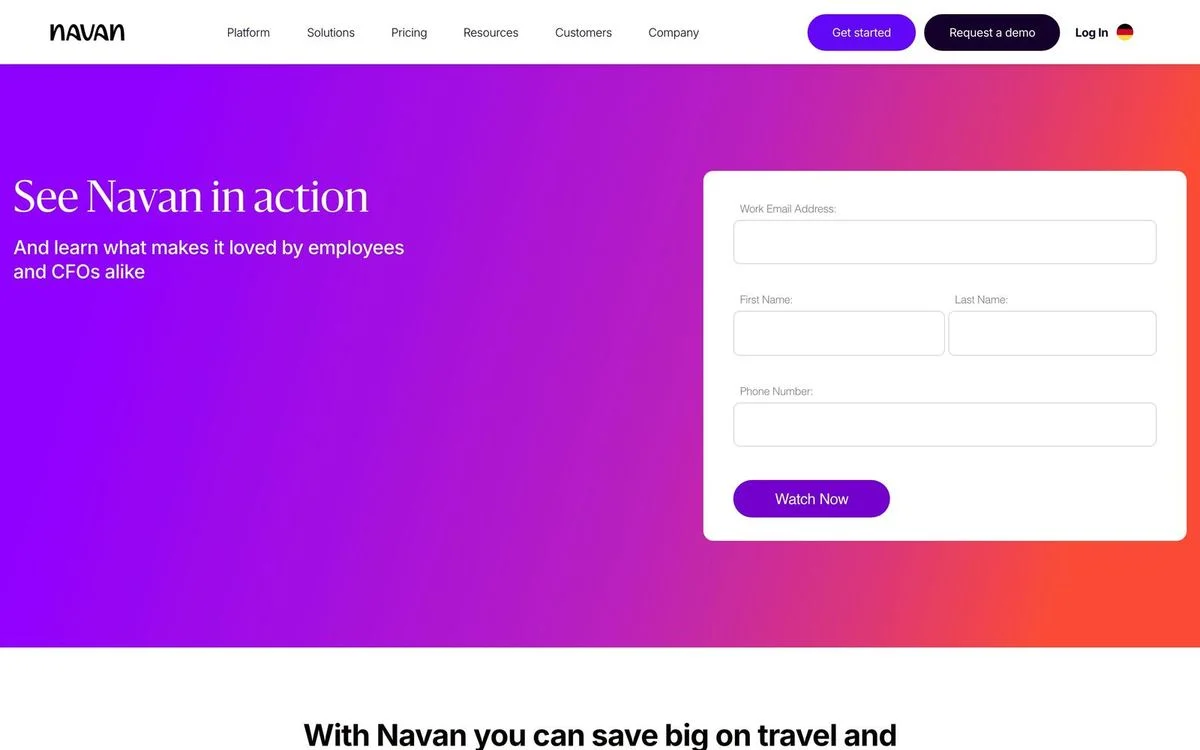
Example: Navan demo page
How it is set up: “See Navan in action” on a bright gradient, with “And learn what makes it loved by employees and CFOs alike”. The form asks for work email, name and phone, and the button says “Watch Now”.
What stands out: The form unlocks a demo you can watch now, not a meeting next week. The subhead speaks to both audiences: employees who travel and the CFO who pays.
Steal this: If your buyers want to see the product before a call, offer an on-demand demo behind a short form.
6. Outreach
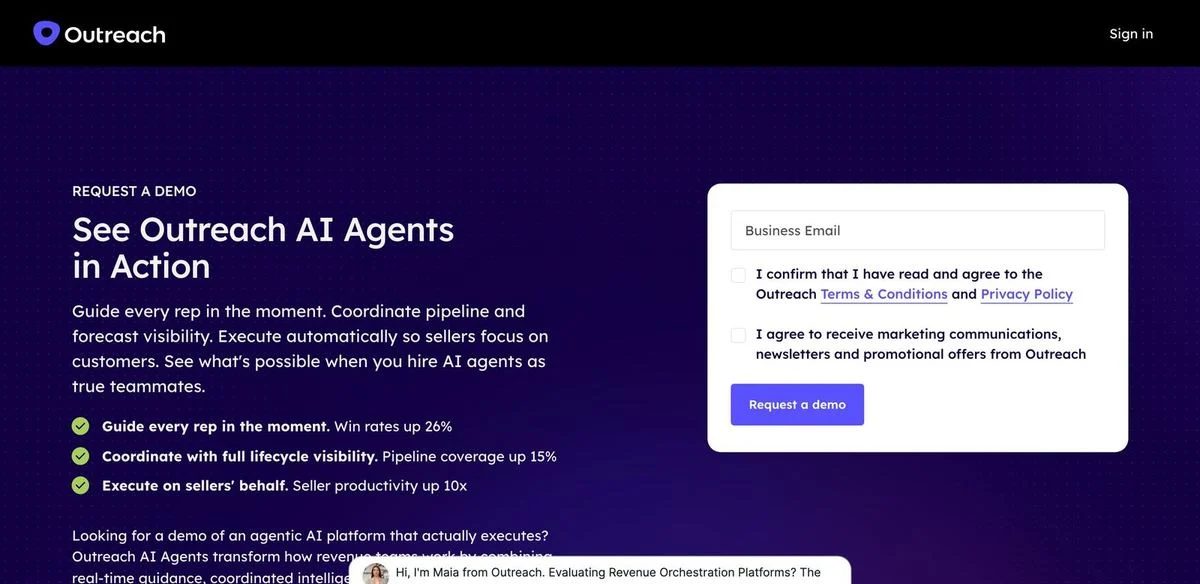
Example: Outreach demo page
How it is set up: “See Outreach AI Agents in Action”, three benefits with a number each (“Win rates up 26%”, “Pipeline coverage up 15%”, “Seller productivity up 10x”), and a form with one field: business email.
What stands out: The shortest possible form, next to the most specific claims.
Steal this: If you can enrich the rest, ask only for the work email, and put your proof numbers next to the button.
Build a demo page like these: Ploy’s AI landing page builder builds campaign pages in your design system, with form capture and visitor identification on every page.
Build a demo page that earns the meeting
Ploy builds demo and trial pages in your design system and shows which companies visit them.
B2B free trial landing page examples
These three start the product, not a sales call.
7. Datadog
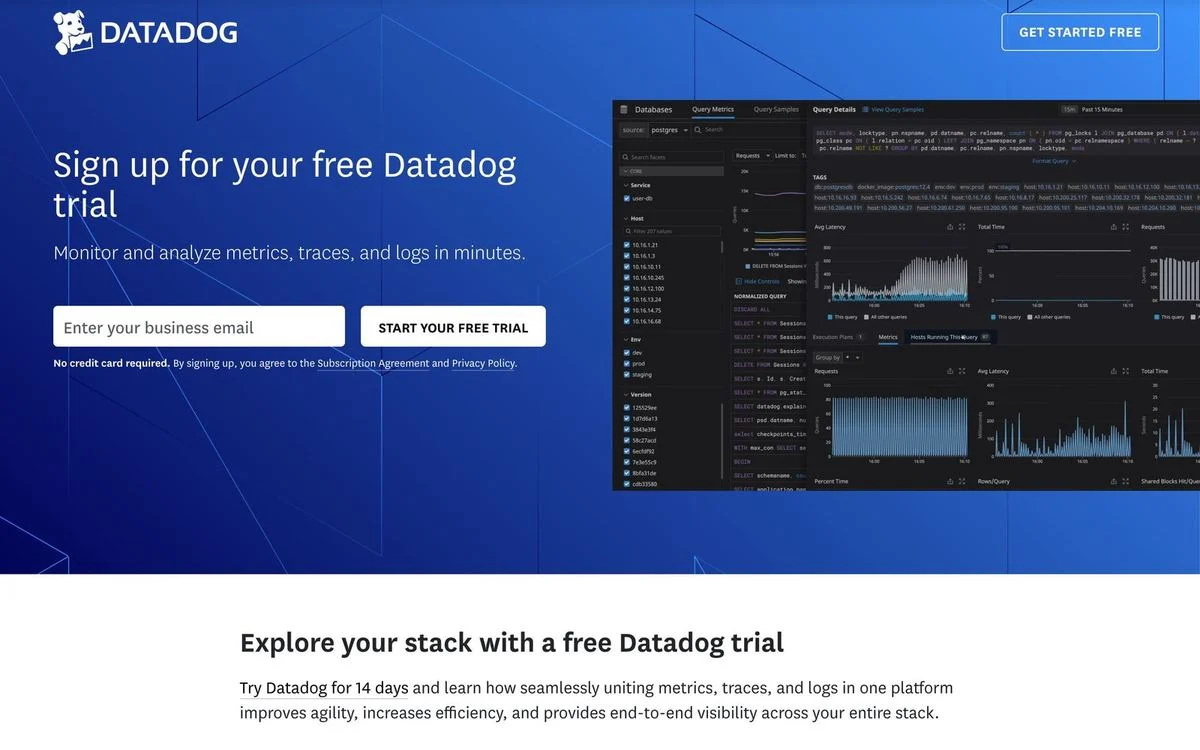
Example: Datadog free trial
How it is set up: “Sign up for your free Datadog trial”, “Monitor and analyze metrics, traces, and logs in minutes.”, one email field and “Start your free trial”, with “No credit card required.” underneath. The product dashboard fills the right side.
What stands out: The trial length (14 days) and what to try first are explained further down, in sections like “Get the most out of your free trial”.
Steal this: Put one field on the first screen, and use the rest of the page to help the trial succeed.
8. Snowflake
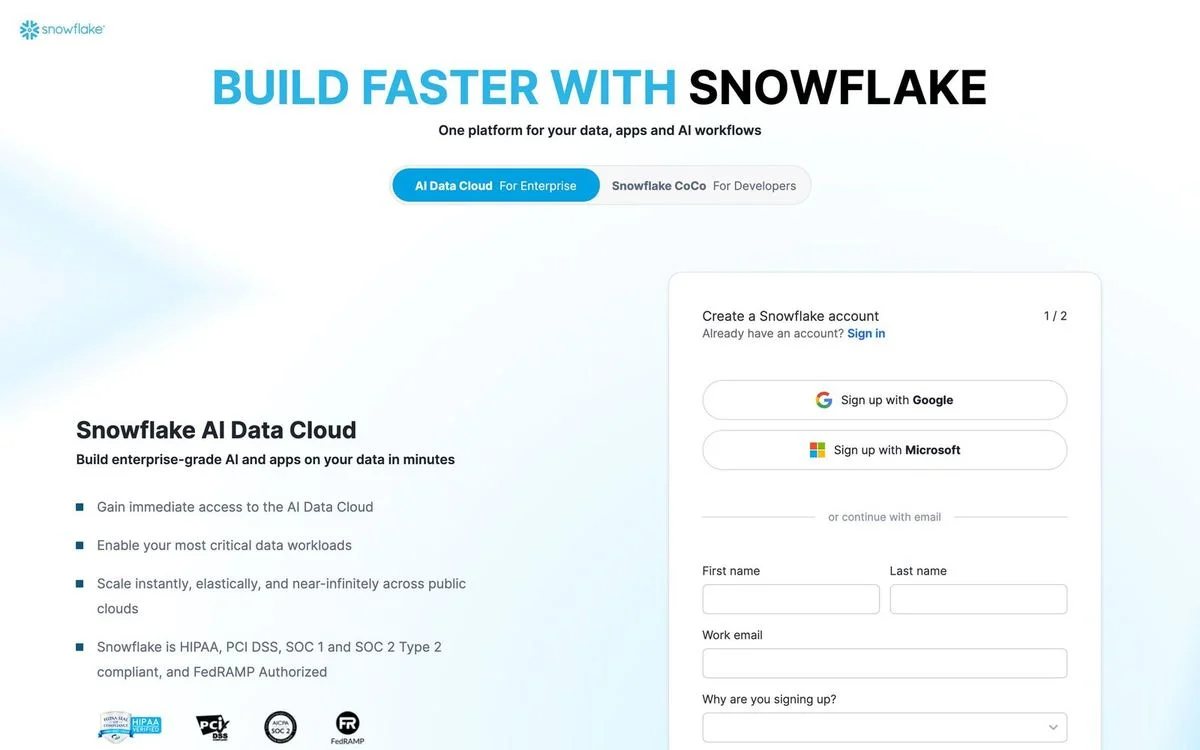
Example: Snowflake sign-up
How it is set up: “Build faster with Snowflake” and a switch between “AI Data Cloud for Enterprise” and “Snowflake CoCo for Developers”. The form offers Google and Microsoft sign-up, then name, work email and why you are signing up, marked as step 1 of 2.
What stands out: The offer is concrete: “Start your 30-day trial with $400 in free credits”. Compliance badges (HIPAA, PCI DSS, SOC and FedRAMP) sit under the bullets for enterprise buyers.
Steal this: State the trial in time and value, and show compliance badges where security teams will look.
9. Okta
Example: Okta free trial
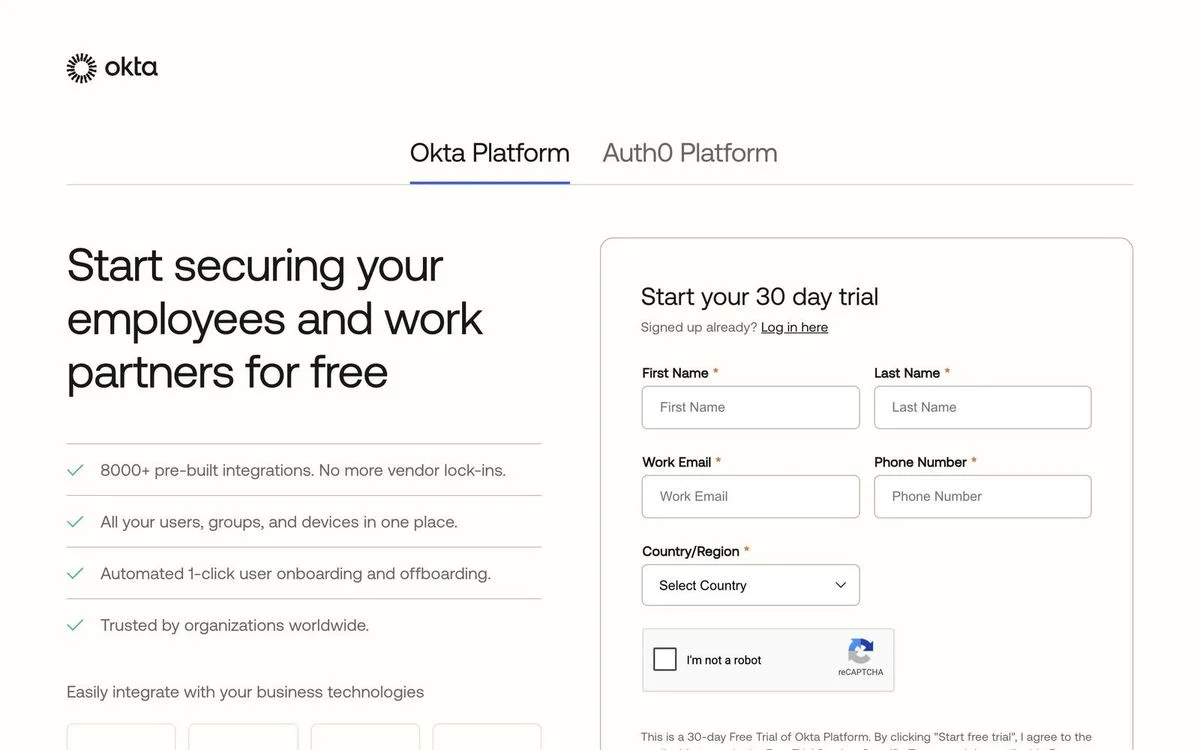
How it is set up: Two tabs at the top, Okta Platform and Auth0 Platform, then “Start securing your employees and work partners for free” and a “Start your 30 day trial” form with name, work email, phone and country.
What stands out: The tabs make the visitor choose the right product before the trial starts. The bullets are short and specific: “8000+ pre-built integrations.”
Steal this: If you sell two products to two audiences, split the trial page with tabs.
Test the form: Ploy can run a section A/B test on your published page, such as a one-field form against a four-field form.
B2B enterprise landing page examples
These six are for large buyers, and every one sends them to sales.
10. Jira Enterprise
Example: Jira Enterprise
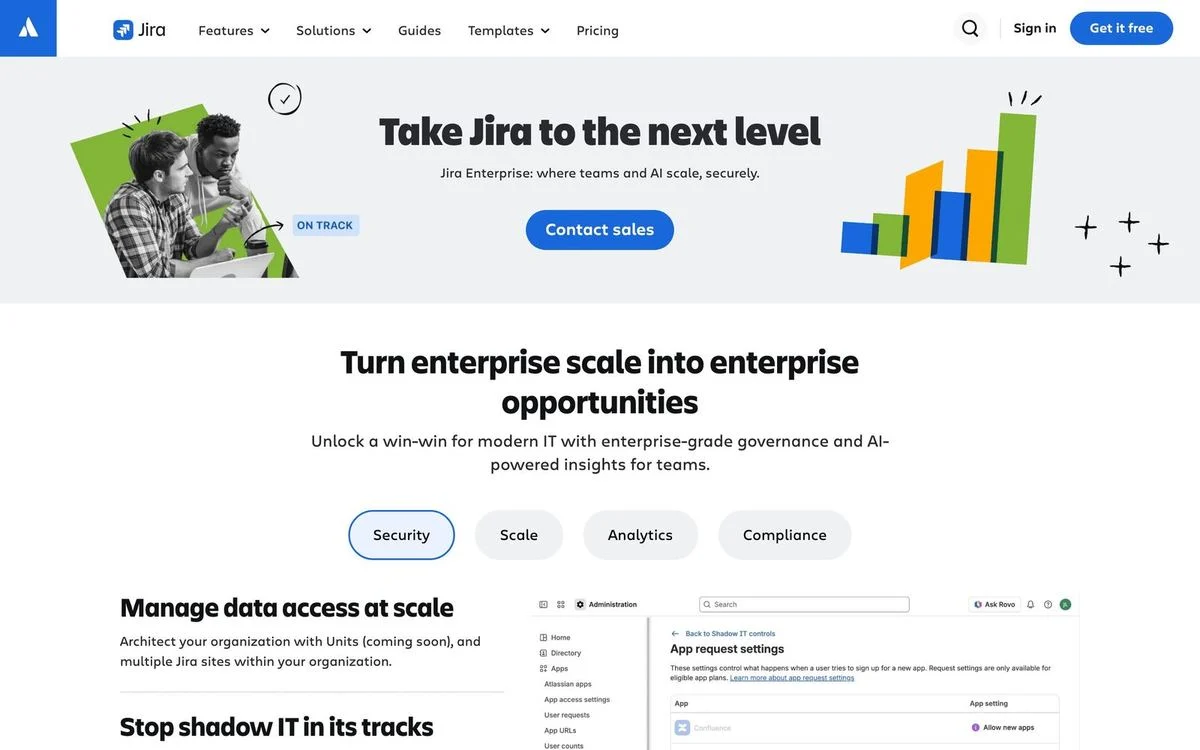
How it is set up: “Take Jira to the next level”, “Jira Enterprise: where teams and AI scale, securely.” and one button, “Contact sales”. Tabs below switch between Security, Scale, Analytics and Compliance.
What stands out: The tabs match the four questions an enterprise buyer brings, and one section says it is “Trusted by over 80% of the Fortune 500”.
Steal this: Organize the enterprise page around the buyer’s review checklist.
11. Notion for Enterprise
Example: Notion for Enterprise
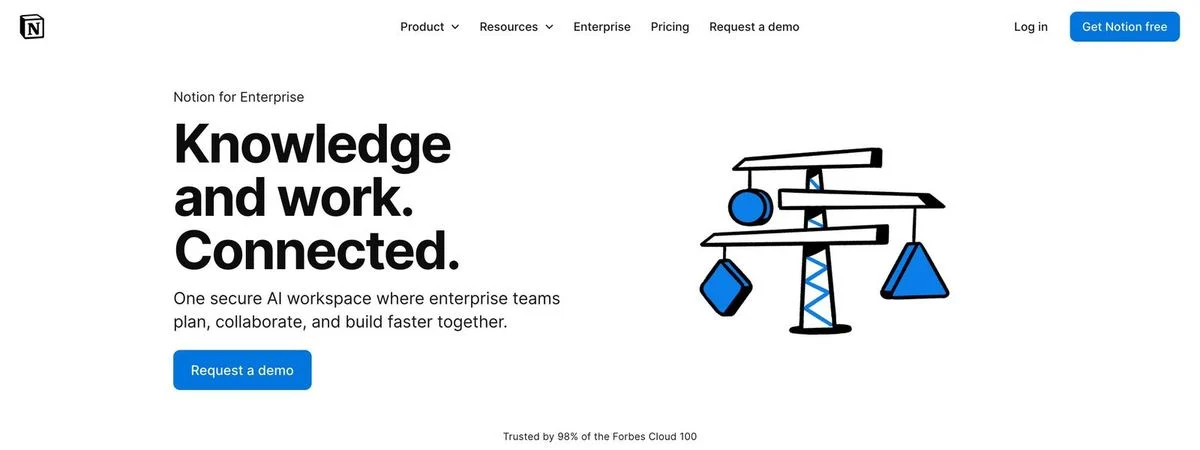
How it is set up: “Knowledge and work. Connected.” with one line (“One secure AI workspace where enterprise teams plan, collaborate, and build faster together.”) and one button, “Request a demo”. Four cards below name the main uses.
What stands out: The proof line is specific to the audience: “Trusted by 98% of the Forbes Cloud 100”.
Steal this: Pick a proof statistic your enterprise buyer recognizes.
12. Miro Enterprise
Example: Miro Enterprise
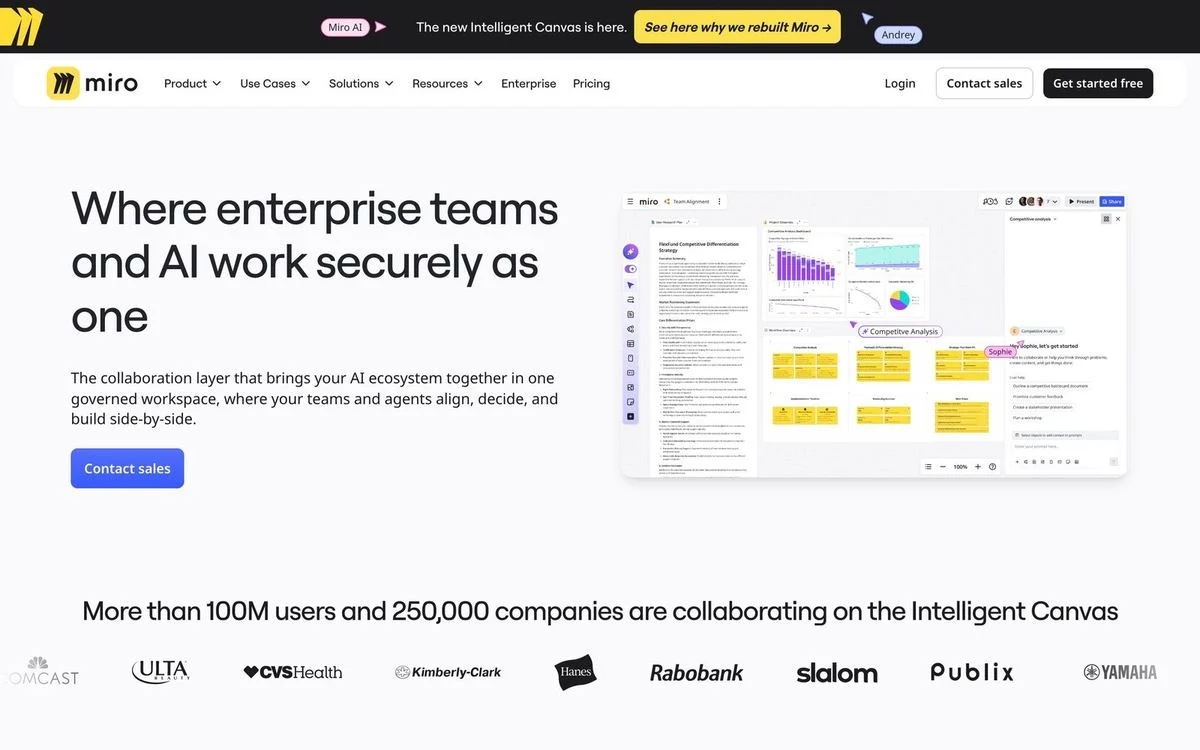
How it is set up: “Where enterprise teams and AI work securely as one”, a product screenshot and “Contact sales”. Under it: “More than 100M users and 250,000 companies are collaborating on the Intelligent Canvas”.
What stands out: “Securely” is in the headline, because security is the first enterprise question.
Steal this: Put your enterprise buyer’s first objection in the headline.
13. Clay Enterprise
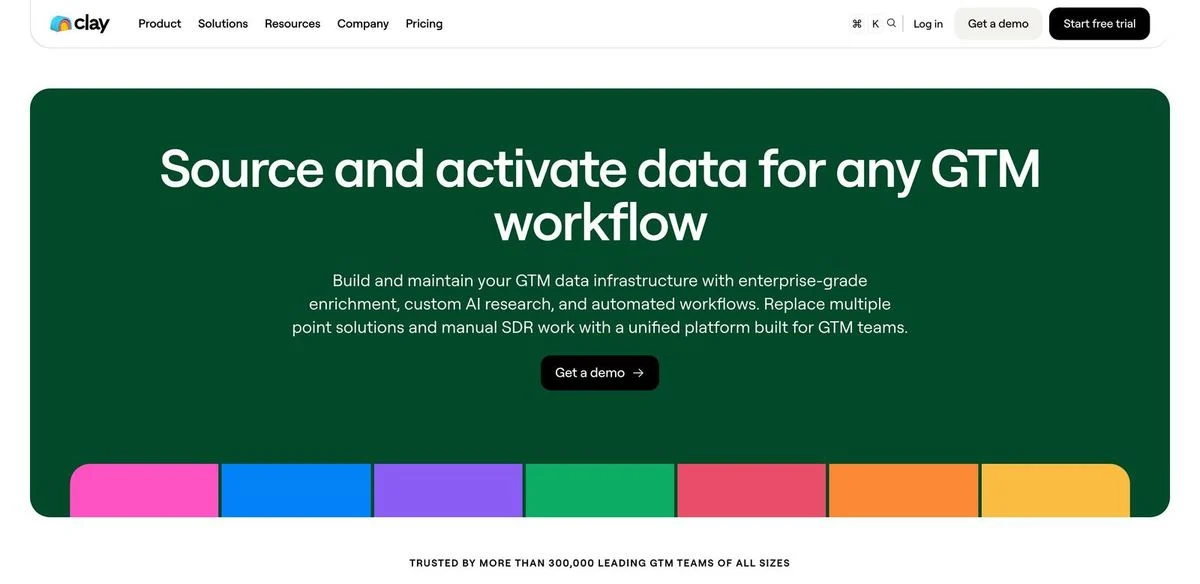
Example: Clay Enterprise
How it is set up: “Source and activate data for any GTM workflow” and a paragraph that names what it replaces: “multiple point solutions and manual SDR work”. One button: “Get a demo”.
What stands out: The sections read like a business case: data coverage, launching workflows, “Reduce vendor sprawl and overhead” and enterprise-grade security.
Steal this: Structure the page as the case your champion will make internally.
14. Linear Enterprise
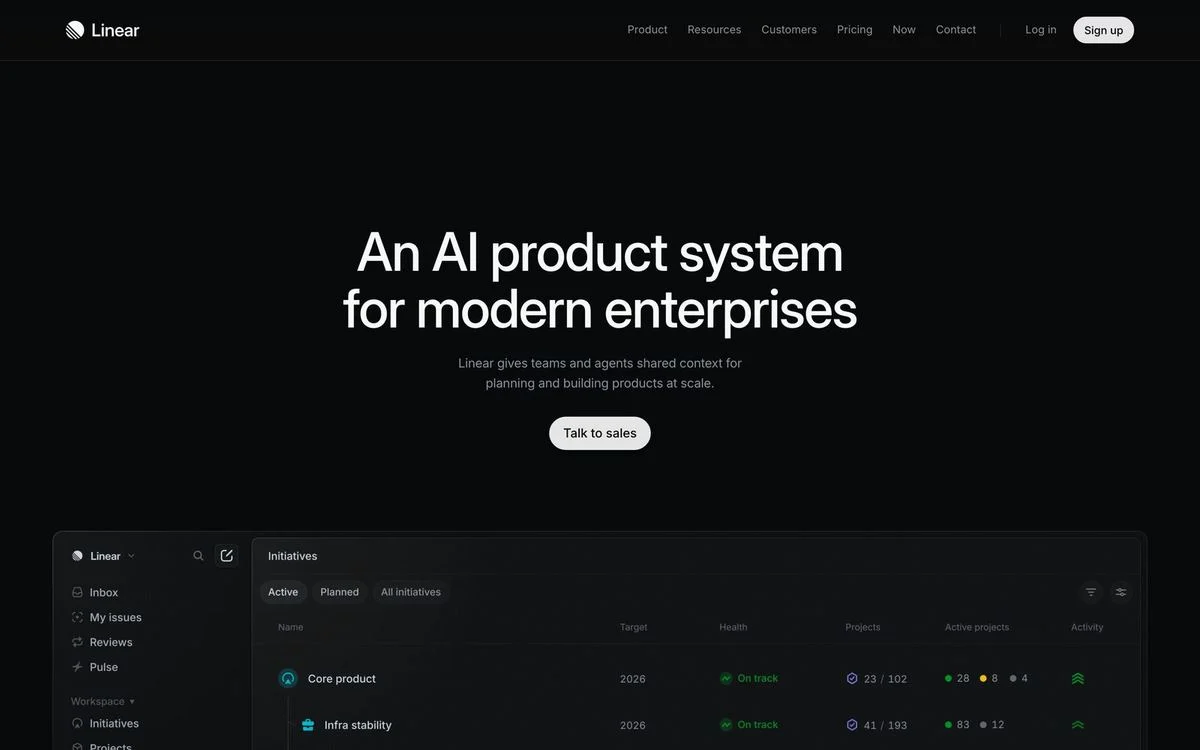
Example: Linear Enterprise
How it is set up: A dark page with “An AI product system for modern enterprises”, one line of copy, a “Talk to sales” button and the product below.
What stands out: The first section explains the change in the market (“AI is changing how products get built”) before explaining the product.
Steal this: Start the enterprise story with the shift your buyer is dealing with.
15. Asana for Enterprise
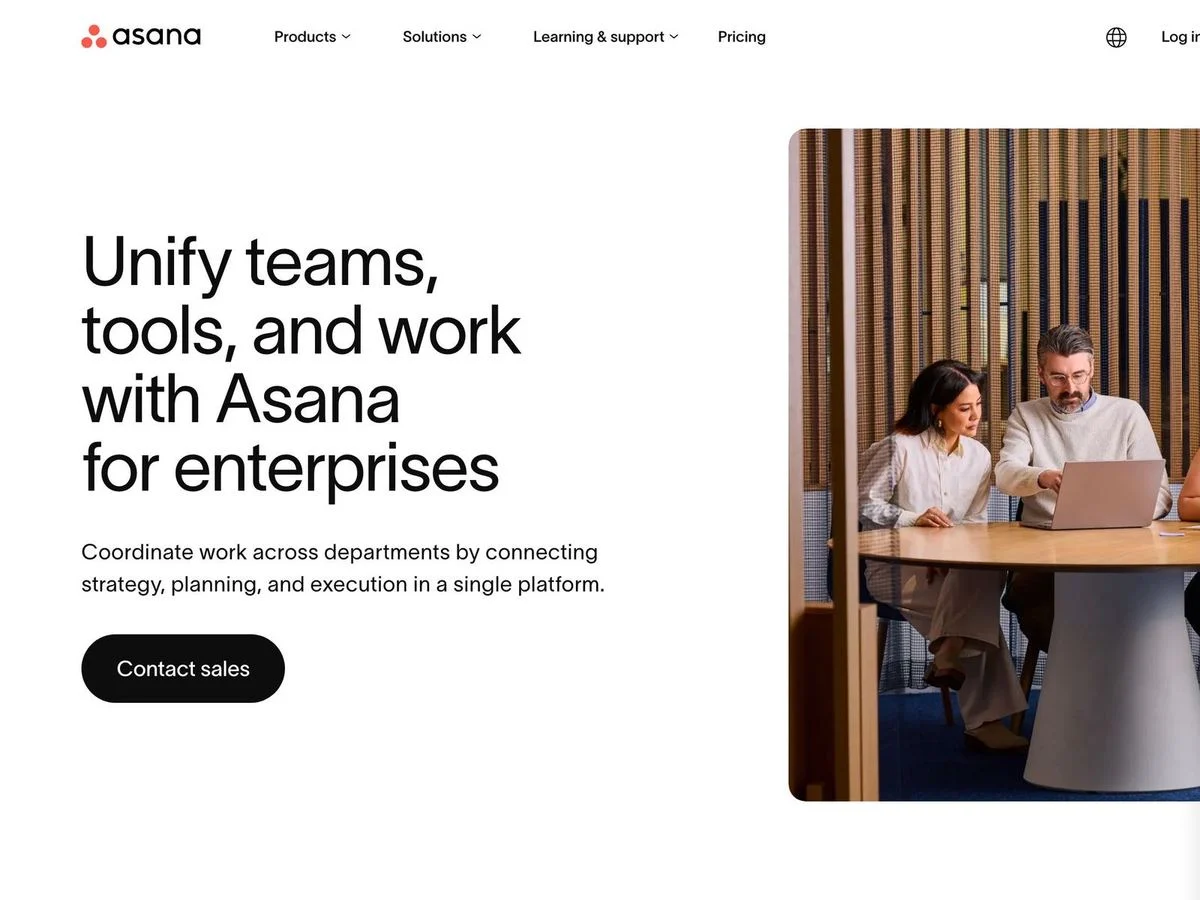
Example: Asana for Enterprise
How it is set up: “Unify teams, tools, and work with Asana for enterprises”, one line on connecting strategy, planning and execution, a “Contact sales” button and a photo of a team meeting.
What stands out: Three numbers follow the hero: 100k+ enterprises, 200k+ teammates onboarded in a single deployment, and an 85% customer satisfaction score.
Steal this: Use numbers that answer enterprise worries: scale, rollout size and satisfaction.
Pages for each account: Ploy’s personalized ABM pages build a page for a named account, on your brand.
B2B landing page best practices
- Match the page to the step. A demo page books meetings, a trial page starts the product, an enterprise page starts a sales conversation. Do not mix them.
- Remove the menu on demo and trial pages. Seven of the nine demo and trial pages here have no full site menu.
- Put the form on the first screen, and explain what happens after you submit.
- Ask only what sales will use. Datadog and Outreach ask for one field. Vanta asks for many, but each answer shapes the call.
- Offer a lower-commitment option: Lattice’s tour, Navan’s recorded demo or Datadog’s free trial.
- Put proof next to the button: a G2 rating, a customer count or one specific result.
- Write enterprise pages as a business case: security, scale, rollout and the cost of not switching.
For pages that sell one product, see our product page examples. For the next step after the demo, see our pricing page examples.
How to build a B2B landing page with Ploy
- Start from your brand. Ploy builds a brand design system from your URL, so every new page matches your site.
- Describe the page: “A demo request page for mid-market HR leaders, form on the right, three outcomes on the left, our G2 rating under them.”
- Connect the form to your CRM, and turn on visitor identification to see which companies visit.
- Make a version per audience or per ad group.
- Test the form and headline against each other before you scale spend.
Ploy for growth teams covers launching intent-matched landing pages and A/B tests without an engineering queue.
Give every B2B page one clear next step
Start free and build demo, trial and enterprise pages on your brand, each with a form that asks only what sales needs.