
Every website has a page that only shows up when something has gone wrong.
A 404 page is what a visitor sees when they ask for a page that does not exist. They followed an old link, mistyped an address or clicked a link that broke. Whatever happened, that visitor wanted something from your site, and the 404 page decides whether they find it or leave.
We visited a made-up address on 46 company websites on October 23, 2026 and picked the 20 best 404 pages. Below, each one is broken down by what it says and how it gets the visitor back on track.
The short version: the best 404 pages are about the next step, not the error. Every one of these 20 offers at least one way forward, and most offer several.
Give lost visitors a way back in Ploy.
What is a 404 page?
A 404 page is the page a website shows when a visitor requests an address that does not exist. The name comes from the HTTP status code 404, “Not Found”, which the server sends back along with the page.
A good 404 page does three things:
- Says clearly that the page was not found, without blaming the visitor.
- Offers a way forward: search, useful links or a way home.
- Sounds like the rest of the brand, so the visitor knows they are still in the right place.
How we checked these 20
We loaded the same made-up path on 46 websites in a desktop browser at 1440 × 900 on October 23, 2026, and recorded the status code each one returned, what the page said and what it offered.
What we found across the 20:
| What we counted | Result |
|---|---|
| Returned a real 404 status code | 20 of 20 |
| Offer a search box | 4 of 20 (GitHub, Apple, The New York Times, Vimeo) |
| Offer a sales action, such as a demo, sign-up or pricing | 3 of 20 (Ramp, Zoom, Deel) |
| Explain why the visitor might be seeing the page | 4 of 20 (Vimeo, Bitly, Mercury, Cloudflare) |
Not every site sends a 404. On Pinterest, our made-up address showed the homepage with a 200 status code, which tells search engines the page exists. Google calls this a soft 404 and recommends returning a real 404 status for pages that do not exist.
Left out: LEGO, Twilio and Grammarly (a pop-up covered the page), Discord (its image did not load), Asana and GitLab (a chat widget covered part of the page), Notion and Linear (sent us to a sign-in screen), and Duolingo and Amazon’s plain text pages.
404 pages that lead with search
1. GitHub
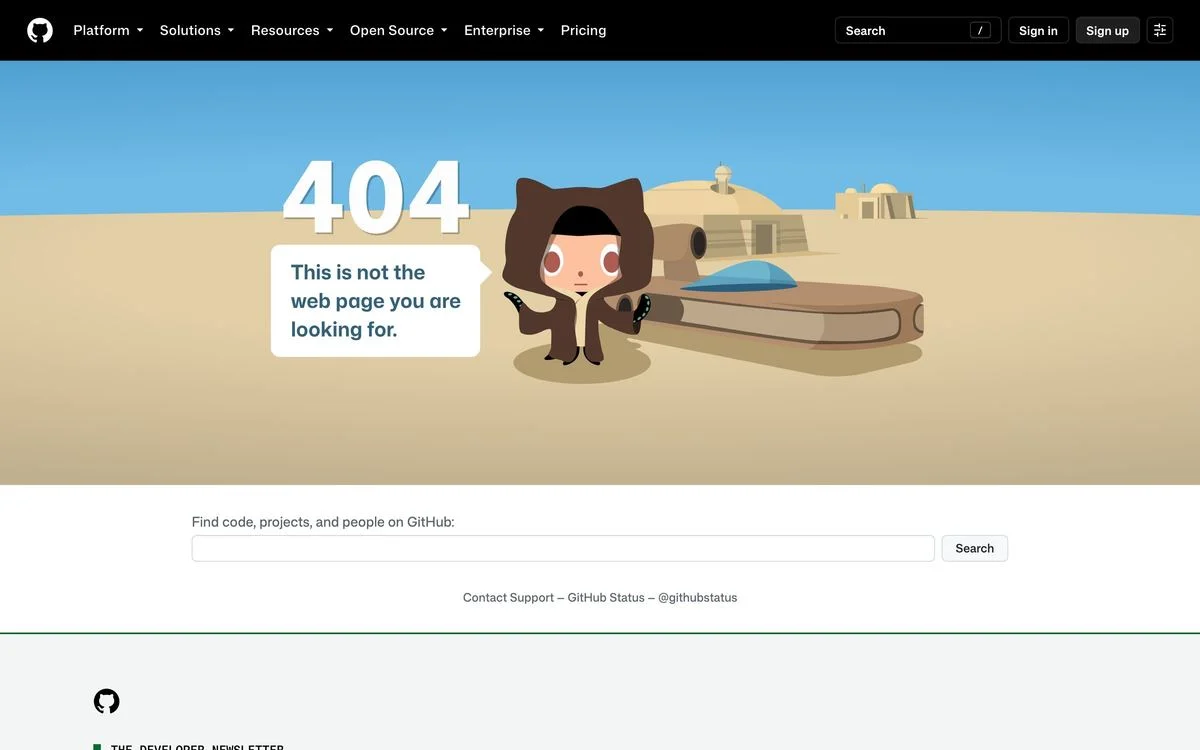
Example: GitHub website (add any made-up path to the address to see the 404 page)
What it says: “This is not the web page you are looking for”, in a speech bubble from the Octocat, in a desert scene.
How it recovers the visitor: A full-width search box beneath: “Find code, projects, and people on GitHub”, plus links to Contact Support and GitHub Status.
Steal this: Give the joke one line and the search box the full width. The joke gets a smile, and the search box gets them to the right page.
2. Apple
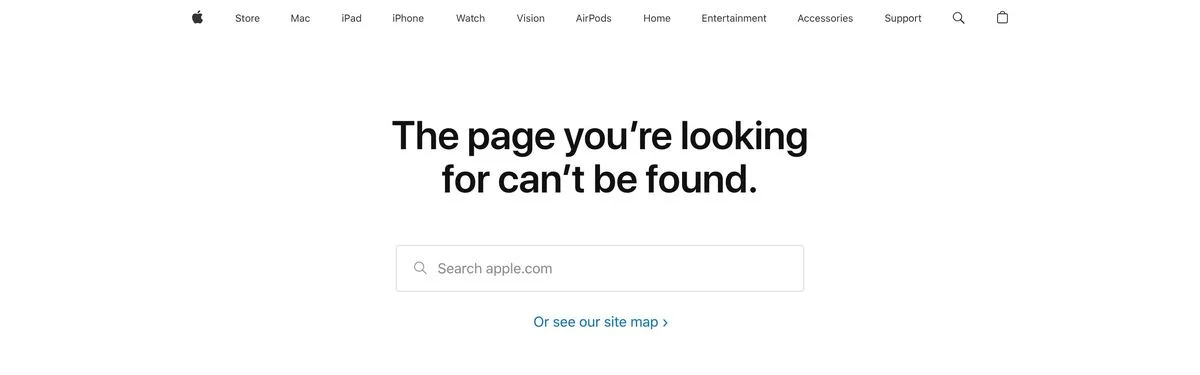
Example: Apple website (add any made-up path to the address to see the 404 page)
What it says: “The page you’re looking for can’t be found.”
How it recovers the visitor: A “Search apple.com” box directly under the headline, then “Or see our site map”. The full site footer sits below.
Steal this: If your site is large, the search box is the most useful thing on the page. Put it right under the headline.
3. The New York Times
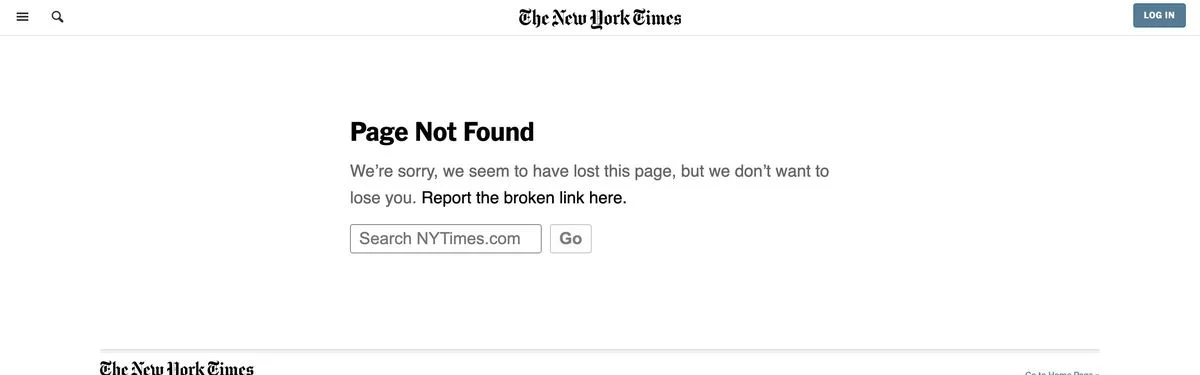
Example: New York Times website (add any made-up path to the address to see the 404 page)
What it says: “We’re sorry, we seem to have lost this page, but we don’t want to lose you.”
How it recovers the visitor: A search box, a “Report the broken link here” link and the full section directory.
Steal this: Ask visitors to report the broken link. It shows you care and it tells you which links to fix.
4. Vimeo
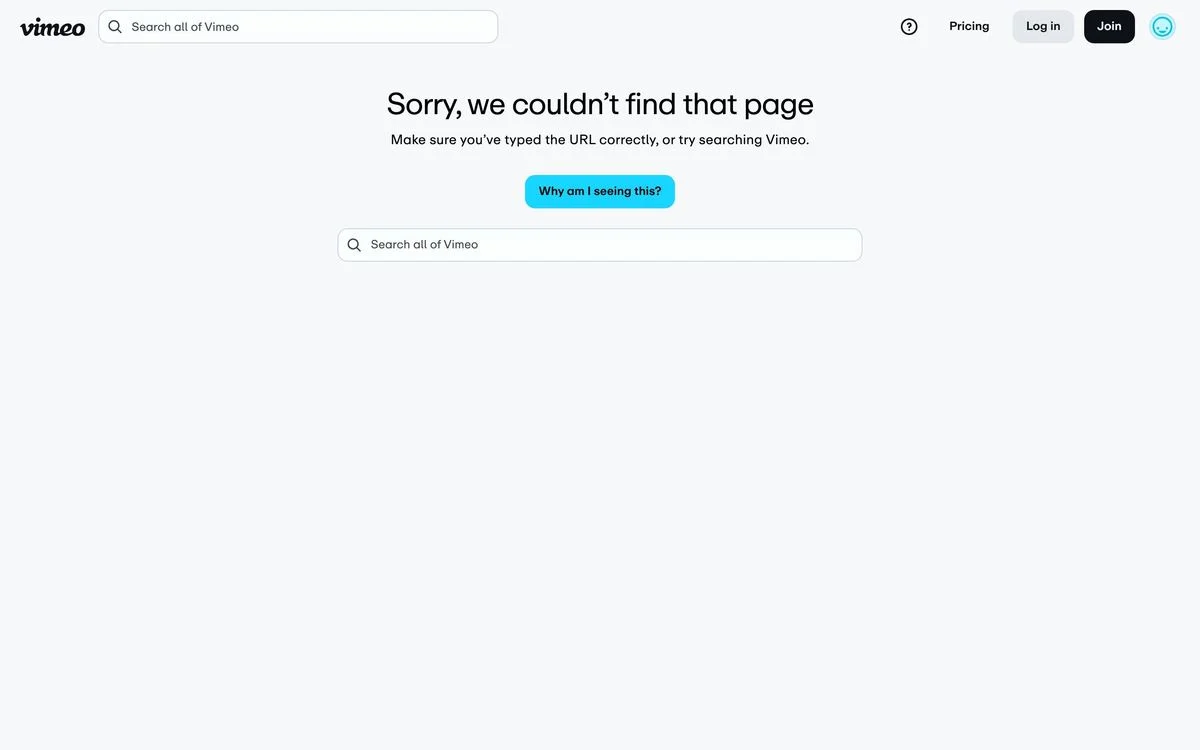
Example: Vimeo website (add any made-up path to the address to see the 404 page)
What it says: “Sorry, we couldn’t find that page.” Beneath: “Make sure you’ve typed the URL correctly, or try searching Vimeo.”
How it recovers the visitor: A search box in the middle of the page, and a “Why am I seeing this?” button for anyone who wants an explanation.
Steal this: Offer an explanation for people who want one, behind a button, without making everyone read it.
404 pages that give the next links
5. Stripe
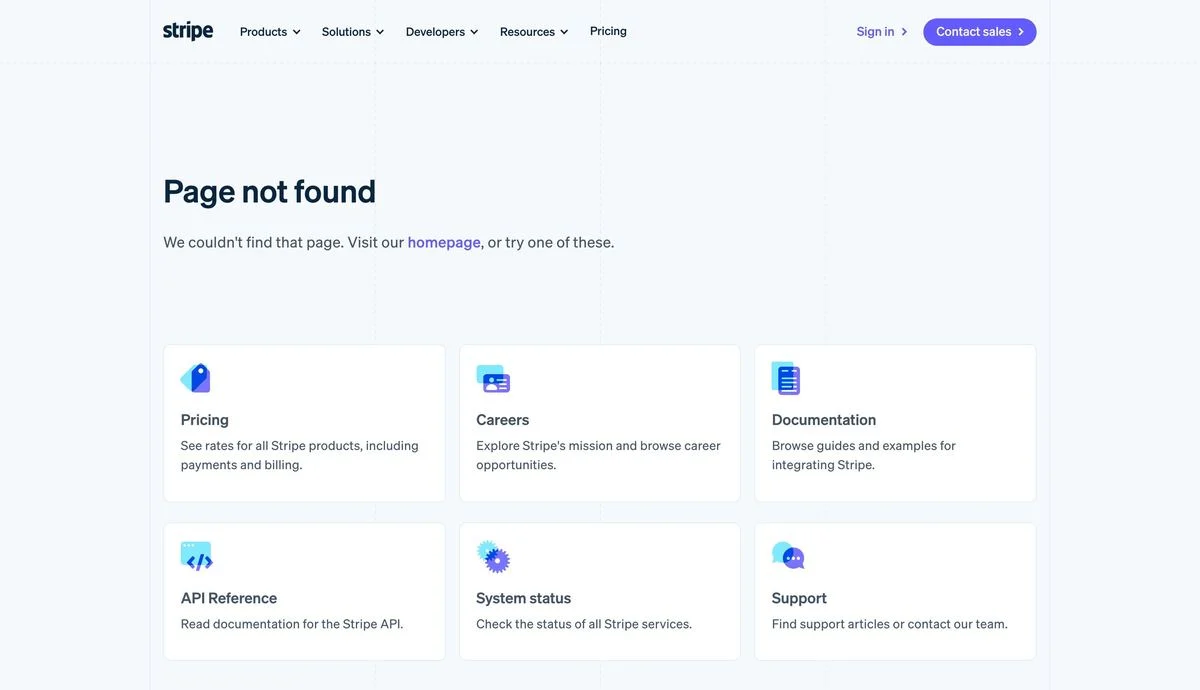
Example: Stripe website (add any made-up path to the address to see the 404 page)
What it says: “Page not found”, with “We couldn’t find that page. Visit our homepage, or try one of these.”
How it recovers the visitor: Six cards: Pricing, Careers, Documentation, API Reference, System status and Support, each with one line on what you will find.
Steal this: Guess where lost visitors were trying to go and give each destination a card. Stripe’s six cover buyers, job seekers and developers.
6. Airbnb
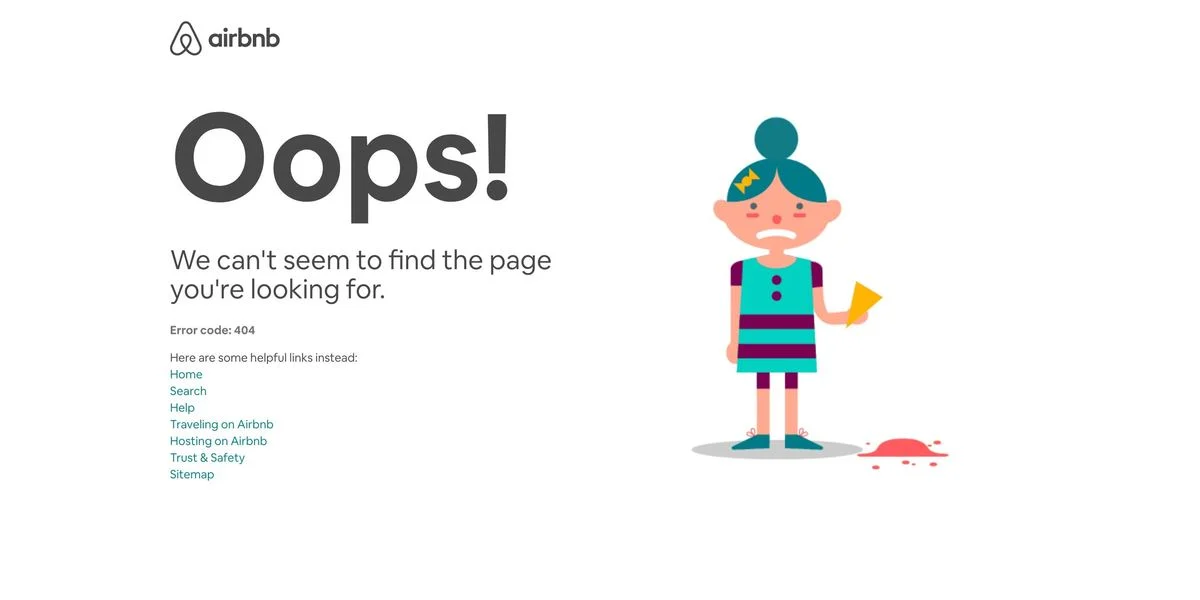
Example: Airbnb website (add any made-up path to the address to see the 404 page)
What it says: “Oops!” and “We can’t seem to find the page you’re looking for.”, with “Error code: 404” in small type.
How it recovers the visitor: A list of helpful links: Home, Search, Help, Traveling on Airbnb, Hosting on Airbnb, Trust & Safety and Sitemap.
Steal this: Split your links by who the visitor is. Airbnb gives guests and hosts each their own link.
7. Nintendo
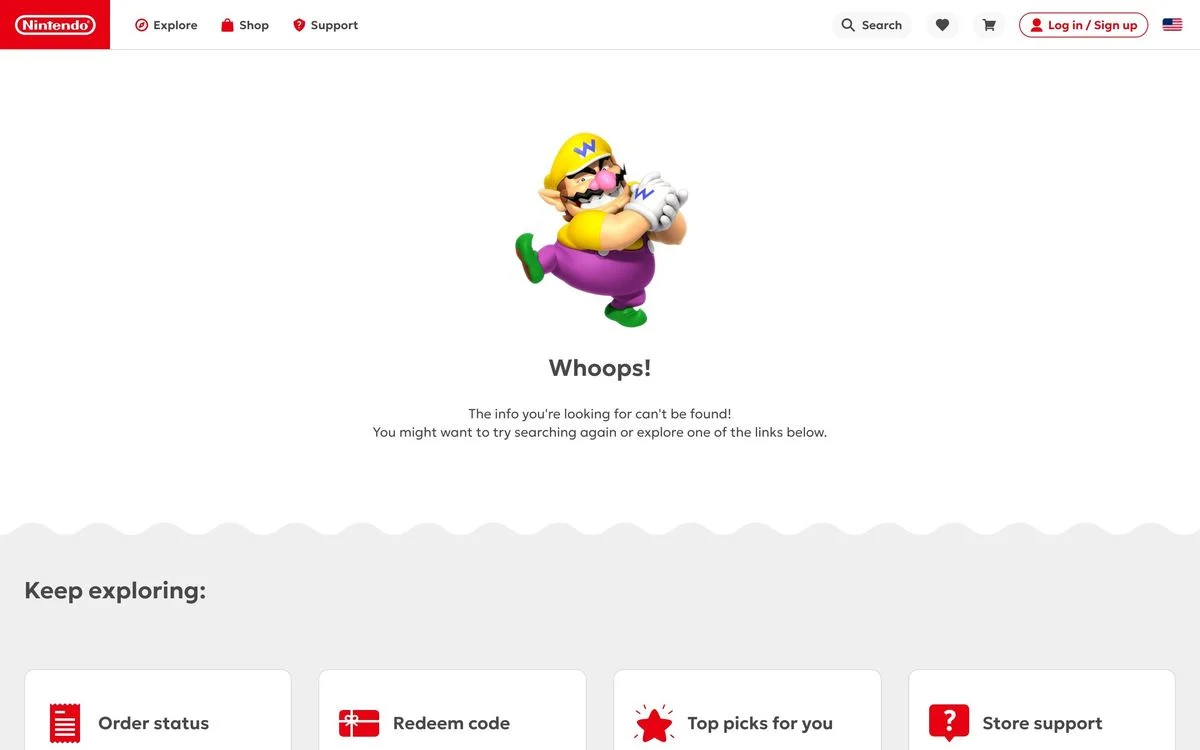
Example: Nintendo website (add any made-up path to the address to see the 404 page)
What it says: “Whoops!” and “The info you’re looking for can’t be found!”, with Wario on the page.
How it recovers the visitor: A “Keep exploring” row of four cards: Order status, Redeem code, Top picks for you and Store support.
Steal this: Use your most common support tasks as the links. Order status and redeeming a code are what Nintendo’s visitors most likely came for.
8. Dropbox
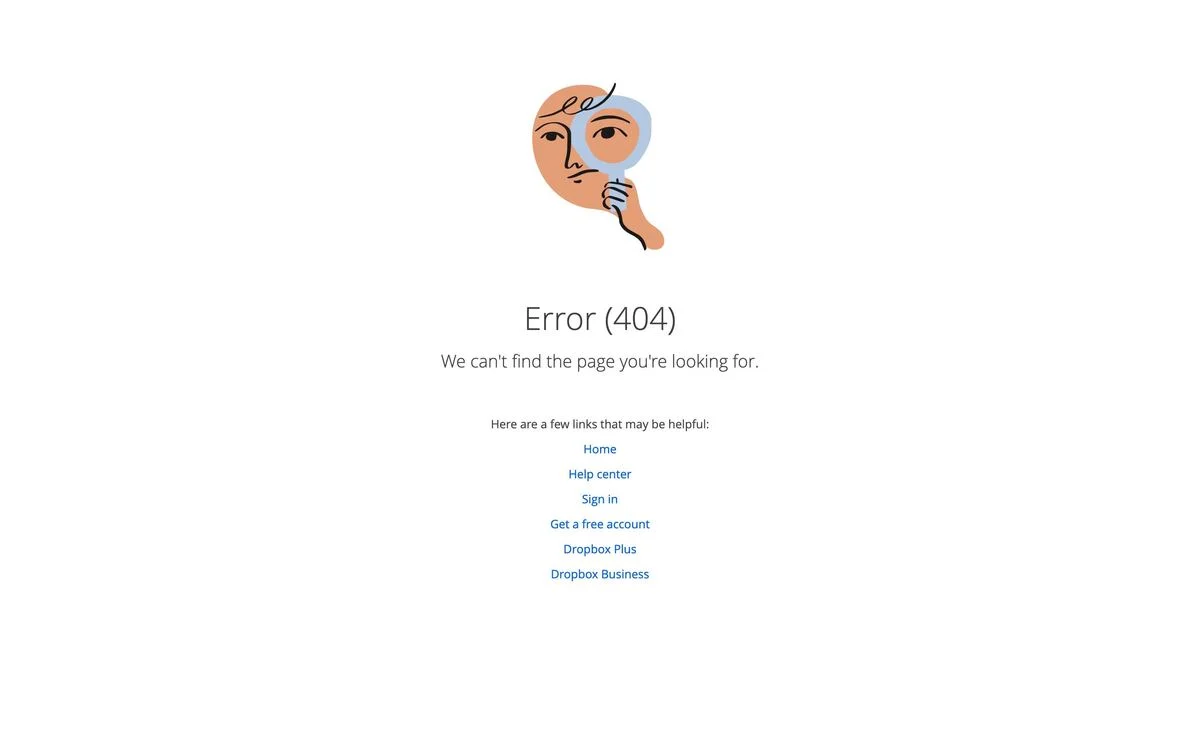
Example: Dropbox website (add any made-up path to the address to see the 404 page)
What it says: “Error (404)” and “We can’t find the page you’re looking for.”
How it recovers the visitor: “Here are a few links that may be helpful”: Home, Help center, Sign in, Get a free account, Dropbox Plus and Dropbox Business.
Steal this: Mix help links with sign-up links. A lost visitor might be a customer or might be about to become one.
404 pages that turn into a pitch
9. Ramp
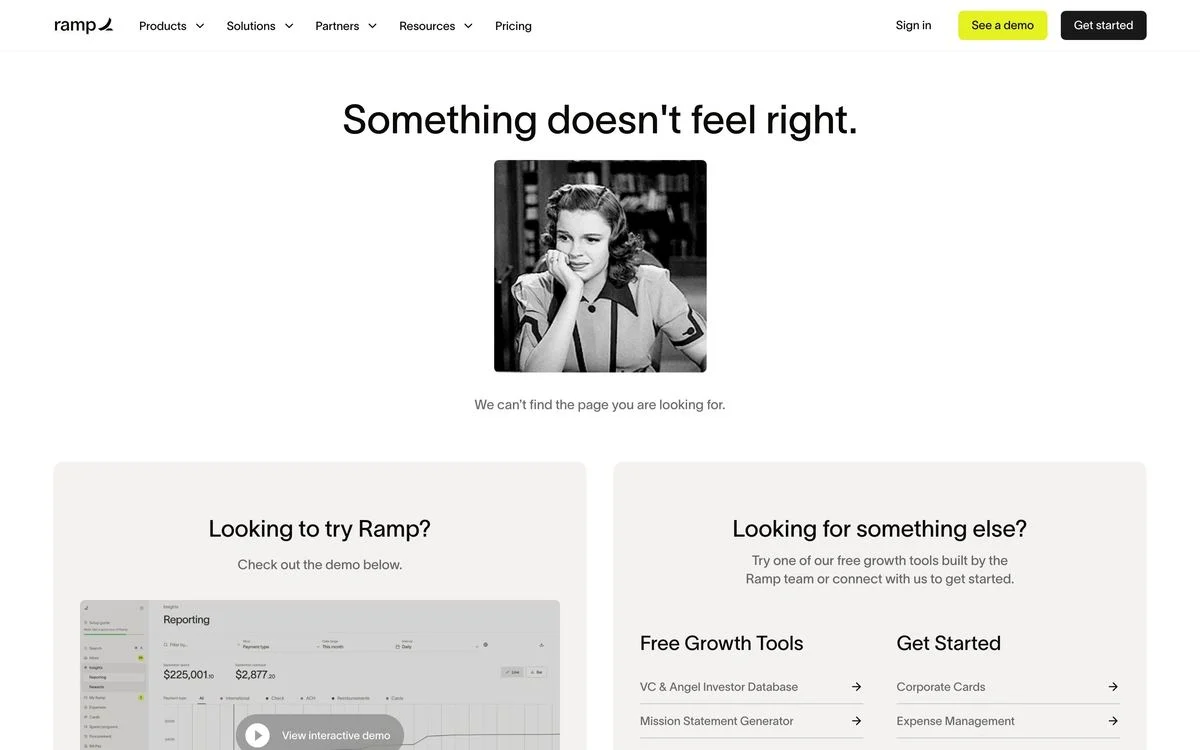
Example: Ramp website (add any made-up path to the address to see the 404 page)
What it says: “Something doesn’t feel right.” and “We can’t find the page you are looking for.”
How it recovers the visitor: Two panels: “Looking to try Ramp?” with an interactive demo, and “Looking for something else?” with Ramp’s free tools, such as an investor database and a mission statement generator.
Steal this: Treat the 404 as a landing page. Ramp offers a product demo and free tools to someone who arrived by mistake.
10. Zoom
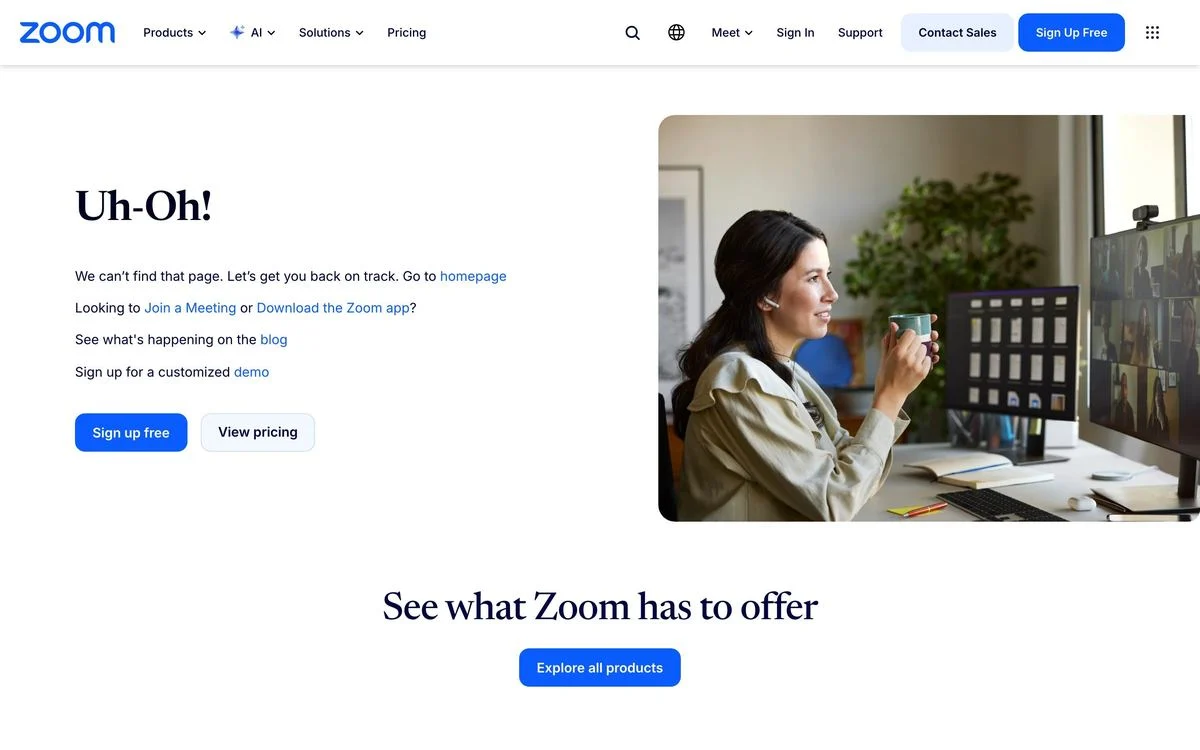
Example: Zoom website (add any made-up path to the address to see the 404 page)
What it says: “Uh-Oh!” and “We can’t find that page. Let’s get you back on track.”
How it recovers the visitor: Four lines of links for different visitors: the homepage, join a meeting or download the app, the blog, and a demo. Then “Sign up free” and “View pricing” buttons.
Steal this: Write one line for each type of visitor. Someone trying to join a meeting needs a different link from someone comparing plans.
11. Deel
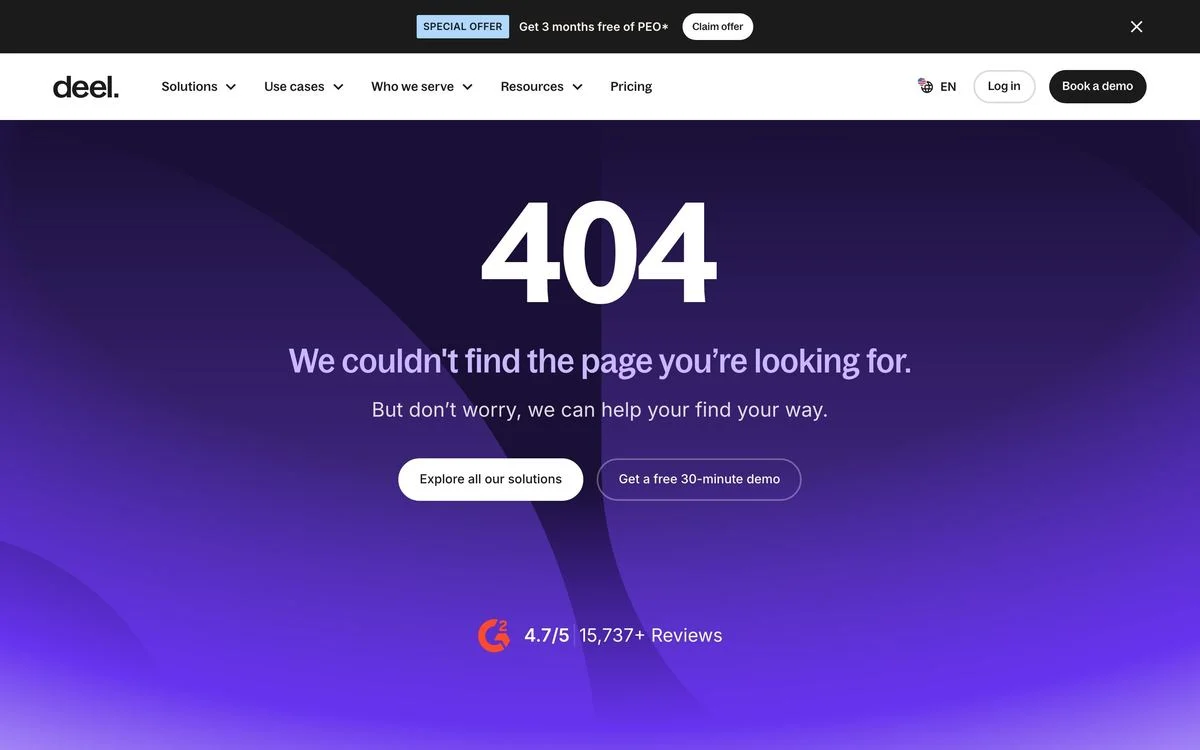
Example: Deel website (add any made-up path to the address to see the 404 page)
What it says: “404” and “We couldn’t find the page you’re looking for.”
How it recovers the visitor: Two buttons, “Explore all our solutions” and “Get a free 30-minute demo”, with a 4.7/5 rating from 15,737+ reviews beneath.
Steal this: Add proof to the 404 page. A rating reassures a visitor who has just hit a dead end.
12. Kickstarter
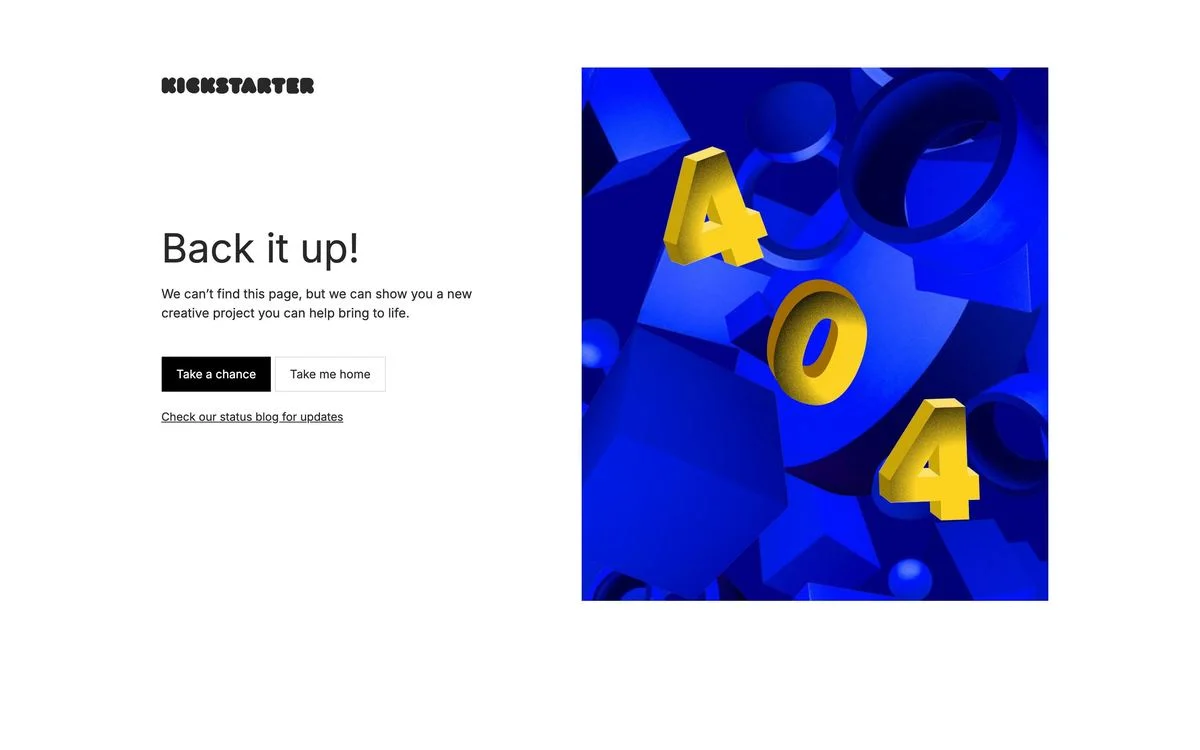
Example: Kickstarter website (add any made-up path to the address to see the 404 page)
What it says: “Back it up!” and “We can’t find this page, but we can show you a new creative project you can help bring to life.”
How it recovers the visitor: A “Take a chance” button that opens a project, next to “Take me home” and a link to the status blog.
Steal this: Give the visitor something to discover. A random project is a reason to stay, not just a way out.
Design an error page that keeps visitors on your site
Add a search box, a few useful links and a clear way home to your 404 page in Ploy, using your brand components.
404 pages that explain what happened
13. Bitly
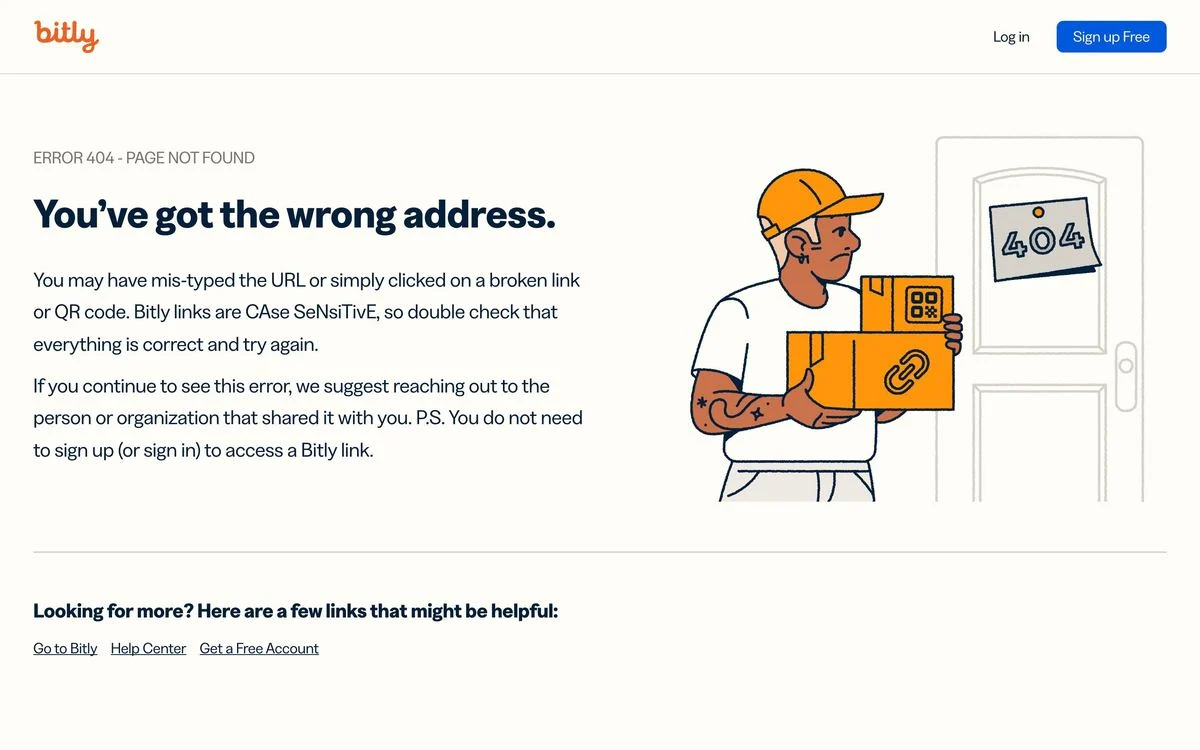
Example: Bitly website (add any made-up path to the address to see the 404 page)
What it says: “You’ve got the wrong address.”
How it recovers the visitor: It explains the likely cause: a mistyped URL or a broken link or QR code, and that Bitly links are case sensitive. It suggests contacting whoever shared the link, and notes that you do not need an account to open a Bitly link.
Steal this: Answer the question your visitors actually have. Most people on Bitly’s 404 clicked someone else’s link, so Bitly tells them what to do about it.
14. Mercury
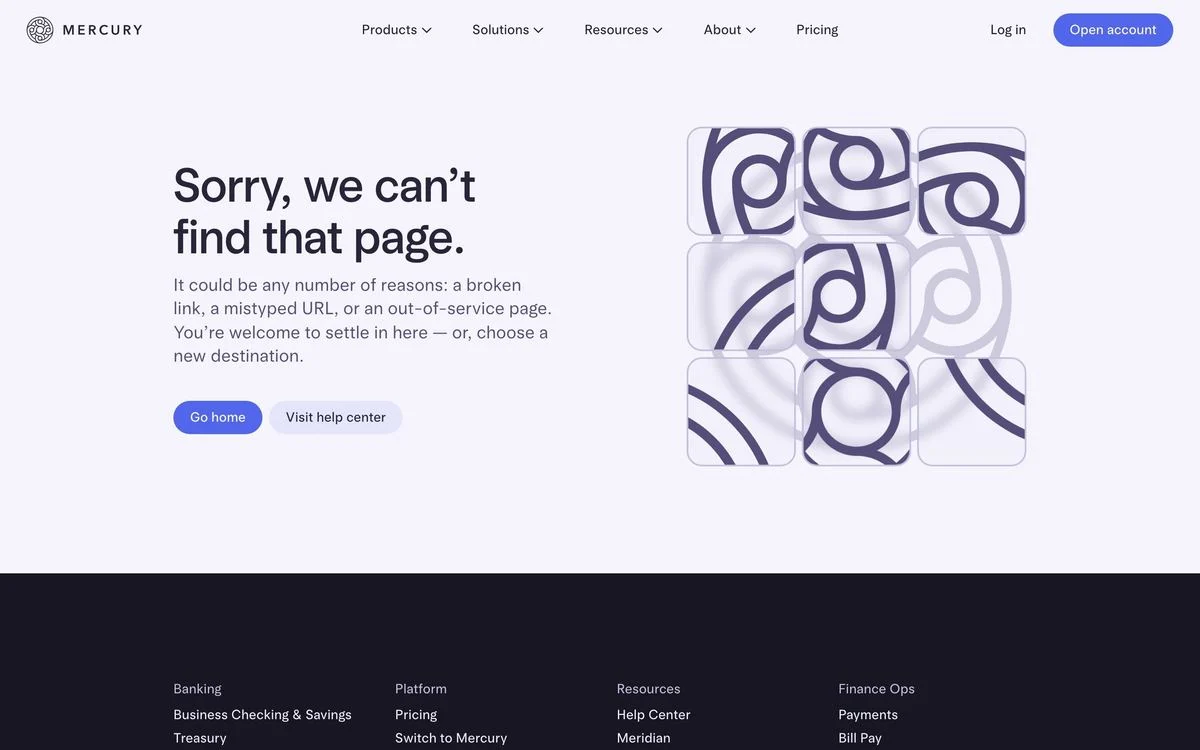
Example: Mercury website (add any made-up path to the address to see the 404 page)
What it says: “Sorry, we can’t find that page.” and “It could be any number of reasons: a broken link, a mistyped URL, or an out-of-service page.”
How it recovers the visitor: Two buttons: “Go home” and “Visit help center”.
Steal this: List the likely causes in one sentence, then give two ways out.
15. Cloudflare
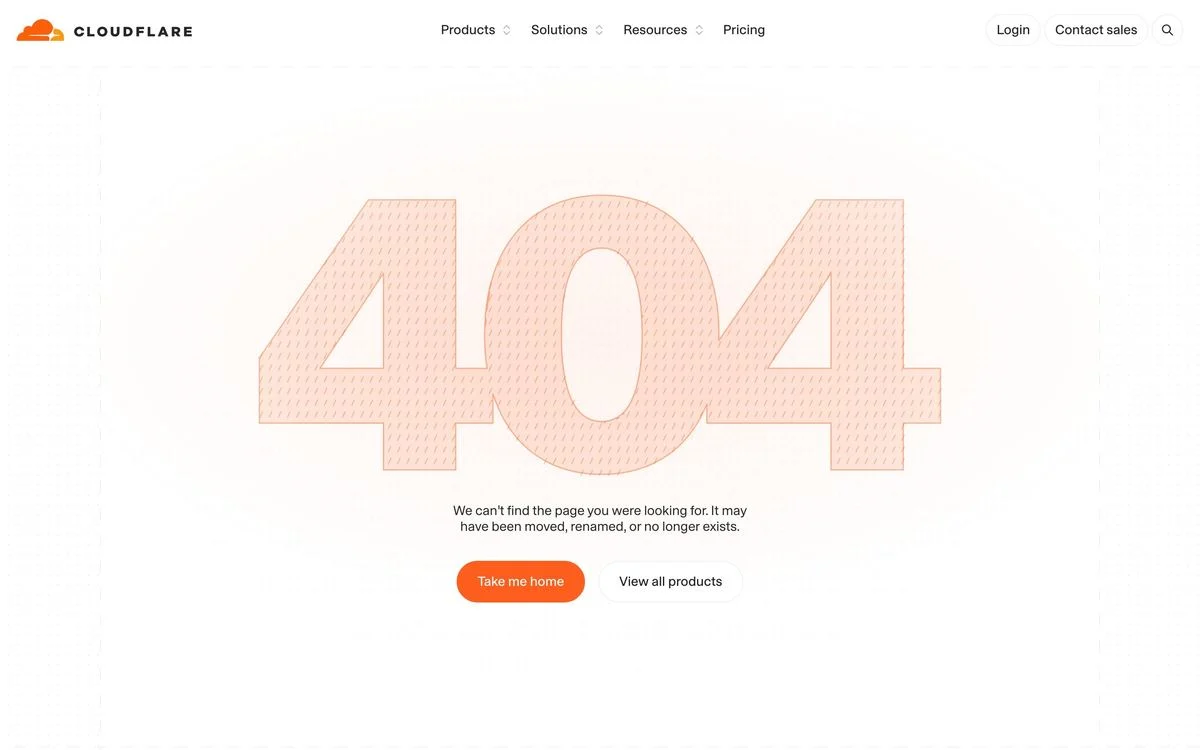
Example: Cloudflare website (add any made-up path to the address to see the 404 page)
What it says: “Page not found”, over a large 404 graphic, and “It may have been moved, renamed, or no longer exists.”
How it recovers the visitor: “Take me home” and “View all products”.
Steal this: Two buttons are enough when one is home and one is your product list.
404 pages that stay on brand
16. Gusto
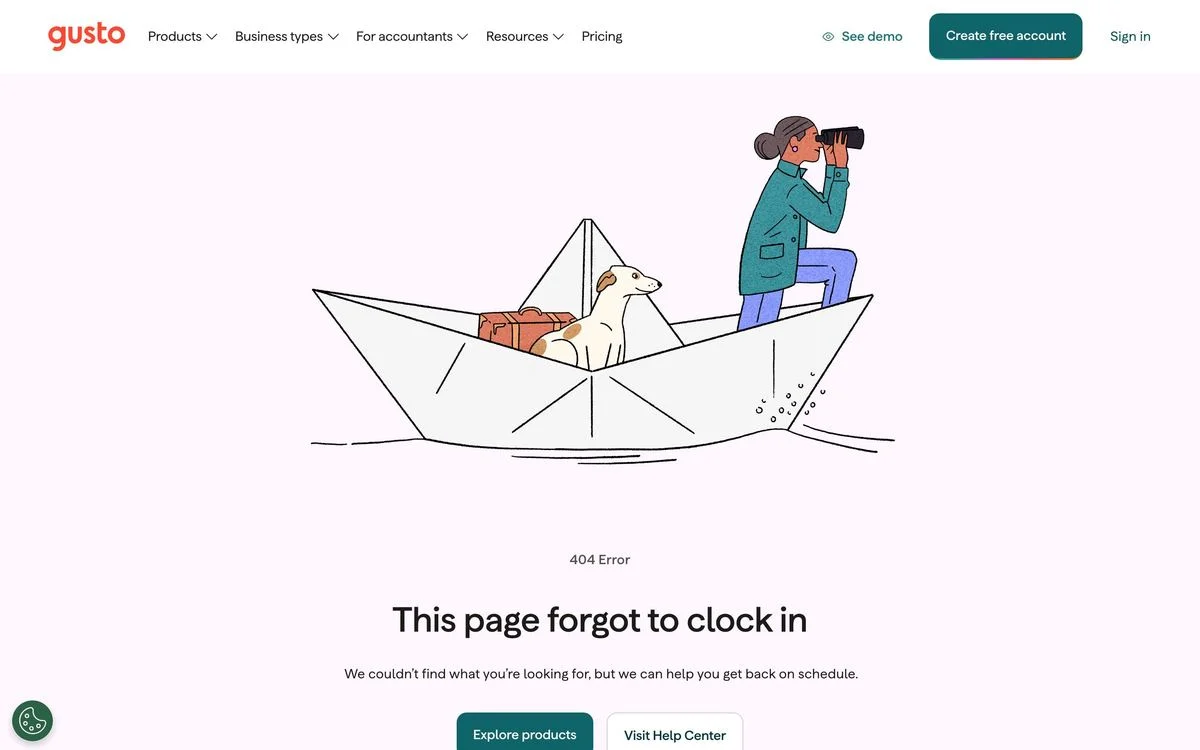
Example: Gusto website (add any made-up path to the address to see the 404 page)
What it says: “This page forgot to clock in” and “we can help you get back on schedule.”
How it recovers the visitor: “Explore products” and “Visit Help Center”.
Steal this: Write the joke in your customer’s language. Gusto sells payroll, so the page forgot to clock in.
17. Vanta
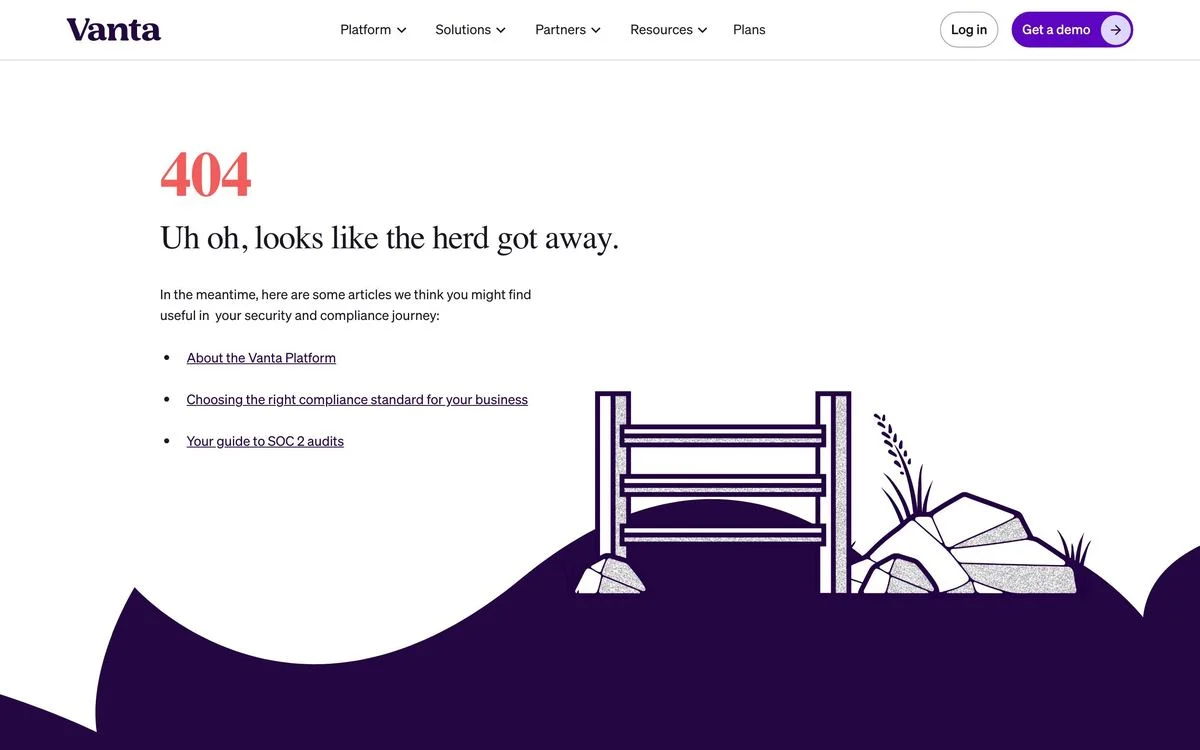
Example: Vanta website (add any made-up path to the address to see the 404 page)
What it says: “Uh oh, looks like the herd got away.”
How it recovers the visitor: Three articles “we think you might find useful in your security and compliance journey”: About the Vanta Platform, choosing a compliance standard, and a guide to SOC 2 audits.
Steal this: Recommend your best content. Three useful articles turn a dead end into a reading list.
18. Headspace
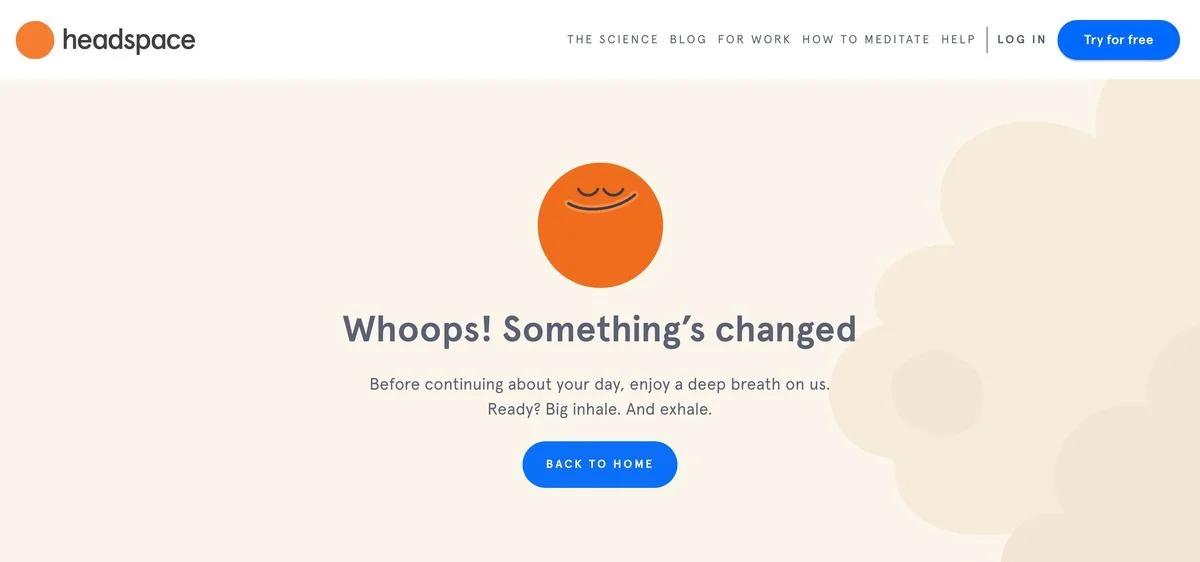
Example: Headspace website (add any made-up path to the address to see the 404 page)
What it says: “Whoops! Something’s changed”, then “Before continuing about your day, enjoy a deep breath on us. Ready? Big inhale. And exhale.”
How it recovers the visitor: A single “Back to home” button, after a moment of calm.
Steal this: Let the 404 page do what your product does. Headspace gives a lost visitor a breathing exercise.
19. Pixar
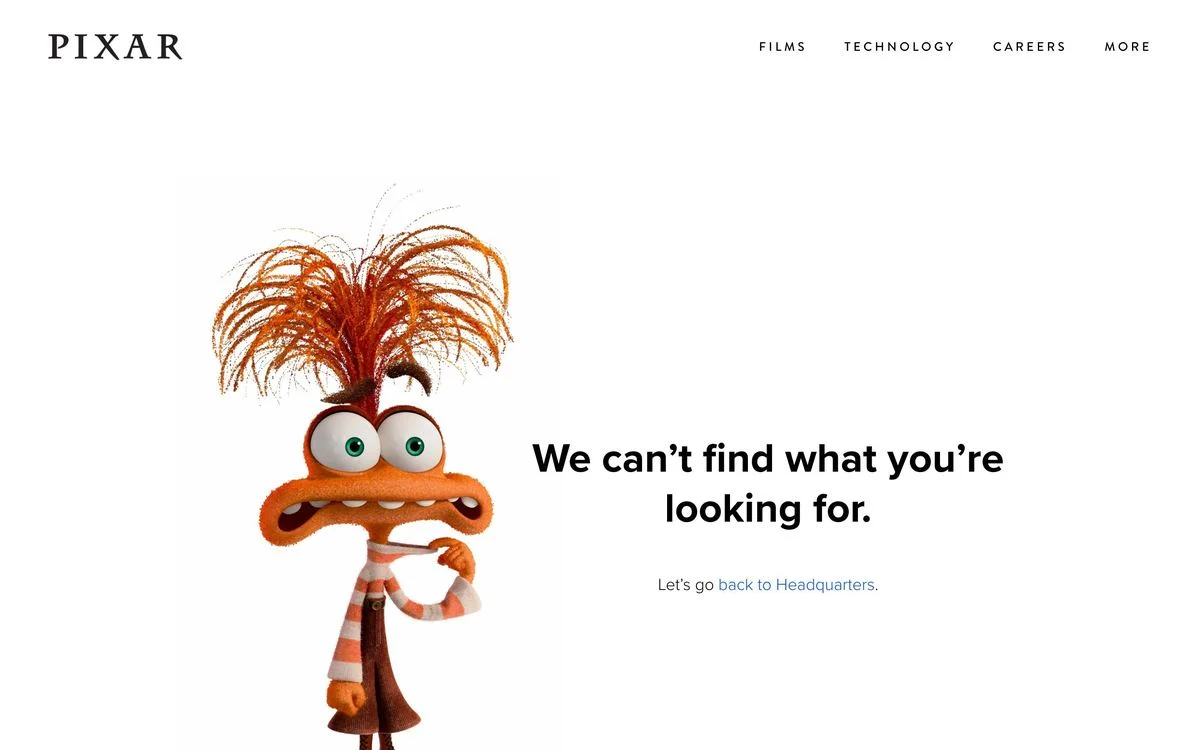
Example: Pixar website (add any made-up path to the address to see the 404 page)
What it says: “We can’t find what you’re looking for.”, next to Anxiety from Inside Out 2.
How it recovers the visitor: “Let’s go back to Headquarters.”, a link home named after the control room in Inside Out.
Steal this: Use a character your audience already loves, and let the link text carry the reference.
20. NASA
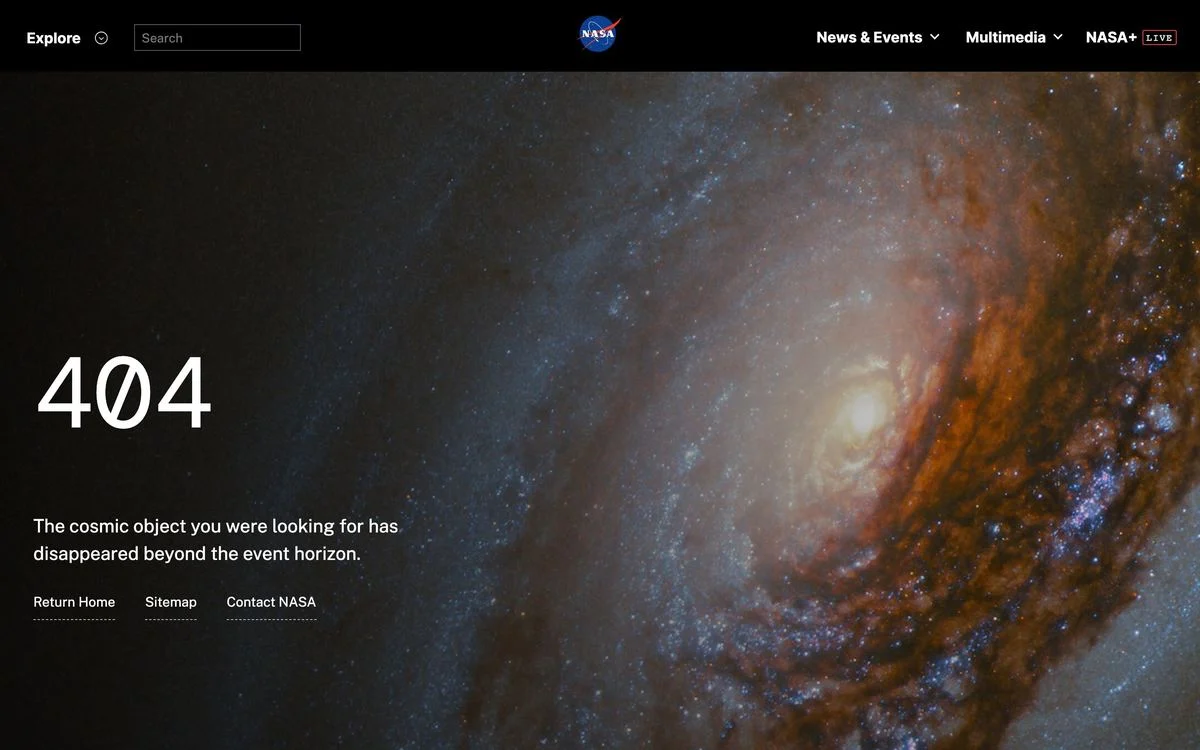
Example: NASA website (add any made-up path to the address to see the 404 page)
What it says: “404” over a galaxy, with “The cosmic object you were looking for has disappeared beyond the event horizon.”
How it recovers the visitor: Three links: Return Home, Sitemap and Contact NASA.
Steal this: One line of on-brand copy and a strong image is enough, as long as the links are right beneath it.
What the best 404 pages have in common
- They offer a way forward in the first screen. Search, links, cards or buttons, right beneath the headline.
- They guess where the visitor was going. Stripe’s six cards and Nintendo’s support links are the pages people most often want.
- They do not blame the visitor. “We can’t find that page” beats “You typed it wrong”. Even Bitly, which does explain mistakes, starts with what to do next.
- They sound like the brand. Gusto’s payroll joke, Headspace’s breathing exercise and NASA’s event horizon could not be on anyone else’s site.
- They return a real 404 code. A friendly page with a 200 code can confuse search engines.
How to make a good 404 page
- Write a short, clear headline. Say the page was not found, in your brand’s voice.
- Add search if your site has more than a few dozen pages.
- Link to the three to six pages visitors most often want: home, pricing, help, your most popular content.
- Add one action for new visitors, such as a demo or free trial, if you sell software.
- Keep the header and footer, so visitors can still use the main navigation.
- Check the status code. The page should return 404, not 200.
- Watch your 404 traffic. The broken links that send the most visitors are worth redirecting to the right page.
A 404 page is a landing page nobody planned to land on. With Ploy’s AI landing page builder, you can build one from a chat instruction using your existing brand components, then test which links and offers bring the most lost visitors back. For other small pages that do a lot of work, see our contact us page examples and website footer examples.
Build your 404 page in Ploy
Slurp your current site into Ploy, then draft an error page that matches your header and footer.