The footer is the part of a website people only reach when the rest of the page did not answer their question.
That makes it more important than it looks. Someone who scrolls all the way to the bottom is still interested but has not found what they need yet. They are looking for pricing, a status page, a phone number, a job listing, a way to change the language, or proof that the company is real. A good footer has the answer waiting.
So we looked at the footers of 20 well-known websites and recorded what is in each one: how many links, which kinds of links, and what else sits down there besides navigation. Every footer was captured on October 16, 2026.
The short version: the best website footers are not a copy of the top menu. They hold the things people only need once: status, legal, language, careers, and proof that you can be trusted.
Build a better footer for your site in Ploy.
What should a website footer include?
Across the 20 footers below, the same parts appear again and again:
- Grouped links to products, resources and company pages, usually in labelled columns.
- A status page link. Fourteen of the 20 link to one.
- Legal links: privacy, terms, cookie settings and, in the US, a “do not sell or share my personal information” link.
- A language or region selector. At least nine of the 20 have one.
- Social links, usually as small icons.
- Something extra: a newsletter signup, compliance badges, review scores, app store buttons or a final call to action.
How we checked these 20
Each homepage was loaded in a desktop browser at 1440 × 900 on October 16, 2026 and scrolled to the bottom. We captured the footer element itself and counted the visible links inside it. Everything else, such as status links, language selectors, newsletter forms and badges, was confirmed on the screenshot.
Eight more sites were captured and left out. Zapier’s footer is a large directory of app integrations that includes companies we do not feature; Asana’s footer had a chat assistant fixed over it that could not be removed; Atlassian, Intercom, Twilio and Datadog were left out to keep the set varied; Nike’s page reloaded during capture; and Raycast’s footer is not marked up as a footer element.
What the 20 showed:
| What we counted | Result |
|---|---|
| Median number of links in the footer | About 60 |
| Fewest and most links | 24 (Notion) and 86 (Stripe) |
| Footers linking to a status page | 14 of 20 |
| Footers with a language or region selector | At least 9 of 20 |
| Footers with a newsletter signup | 4 of 20 |
| Footers showing compliance badges | 3 of 20 |
The median footer has about 60 links. That is more than most top menus, and it is the point: the footer is where the full map of the site lives, so the top navigation can stay short.
All 20 at a glance
| Company | Type of footer | Links |
|---|---|---|
| Stripe | Directory | 86 |
| Slack | Directory | 81 |
| Canva | Directory | 67 |
| Apple | Directory | 75 |
| Figma | Directory | 67 |
| Notion | Compact | 24 |
| Linear | Compact | 38 |
| Spotify | Compact | 32 |
| Dropbox | Compact | 53 |
| Vanta | Trust | 85 |
| Miro | Trust | 67 |
| Supabase | Trust | 66 |
| Ramp | Trust | 76 |
| Mercury | Trust | 57 |
| Clay | Last chance | 55 |
| Basecamp | Last chance | 48 |
| GitHub | Last chance | 47 |
| Glossier | Last chance | 26 |
| Cloudflare | Utility | 44 |
| Duolingo | Utility | 67 |
Directory footers
These footers are a full map of the site, so the top navigation does not have to be.
1. Stripe
Example: Stripe homepage
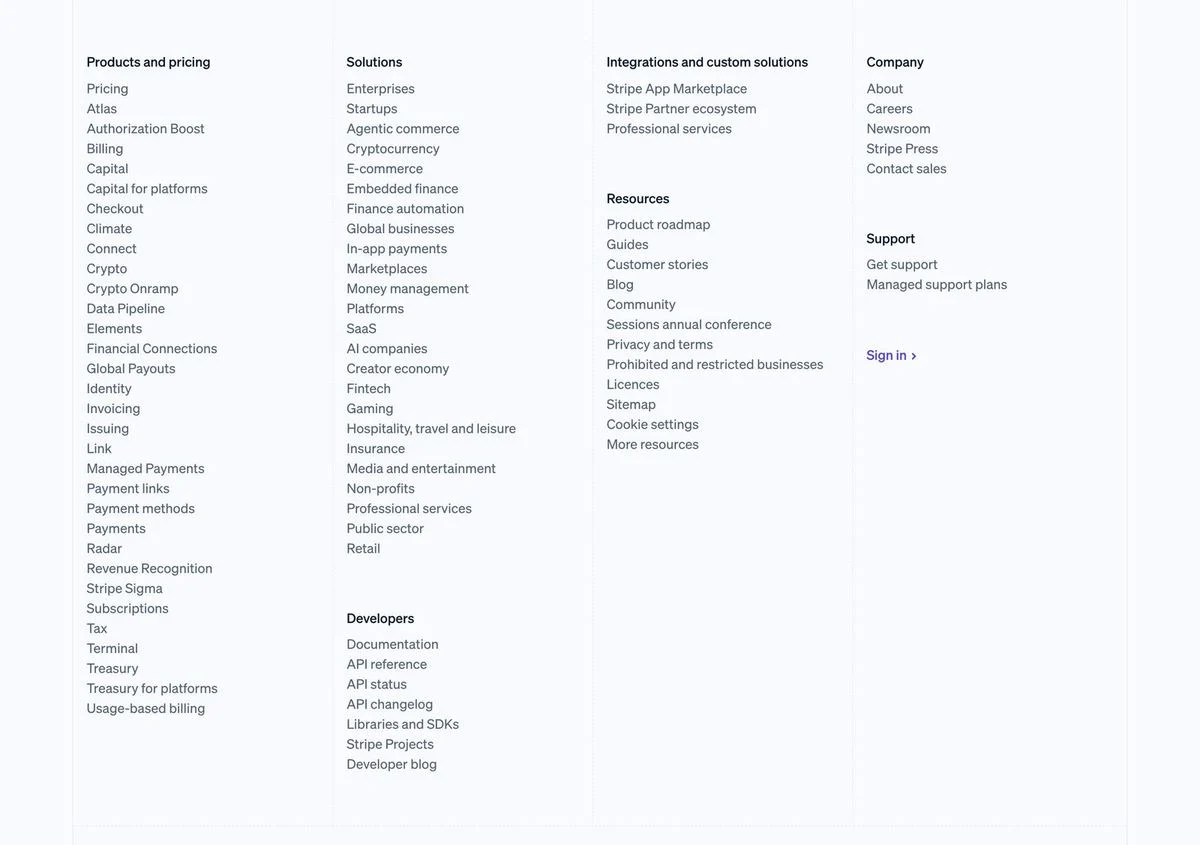
What is in it: The most links in the set, 86, in columns for products and pricing, solutions, integrations, resources, company, support and developers. The developer column links straight to the documentation, API reference, API status and API changelog.
Why it works: Stripe sells dozens of products to very different buyers. The footer lists every one of them by name, which gives anyone looking for a specific product a direct link instead of a menu to explore.
Steal this: If you have many products, list them all by name in the footer, even if the top menu groups them.
2. Slack
Example: Slack homepage
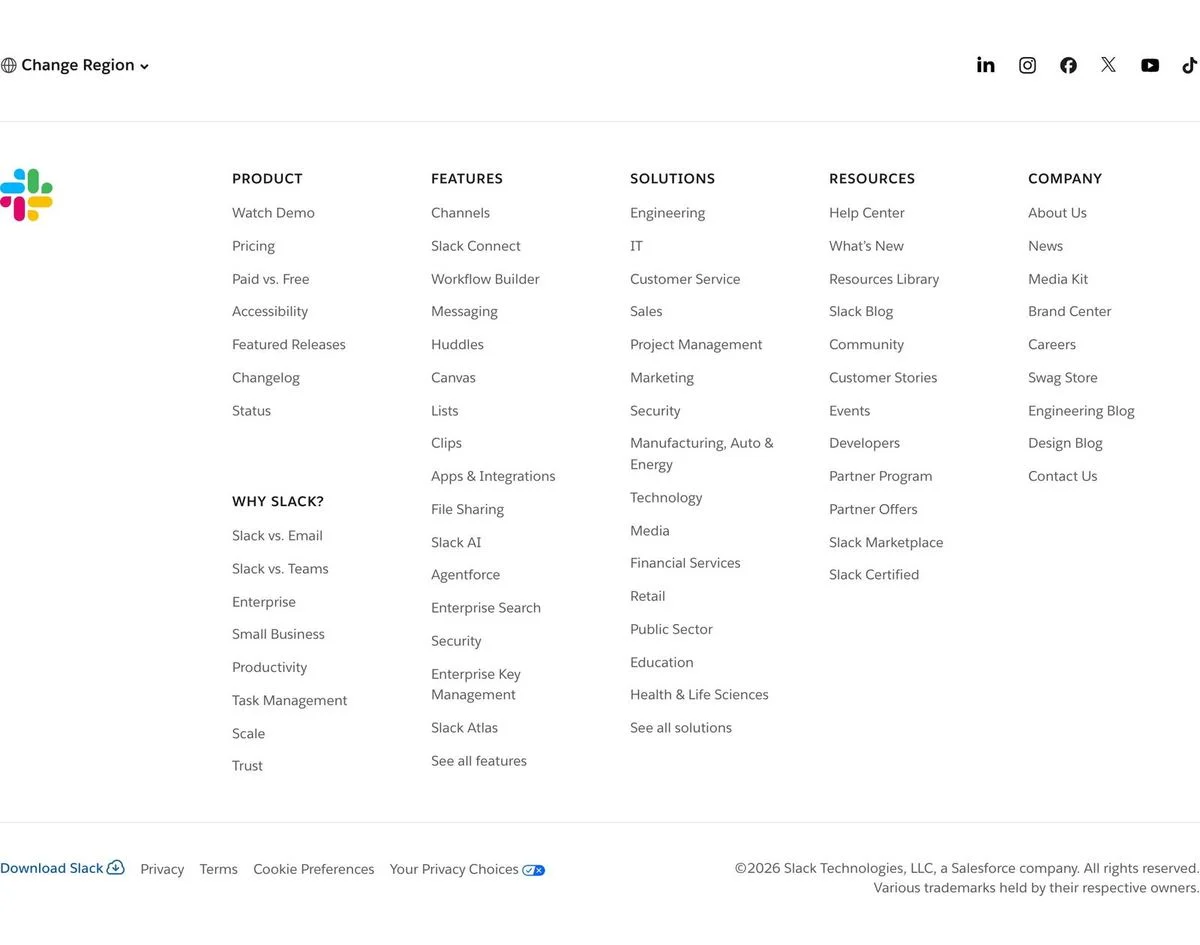
What is in it: A “Change Region” control and social icons across the top, then columns for product, features, solutions, resources and company. A separate “Why Slack?” group links to comparison pages such as Slack vs. Email and Slack vs. Teams.
Why it works: The comparison links sit in the footer of every page, so anyone weighing Slack against an alternative can find the comparison from anywhere on the site.
Steal this: Put your comparison pages in the footer. People looking for them are close to a decision.
3. Canva
Example: Canva homepage
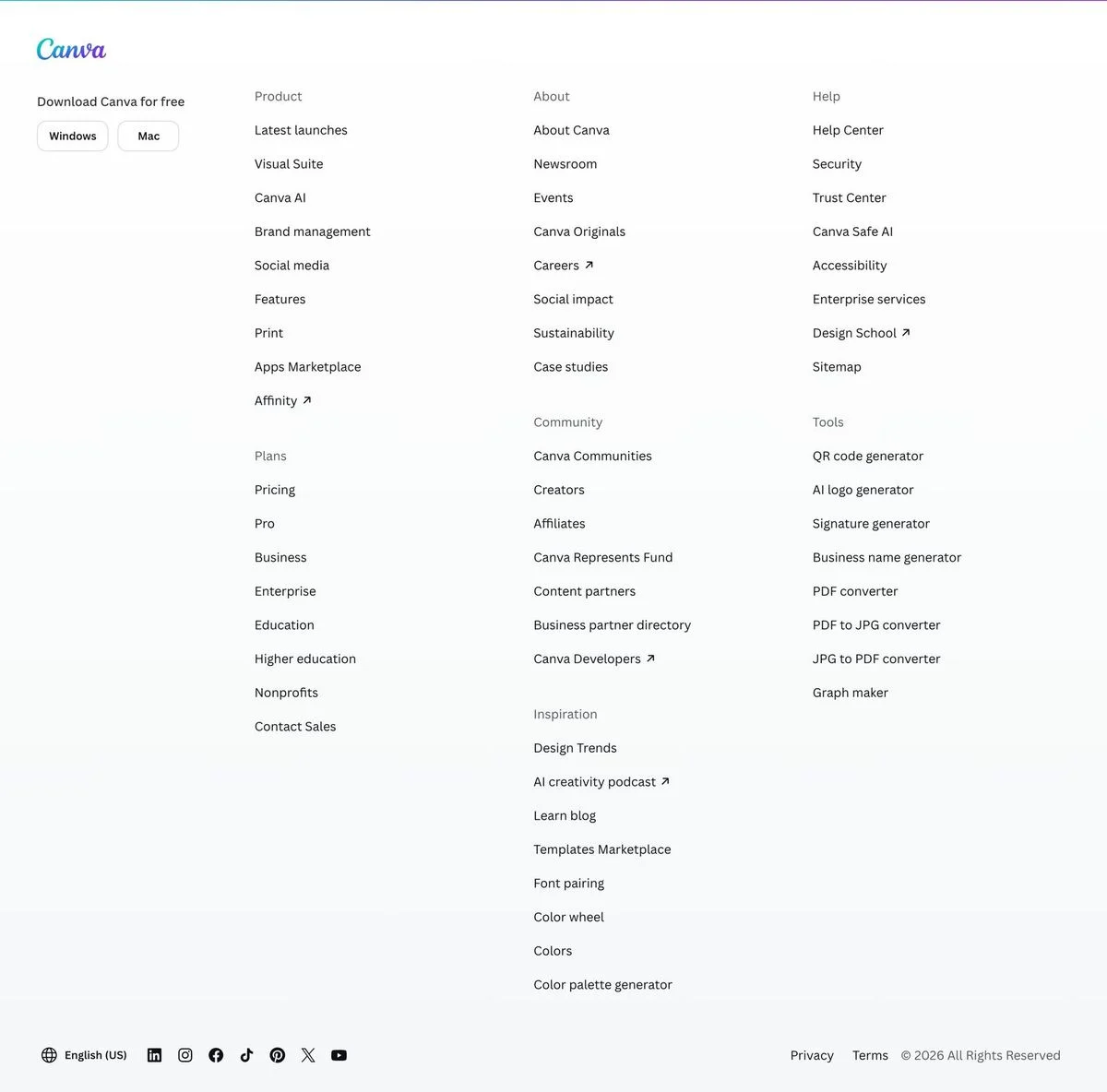
What is in it: Download buttons for Windows and Mac in the top left, then columns for product, plans, about, community, help, inspiration and a “Tools” group: a QR code generator, AI logo generator, signature generator, business name generator, PDF converters and more.
Why it works: Every one of those tools is a page that people search for directly. Listing them in the footer links them from the whole site, which helps both visitors and search engines find them.
Steal this: If you have free tools or templates, give them their own footer column.
4. Apple
Example: Apple homepage
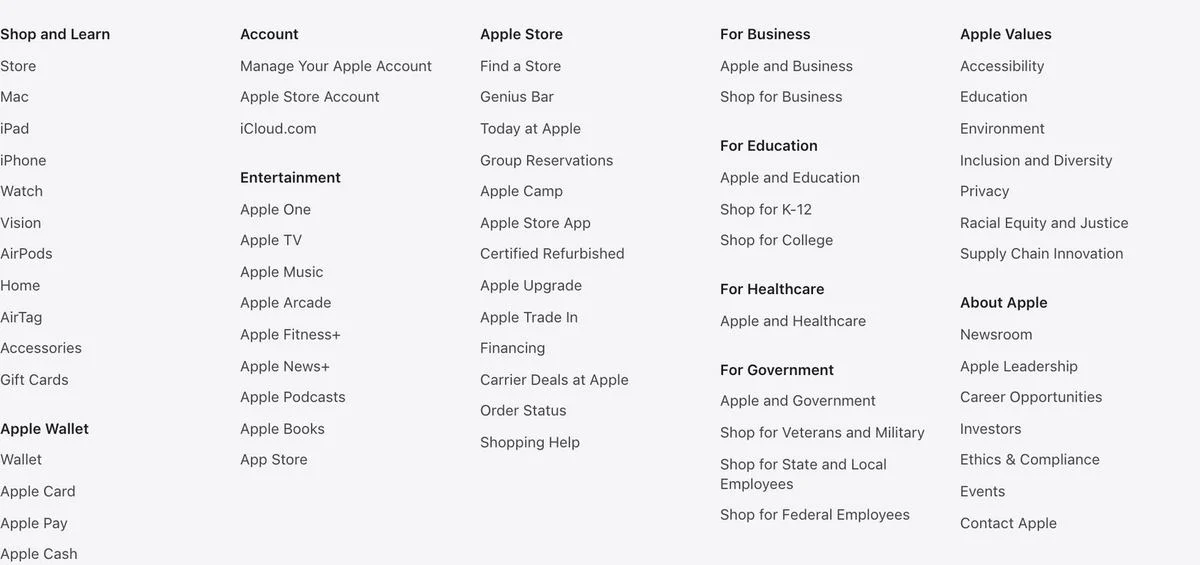
What is in it: On the homepage, legal footnotes for offers and financing come first. Below them sits the directory shown here: shop and learn, Apple Wallet, account, entertainment, Apple Store, business, education, healthcare, government, Apple values and about Apple.
Why it works: The directory is grouped by who is asking: a shopper, a business, a school, a hospital, a government agency. Each group gets its own short list instead of one long one.
Steal this: Group footer links by audience, not just by topic.
5. Figma
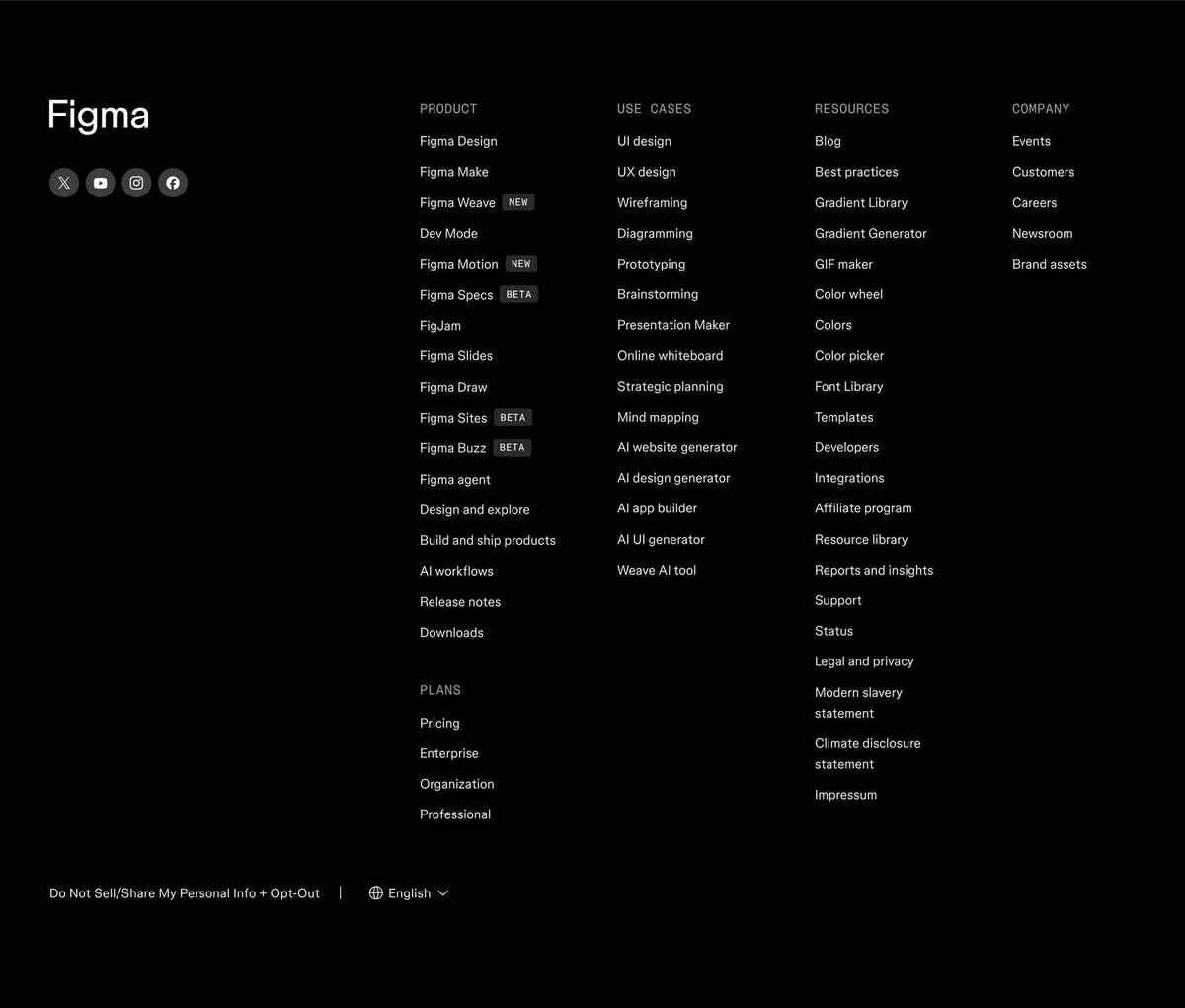
Example: Figma homepage
What is in it: A dark footer with the logo and social icons on the left and columns for product, use cases, resources, company and plans. Corporate documents such as the modern slavery statement and climate disclosure statement sit in the resources column, and a language selector sits at the bottom.
Why it works: The legal and policy documents a large company must publish are all linked, but they sit quietly inside a column instead of crowding the bottom bar.
Steal this: Keep required policy links in the footer, grouped so they do not compete with the links people actually use.
Compact footers
These footers keep only the links people need and leave the rest out.
6. Notion
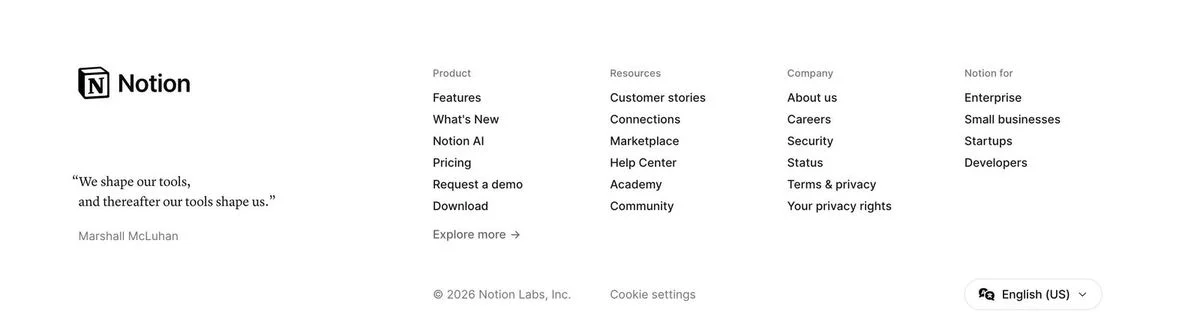
Example: Notion homepage
What is in it: The fewest links in the set, 24, in four columns, next to a quote: “We shape our tools, and thereafter our tools shape us.” There is a cookie settings link and an “English (US)” selector.
Why it works: The quote gives the footer a point of view in one line, and the short link list makes every link easy to find.
Steal this: One line of personality in the footer goes a long way. Keep it short.
7. Linear
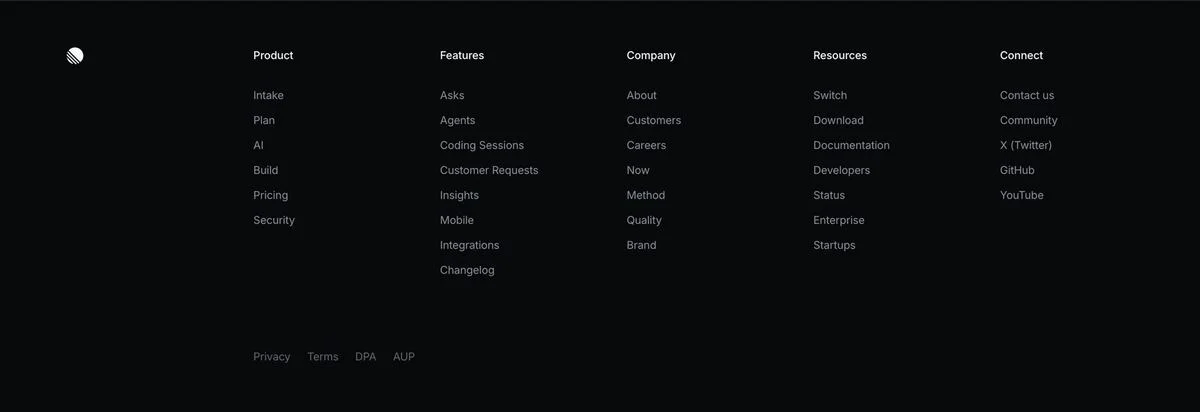
Example: Linear homepage
What is in it: A dark footer with columns for product, features, company, resources and connect. The connect column lists X, GitHub and YouTube as text links, and the legal links at the bottom include a data processing agreement and an acceptable use policy.
Why it works: Everything is text, in one typeface and one weight. It matches the rest of the site and keeps the footer quiet.
Steal this: Match your footer to the style of the rest of the site, not to a footer template.
8. Spotify
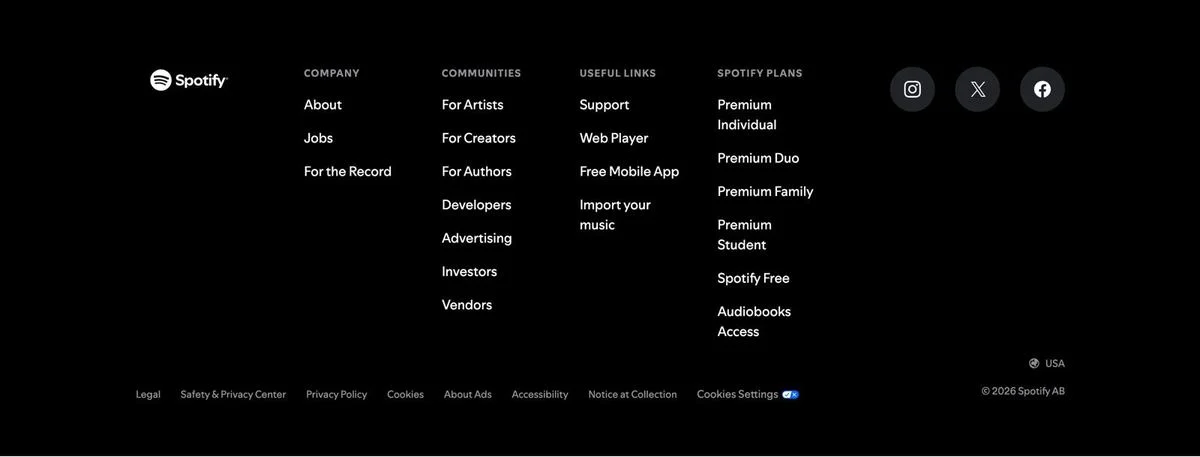
Example: Spotify Premium page
What is in it: Four columns: company, communities, useful links and Spotify plans, with round social icons on the right and the current country at the bottom.
Why it works: The “communities” column speaks to the different groups who use Spotify (artists, creators, authors, developers, advertisers, investors), each with one link.
Steal this: If several kinds of people use your product, give each one a link in the footer.
9. Dropbox
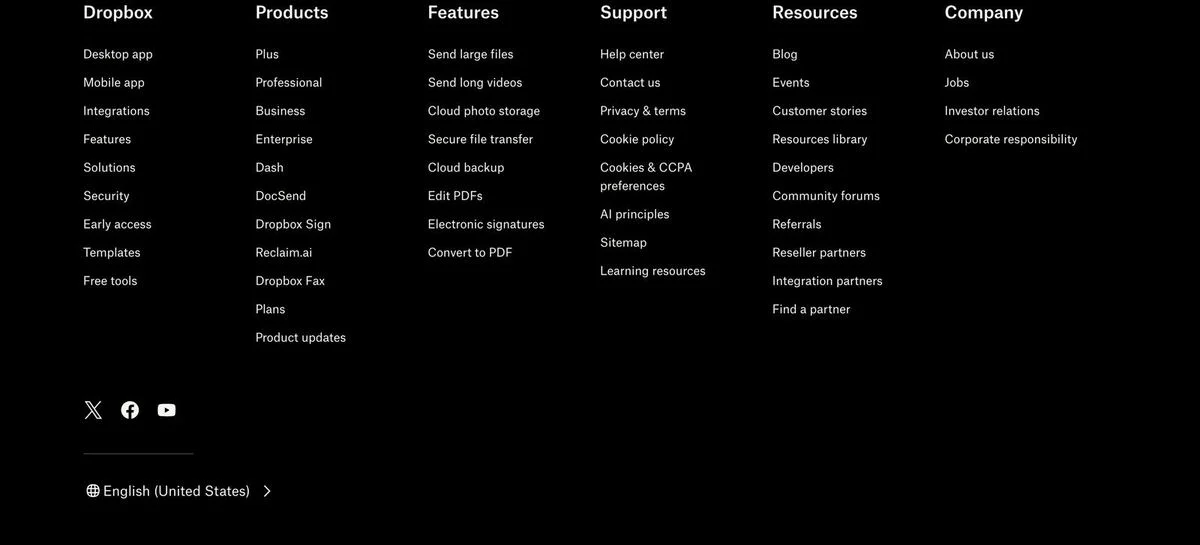
Example: Dropbox homepage
What is in it: A black footer with six columns (Dropbox, products, features, support, resources, company), three social icons and an “English (United States)” selector.
Why it works: The features column lists tasks, not product names: send large files, send long videos, cloud photo storage, edit PDFs, convert to PDF. Those are the words people use when they search.
Steal this: Name footer links after the task, not the feature.
Trust footers
These footers use the bottom of the page to prove the company can be trusted.
10. Vanta
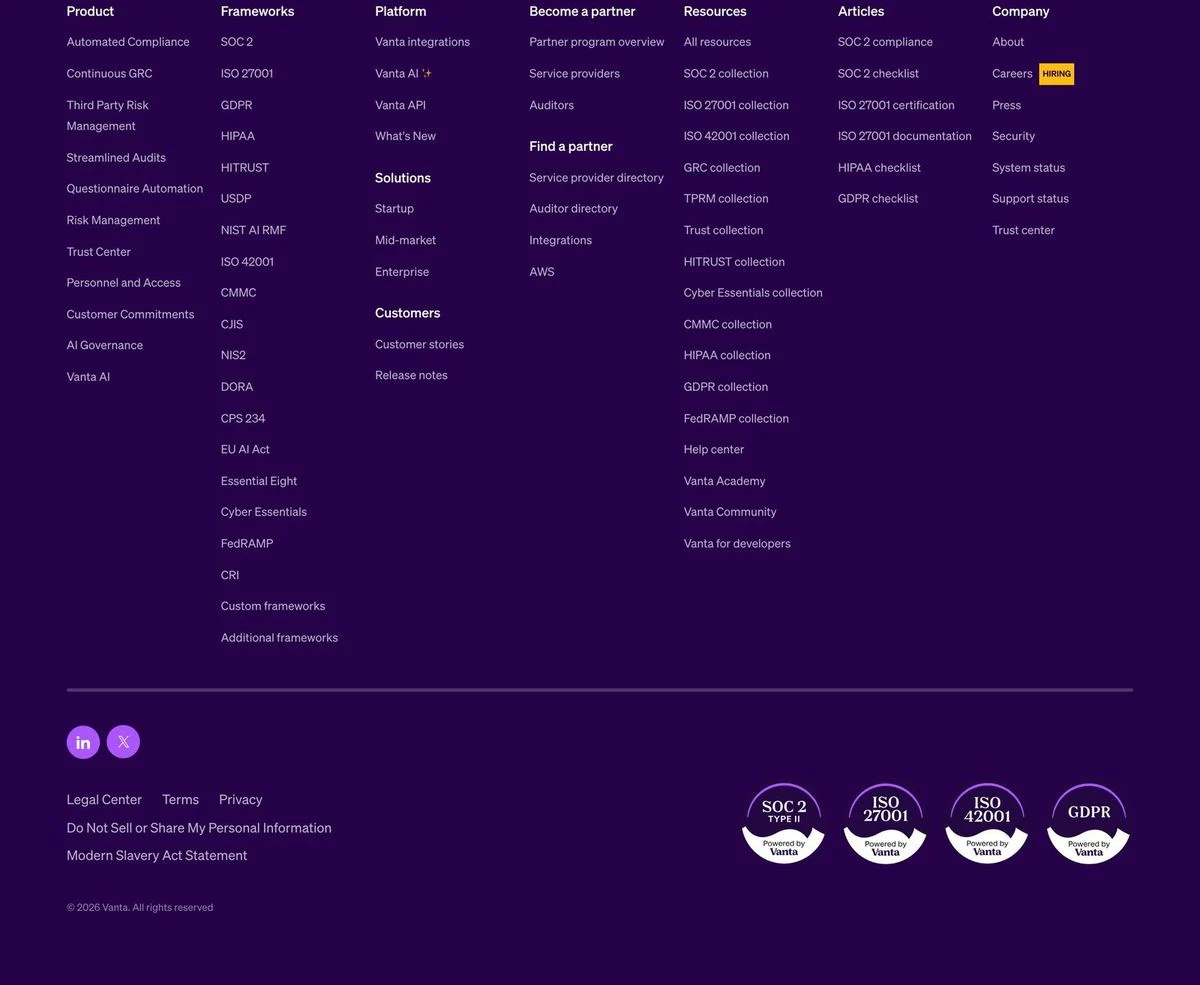
Example: Vanta homepage
What is in it: A purple footer with a long “Frameworks” column listing every compliance standard Vanta supports, and four badges at the bottom right: SOC 2 Type II, ISO 27001, ISO 42001 and GDPR. The company column flags open jobs with a “Hiring” label.
Why it works: For a compliance company, its own certifications are the proof. Putting them in the footer means they appear on every page.
Steal this: If your buyers check your certifications, put the badges in the footer.
11. Miro
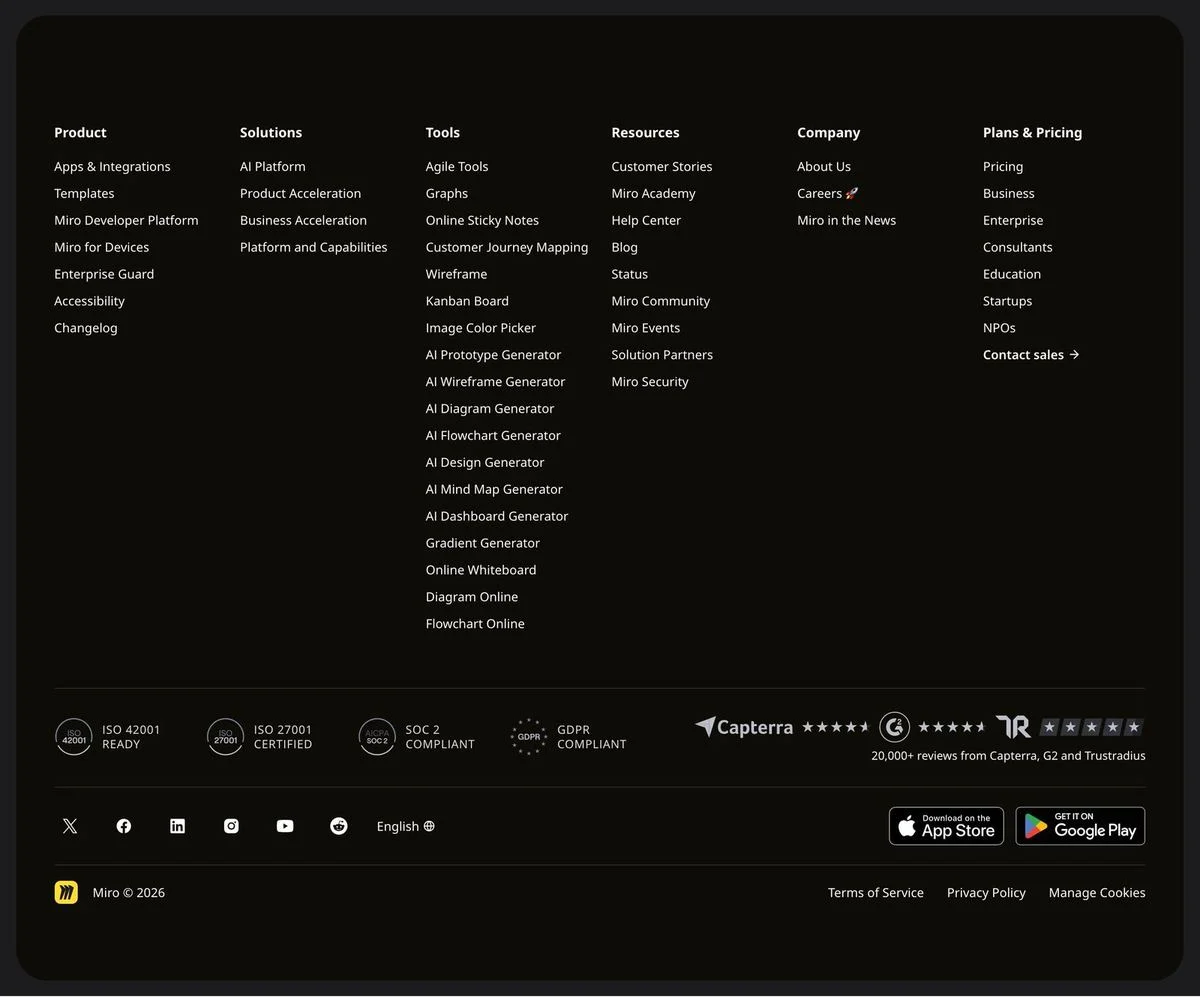
Example: Miro homepage
What is in it: Columns of links, then a row of compliance marks (ISO 42001 ready, ISO 27001 certified, SOC 2 compliant, GDPR compliant), review scores from Capterra, G2 and TrustRadius with “20,000+ reviews”, social icons, a language selector, and App Store and Google Play buttons.
Why it works: It is the most complete proof row in the set: security, reviews and mobile apps, all in one band at the bottom of every page.
Steal this: Put your review count and compliance marks in the same row so both kinds of proof are seen together.
12. Supabase
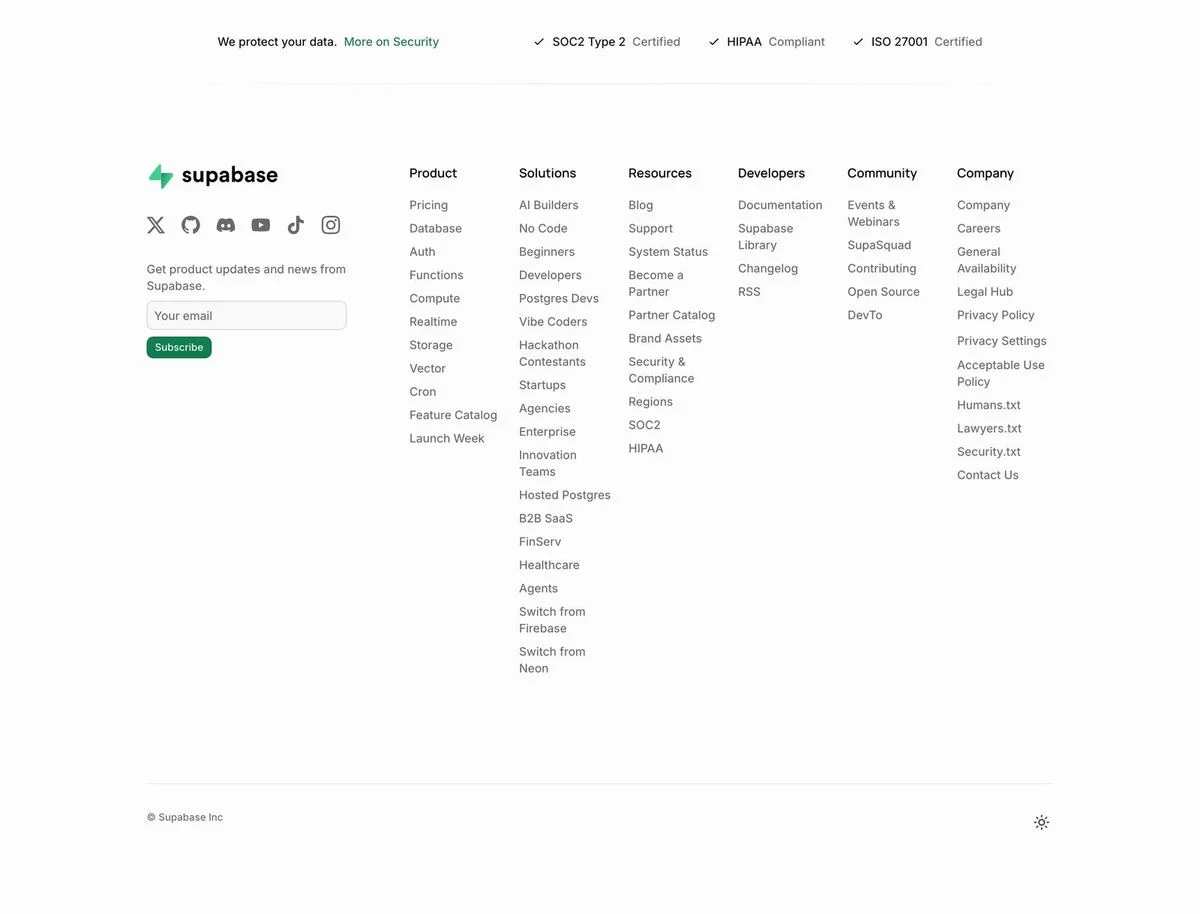
Example: Supabase homepage
What is in it: A line reading “We protect your data” with SOC 2 Type 2, HIPAA and ISO 27001 marks, then a newsletter signup and columns of links. Among the links: security.txt, humans.txt and lawyers.txt.
Why it works: The security line is the first thing in the footer, before any links. For a database company, data protection is the first thing a buyer checks.
Steal this: Lead the footer with the one assurance your buyers care about most.
13. Ramp
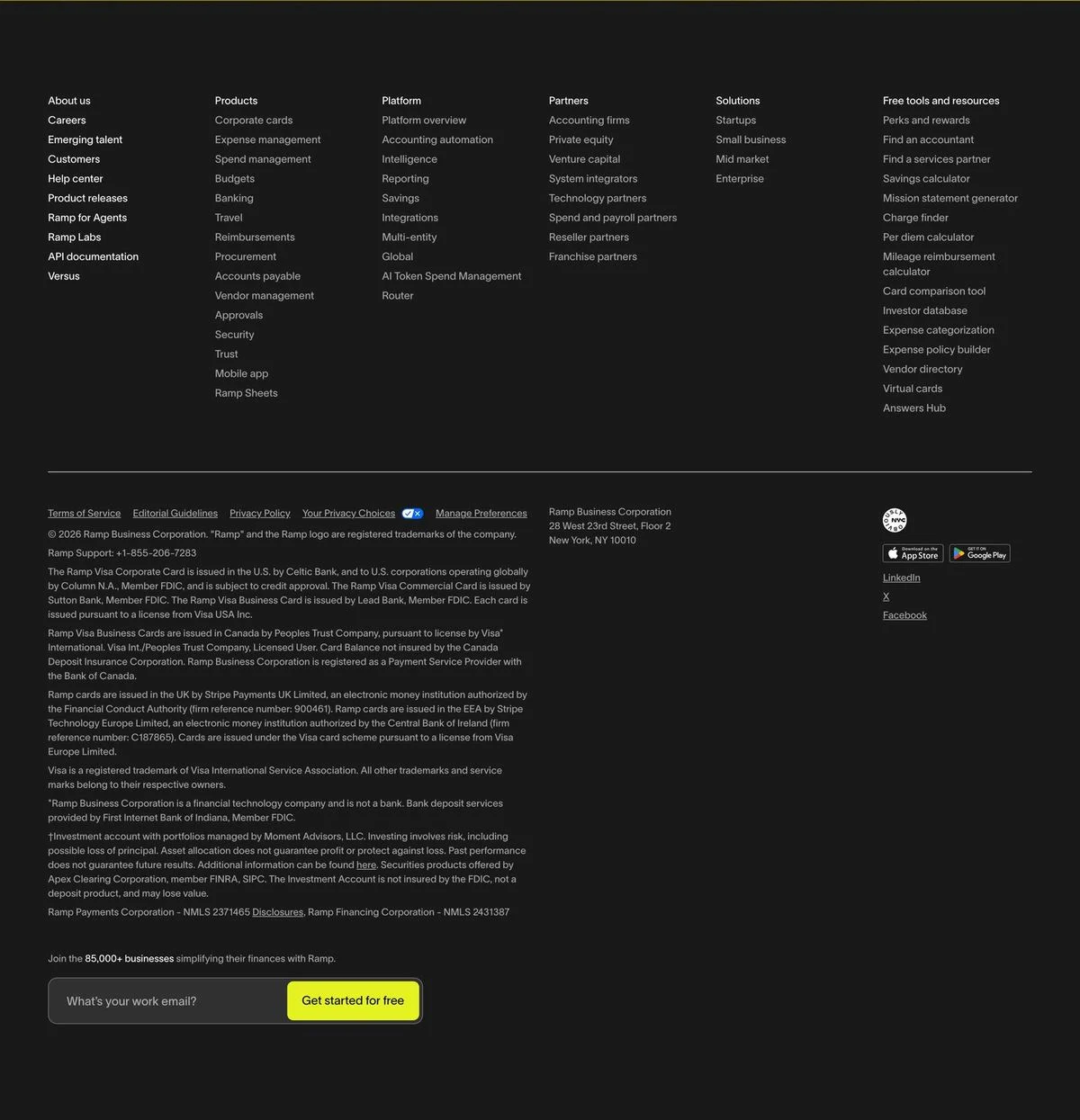
Example: Ramp homepage
What is in it: Six columns of links, then a long block of financial disclosures naming the banks that issue Ramp’s cards, the company’s New York address, and App Store and Google Play buttons.
Why it works: Financial companies have to publish these disclosures, and the footer is where buyers and regulators expect to find them. Ramp keeps them complete but below the links people use.
Steal this: If you are regulated, keep the full disclosures in the footer and keep the navigation above them.
14. Mercury
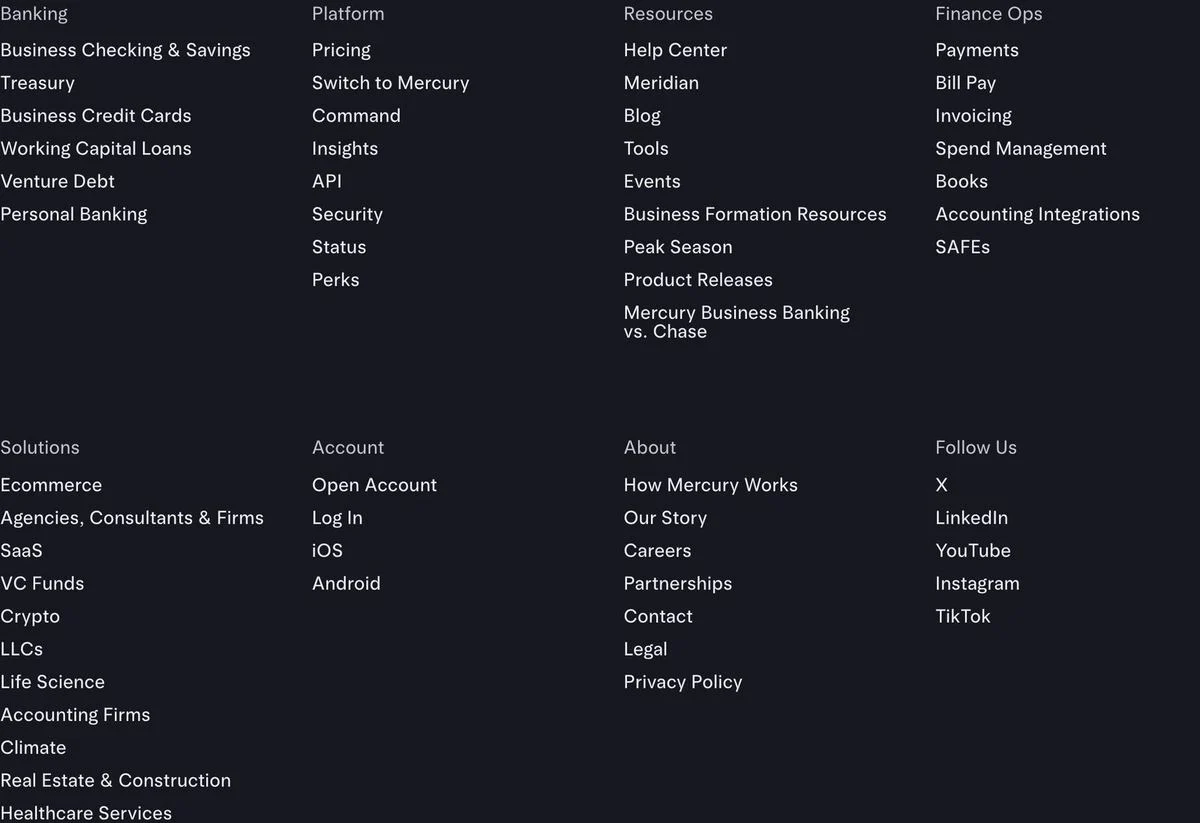
Example: Mercury homepage
What is in it: Large, readable type in columns for banking, platform, resources, finance operations, solutions, account, about and follow us. The resources column includes a direct comparison page, “Mercury Business Banking vs. Chase”.
Why it works: The text is bigger than in most footers, so the footer reads like part of the page rather than fine print.
Steal this: Do not shrink your footer text to fit more in. Use fewer, larger links.
Last-chance footers
These footers ask for one more action from people who read all the way down.
15. Clay
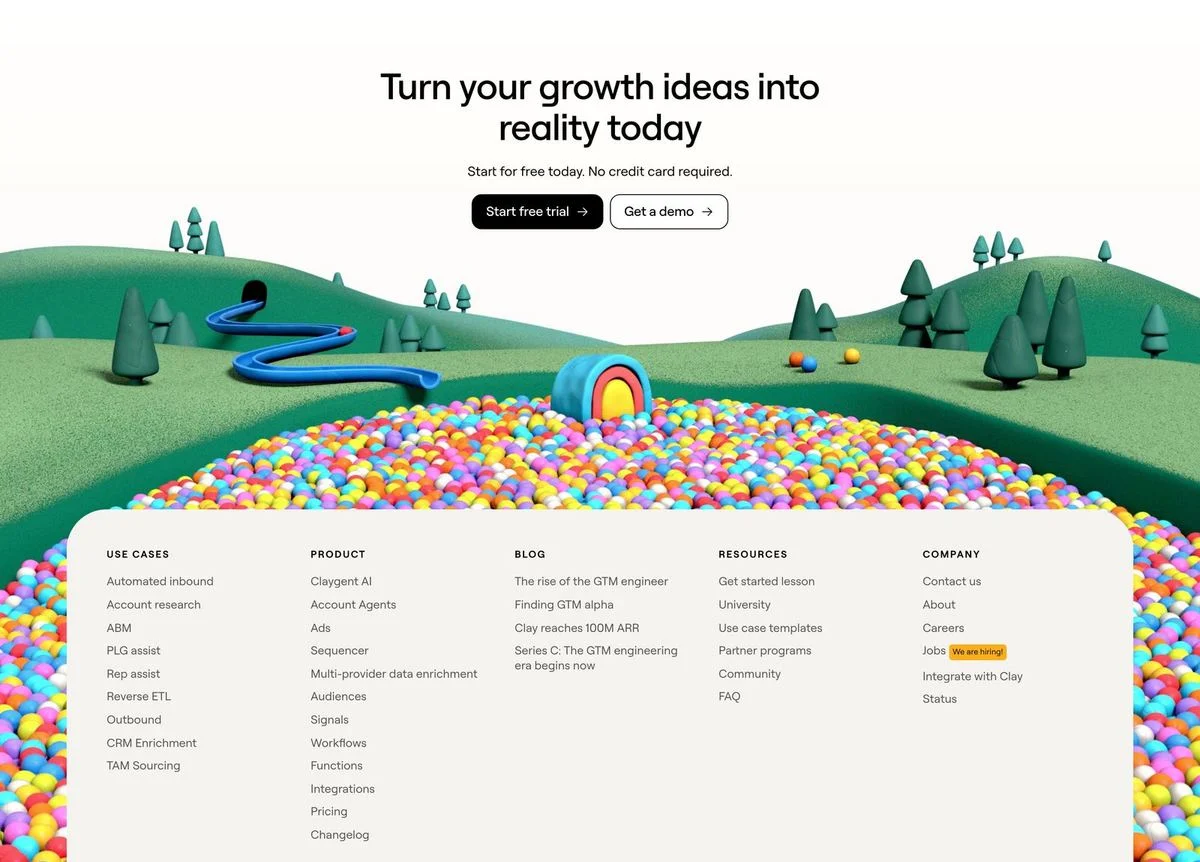
Example: Clay homepage
What is in it: A full illustration with a final call to action, “Turn your growth ideas into reality today”, “Start for free today. No credit card required.”, and two buttons, followed by columns of links on a card that sits over the artwork.
Why it works: Someone at the very bottom of the homepage has read everything. Clay gives them one more chance to start before the links.
Steal this: End the page with a call to action above the footer links, not below them.
16. Basecamp
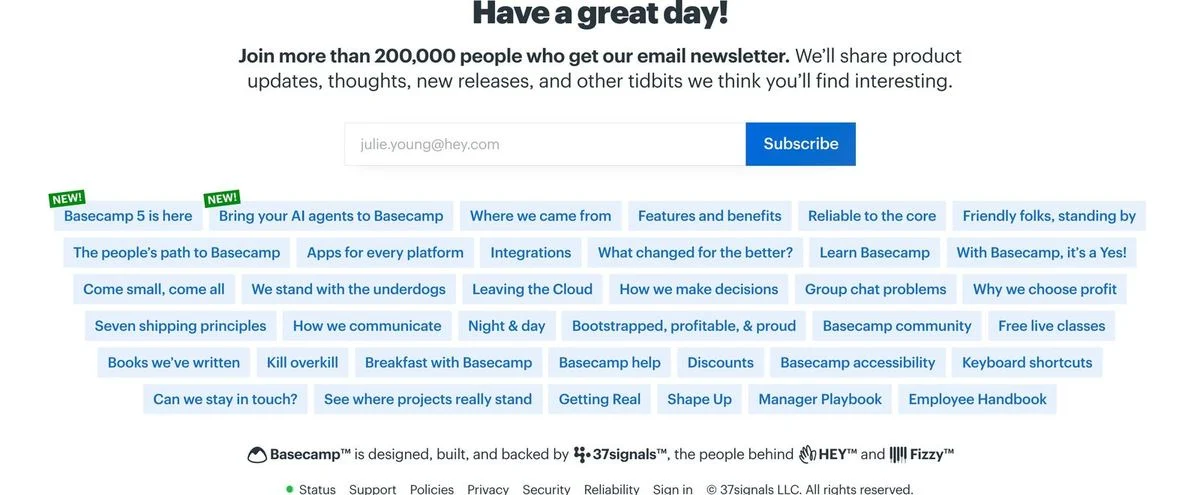
Example: Basecamp homepage
What is in it: “Have a great day!”, then a newsletter signup (“Join more than 200,000 people who get our email newsletter”), a cloud of links written as short phrases, and a closing line saying Basecamp is built and backed by 37signals, the people behind HEY and Fizzy.
Why it works: The links read like headlines, so the footer is interesting to scan instead of a list of page names.
Steal this: Write footer links as short phrases that tell people what they will find.
17. GitHub
Example: GitHub homepage
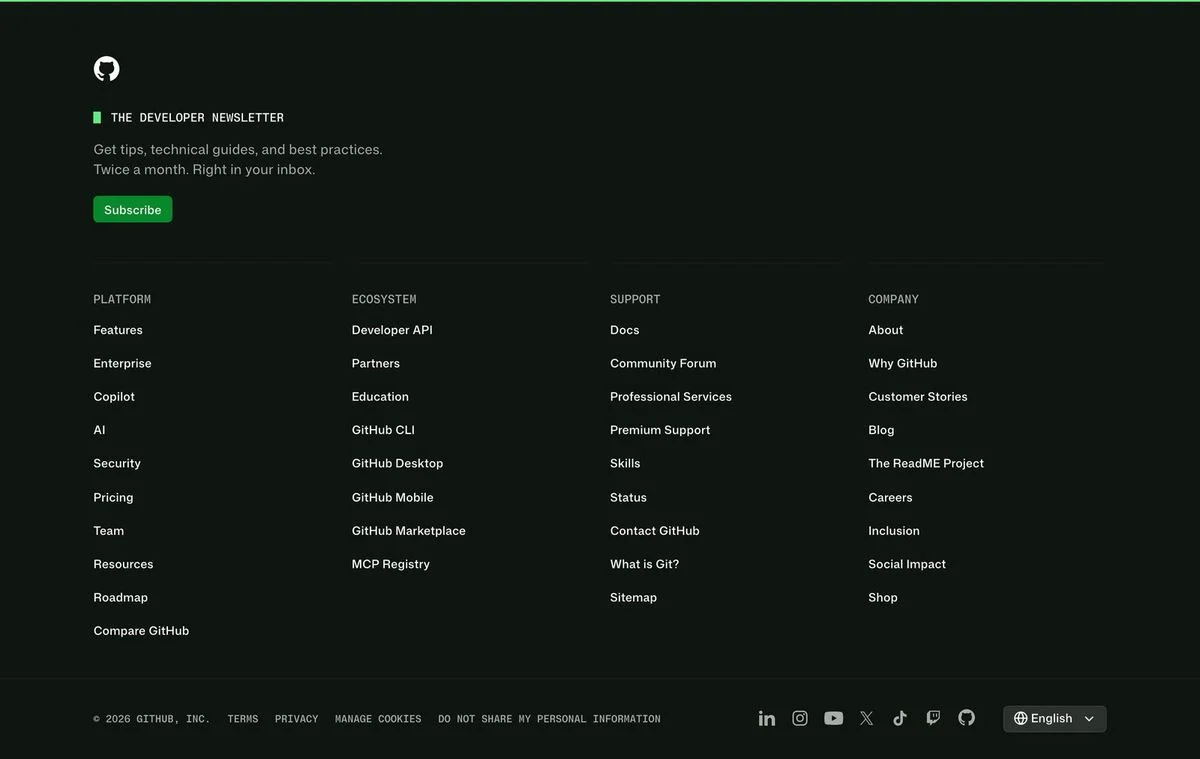
What is in it: A developer newsletter at the top of the footer (“Get tips, technical guides, and best practices. Twice a month. Right in your inbox.”) with a subscribe button, then columns for platform, ecosystem, support and company, and social icons and a language selector at the bottom.
Why it works: The newsletter says exactly how often it will arrive. “Twice a month” answers the question that stops people subscribing.
Steal this: Say how often your newsletter arrives, right next to the signup.
18. Glossier
Example: Glossier homepage
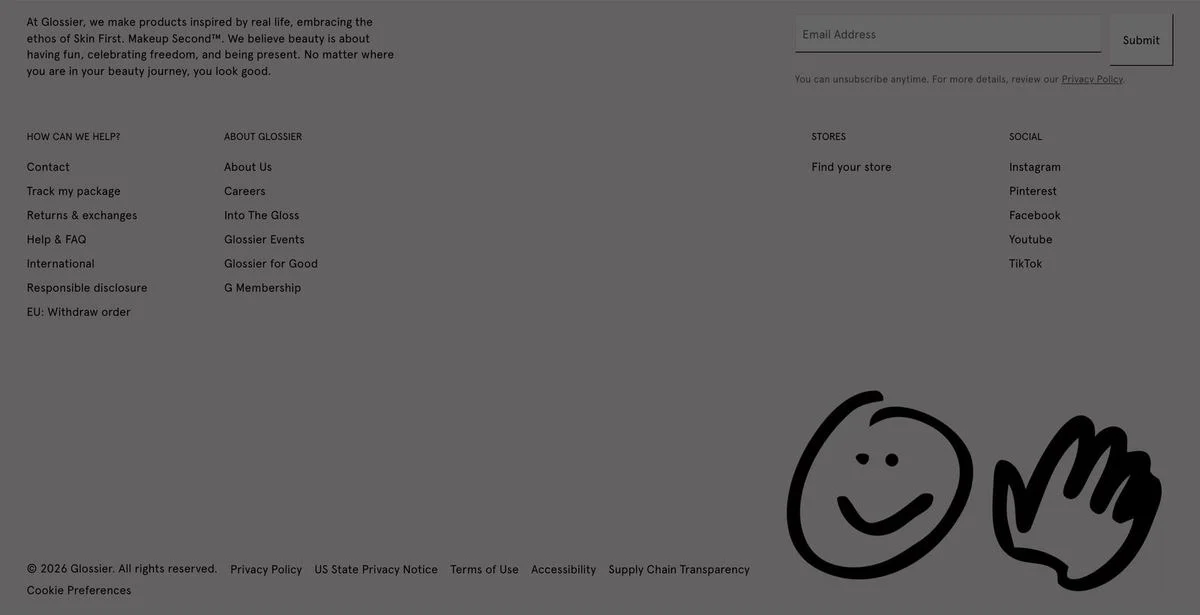
What is in it: A short brand statement, an email signup, a small set of links for help, about, stores and social, and two hand-drawn illustrations.
Why it works: It is the most personal footer in the set. The drawings and the brand statement make the bottom of the page feel like part of the brand, not an afterthought.
Steal this: If your brand has a voice, let the footer use it too.
Utility footers
These footers solve one specific problem for the visitor.
19. Cloudflare
Example: Cloudflare homepage
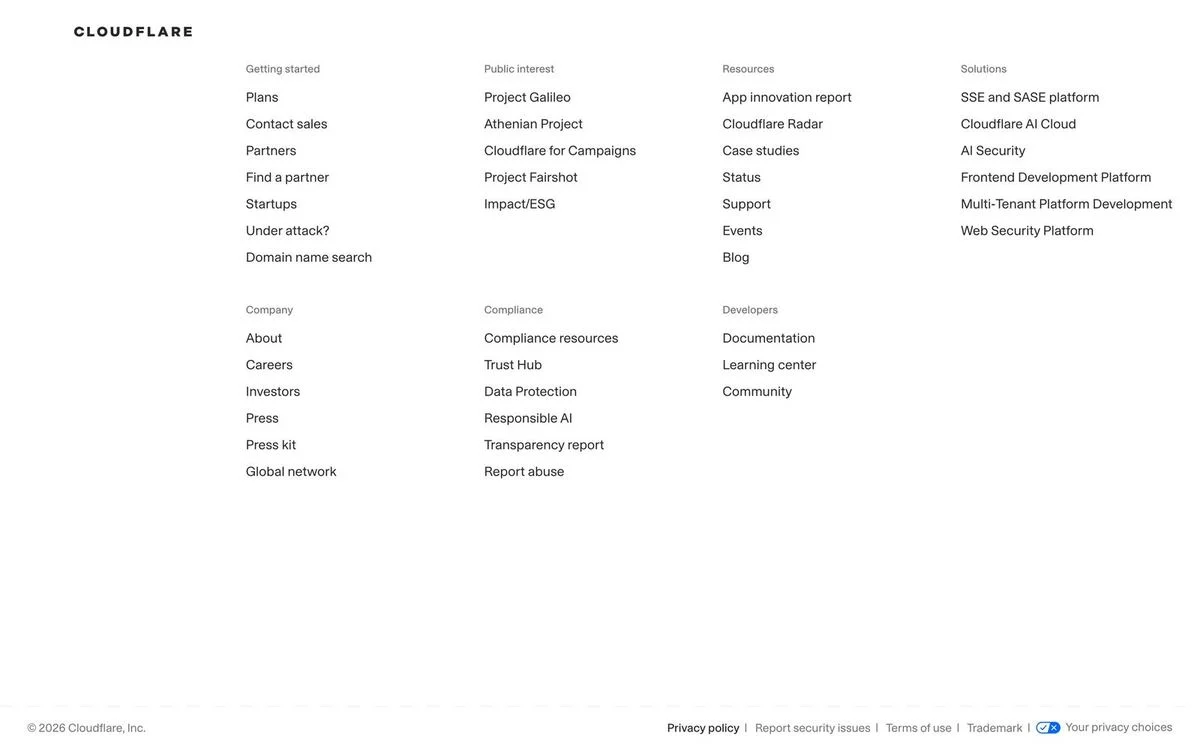
What is in it: Columns for getting started, public interest, resources, solutions, company, compliance and developers. In the getting-started column, alongside plans and contact sales, sits a link reading “Under attack?”.
Why it works: Someone whose site is being attacked needs help immediately. A link that names their situation, in a place they can always find it, gets them there fast.
Steal this: If customers ever arrive in an emergency, give the emergency its own footer link.
20. Duolingo
Example: Duolingo homepage
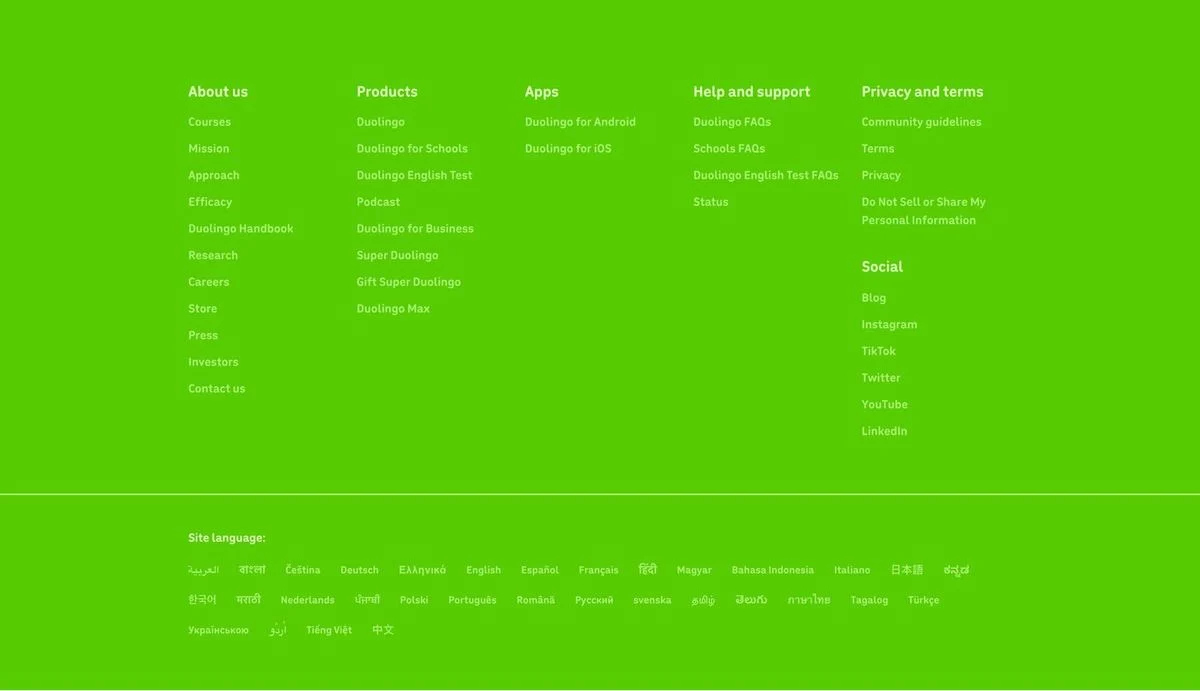
What is in it: A bright green footer with columns for about us, products, apps, help and support, privacy and terms, and social, followed by a “Site language” list of around 30 languages, each written in its own script.
Why it works: Every language is listed by name, in its own writing, so a visitor can find theirs without knowing the English word for it.
Steal this: List languages in their own names, not in English.
Put the full site map in your footer
Draft a footer in Ploy with labelled link columns, a status page link and legal links, built from your existing brand components.
What the best website footers have in common
- They hold the full map. The median footer here has about 60 links. The top menu stays short because the footer carries the rest.
- They link to a status page. Fourteen of the 20 do. It is the first place customers look when something stops working.
- They handle language and region. At least nine of the 20 have a selector, usually at the bottom left or right.
- They prove something. Vanta, Miro and Supabase show compliance marks; Miro shows review scores; Ramp shows its disclosures and address.
- They give one last reason to act. Clay ends with a call to action, and Basecamp, GitHub, Glossier and Supabase offer a newsletter.
How to design a website footer
- List every important page, grouped into labelled columns. Use the names people search for.
- Add a status page link if you sell software.
- Add legal and privacy links, including cookie settings and any notices your region requires.
- Add a language or region selector if you serve more than one country.
- Add proof: certifications, review scores, an address or your app store buttons.
- Add one action: a newsletter or a final call to action, not both.
- Keep the text readable. A footer people cannot read is a footer people do not use.
The footer is also a good place to link the pages that bring in search traffic, such as tools, templates and comparisons, because every page on the site then links to them. Teams building those pages at scale often use programmatic landing pages. With Ploy’s AI landing page builder, a new footer is a chat instruction against your existing brand components. For the pages people usually look for in a footer, see our breakdowns of contact us pages and about us pages.
Design your next footer in Ploy
Slurp your current site into Ploy, then ask for a footer with the links, proof and single action your visitors look for.