A one-page website is a bet that the whole story fits in one scroll.
No menu of pages, no “learn more” detours, no separate pricing page to hunt for. Everything a visitor needs sits on one long page, in an order the company chose, and the navigation mostly jumps down the page instead of away from it.
Most galleries of one page website examples are full of personal portfolios and templates. This one looks at companies: software products, hardware launches and events that put a real product on a single page. We measured each one on October 16, 2026, and every page below links to the live version.
The short version: a good one-page site is not short. The median page here runs about 12 screens. What makes it work is the order of the sections, not the length.
Build your next one-page site in Ploy.
What is a one-page website?
A one-page website is a site, or a site’s main page, that tells the whole story in a single scroll. The menu, if there is one, usually links to sections further down the same page rather than to separate pages.
One-page sites suit anything with a single job: one product, one launch, one event, one announcement. They are also how many companies ship a campaign or a product on its own domain or subdomain, separate from the main website.
How we checked these 15
Each page was loaded in a desktop browser at 1440 × 900 on October 16, 2026. We scrolled the full page, then measured three things:
- Length: the full page height divided by one screen height, to the nearest screen.
- Links to other pages on the same site, not counting legal, login, help, status, careers, press and download links.
- In-page links: menu or button links that jump to a section of the same page.
The images below show each page’s opening screen, then the entire page cut into screen-sized sections and laid out in a grid, so you can see the structure at a glance. One site, Daylight, builds its page with scroll animations that our full-page capture could not render, so it is shown with its opening screen only.
What the 15 showed:
| What we measured | Result |
|---|---|
| Median page length | About 12 screens |
| Shortest and longest | 4 screens (Limitless) and 21 screens (Daylight, Analogue) |
| Most links to other pages on any one site | 8 |
| Sites with no links to other pages at all | 3 (Halide, Mela, Stripe Sessions) |
| Pages with a confirmed FAQ section | At least 5 of 15 |
All 15 at a glance
| Site | What it is | Screens | Links to other pages | In-page links |
|---|---|---|---|---|
| ONCE Campfire | Self-hosted group chat | 9 | 3 | 20 |
| ONCE Writebook | Book publishing software | 13 | 2 | 25 |
| Dia | Web browser | 7 | 6 | 0 |
| Halide | iPhone camera app | 11 | 0 | 0 |
| Bear | Notes app | 12 | 5 | 6 |
| Ivory | Mastodon app | 14 | 5 | 0 |
| Mela | Recipe manager | 6 | 0 | 2 |
| Daylight | Paper-like computer | 21 | 4 | 0 |
| Analogue 3D | Game console | 21 | 8 | 0 |
| Bee | Wearable AI | 16 | 8 | 6 |
| rabbit | AI operating system | 12 | 8 | 0 |
| Stripe Sessions | Conference | 9 | 0 | 2 |
| GitHub Universe | Conference | 13 | 3 | 2 |
| Schema by Figma | Virtual event | 7 | 3 | 7 |
| Limitless | Acquisition announcement | 4 | 3 | 1 |
Software products
1. ONCE Campfire
Example: ONCE Campfire page
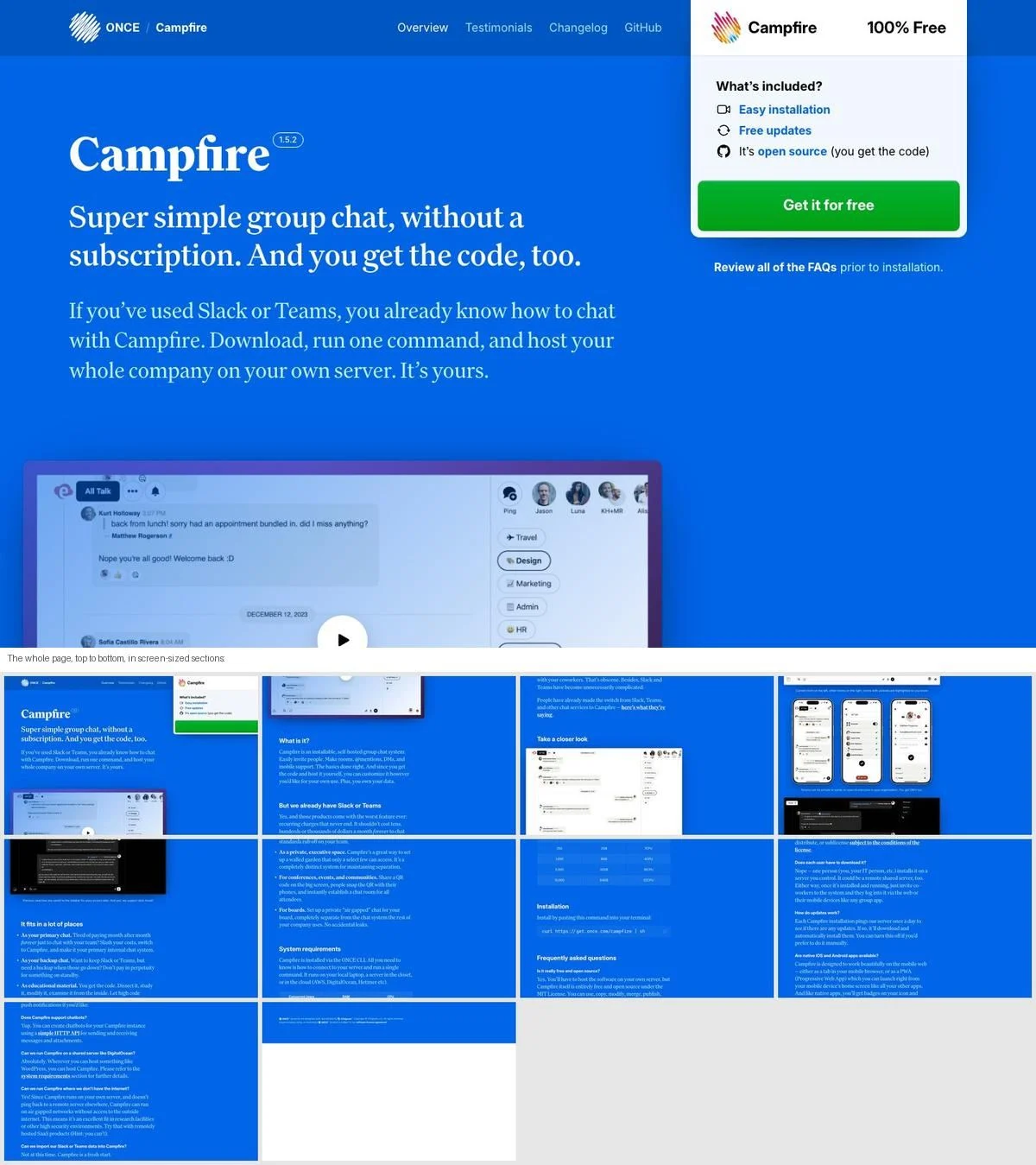
What it is: A single page for 37signals’ self-hosted group chat. The headline is “Super simple group chat, without a subscription. And you get the code, too.” The page runs from what it is, to how it compares with Slack or Teams, to screenshots, use cases, system requirements, installation and an FAQ.
Why it works: The page answers every question in the order a buyer asks it, ending with the install command itself. Twenty in-page links let you jump straight to any section from the menu.
Steal this: If your product needs setting up, put the requirements and the install steps on the same page as the pitch.
2. ONCE Writebook
Example: ONCE Writebook page
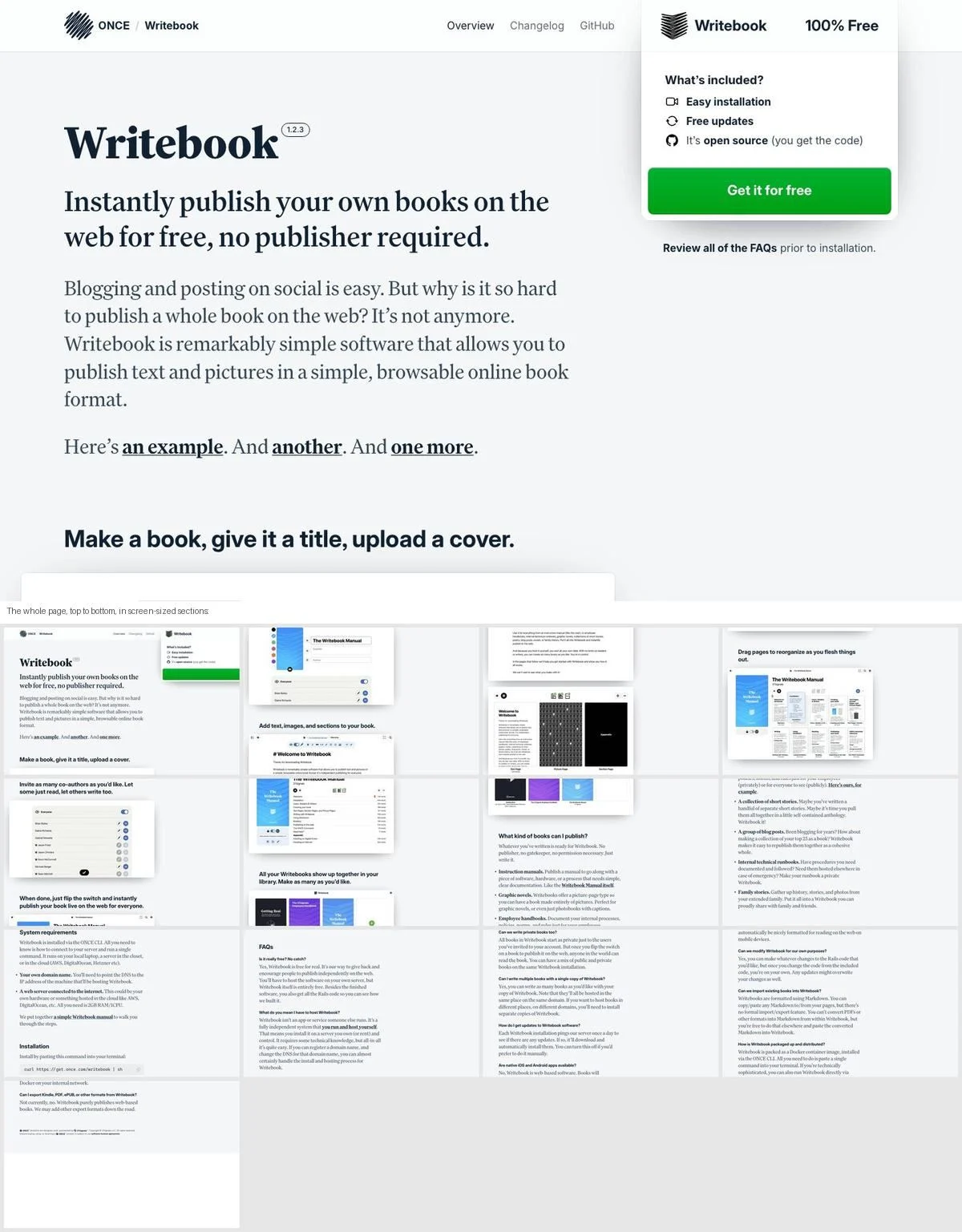
What it is: The same structure as Campfire for a different product: “Instantly publish your own books on the web for free, no publisher required.” Each section is a single step of using the product, from making a book to adding pages to inviting co-authors, followed by the kinds of books you can publish, requirements, installation and FAQs.
Why it works: The page is a walkthrough. Reading it top to bottom is the same as using the product for the first time.
Steal this: Order your sections as the steps a new user takes, not as a list of features.
3. Dia
Example: Dia homepage
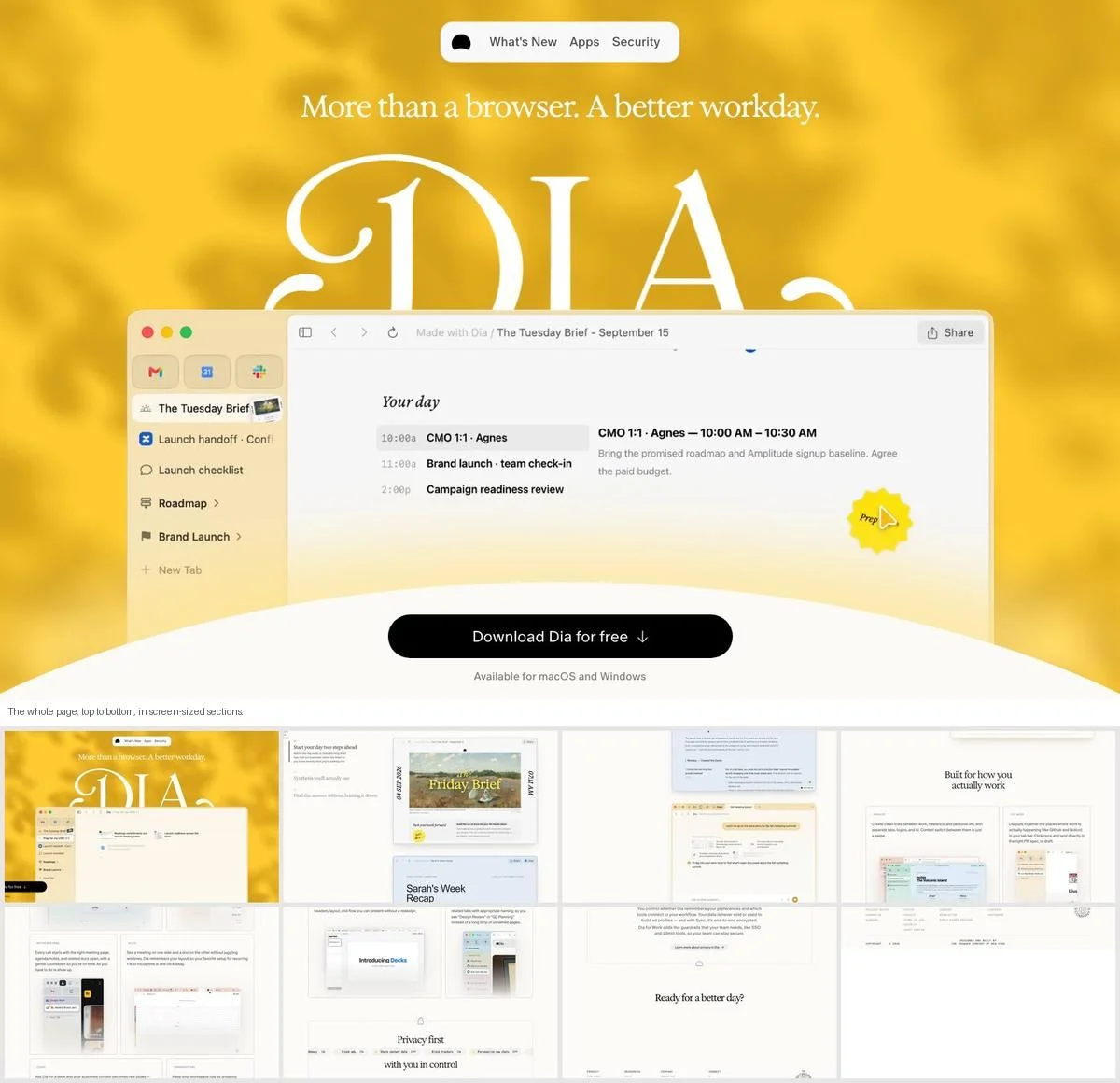
What it is: The Browser Company’s AI browser, under the headline “More than a browser. A better workday.” A numbered sequence follows: start your day two steps ahead, synthesis you will actually use, find the answer without hunting for it. Then privacy, and a closing “Ready for a better day?”.
Why it works: The numbered sections tell the story of a single workday, so the features arrive in the order you would use them.
Steal this: Number your middle sections. It tells the reader how far through the story they are.
4. Halide
Example: Halide homepage
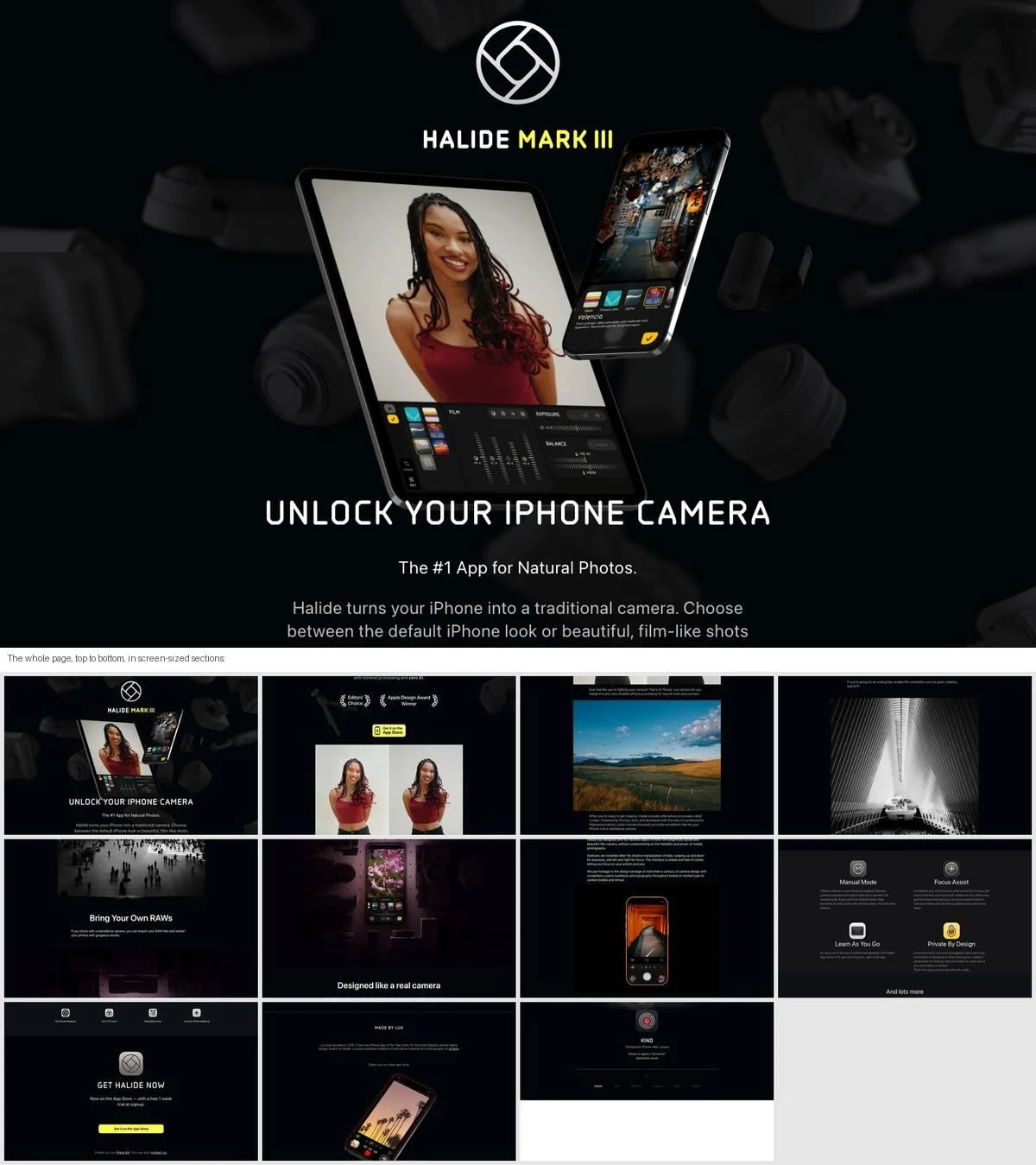
What it is: A dark, photo-led page for an iPhone camera app, opening with “Unlock your iPhone camera”. It runs through natural photos with minimal processing, RAW support, design awards and a camera-like interface before ending with “Get Halide now”.
Why it works: For a camera app, the photographs are the argument. The page has no links to other pages at all; everything is a photo, a short line, or a download button.
Steal this: If your product makes something visual, let the output take up most of the page.
5. Bear
Example: Bear homepage
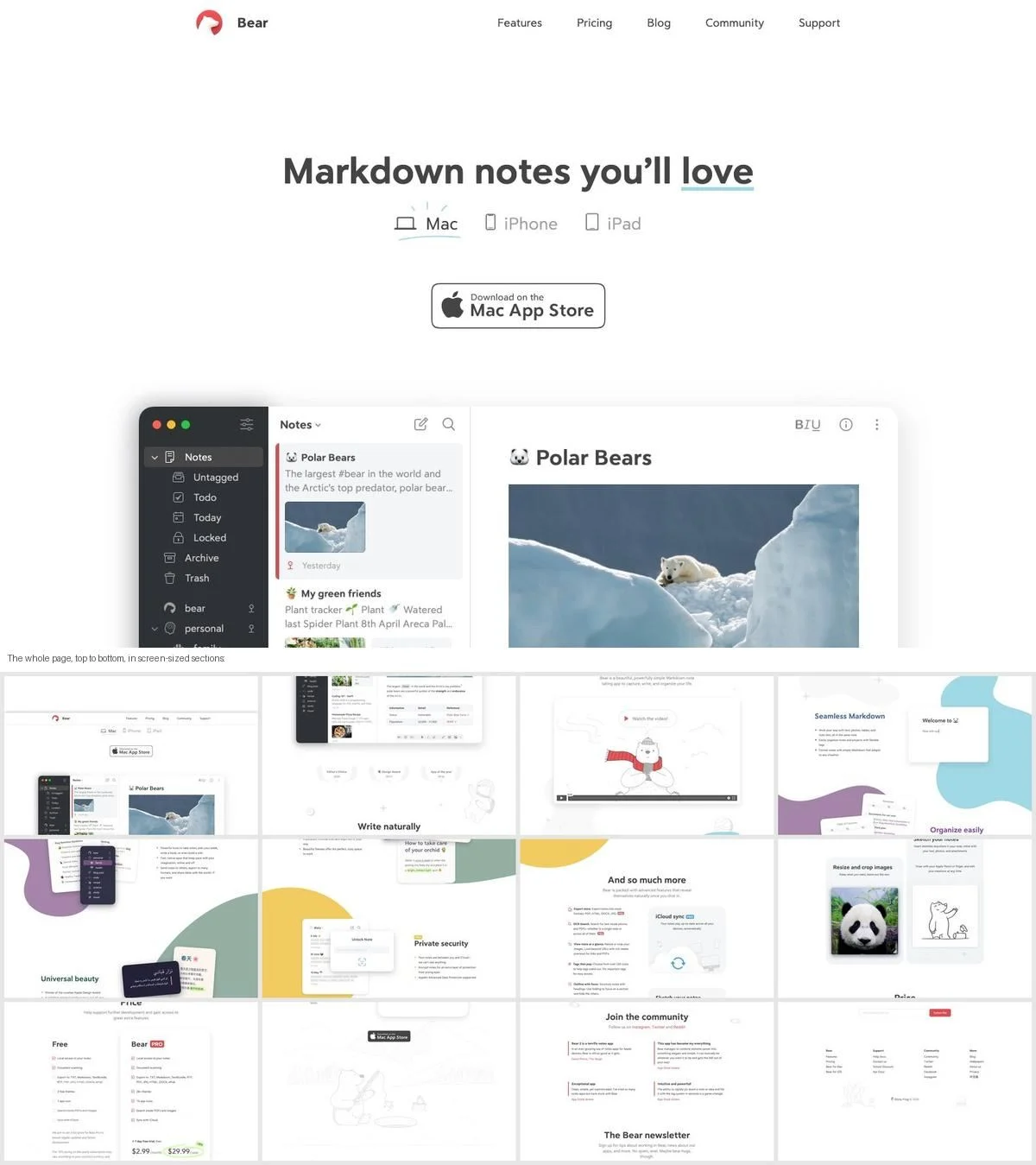
What it is: “Markdown notes you’ll love”, with design awards listed under the headline, then one illustrated section per idea: write naturally, seamless Markdown, organize easily, universal beauty, private security. Pricing, the community and a newsletter close the page.
Why it works: Price is on the same page as the pitch. A visitor who is convinced halfway down does not have to go anywhere else to find out what it costs.
Steal this: If your pricing is simple, put it on the one page instead of a separate one.
6. Ivory
Example: Ivory page
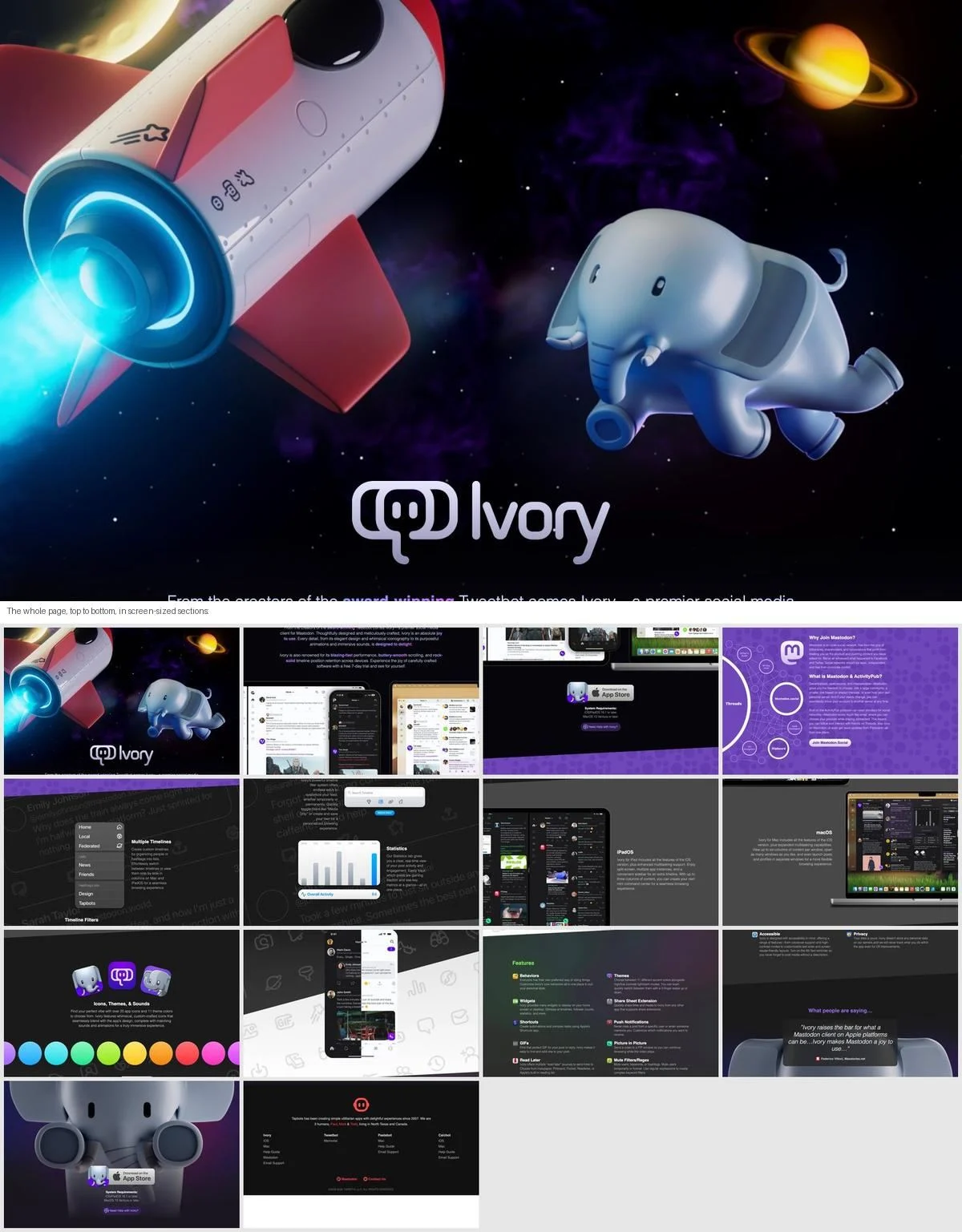
What it is: A Mastodon app from the makers of Tweetbot. The page explains why to join Mastodon, then walks through features, iPad and Mac versions, themes and sounds, and quotes from reviewers, ending with links to the team’s other apps.
Why it works: Before selling the app, the page sells the network the app depends on. A visitor who has never used Mastodon gets the context first.
Steal this: If your product depends on something unfamiliar, explain that first.
7. Mela
Example: Mela homepage
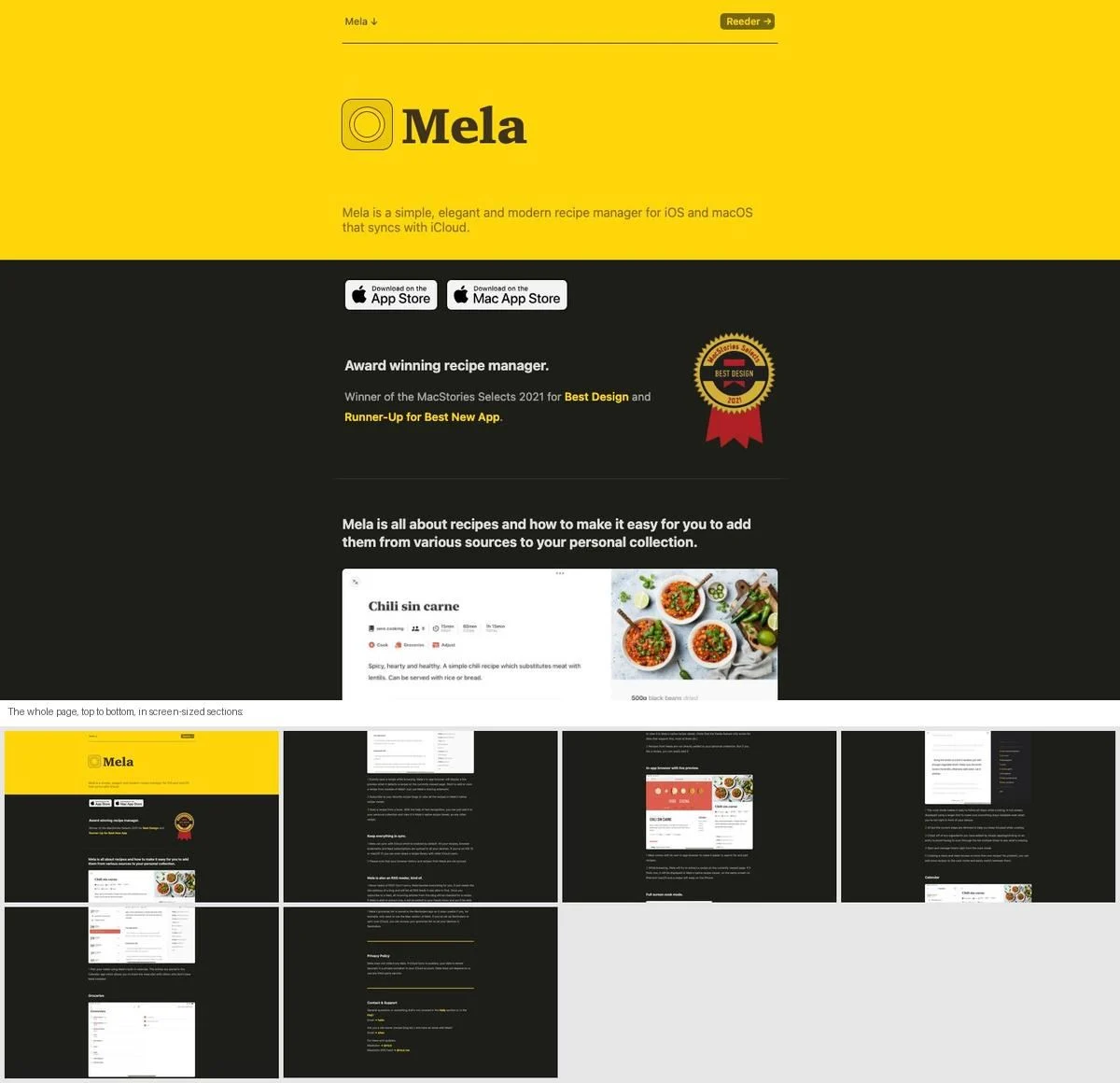
What it is: A recipe manager on a short, text-heavy page: award mentions, sync, an RSS reader built in, an in-app browser, full-screen cook mode, calendar and groceries, then privacy and support. There are no links to other pages on the site.
Why it works: At six screens it is one of the shortest pages here, and it gets away with it because each section is one feature and one sentence about why you would use it.
Steal this: One-page does not have to mean long. If the product is simple, stop when the features stop.
Hardware launches
8. Daylight
Example: Daylight homepage
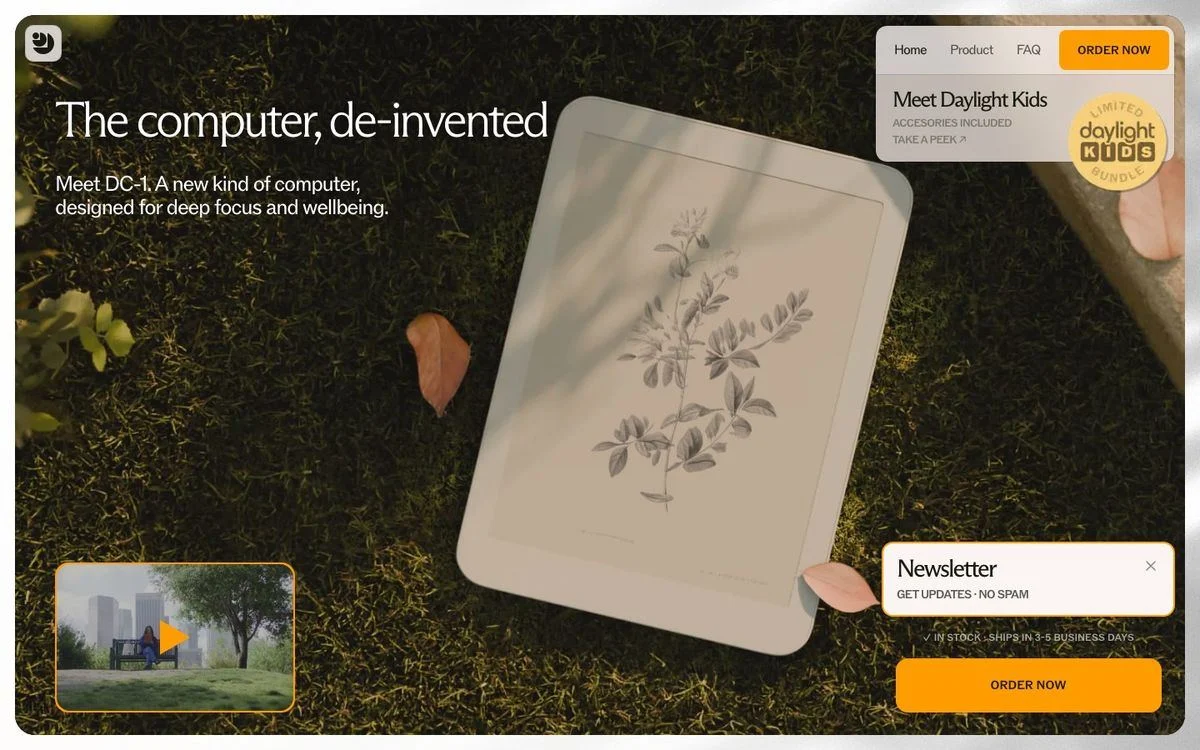
What it is: “The computer, de-invented”, introducing the DC-1, a computer with a paper-like display. The page runs about 21 screens and uses scroll-driven animation throughout, covering the display, the calm experience, health benefits, battery life and reviews, ending with “DC-1 at a glance”. Near the top, beside the order button, the page states it is in stock and ships in three to five business days.
Why it works: Shipping time sits next to the order button, near the top. For a new hardware product, “can I actually get it?” is the first question, and it is answered before any feature.
Steal this: If people doubt they can buy it, put availability and shipping next to the first button.
9. Analogue 3D
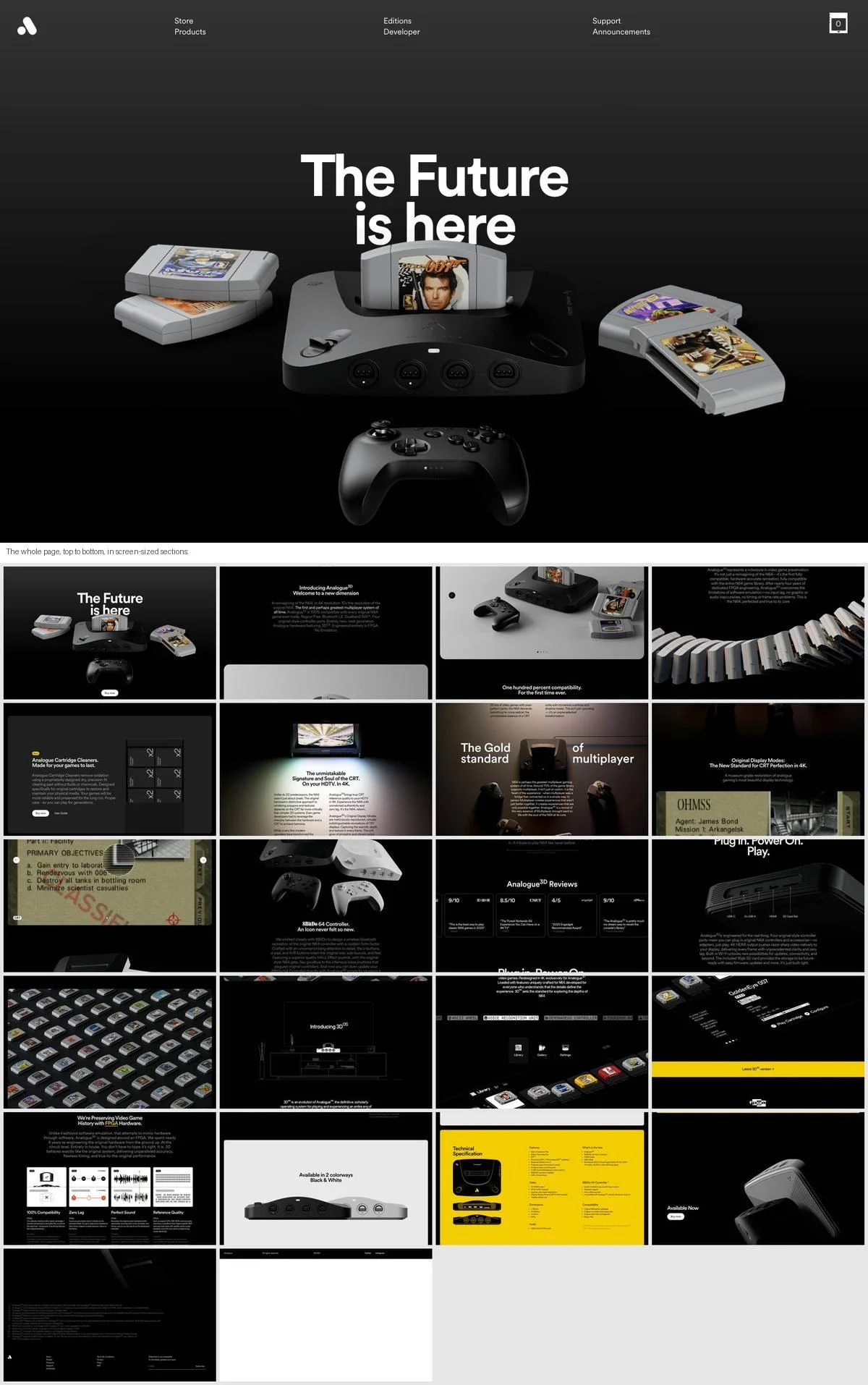
Example: Analogue 3D page
What it is: A long, dark product page for a console that plays original Nintendo 64 cartridges in 4K. It opens with “The Future is here” and runs through compatibility, display modes, the controller, reviews and specifications, ending with “Available Now”.
Why it works: At 21 screens it is one of the longest pages here, and it earns it with one claim per section, each backed by a photo. The “Buy now” button repeats along the way, so the reader never has to scroll back up to buy.
Steal this: On a long page, repeat the main button every few sections.
10. Bee
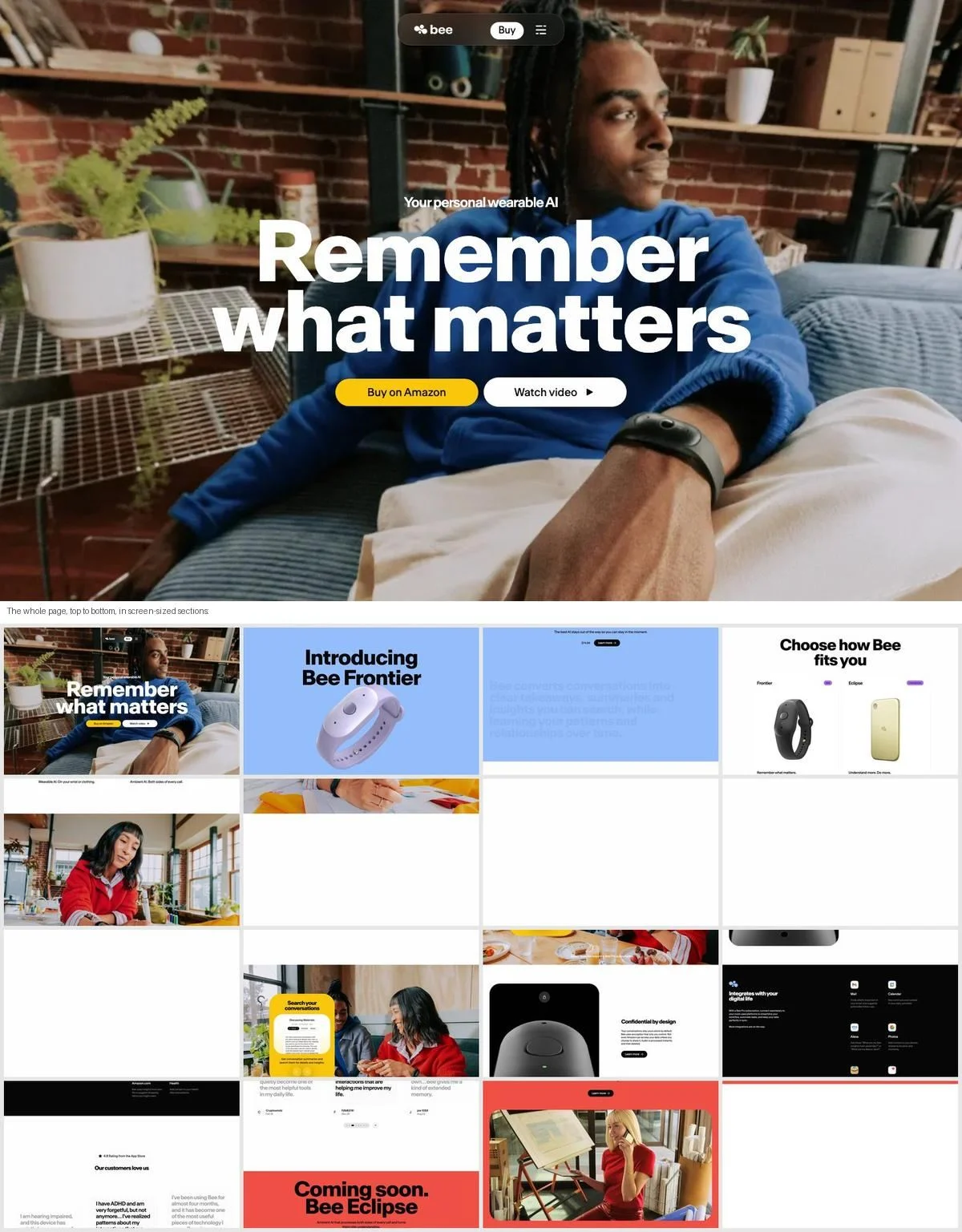
Example: Bee homepage
What it is: A wearable AI device under the headline “Remember what matters”, with a “Buy on Amazon” button. Sections introduce the device, compare the ways to wear it, cover search, privacy and integrations, then close with a “Coming soon” teaser for the next model.
Why it works: The page ends with what is next, not just what is available, which gives current visitors a reason to come back.
Steal this: End the page with what is coming, not only with a final “buy” button.
11. rabbit
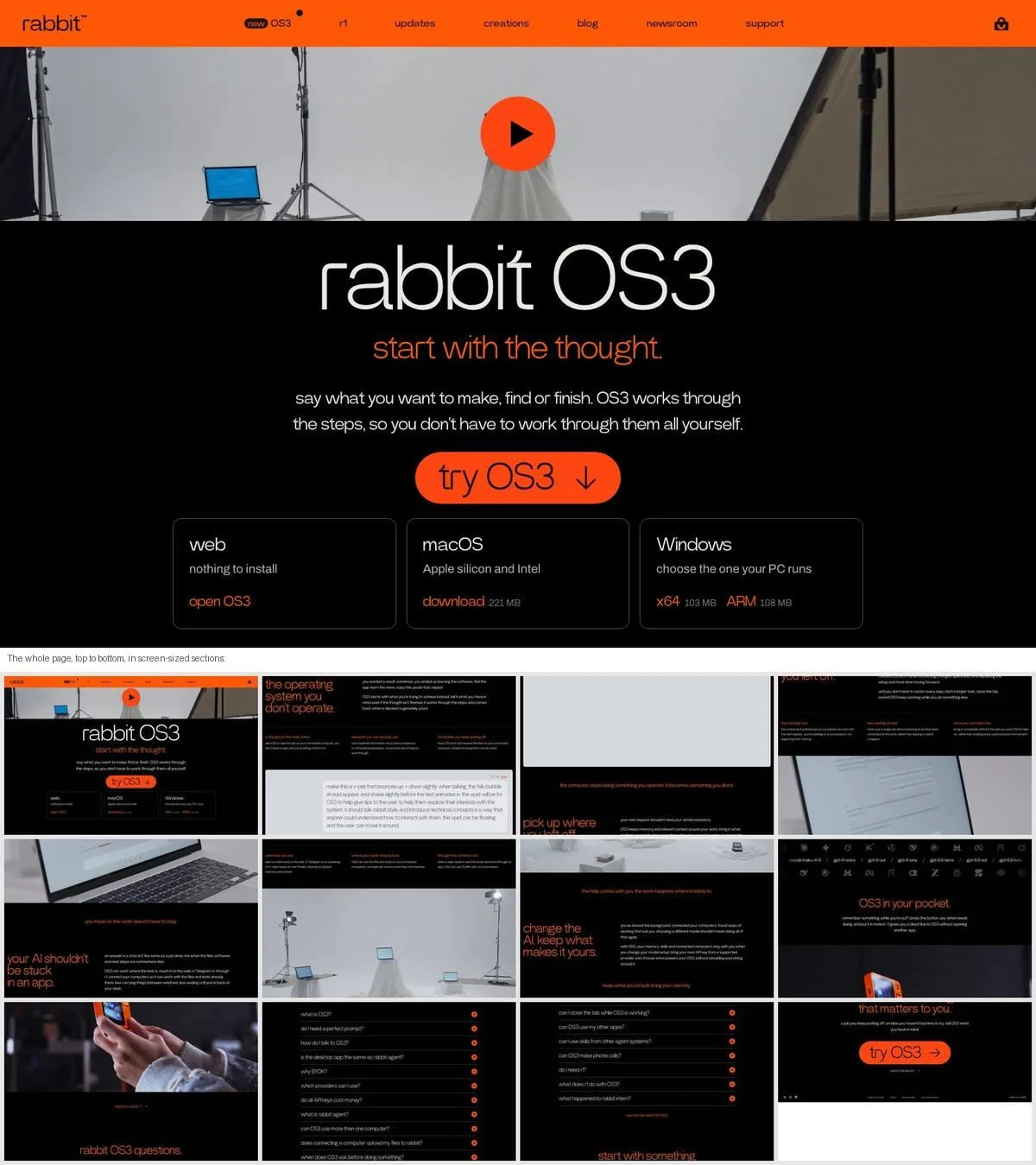
Example: rabbit homepage
What it is: The company behind the r1 device now leads its homepage with rabbit OS3, “the operating system you don’t operate”. The opening screen offers a web version with nothing to install, a Mac download and Windows downloads with file sizes. The page ends with a long list of questions about OS3 and a final “try OS3” button.
Why it works: The first screen lists every way to start, including the file size of each download. Nobody has to click through to find out whether it will run on their computer.
Steal this: If there are several ways to start, list them all in the first screen with the detail that decides between them.
Event sites
12. Stripe Sessions
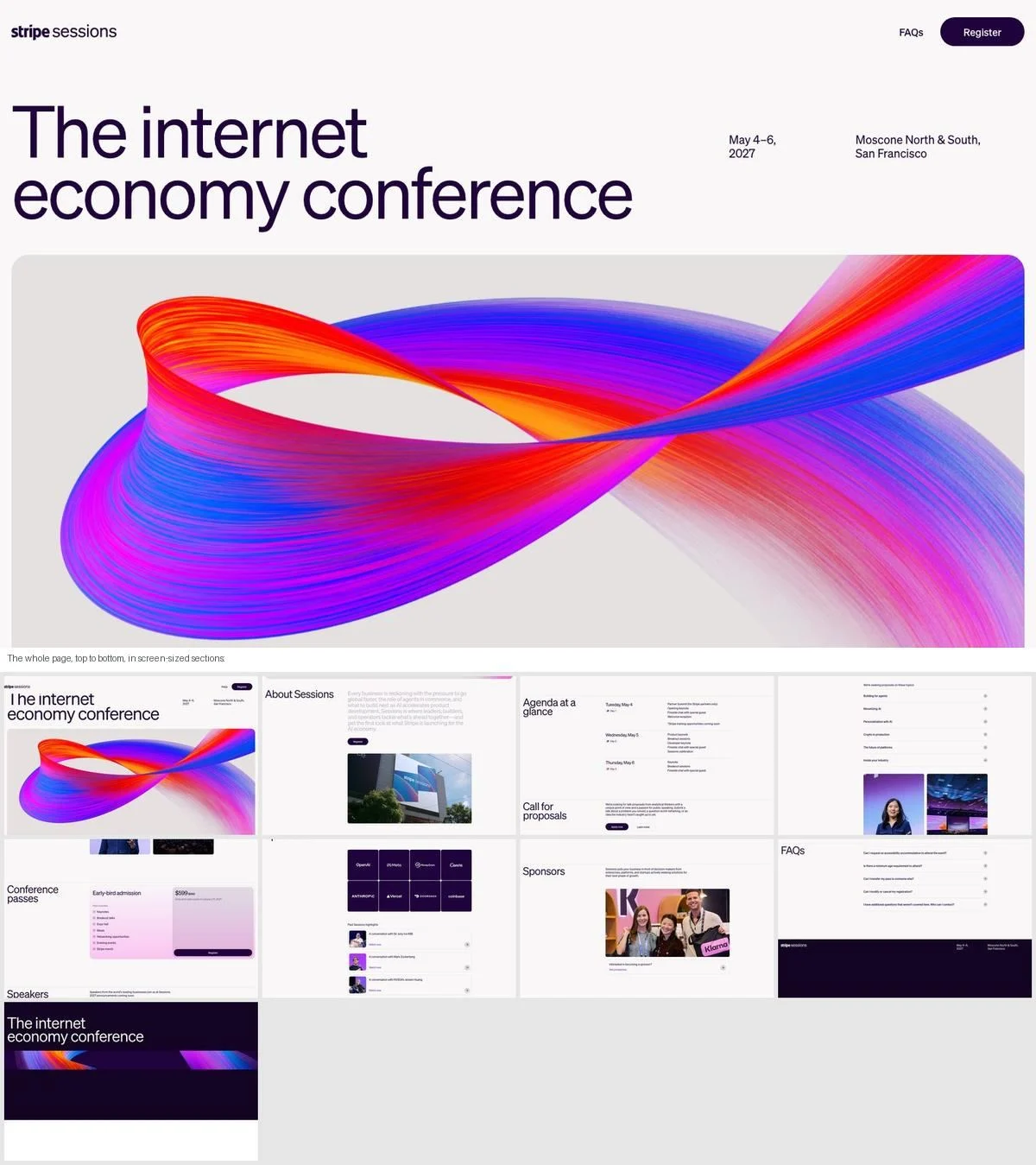
Example: Stripe Sessions site
What it is: “The internet economy conference”, May 4 to 6, 2027 in San Francisco, with a support email at the very top. The page covers what Sessions is, the agenda by day, a call for proposals, passes, speakers, past highlights, sponsors and an FAQ. It has no links to other pages on the site.
Why it works: The event’s date and place are in the first line, and the support email is above even that. Everything a ticket buyer needs is on one page in the order they need it.
Steal this: For an event, date, place and how to get help belong at the top.
13. GitHub Universe
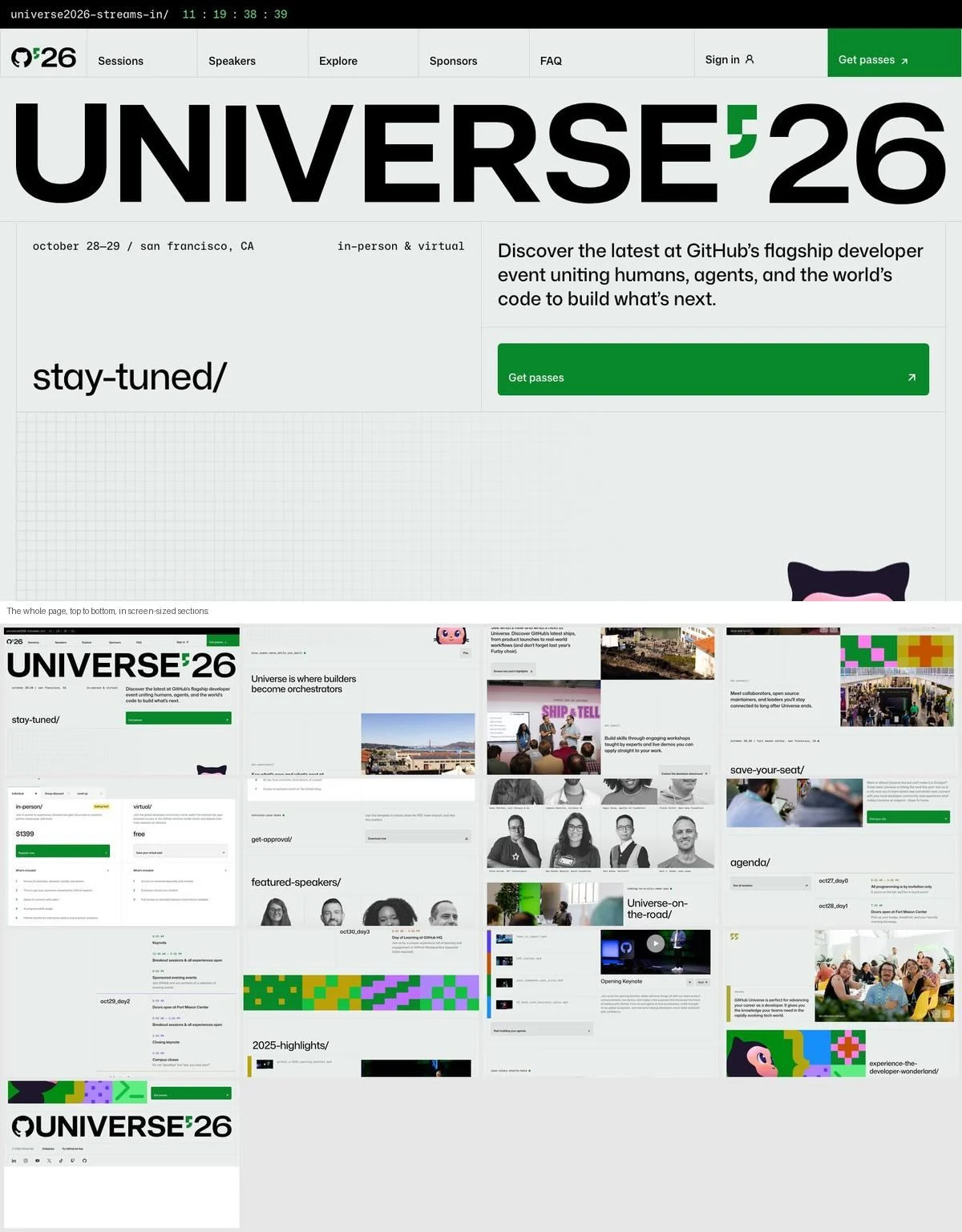
Example: GitHub Universe site
What it is: A countdown to GitHub’s October 2026 developer event in San Francisco and online, followed by sections styled like code (dev.experience(), dev.learn(), dev.connect()), pass types, featured speakers, a day-by-day agenda and last year’s highlights.
Why it works: The section labels are written in the audience’s language. A developer event that labels its sections like function calls tells its readers who it is for without saying it.
Steal this: Use your audience’s vocabulary in your section labels, not just in your copy.
14. Schema by Figma
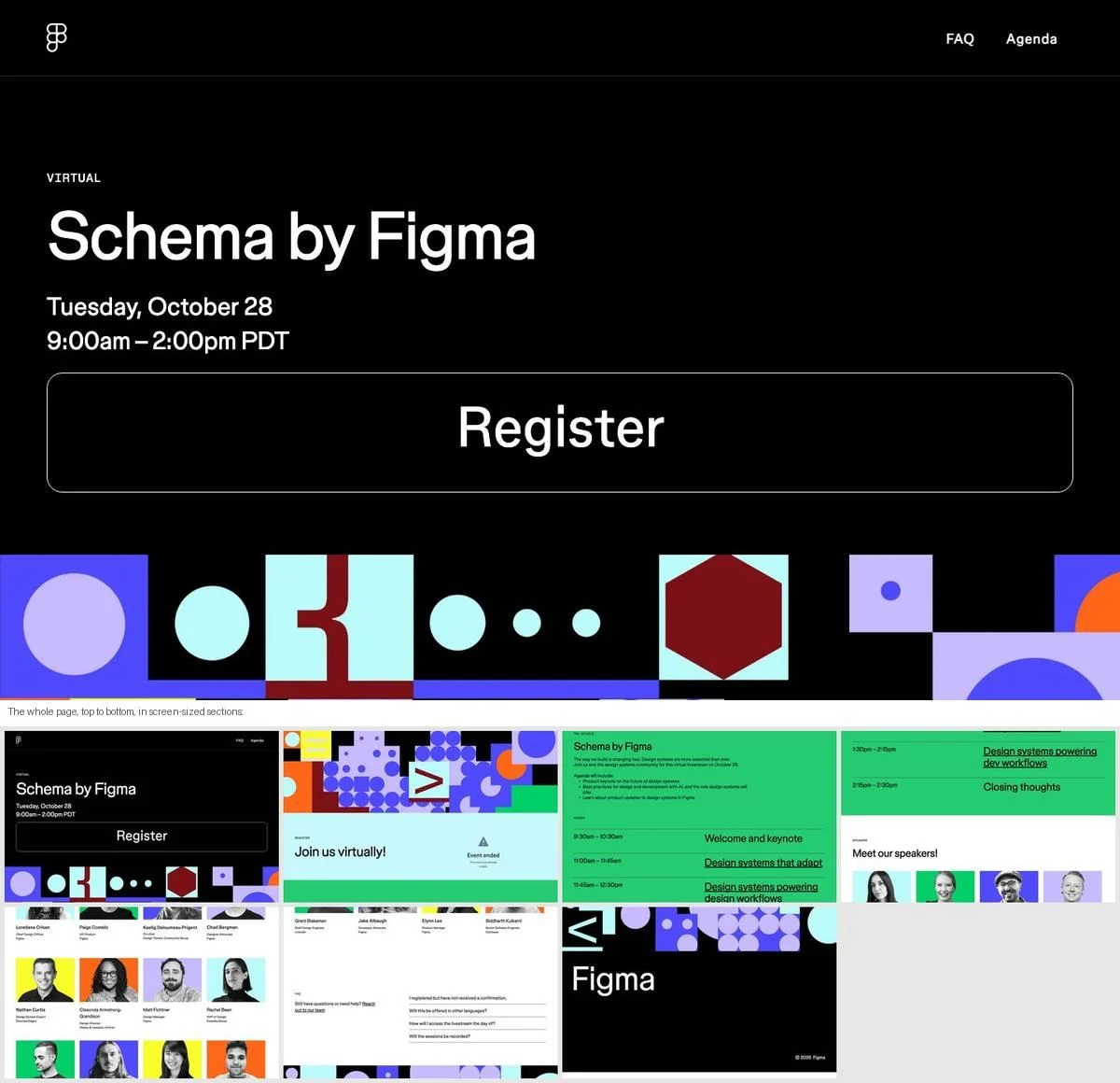
Example: Schema by Figma site
What it is: A short page for Figma’s virtual design systems event, with the date, a “Register” button, an agenda and the speakers.
What we found: The page title reads “Schema by Figma 2025”, and the date shown, Tuesday, October 28, matches 2025. In October 2026 the page is still live and still asks visitors to register.
Steal this: Give every event page an end date. When the event is over, swap the register button for recordings or next year’s sign-up.
An announcement
15. Limitless
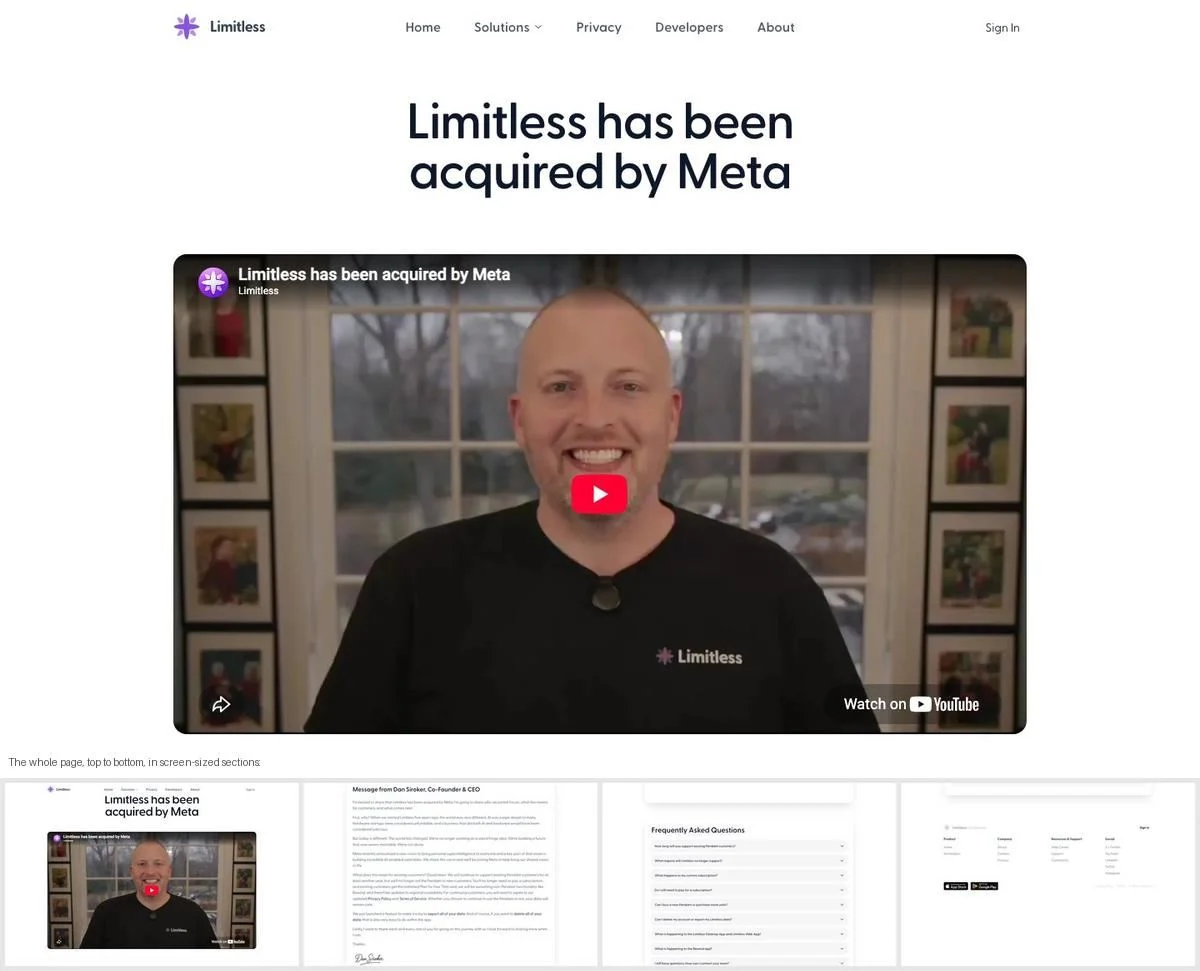
Example: Limitless homepage
What it is: The whole homepage is now one announcement: “Limitless has been acquired by Meta”. A message from the co-founder and CEO explains why, followed by an FAQ for existing customers: how long devices will be supported, what happens to subscriptions, whether you can still buy a pendant, and how to export your data.
Why it works: It is the hardest job a one-page site can do, and the page does it plainly. The customer questions get specific answers on the same page as the news.
Steal this: When the news is difficult, put the customer FAQ right under the announcement.
Plan the scroll before the design
Draft a one-page site in Ploy with sections in the order your visitors ask their questions, built in your brand.
What the best one-page websites have in common
- They are longer than you would think. The median page here is about 12 screens. One page is about having one story, not about having little content.
- The order is the design. Writebook follows the steps of using the product, Dia follows a workday, Stripe Sessions follows a ticket buyer’s questions. The sequence does the persuading.
- They answer practical questions on the page. Price (Bear), shipping time (Daylight), file size (rabbit), install steps (Campfire), support email (Stripe Sessions). At least five of the 15 also end with an FAQ.
- They link out very little. No site here links to more than eight other pages on the same site, and three link to none.
- They need maintaining like any other page. Schema by Figma’s page shows what happens when an event site outlives its event.
When to use a one-page website
A one-page site works well for:
- A single product, especially one with a simple price.
- A launch or campaign that needs its own page, often on a separate domain or subdomain.
- An event, where date, agenda, speakers and tickets are all the visitor needs.
- An announcement, where the news and the questions it raises belong together.
It works less well when you have several products, several audiences, or a lot of content that people search for separately. Those visitors need pages they can land on directly, and a website layout built for browsing.
How to build a one-page website
- Write the story first, as a list of the questions a visitor asks in order.
- Give each question one section, with a short headline that answers it.
- Put practical details in the first screen: price, availability, date or how to start.
- Repeat the main button every few sections on a long page.
- Add in-page links to the menu so people can jump to the section they want.
- End with an FAQ or a clear final step.
Many teams build one-page sites for launches and campaigns on a subdomain, so they can ship without waiting for changes to the main site. With Ploy’s AI landing page builder, a one-page site is a chat instruction against your existing brand components, published to your site or a subdomain. For more single-page structures, see our landing page examples.
Ship your next launch page in Ploy
Build a one-page site for a launch, product or event in your existing brand components, with one clear next step.