
Businesses send over 1 billion messages a day in Slack. That’s thousands of competitor campaigns sent with “we should do something like this.” Hundreds of great customer quotes shared from CS that never leave the internal channel. And too many demo requests and spikes in traffic that remain a mystery. Now, Ployee can jump in, pick up an idea, and send you a publish-ready draft made with all the same context your team has.
Working with @Ployee
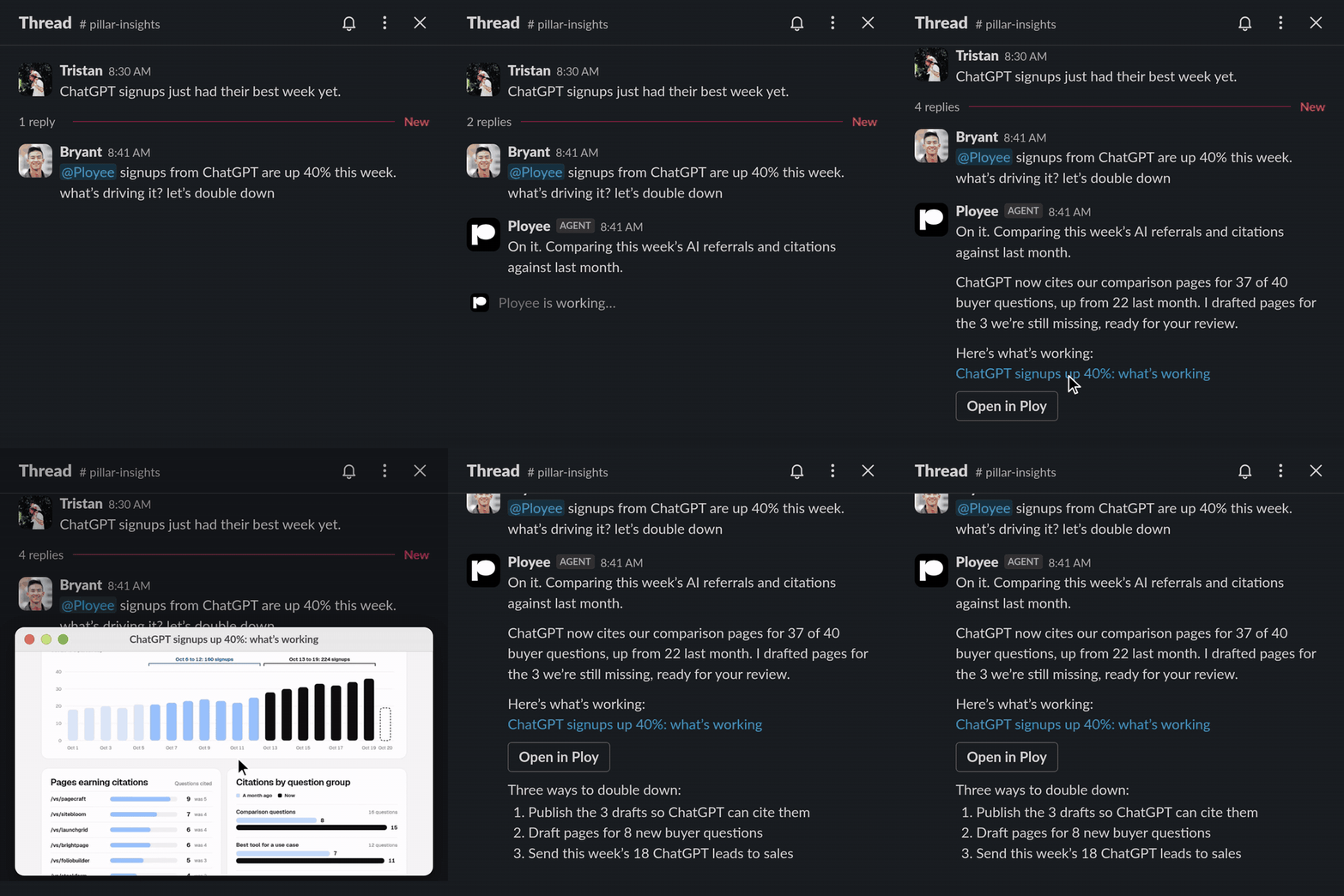
If you’ve used Ploy before, Ployee will feel familiar. It’s the same workspace, context, and convo, just in Slack. Tag @Ployee with a request in plain words, like “@Ployee the pricing page bounce rate jumped, can you take a look?” It answers any question about your website, customers, and business, and it can run any workflow, all in one thread. When the preview looks right, it publishes to your site from the thread.
But tagging Ployee comes with a few things a chat window can’t do:
Note
@Ployee learns from context. Ployee learns and makes decisions based on context in chats and channels. It reads the Slack threads and channels it has access to, so nobody has to re-explain the ask.
@Ployee is opinionated. Ploy has marketing, growth, and web expertise baked in. Tag @Ployee and you don’t just get a deliverable, you get a strategy.
@Ployee works in the background. Shoot off an idea, keep moving your work forward, and it replies when it’s done.
@Ployee works across your tools. It works across 60+ connected tools, like HubSpot, Notion, and Google Analytics.
@Ployee shows its work. Screenshot previews of the site or page it built land right in the thread, so everyone can see it before anything goes live.
@Ployee keeps the thread going. One thread is one piece of work, and it continues across days. Come back tomorrow, reply in the same thread, and Ployee picks up right where you left off.
You can also DM Ployee for anything you’d normally start as a new chat in Ploy.
What teams tag @Ployee for
Whether one person wears every hat or a full marketing team runs the calendar, there’s always too much to get done. Here’s where Ployee can take a few things off your plate:
Lean teams and founders
- Marketing without a marketing team: “@Ployee we’re launching a new feature Friday, what should we do?” Get a plan, then all the assets to make it happen. Review, then publish.
- Quick answers: ask “@Ployee how did traffic do last week?” for a short, shareable answer, or ship a site change from the thread where you made the call.
- Sales and customers: run attribution on a lead, or update a deal in HubSpot without leaving the thread.
In-house marketing teams
- Campaigns: coordinate across Social, Content, and Brand to make sure you’re getting the most out of a campaign. Keep things on brand with shared context in Ploy, and create in public by looping in @Ployee.
- Performance: check conversion on a page (“@Ployee how’s the new landing page test performing?”), or have a scheduled Ploybook post results to your channel every week.
- Design and product handoffs: drop a screenshot into the thread as a reference for a page update, then review the preview before it ships.

Sales and demand gen
- Account research: ask “@Ployee which companies visited our pricing page this week?” to see who’s showing interest, then get a short brief on each account before you reach out.
- Pages for outreach: build a personalized page for a target account or segment right from the thread, ready to send after a call.
- Paid campaigns: ask “@Ployee how did our Google and Meta ads do last week?” for spend and cost per lead, then spin up a landing page for the campaign that’s working.
Getting started
Getting started is easy. Add Ploy to Slack, and each person connects their own Ploy account the first time they mention or DM Ployee. From there, tag @Ployee in any thread and it gets to work.