I used to spend about 80% of my webinar time herding the pieces together: sourcing the speaker, writing the flow, designing the deck, building thumbnails, setting up the event, and customizing every email. The other 20% went to the experience. Since that work moved into Ploybooks, the split has flipped, and most of my time now goes to the story and to feedback on the flow.
I’m the founding storyteller at Ploy. On November 5, 2026, Sean Jeong, our founding GTM engineer, and I showed how the program runs behind the scenes. I run the event side, and Sean runs what comes after it, nurturing every registrant, live or on demand, so their experience after the session feels as thoughtful as the session itself. Here’s the workflow, so you can borrow what fits your team.
Watch the full session above, or on the webinar replay page.
Start with what the program is for
Before I think about any channel, I look at the shape of the business. Ploy runs sales-led and product-led motions in parallel, and buyers in both need:
- Deep product education
- Several touch points, from a social post to a long-form video to a blog post
- Clear use cases, since many uses of Ploy aren’t obvious at first
- A way for us to read intent
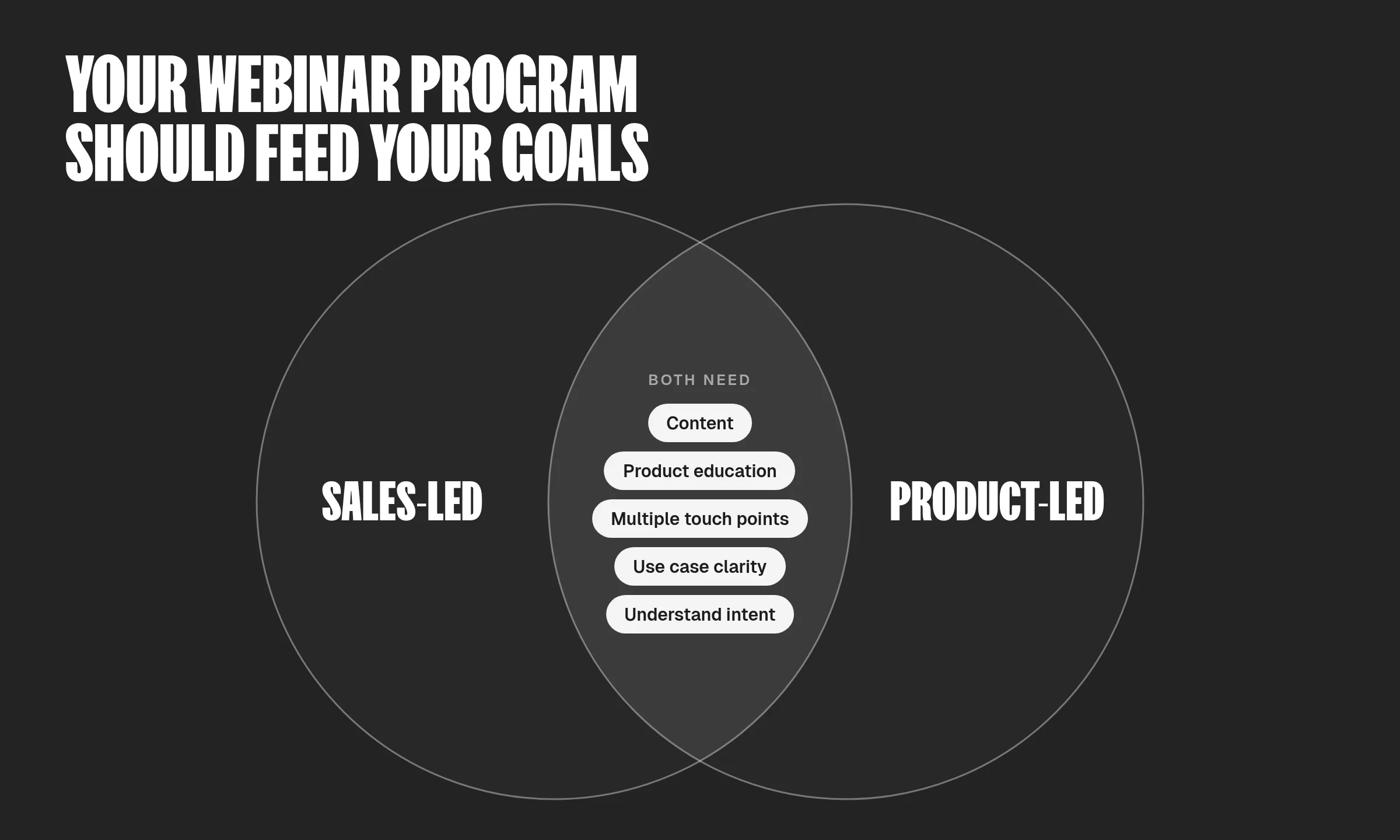
Webinars give us a set cadence for product education and tell us why each person showed up, which shapes the follow-up.
Before you commit to webinars or any other program, consider the business goals you’re solving for, and adjust the program to fit the shape of those goals.
One recorded conversation feeds everything
Every webinar starts with a subject matter expert, either a teammate or a customer with a use case worth sharing. I split prep into 2 meetings:
- A 45-minute discovery call
- A full dry run, so the guest is comfortable with the content
The discovery call is your time to dig into your expert’s workflows. Most experts take their expertise for granted, so I keep asking until an outsider could follow along. I leave the call with 4 things:
- A narrative that fits both our brand and the guest’s expertise
- A few workflows, broken down step by step
- Proof that each workflow works, such as a metric or a moment worth sharing
- A clear recommendation viewers can apply after the hour
I record and transcribe every discovery call. I love Notion’s meeting transcription, and Granola or a similar tool works too. Every asset that follows, from the deck to this post, starts from that transcript.
Turn the transcript into a narrative deck
After building a few decks by hand, I knew how I like a webinar deck to flow, so I wrote it into a Ploybook. It pulls the transcript and pairs it with this structure:
- Open on common ground with the audience
- Show the agenda
- Walk through a couple of workflows
- Close with takeaways and Q&A
It also applies my style preferences, like more visuals and less text, plus our brand guidelines. The first draft is often about 90% there.
Set up the event and the landing page
We host webinars in Sequel, and an event takes a lot of small steps. When I did it by hand, putting it all together could take hours. Now a second Ploybook takes the same narrative and fills in the event through MCP:
- Title, description, and date
- Speaker information
- Event emails, each with the right visual, details, and CTA
The landing page lives on our Ploy site with Sequel’s registration form embedded, and each submission syncs to HubSpot as a new or updated contact.
Put the recording to work
We’ve put real time into the guest and the story by then, and I don’t want the recording gathering dust on a shelf. Each one goes to 4 places:
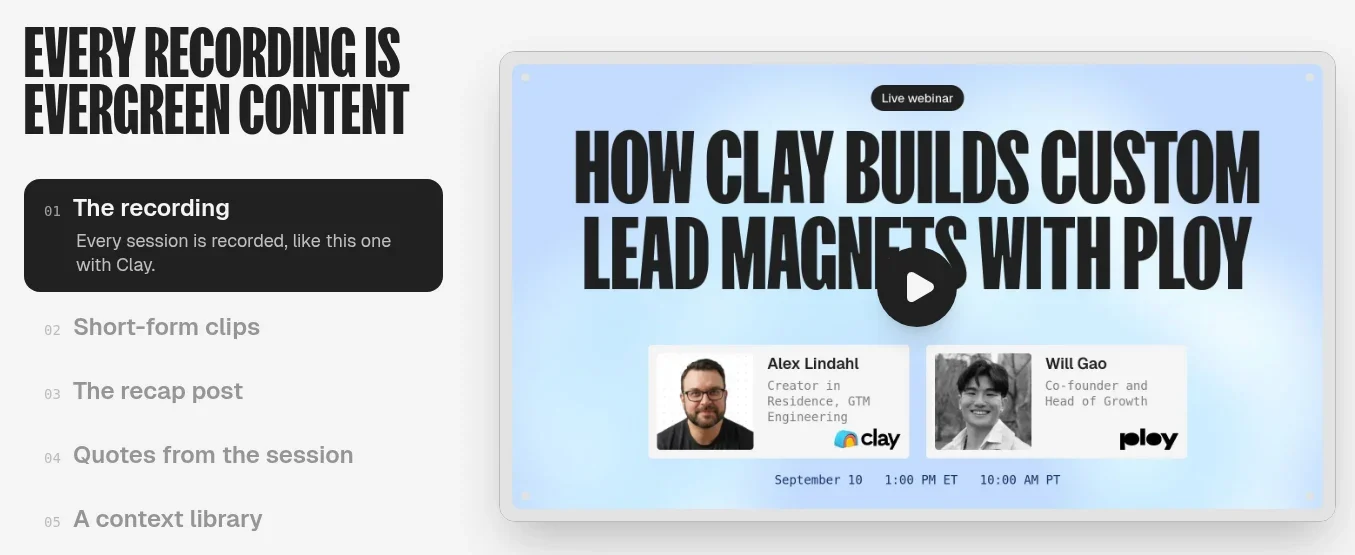
- On demand. We host the replay on the same landing page.
- Short clips. We cut clips for organic social and send guests theirs the following week to share. We’re also testing them as ad creative.
- A recap blog post. A Ploybook turns the transcript into a draft in the format I like, and I finish it with edits. This post started that way.
- A context library. We keep recordings, podcast interviews, and product videos in one PloyDB table, so Ploy can pull quotes into other content, like SEO posts that would otherwise read dry.
Sean estimates that around 40-50% of our views come from on-demand viewers, which is why we keep improving the replay page. Our account executive also sends recordings to prospects as proof that Ploy handles a specific use case.
Follow up based on what each registrant did
Follow-up gets messy when attendance lives in one tool, contacts in another, and email in a third, so Sean connected Ploy to Sequel, HubSpot, Resend (our email provider), and Instantly (our cold email sequencer). Ploy pulls who joined and how much they watched, including on demand, enriches those people in HubSpot, and sorts them into segments.
Keep segments to 3 or 4
You could personalize down to 100 segments for one webinar. When I asked Sean how he decides, he said his sweet spot is 3 to 4, built mainly on:
- Intent, such as attendance and watch time
- Company size, so we book demos with people who fit
- Location, since a US-based registrant is a strong signal for us
Reference each person’s journey
Ploy drafts on-brand HTML emails through Resend, and I love using them. Sean prefers plain text because it feels more personal. As he told the audience, “If you guys ever receive a beautiful looking email, that’s probably from Eliana. And if you receive a plain text email, it’s probably from me.”
For each segment, Sean personalizes by name and attendance, and Ploy works in hooks from his past Instantly campaigns that got the best response.
His favorite personalization comes from each person’s history, like the most recent thing they did in Ploy or the pages they viewed. If I had looked at the pricing page and a previous webinar, my email would thank me for joining, mention both, and suggest related sessions.
To set up the same follow-up:
- Pull attendance and watch time from your webinar platform
- Enrich registrants and store the results in your CRM
- Define 3 to 4 segments based on intent and fit
- Write one email per segment, with one line personalized from each person’s recent activity
Measure what the program is worth
I’ve worked in content for about a decade, and proving value has always been the hard part, because most journeys aren’t tied to a UTM. Very few people read a thought leadership post and then sign up for a six-figure deal.
Seeing the whole journey changed that for me. Each demo request on our site triggers a Slack alert, and because our site runs on Ploy, we can ask Ploy for the person’s full path even when the booking link has no UTMs. In the example Sean showed live, the person had visited the For Startups page, come back from Google, viewed the demo page, checked pricing, and received the webinar invite email, which was one I had sent. Honestly, I had never seen anything like this before I joined Ploy.
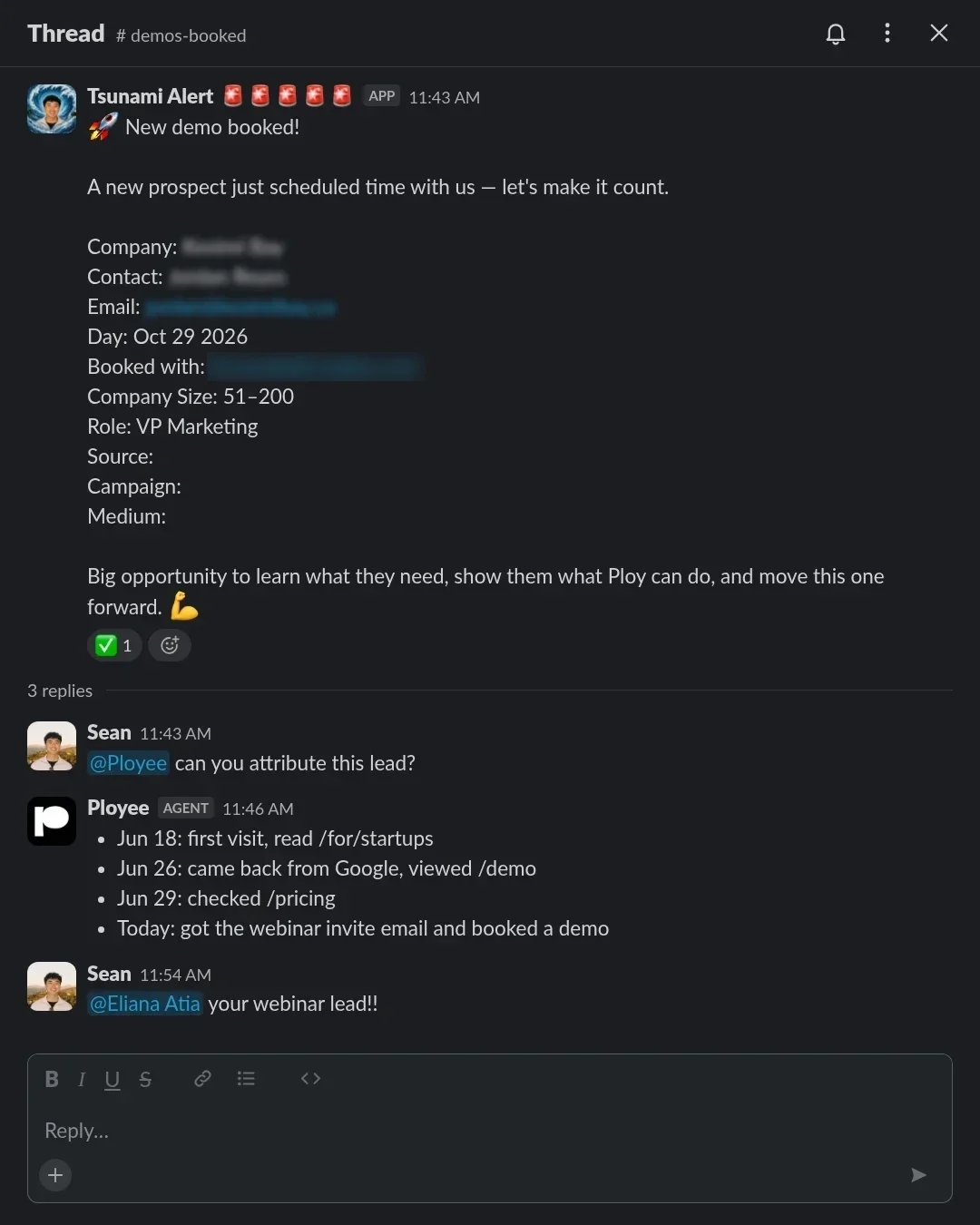
From there, we report on 2 kinds of webinar value:
- Webinar sourced: the HubSpot contact was created by a webinar registration
- Webinar contributed: an existing contact registered for a webinar and later entered a sales cycle
I came up with the second definition, described it to Ploy, and Ploy added it to our report. Now we can ask Ploy which bookings and closed-won deals started with a webinar.
Tests worth running
Two tests are live, and a third is planned.
Tell part of the story before the register button
Our webinar pages used to be a thumbnail, a register button, and not much else. On a brainstorming call, a teammate pointed me to MasterClass, which tells visitors part of the story before asking them to act. I sent the idea to Ployee, Ploy in Slack, and asked it to take a stab at our pages (I think I was on the subway on my way to work). Ploy pulled the local recordings from Sequel and cut a teaser trailer and shorter chapters for the updated pages, like our on-demand session with Corey Haines.
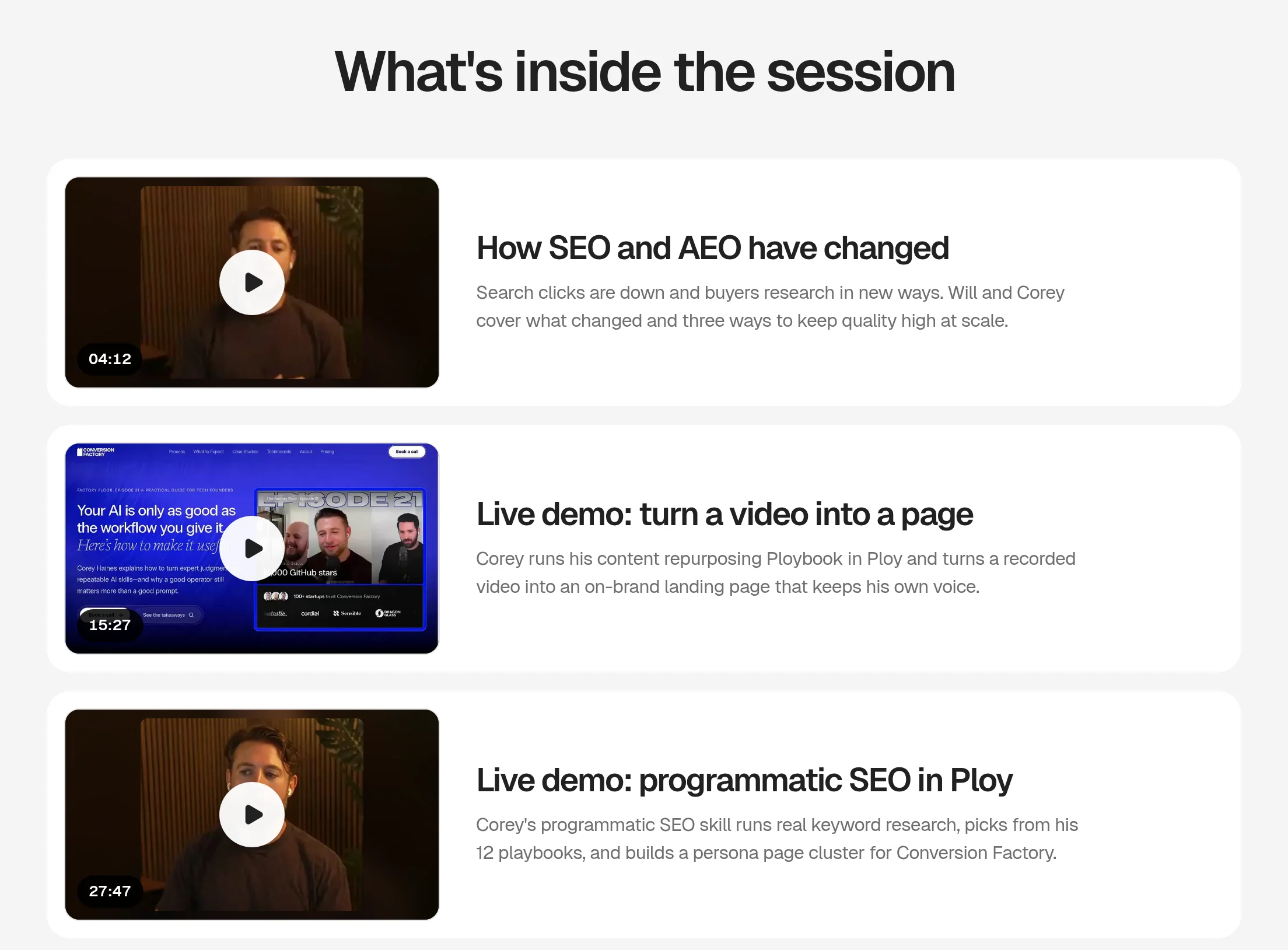
The pages went live about a week before this webinar, so I don’t have results yet. We may also run the trailers as top-of-funnel ads.
Split registration into 2 steps
You want as much information on a lead as possible, but every extra field costs sign-ups. I borrowed the fix from an Exit Five newsletter (I love that team). Our Sequel form stays at 3 fields, and after someone clicks Register, a second flow built with Ploy forms asks about:
- Organization size
- Use cases they care about, such as webinars, ABM, or ad creative
- Whether they’re here to learn or looking for a solution like Ploy
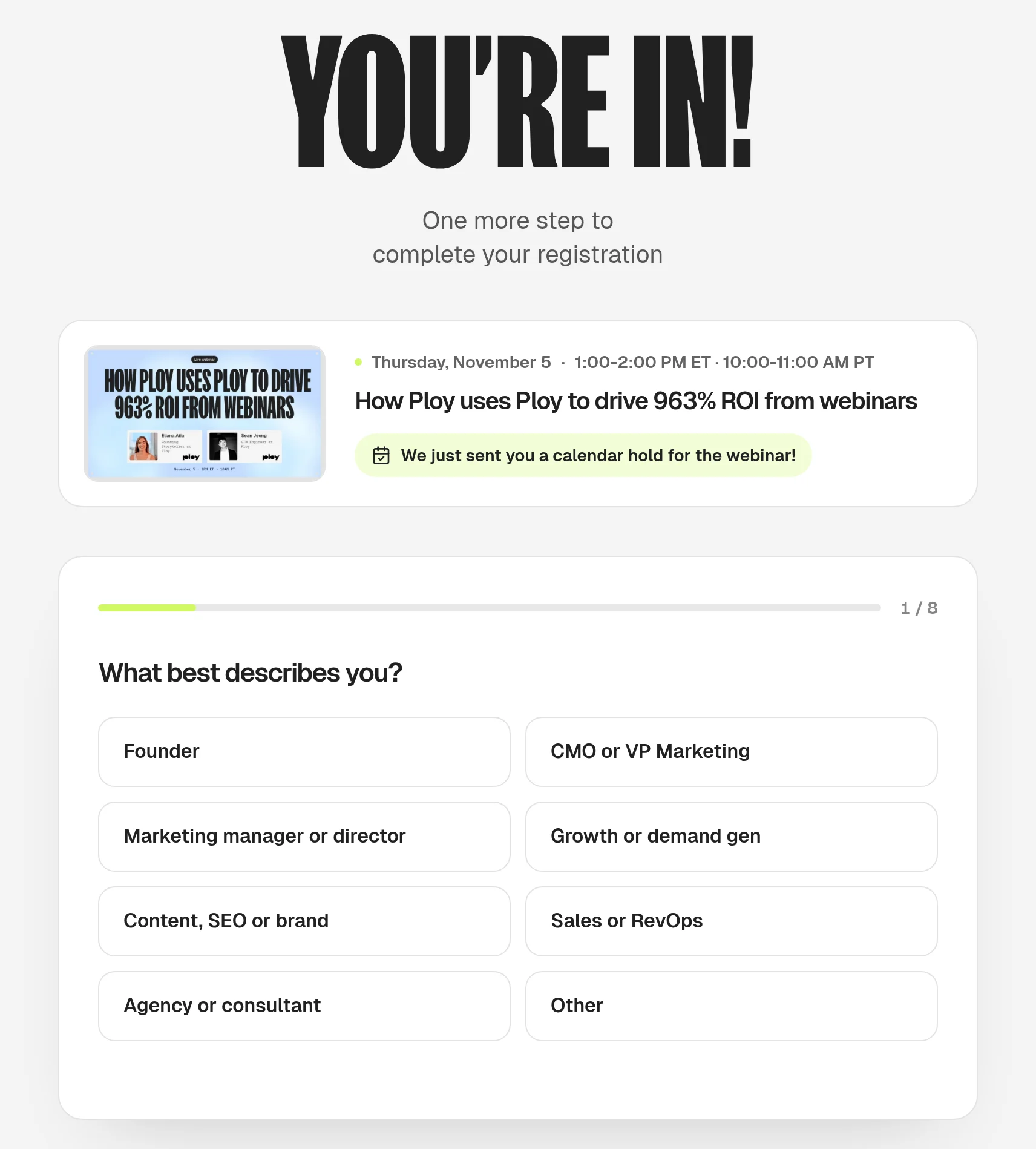
The answers land in PloyDB and on the HubSpot contact. If someone stops after the first question, we still have their registration and that one answer.
The last question is my favorite, because it tells us whether to give someone space to learn or a chance to talk with our team.
Sean then has Ploy score each contact against patterns from our closed-won accounts:
- Qualified registrants get invited to book a demo, plus outreach by email and LinkedIn
- Everyone else goes into nurture, so we stay top of mind if their company raises money or they change jobs
Build lookalike audiences from your best registrants (planned)
We aren’t running this yet. Sean’s plan is for Ploy to refine our ideal customer profile with each webinar’s registrant data, create ads and landing pages for the new segments, and push lookalike audiences to Meta and Google.
What still needs a person
Ploybooks handle the production work, but someone on our team still makes these calls:
- The story and the guest, shaped in the discovery call and the dry run
- Feedback on every draft, including the last 10% of the deck
- Tone for each audience, which is why Sean’s follow-up stays in plain text
- What counts as value, like the webinar-contributed definition
Sean and I both recommend learning a workflow intimately before you automate it, so you know which parts need you.
How to apply this to your own program
I’d leave you with 3 questions:
- Which manual steps don’t need to be manual? Look for small handoffs, like building the back-end form in HubSpot.
- How does the program serve your business goals? I ask this for every channel. Shape the program to your goals, even if it looks nothing like ours.
- How quickly can you turn an idea into a test? Our trailer pages started as a Slack message to Ployee.
As Sean pointed out, Ploy can connect to pretty much any tool with an API or MCP server, so you don’t need our stack.
Every asset in our program, from the deck to the follow-up email to the attribution report, now starts from one recorded conversation.
We run one of these sessions every month. Watch the full recording, or browse upcoming webinars to join the next one.